
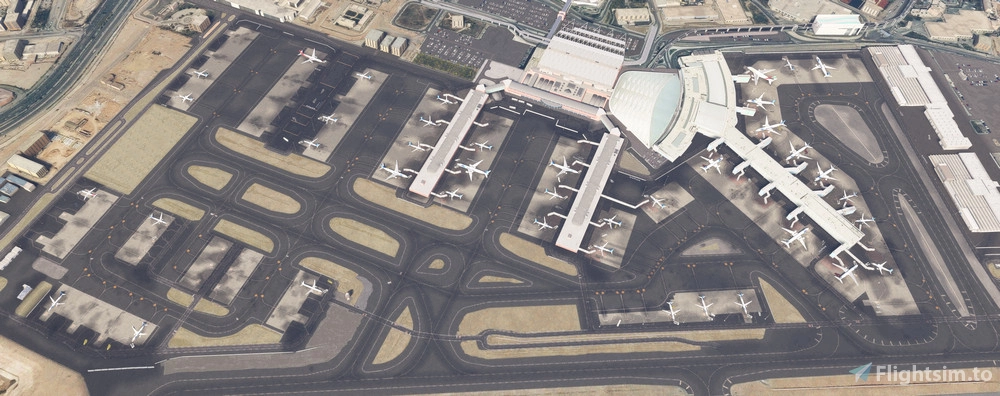
Description
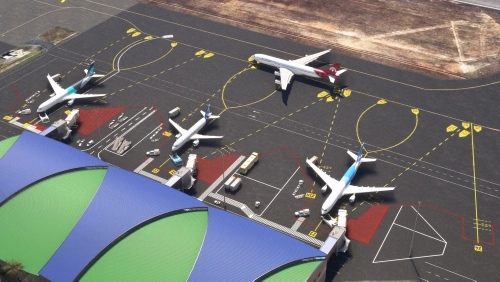
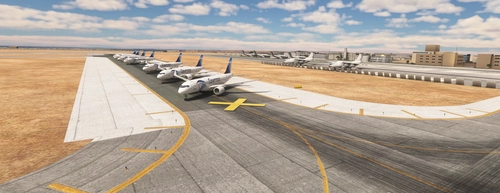
Asobo/MS Cairo Intl Airport REWORK
for MSFS Premium Deluxe Version
FIXED the issue preventing AI Traffic take off from Rwy 05C
IMPORTANT: Do NOT remove the HECA Cairo bespoke airport.
This scenery is also included in the amazing AfricaToGo! airports pack
It took a lot of hours of work for a couple of months.
Installation: simply unpack and drop into the Community folder.
It is almost 100% accurate, as I tried to make it very close to the real one.
- Reworked the apron textures;
- Reworked parkings/gates as from Jeppesen Chart with custom markings;
- Military Apron parkings have been set as from satellite images, and numbered from U1 to U34, as they are not indicated on the charts;
- All gates/parkings are set according to the AIG aircrafts diameter to better fit AI Traffic;
- Airline codes have been assigned to the main parking gates of Terminal 1, 2 and 3 so to have AI Traffic park to the proper Terminal, as from the official Cairo Intl website;
- Reworked night illumination;
- Various buildings, hangars, objects and statics all around the airport in addition to the bespoke objets already present;
Happy flights to Cairo.
Dependancies:
- Some few objects come from MS/Asobo bespoke airports and World Updates
- ESD and UK2000 libraries (available for free in the Marketplace)
SEE BELOW FOR THE OTHER DEPENDANCIES
Dependencies
Location
HECA Cairo Intl REWORKED and FIXED! (Asobo Bespoke)
Enhance your Cairo airport experience with this meticulous rework for Microsoft Flight Simulator Premium Deluxe Version. This add-on offers accurate apron textures, custom markings, and gates aligned with real-world charts. Enjoy improved night illumination and detailed enhancements throughout the airport. Simply drop the files into your Community folder and start exploring the revitalized HECA Cairo Intl Airport.

User Reviews
15 reviews
Version History
FIXED the issue preventing AI Traffic take off from Rwy 05C
Featured in Collections(1)

Related
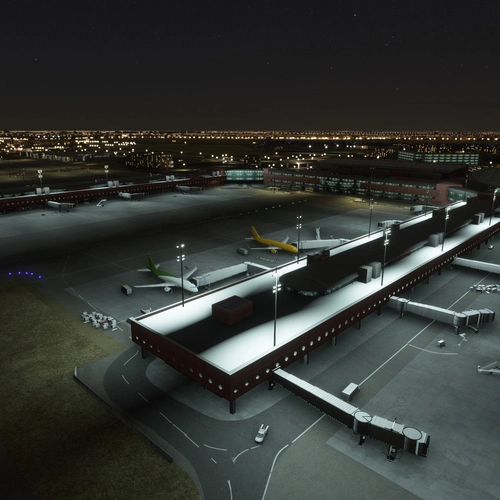
Cairo International Airport (HECA) Night Light Enhancement
Enhance the night lighting at Cairo International Airport with this mod specifically designed for deluxe and premium versions of MSFS 2020. Simply copy the "apronlampsheca" folder to your community folder for easy installation.
by Katja Mueller
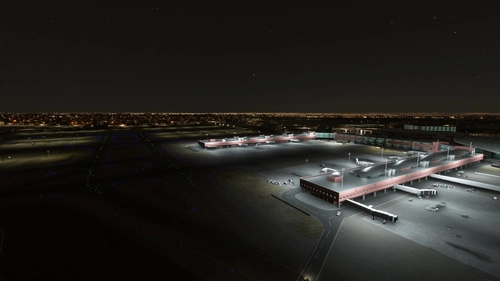
HECA - Cairo International Terminal Lights Improvments
HECA - Cairo International Terminal Lights Improvments and cairo east buildings and lights - As it is in real-life cairo international airport because I'm ATCO there , from the controle tower capin I can see the new led lights after the last Cairo airport Company devolopment for the Tarmac signs and lights.
by ma7moud.elhawary
HECA TaiModels Improvments
This add-on enhances HECA with improvements to night lighting on the apron and static traffic representation. It includes added static aircraft for the military apron and traffic around both repair centers, along with grounded Egyptian Air traffic. Future updates are anticipated, as the developer seeks feedback for additional features.
by ProjectMENA

HECA Modification for Cairo by Asobo
This add-on modifies the HECA - Cairo airport in Microsoft Flight Simulator, enhancing the cargo parking layout to match Google Maps imagery. It also assigns specific airlines to designated parking spaces based on information from the Wikipedia Airlines-Destinations table. The mod does not alter any original scenery files or templates and is not supported by Asobo. Installation is straightforward, requiring the addition of the folder to the Community directory.
by skatesoft
Log in to join the discussion
Log InComments(98)
8 months ago
about 1 year ago
about 1 year ago
about 1 year ago
about 1 year ago
Easy solution taken from the forum https://forums.flightsimulator.com/t/pink-textures-so-far-eham-only-default-asobo-scenery/729894/26
The problem is caused by a missing line in the “texture” file located in the airport folders (EHAM and HECA).
path example: LocalCache\Packages\Official\OneStore\Asobo-airport-heca-cairo\scenery\cairo
The file has only two lines, but it should have three, just like other Asobo airports.
All you need to do is add the missing line:
fallback.3=Scenery\modellib-texture\ModelLib
The whole file should look like this:
[fltsim]
fallback.1=scenery\cairo\texture
fallback.2=Asobo_Buildings\Texture
fallback.3=Scenery\modellib-texture\ModelLib
about 1 year ago
about 1 year ago
about 1 year ago
about 1 year ago
Easy solution taken from the forum https://forums.flightsimulator.com/t/pink-textures-so-far-eham-only-default-asobo-scenery/729894/26
The problem is caused by a missing line in the “texture” file located in the airport folders (EHAM and HECA).
path example: LocalCache\Packages\Official\OneStore\Asobo-airport-heca-cairo\scenery\cairo
The file has only two lines, but it should have three, just like other Asobo airports.
All you need to do is add the missing line:
fallback.3=Scenery\modellib-texture\ModelLib
The whole file should look like this:
[fltsim]
fallback.1=scenery\cairo\texture
fallback.2=Asobo_Buildings\Texture
fallback.3=Scenery\modellib-texture\ModelLib
about 1 year ago
I will do and check
over 1 year ago
over 1 year ago
over 1 year ago
over 1 year ago
10 months ago
over 1 year ago
Seems like a lot for 1 scenery...
over 1 year ago
almost 2 years ago
almost 2 years ago
about 2 years ago