Flightsim.to
    Asobo Cessna Citation CJ4 Realism Mod - Image 1

    Description

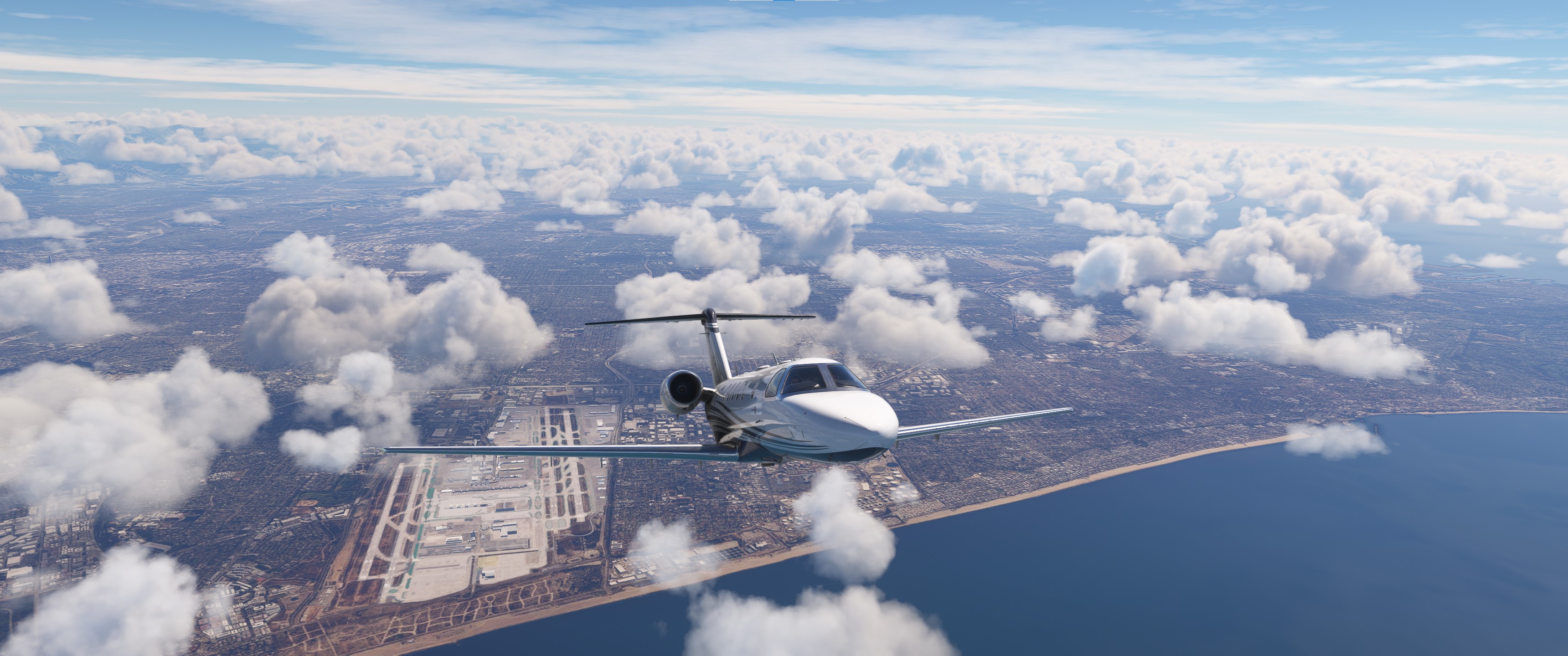
    This is a modification to the MSFS 2020 default Asobo Cessna Citation CJ4 aircraft and is primarily aimed at improving the aircraft flight model to make its overall performance more closely match the actual aircraft, providing a much closer experience to flying the real aircraft.  Multiple changes have been made to the aircraft Flight Model, Weight and Balance and Engine parameters, which are detailed in the Change Log file included in the download.

    This mod is easily installed by simply unzipping the download file and copying the mge-asobo-aircraft-cj4 folder to the MSFS Community folder.  It will then replace the existing default Cessna Citation CJ4 aircraft in the MSFS aircraft selection screen, and will also continue to utilize all of the existing available Liveries.  To uninstall the mod and return to using the MSFS default aircraft, simply remove it from the Community folder.


    Microsoft Flight Simulator © Microsoft Corporation.  Asobo Cessna Citation CJ4 Realism Mod was created under Microsoft's "Game Content Usage Rules" using assets from Microsoft Flight Simulator, and it is not endorsed by or affiliated with Microsoft.  

    Comments(158)

    Log in to join the discussion

    Log In
    d

    4 months ago

    does this works with the 2024 version?¡
    M
    MGouge425Author

    4 months ago

    No... It is only for MSFS 2020.
    M
    MGouge425Author

    5 months ago

    TIP OF THE DAY: Here is another short flight plan from EAGLE (KEGE) to ASPEN (KASE) that will allow you to use the autopilot for the Roaring Fork Visual Rwy 15 Approach. Set your cruise ALT to 9,500 ft. (Pattern Altitude). Leave the Flaps at 15 and keep your speed below 160 kts for this extremely short flight. Select RWY 15 on the ARR page, with a RWY EXT of about 1.5 nm...

    KEGE (25) > CIPTU > VPCTN > IDENE > MASBI > RRIDE > CEYAG > KASE (15)
    M
    MGouge425Author

    5 months ago

    TIP OF THE DAY: Many airports like Aspen (KASE) that are in mountainous areas require a right traffic pattern for some runways to avoid nearby terrain or obstacles. To quickly determine if the runway you want to use has a right traffic pattern just look at the text description next to the airport symbol on the VFR aeronautical chart to see if it includes a "Right Pattern" runway designation like "RP 33" at KASE, which means runway 33 requires a Right Pattern. This makes the circling approach to Rwy 33 much more difficult and challenging.
    M
    MGouge425Author

    5 months ago

    TIP OF THE DAY: When hand-flying this aircraft remember to use the ELEVATOR to control your Altitude and VS, and use the THROTTLE and SPEEDBRAKE to control your Airspeed... This is opposite to what you were taught in basic flight training on the C172, so it requires unlearning some of the fundamental flying skills that may have now become automatic.
    v

    5 months ago

    Thank you for all these fantastic performance mods, they really do make sim flying that little bit closer to reality.
    As others have previously asked, and with so many of the community now moving over to it, are you looking to create your great mods for MSFS2024?
    Thanks in advance, and all the best to you for 2026.
    M
    MGouge425Author

    5 months ago

    TIP OF THE DAY: This extremely simple flight plan from RIFLE (KRIL) to ASPEN (KASE) will allow you to practice the Roaring Fork Visual Rwy 15 Approach, and also become much more proficient at hand-flying this aircraft. In fact, the autopilot is not used at all during this entire short flight!...

    KRIL (8) > REVNE > CEYAG > KASE (15)

    Takeoff on Rwy 8 and depart straight-out, then just follow the four-lane highway and river all the way to Aspen. Engage the YD after takeoff but leave the AP OFF. Keep your altitude below 10,000 ft. and your speed below 200 kts. You can even leave Approach Flaps (15) extended the whole way to reduce your speed and pitch. Press [ALT]+[UP Arrow] to move your view forward if needed. Just press [UP Arrow] or press [SPACE] to raise the forward view over the nose.
    M
    MGouge425Author

    6 months ago

    TIP OF THE DAY: The Basic Operating Weight (BOW) shown on the PERF INIT page of the FMS does not include the Pilot weight, so you should always include the Pilot in the passenger count for the PASS WT field, and add +50 lbs. to the CARGO total for the Pilot's equipment and baggage.
    M
    MGouge425Author

    6 months ago

    TIP OF THE DAY: Always use the CATEGORY B Minimum shown on the Approach Chart for this aircraft. Category B includes all aircraft with a Vref speed of 91 - 120 kts.
    M
    MGouge425Author

    6 months ago

    TIP OF THE DAY: The course that the autopilot will track in NAV mode depends on the selected source (GPS/NAV 1/NAV 2). Pressing the [NAV↕] button will toggle it from the current source, which is GPS by default, to the PRESET source shown in the Cyan Box on the PFD. The PRESET source is NAV 1 (VOR 1/LOC 1) by default, but it can be easily changed to NAV 2 (VOR 2/LOC 2) by simply turning the DATA inner knob on the upper PFD Display Control Panel. If the current autopilot source is VOR 1/LOC 1, turning the DATA knob will change the PRESET source to either VOR 2/LOC 2 or GPS. So, before pressing the [NAV↕] button to change the autopilot source always verify or change the PRESET source to the one you want first.
    M
    MGouge425Author

    6 months ago

    TIP OF THE DAY: The engine startup procedure on this aircraft is fully automated and controlled by the FADEC. The AFM engine start procedure says you can press the RUN button immediately after pressing START, without waiting for N2 to spool up to 20% as described in the checklist. It also says don't start the second engine until the first engine Generator is online. Abort the start if N1 does not indicate rotation by 25% N2, or if the ITT approaches 1,000°C.
    M
    MGouge425Author

    6 months ago

    TIP OF THE DAY: The flaps on this aircraft extend very quickly, which will cause a sudden increase in lift and altitude, until the increased drag slowly reduces the airspeed. The autopilot will try to correct for this sudden change in altitude by pitching the nose down until the correct ALT or Glidepath has been re-established. To help it do this, and minimize the nose down pitch, apply a little forward pressure on the yoke each time you increase the flaps setting.
    M
    MGouge425Author

    6 months ago

    TIP OF THE DAY: If you use PRESET weather at Aspen (KASE) the temperature will be set to the sea level standard ISA temp of +15°C by default, but the standard ISA temperature at this altitude (7,838 ft.) should actually be -0.53°C. This means that you will be flying on a hot summer day with a temperature that is +16°C higher than standard! This will reduce your takeoff and climb performance. To correct this, open the WEATHER screen and adjust the TEMPERATURE slider until the lower right corner of the Copilot's MFD shows "ISA 0°C".

    This also affects the FMS calculated V-Speeds, so after making this adjustment, use the corrected "SAT" temperature shown on the MFD, or the temperature reported by the ATIS, when entering the values for the TAKEOFF and APPROACH pages of the FMS.

    When landing at a high-altitude airport like Aspen (KASE), also keep in mind that your actual Ground Speed increases significantly with altitude. Vref for this aircraft is typically about 105 kts, but the touchdown Ground Speed at Aspen will be about 118 - 124 kts, depending on the temperature.
    M
    MGouge425Author

    6 months ago

    TIP OF THE DAY: Here is another flight plan for Telluride (KTEX) to Aspen (KASE) that will test your skills at hand flying and circling approaches. This circling visual approach begins West of the airport over Snowmass Village, crossing the airport at mid-field and then circling to land at Rwy 15 or Rwy 33. It is often assigned by ATC for smaller aircraft arriving from the South or West...

    KTEX (27) > BVEIL > MTJ > VPMCR > MROON (/14500) > TUCH > CANTT (/10220) > KASE (Circle 15-33)

    Set your cruise ALT to 16,000 ft. and start at KTEX (RAMP 9). Don't select the Rwy on the ARR page since you will be hand flying the final approach. To safely clear the mountains and allow the use of VNAV PATH mode for the initial descent down to the CAT B Circling MDA (10,220 ft.), manually enter these waypoint altitude constraints on the LEGS page: MROON (/14500), CANTT (/10220).
    M

    6 months ago

    Thank you very much for your continual updates and tweaks. Hoping you have a Great Xmas x
    S

    6 months ago

    You're doing an absoluely great job... many Thanks and merry Christmas ;)
    M
    MGouge425Author

    6 months ago

    TIP OF THE DAY: Here is another simple flight plan for practicing the challenging Approach procedures at Aspen (KASE). This flight plan starts at nearby Telluride (KTEX), which is another hand-crafted airport and scenic ski resort area. Set your cruise ALT to 16,000 ft. and start at KTEX (RAMP 9). For the ROARING FORK VISUAL Approach, select RWY 15 on the ARR page and set VIS RWY EXT (RX15) to 3.8 nm. Since the visual approach includes the runway, you can use VNAV PATH for the full descent...

    KTEX (27) > ETL > YORRO > VPAWH > RX15(3.8 nm) KASE (15)
    KTEX (27) > ETL > YORRO > AJAXX > KASE (AJAXX.LOC-E)
    KTEX (27) > ETL > YORRO > AJAXX > KASE (DBL.RNAV-F)
    z

    6 months ago

    Hi!! Can we please have this mod on the 2024? Thanks!
    M
    MGouge425Author

    6 months ago

    TIP OF THE DAY: Aspen (KASE) is one the few airports that regularly uses opposite runways for takeoff and landing due to the surrounding terrain, which means you may encounter opposing traffic during departure or arrival. For this reason, all of the SID procedures for KASE include an immediate right turn after takeoff to avoid any potential opposing arrival traffic, which makes them challenging.

    Here is a simple short round-trip flight plan that will allow you to practice this Departure procedure, as well as the highly challenging Arrival procedures for this airport. Set your cruise ALT to 14,000 ft. and start at RAMP 3 or 4...

    KASE (33) LINDZ1.LINDZ > LACID > BEVVR > SXW > DBL > WASLO > CEYAG > KASE (15)

    KASE (33) LINDZ1.LINDZ > LACID > BEVVR > SXW > KASE (DBL.LOC-E)
    KASE (33) LINDZ1.LINDZ > LACID > BEVVR > SXW > KASE (AJAXX.LOC-E)
    KASE (33) LINDZ1.LINDZ > LACID > BEVVR > SXW > KASE (DBL.RNAV-F)
    M
    MGouge425Author

    6 months ago

    TIP OF THE DAY: Here is a simple short flight plan for practicing the ROARING FORK VISUAL RWY 15 Approach into Aspen (KASE). Set your cruise ALT to 12,500 and set ARR to Rwy 15 with a 1.0 NM Rwy EXT...

    KEGE (7) > MASBC > WERNR > DBL > WASLO > CEYAG > KASE (15)

    And these are for the infamous, much more challenging LOC-E and RNAV-F Approaches...

    KEGE (7) > MASBC > WERNR > DBL > KASE (DBL.LOC-E)
    KEGE (7) > MASBC > WERNR > DBL > KASE (DBL.RNAV-F)

    You can use VNAV PATH mode for the full descent on the ROARING FORK VISUAL approach. But, since the LOC-E and RNAV-F approaches don't include a destination runway or touchdown altitude, you cannot use VNAV with these approaches. VNAV PATH will simply level off at the last altitude constraint, so you must use VS or FLC mode instead. And, the final approach segment requires an incredibly steep 6.5° descent to Rwy 15. This descent requires full FLAPS 35 with the gear DOWN and the SPEEDBRAKE extended to maximize drag and keep your speed at Vapp/Vref during the descent.

    While it is possible to land on Rwy 33 using a "Circle to land" final approach, most of the time all landings use Rwy 15 regardless of the wind direction, which means you may sometimes land with a tailwind. All takeoffs use Rwy 33 to avoid the steep surrounding terrain, so you may encounter opposing traffic during either takeoff or landing at this extremely challenging airport!
    ...
    MSFS 2020MSFS 2024

    Asobo Cessna Citation CJ4 Realism Mod

    Enhance the realism of the Asobo Cessna Citation CJ4 aircraft in MSFS 2020 with this mod. Improvements to the flight model, weight and balance, and engine parameters bring the experience closer to flying the actual aircraft. Easily install by unzipping the download file and enjoy a more authentic flight simulation experience. This mod replaces the default CJ4 in-game and includes a detailed Change Log for reference.


    Downloads15K
    Version1.5.9
    File Size112.79 MB
    Published2 years ago
    Updated5 months ago

    User Reviews

    4.7

    13 reviews

    5
    92%
    4
    0%
    3
    0%
    2
    0%
    1
    8%

    More Information

    Simulator
    MSFS2020
    Sub-CategoryRealism Mods

    Version History

    Version 1.5.9 ⦁ The CHECKLIST has been updated and expanded to include all phases of flight. The Engine Startup checklist now correctly matches the AFM engine start procedure.

    Related

    Asobo C172SP AS1000 Realism Mod

    Asobo C172SP AS1000 Realism Mod

    Enhance the flight dynamics of the Asobo C172SP AS1000 aircraft with this mod, which also includes the FLOATS and SKIS variant. This modification aims to provide a more realistic flying experience by adjusting engine and flight model parameters, weight, and balance. Detailed documentation and real-world training guides are included for easy installation and compatibility with other mods.

    by MGouge425
    4.9
    Asobo Baron G58 Realism Mod

    Asobo Baron G58 Realism Mod

    Enhance the realism of the Asobo Baron G58 in MSFS 2020 with this mod. Improvements to the flight model provide a more authentic flying experience, closely matching the performance of the actual aircraft. Easily install the mod by copying the folder to the Community folder, and enjoy the detailed changes listed in the documentation. Note: Only compatible with MSFS Deluxe Edition and Premium Deluxe Edition.

    by MGouge425

    4.8
    Asobo B747-8i Realism Mod

    Asobo B747-8i Realism Mod

    Enhance your Boeing 747-8i experience with this realism mod for the MSFS 2020 default aircraft. This modification focuses on improving the flight model to closely match the actual aircrafts performance. Detailed changes can be found in the included documentation, addressing bugs like the landing gear failure. Easily installed by transferring files to the Community folder, this mod aims to provide a more authentic flying experience.

    by MGouge425

    4.7
    Asobo Icon A5 Realism Mod

    Asobo Icon A5 Realism Mod

    Enhance your flying experience with the Asobo Icon A5 Realism Mod for MSFS 2020. This mod focuses on adjusting the flight model and performance of the default Icon A5 to align it more closely with the real aircraft. From improved flight parameters to enhanced weight and balance, this mod offers a more authentic and satisfying flight experience. Easily install this mod to enjoy a more realistic flying experience with the iconic and versatile Asobo Icon A5 aircraft in Microsoft Flight Simulator.

    by MGouge425

    4.9