
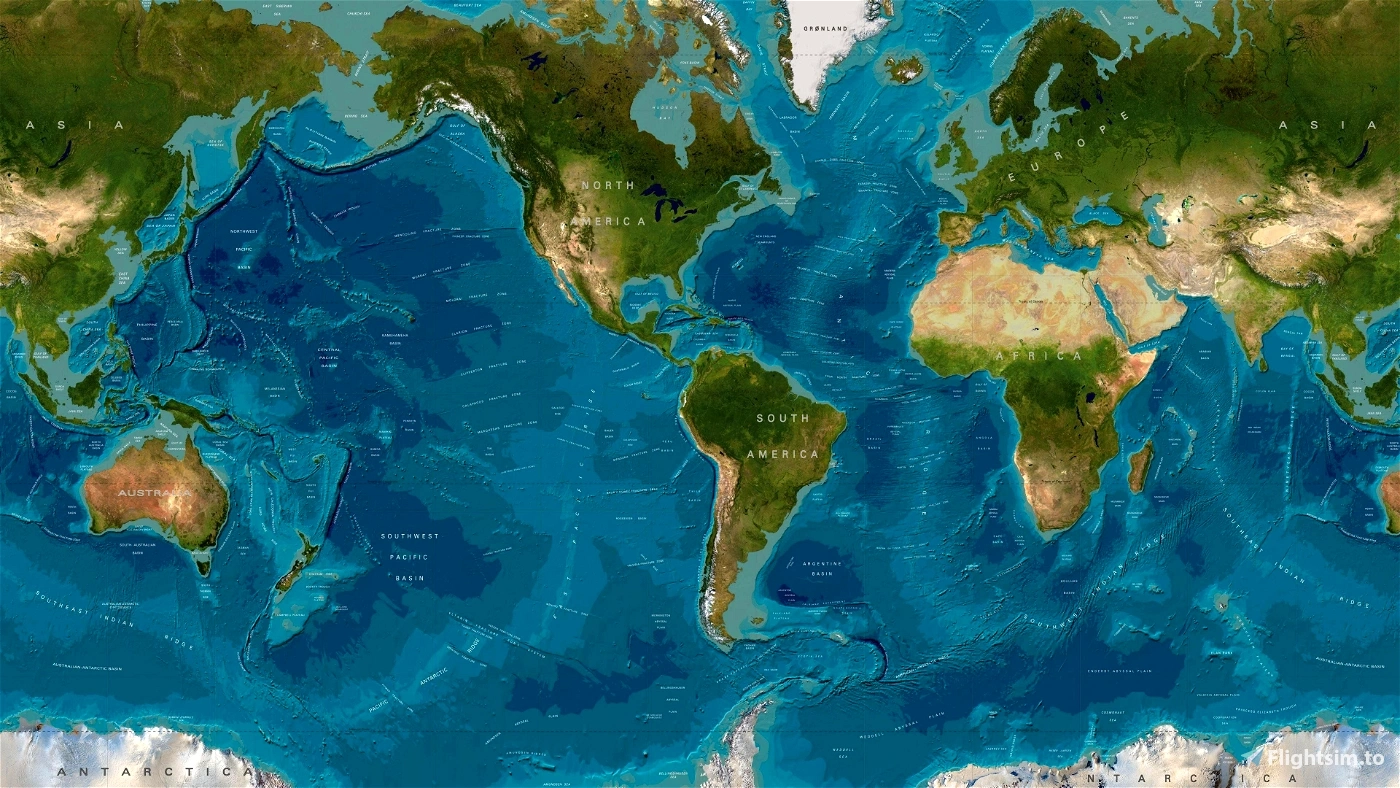
Description
INSTRUCTIONS:
- Place the downloaded Community Linked folder and its subfolders in any location where you manage your MSFS add-ons. It is recommended to keep it outside the main MSFS directory (Official and Community folders). Once placed, open Addons Linker and point it to the downloaded Community Linked folder.
- Then, run Addons Linker, once loaded within the Menu Bar up to Navigate to: Tools then Options, when the dialog box appears, under General Tab, look for the ADD Button on the right side, this will open up another Dialog box that will allow you to Browse for Folders, simply navigate to where you placed the Community Linked folder downloaded from here and hit ok.
- Next time you open up Addons Linker, you will see the Community Linked Folder downloaded from here and its sub folders in the Addons Linker UI. You're all done, from this point on simply categorizes your Addons Accordingly.
- For more extensive instructions on how to use Addons Linker, please refer to the Addons Linker PDF File provided in the MSFS Addons Linker Addon by BAD2000
- Addons Linker by bad2000 is Required for this to Function --> You can Download it here--> MSFS Addons Linker
Just a collection of random spots I’ve visited in MSFS over the last few years. Finally got them organized if you want to see what I've been up to in the skies: Garcia-Sim-Stops Screen-shots --> Facebook
DESCRIPTION:
GarciaMK4 Global Add-On Hierarchy (Directory Structure) Version 1.0.3
Pre-Constructed folder structure to be used with Addons Linker. Greetings to all, this is a structured global directory system designed for use with Addons Linker. It provides a scalable and organized method for managing Microsoft Flight Simulator add-ons by aircraft category, geographic region, libraries, liveries, and utilities. This hierarchy is refined specifically for modular Addons Linker usage, allowing clean activation, separation of content, and long-term maintainability.
VERY INPORTANT: Note: This layout is based on the add-ons currently installed in my own setup. If certain areas are missing, it simply means no add-ons were installed for that location at the time of creation. You are free to expand or adapt the structure to suit your needs.
-- Please note that this is merely a Pre-Constructed folder structure I've created to work with Add-ons Linker to assist the community in more effectively organizing their Add-ons ENJOY: :-D
-- Addons Linker by bad2000 is Required for this to Function --> You can Download it here--> MSFS Addons Linker
FOLDER STRUCTURE LAYOUT
- AIRCRAFT: Divided into: (BIG_AIRLINERS) (GENERAL_AVIATION)
- GLOBAL_SCENERY: Organized by Continent, Country, and Regional Subdivision. Each region contains a dedicated AIRPORTS folder.
- LIBRARIES Divided into: (COMMON_ASSETS) (CUSTOM_ASSETS) (MISCELLANEOUS_ASSETS)
- LIVERIES: Divided into: (AIRLINERS) (GENERAL_AVIATION)
- UTILITIES: For simulator enhancement tools such as: Parallel42 Flow Weather Utilities Ground handling tools Other operational enhancements
- NAMING STANDARD: Country-based examples use ISO-3 prefixes (e.g., CAN_XXXX, JPN_XXXX) ... U.S. states and similar subdivisions use standard abbreviations (e.g., NY_XXXX, CA_XXXX). Replace XXXX with the appropriate ICAO identifier. Details can be found in the READ ME text in each airport folder.
v1.0.4 Small Update GarciaMK4 Global Addon Hierarchy - CHANGE_LOG
- Version: v1.0.4
- Date: 2026-03-01 10:29:49
- Summary
- - Taxonomy cleanup and naming normalization for the empty folder hierarchy.
- - Removed script-introduced artifacts and corrected geographic placements.
- Changes (today)
- - Removed duplicate Delaware placement; Delaware remains under UNITED_STATES\NORTHEAST.
- - Moved Key West to UNITED_STATES\SOUTH.
- - Standardized Puerto Rico naming to PUERTO_RICO (spelling + underscore format).
- - Removed unintended TMP_* folder created by a PowerShell script under New Zealand.
- - Moved Cuba to NORTHERN_AMERICA\CARIBBEAN.
- Notes / Intentional Structure
- - P42 folder under UNITED_STATES\MIDWEST is intentional (Parallel 42 vendor bucket).
- - This release distributes an empty structure; users may apply their own ICAO/state/vendor naming conventions.
ALSO REGIONAL MAPS HAS NOW BEEN ADDED AS PDF FILE
U.S.A
The United States has been subdivided into states and broader regions for improved organization. Regional boundaries can vary depending on reference sources; this arrangement reflects a practical and consistent division for add-on management. You may reorganize or adjust regional divisions as preferred.
Note: as mentioned above, this structure is based on the scenery I have installed. If areas are missing, it's because I don't have any scenery installed for that specific area, so feel free to add to this to adapt it to your needs. There's also a lot of contradictory data regarding the division everywhere else; I used the Add-ons Linker filter feature to divide the rest as best I could base on the add-ons I have installed. Change it as you please to better fit your profile.
GLOBAL SCENERY NOTES
Within each geographic location, the AIRPORTS folder is intended for airport scenery packages. If desired, you may create additional subfolders (such as VFR) within specific regions to separate large-area scenery from airport-specific packages. This is optional and depends on personal preference. The structure is designed to allow flexible organization while maintaining logical consistency.
IMPORTANT
Always verify add-on compatibility before renaming or relocating any scenery package. This hierarchy is provided as an organizational framework.
Users are responsible for proper installation and compatibility.
Want to support my work? If you enjoy this tool and want to toss a coffee tip into the jar, you can head over to my Flightsim.to creator profile and click the PayPal button.
Absolutely no pressure. Enjoy!
Dependencies
GarciaMK4 Global Add-On Hierarchy (Directory Structure) v1.0.4
Organize your MSFS addons efficiently with a pre-constructed folder structure for Addons Linker. Categorize your aircraft, scenery, liveries, mods, and more using this ready-to-use layout. Easily adapt and modify the structure to suit your specific needs and preferences. Download Addons Linker by bad2000 to enhance your addon management experience.


User Reviews
2 reviews
Version History
GarciaMK4 Global Addon Hierarchy - CHANGE_LOG Version: v1.0.4 Date: 2026-03-01 10:29:49 Summary - Taxonomy cleanup and naming normalization for the empty folder hierarchy. - Removed script-introduced artifacts and corrected geographic placements. -Original PDF Files Restored Changes (today) - Removed duplicate Delaware placement; Delaware remains under UNITED_STATES\NORTHEAST. - Moved Key West to UNITED_STATES\SOUTH. - Standardized Puerto Rico naming to PUERTO_RICO (spelling + underscore format). - Removed unintended TMP_* folder created by a PowerShell script under New Zealand. - Moved Cuba to NORTHERN_AMERICA\CARIBBEAN. - Restored Missing PDF Files Notes / Intentional Structure - P42 folder under UNITED_STATES\MIDWEST is intentional (Parallel 42 vendor bucket). - This release distributes an empty structure; users may apply their own ICAO/state/vendor naming conventions.
Related

NY94 Old Rhinebeck
This add-on recreates the historic Old Rhinebeck Aerodrome NY94 in Red Hook, New York, for Microsoft Flight Simulator 2024. The scenery features custom-built hangars, museum areas, fencing, and other airport structures, modeled using reference photographs. Third-party assets are included for additional period atmosphere, such as vintage static aircraft and environmental details. Some elements may differ from the real location where reference material was limited.
by Garciamk
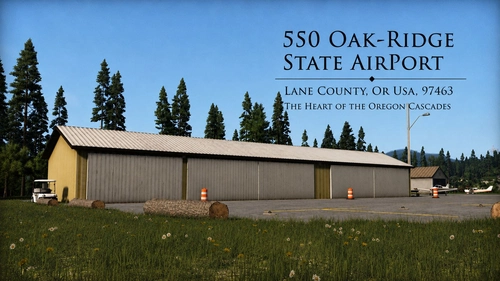
OakRidge State: The Heart of the Oregon Cascades (5S0)
This add-on recreates Oak Ridge State Airport (5S0) in Oregon, featuring some custom scenery assets, set in the Cascade Range foothills. It includes accurate vegetation, weathered structures, custom T-markers, and small touches like realistic signage. The airport is designed for bush flying and general aviation, capturing the atmosphere of the Pacific Northwest backcountry. Some static aircraft and third-party assets are used.
by Garciamk
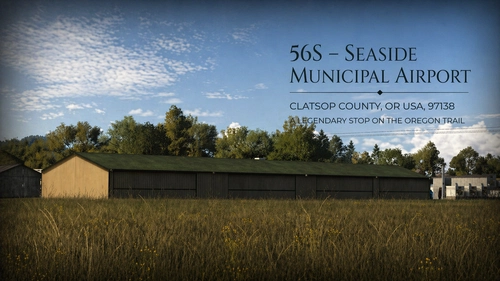
56s - Seaside Municipal Airport
This add-on recreates Seaside Municipal Airport 56S on the Oregon coast, focusing on accuracy and atmosphere. The airport is depicted with surrounding local buildings, trees, and roads to capture its realistic, small-town feel. Suitable for short field and coastal flights, the scenery aims to reflect the airport’s true character. Installation instructions are provided for standard and Addons Linker users.
by Garciamk
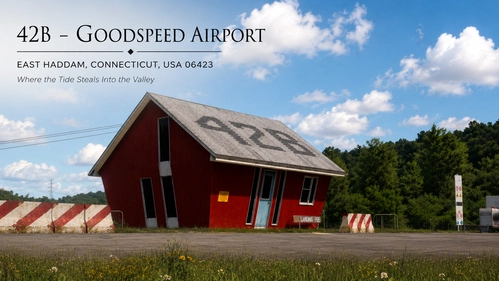
42B GoodSpeed Airport-Where the Tide Steals the Valley
This add-on recreates Goodspeed Airport (42B), a distinctive airport and seaplane base on the Connecticut River in East Haddam, Connecticut. It features detailed models of key airport structures including the office, hangars, service buildings, and custom docks. The scenery includes static aircraft, various small details, and ground clutter to capture the airport’s character. Hidden clues and extra details are also available for users who enjoy exploring the area beyond the airport itself.
by Garciamk
Log in to join the discussion
Log InComments(13)
over 2 years ago
I have nearly 4,000 addon folders in the Community folder, and probably a large part of them are airports. Addon Linker /addons map/ can filter airports by: ICAO codes. Can it automatically group airports, e.g. continents and move them to the folder structure?
over 2 years ago
over 2 years ago
about 3 years ago
What do I need to do after download? Is there a instructions in the file? I do have addon linker.
about 3 years ago
Then, run Addons Linker, once loaded within the Menu Bar up top Navigate to: Tools then Options, when the dialog box appears, under General Tab, look for the ADD Button on the right side, this will open up another Dialog box that will allow you to Browse for Folders, simply navigate to where you placed the Community Linked folder downloaded from here and hit ok.
Next time you open up Addons Linker, you will see the Community linked Folder downloaded from here and it's sub folders in the Addons Linker UI. You're all done, From this point on simply categorize your Addons Accordingly.
For more extensive instructions on how to use Addons Linker, please refer to the Addons Linker PDF File provided in the MSFS Addons Linker Addon by BAD2000about 3 years ago
Thanks for bringing this to my attention. I should have done it from the beginning. I've just re-uploaded the file with Instructions in PDF Format. I've also updated the information above with Instructions.
about 3 years ago
Very interesting. I am wondering how you integrate payware and freeware into the same structure. And how you deal with third party apps (Aerosoft One, ORBX) which install their addons into their own libraries. Do you manually move them?
about 3 years ago
Answered on Discord :-)
about 3 years ago
Right, got it! Sorry, after I posted here, I realized I had seen you on discord and figured that was a better place.
about 3 years ago
NP HAPPY FLYING :-)
about 3 years ago
For those who do use ADDONS LINKER, this is a HUGE time saver, and much more flexible then mine!
about 3 years ago
This is indeed an interesting addon. However, as I have been using MFS Addon Collector for a long time, and as it actually sorts my addons into approximately the same sort of arrangement, I think I'll pass this time.
over 2 years ago