
Description
<< --- This app is my christmas present to the community but please consider it as in beta stage still! --- >>
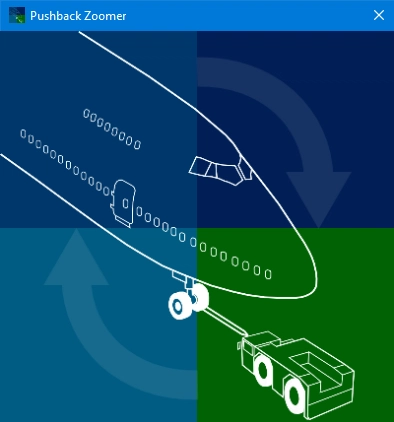
PushbackZoomer is a tiny little utility, that allows to perform pushbacks just by speaking voice commands!
As you don't need to configure anything it as the most simplistic GUI ever: the GUI is just a blank window with literally zero UI elements on it. Start it, put it in the background an forget it!
How do you use it? Talk with it! Using the standard audio input, you need to speak a realistic and comprehensive set of voice commands, which trigger step by step an improved pushback procedure. For each command you hear a response via the standard audio output.
Here is a list of supported features:
- Freeware Windows 10 app
- Distributed via the Microsoft Store, was well as a *.msix file (packaged Windows app) from freeware portals
- Zero-controls GUI
- The only feedback, that the GUI provides, is the connection state to the sim via SimConnect (GUI in grey = idle / GUI colored = connected)
- Minimal resources footprint. By intelligent context sensing, the app only activates voice recognition during phases, when a pushback could occur. For the rest of the flight, the app will be running idle.
- Speech commands in english only
- Speech commands follow the real world protocol as much as possible.
- Freely spoken commands are not understood, but the phrases need to match a set of predefined commands (see list of minimal commands below).
- A healthy number of variations is supported both for spoken phrases as well as for the responses.
- Depending on the mood of the virtualpushback driver, the conversation will have a different character. For every pushback any of the moods TightLipped, Formal or Expressive will randomly be applied to our virtual pushback driver.
- Literally hundreds of millions of different conversations with the pushback driver are possible.
- Robust speech recognition, even as non-native English speaker I easily get confidence values of 0.95 or more
- Any action can be canceled by saying “no, no, no”, if something was not understood correctly by the speech recognizer.
This is the minimal set of commands:
- Ground from flightdeck -> Start the converstion
- Brakes released -> Confirmation that the parking brakes have been released
- Turn -> Requests a 90° turn to the right or left
- Turn by degrees -> Requests a turn by the specified angle to the right or left
- Turn facing -> Requests a 90° turn, the direction is derived from the cordinal direction
- Stop turning -> Stop turning and continue with current heading
- No, no, no -> Cancel started action
- Stop the pushback -> Terminate the pushback
- Brakes set -> Confirmation that the parking brakes have been set
User manual
For more details please refer to the user manual PDF.
Also watch this video, to see the tool in operation:
https://www.youtube.com/watch?v=j8qo4O00slA
System Requirements
The language packs for english need to be installed.
How to install?
Extract all file from the zip into a folder.
How to use?
Start PushbackZoomer.exe and place the window in the background. Start talking to the pushback drive once you brought the aircraft in the correct state for pushback.
How do you get support?
Please ask questions or bring up support issues in this thread.
PushbackZoomer - Pushbacks controlled by voice only
PushbackZoomer is a Windows 10 app that allows voice-controlled pushbacks with minimal user interface. It supports realistic voice commands triggered step by step for an improved pushback procedure, providing feedback via audio output. The app features a zero-controls GUI, activates voice recognition only when needed, and recognizes a predefined set of English commands. Operating in beta, it offers a unique experience with virtual pushback drivers in various moods.


User Reviews
11 reviews
Version History
No version history available.
Related
PC-6 Swiss Liveries - Air Glaciers and Swiss Air Force
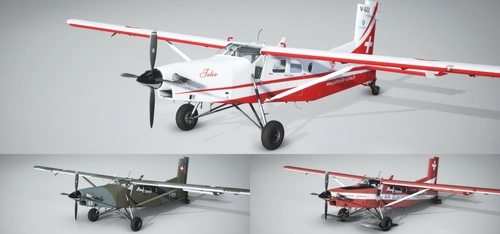
Experience the iconic Swiss Air Force and Air Glaciers liveries for the default MSFS PC-6, featuring ski and wheel versions. Perfect for landing on Swiss glaciers and exploring Europes highest mountains. No special scenery required, just enable snow for a realistic flying experience.
by Martin Rüedi
LSMC - Ulrichen
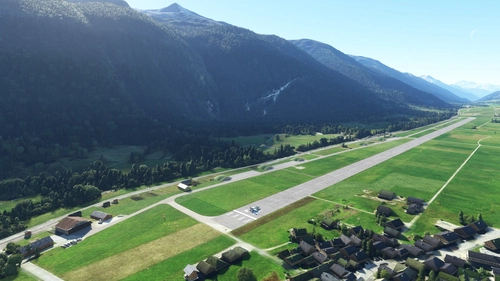
Experience the former Swiss Air Force jet air base of Ulrichen (LSMC) in Microsoft Flight Simulator. This scenery offers a challenging canyon approach, unique wooden bridge taxiways, and a detailed replica of the Furka-Oberalp railway system. Fly from the highest fighter air base in Europe and explore historic aircraft shelters and hangars from the 1970s.
by flightzoomer
LSFR - Frutigen 1967
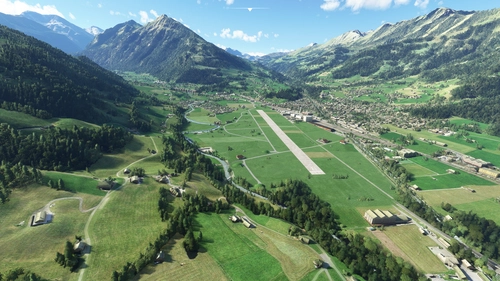
Experience the historical Swiss military airport of LSFR - Frutigen in its 1967 form with this add-on. Explore the sloped runway, iconic Kander viaduct, and unique features like hay barns on the airfield. Perfect for aircraft like the JU-52 and PC-6 Porter, this scenery captures a piece of aviation history with its authentic details and military charm.
by flightzoomer
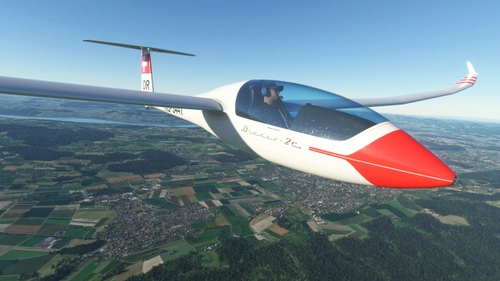
Discus-2c - HB-3447 - Segelfluggruppe Bern
A colorful and authentic representation of the Discus 2C HB-3447 from Segelfluggruppe Bern, featuring a large Swiss flag in the red band. Compatible with version 2.0.6 of the base package. Update includes registration below the wing.
by Model Instruments
Log in to join the discussion
Log InComments(30)
over 3 years ago
Seems abandoned
over 3 years ago
There are no new features, that's correct, but it should work!
I have not heard about unresovable issues, so no news are good news.
Is the tool not working for you?
over 4 years ago
over 4 years ago
Can you elaborate? What does not work?
over 4 years ago
si blocca al push
almost 5 years ago
I can't find where to install the english voice thing so it doesn't work for me.
Edit: It's not very clear where you install the English/US language but it's in settings. If you could make it more clear in the description that would help people.
almost 5 years ago
Does this work?
https://support.microsoft.com/en-us/windows/install-a-language-for-windows-ccd853d3-9ecd-7da7-9ef0-72b4a055410a
almost 5 years ago
Great job. The App is working great! I love it!
about 5 years ago
Does not work. Waste of time. Had it coloured but no reply and still was moving my aircraft back without stopping the pushback. Maybe not updated for new update ? voice recognition works perfectly with pilot2atc so
over 5 years ago
over 5 years ago
over 5 years ago
over 5 years ago
But unfortunately it doesn't work. The app is enabled and the Tug connects but it doesn't respond to any voice commands. I also tried the MS Store version.
My headset works, I tested this, it is the default audio recording device and Speech recognition works for Windows Mixed Reality.
Did an update brake it?
Also, The Forum thread on the official MSFS forums got closed.
over 5 years ago
This looks like a great app, as well as an avid flight simmer, I am a professional voiceover artist. I'd love to offer my services to bring a realness to the tug operator/ground crew rather than the robic system generated sound. I'm not sure how you have built the app, but it it works on mp3 files this would be an easy and beneficial development. If you're interested or what to hear more of my work details and voice reels are on danielcarlin.co.uk/voice would love to help!
over 5 years ago
Thanks for the feedback and the suggestions. I fear, the app architecture does not allow easy intregration of nicer mp3 sound pieces. The app is using the integrated Windows text-to-speech capabilities, which unfortunately sound as they sound.
Changing the sound engine to speak own mp3 sounds is tricky, because I vary the statements randomly to make it more lively. E.g. the greeting by the driver looks like this in code:
BasicFeatures.GetWeightedOneOf(new[] {
new WeightedText("Good " + strDayTime + " captain! ", mood == Moods.Expressive ? 50 : 10),
new WeightedText("Good " + strDayTime + "! ", mood == Moods.TightLipped ? 50 : 30),
new WeightedText("Ground here, ", Mood == Moods.Formalistic ? 50 : 20)
})
This means, that if the mood (which is randomly set itself) is expressive, the sentence starts with probability weight = 50 with the sentence "Good morning captain" (-> "morning" adjusted for the given time of the day). In all other moods, this sentence has a weight of only 10. The simple variant "Good morning" is spoken with weight 50 if the mood is tightlipped or 30 in all other moods. The variant "Ground here" is spoken predominatly (weight 50) if the mood is formalistic. That said, it might be a bit hard to generate the spoken voices using mp3 pieces. The sound engine would have to play multiple mp3 sound snippets one after another.
over 5 years ago
over 5 years ago
over 5 years ago
over 5 years ago
I also had issues with "stop pushback", but it looks like you addressed it below.
My only other comment is that if you start the app before loading into VR, the app does not seem to recognize your voice (my guess is that it's probably not recognizing the switch in audio input). My workaround has been to load the app only after I have launched VR from the main menu.
All in all, this app is basically a requirement for me for VR airliner flying and it works excellent for that.
over 5 years ago