

Description
REQUIRES either SamScene3D HK City Times (payware) or KAZE Hong Kong Kai Tak city (freeware)
GSX profile and custom company Hong Kong Airport Terminal Services (HATS) available here
This project is WIP, currently only the runway, main taxiways and main aprons complete, approxmately 60% of the whole airport
AI AIRCRAFT SUPPORT IS NOT GUARENTEED
Known Issues MSFS2024
SCENERY DOES NOT WORK WITH STREAMED MSFS2024 VERSION OF KAI TAK PACKAGE. MSFS2020 VERSION IS REQUIRED. (This is due to the streamed MSFS2024 scenery being encrypted, I cannot work directly with it, most things work except for lights and runway textures)
LOCATE AND TRANSFER MSFS2020 VERSION OF KAI TAK AND DISABLE STREAMED MSFS2024 PACKAGE VERSION. DM ME IF YOU HAVE DIFFICULTY LOCATING THE PACKAGE.
You MUST disable the streamed MSFS2024 Kai Tak scenery package in the Marketplace/library or stutters will occur.
NOT compatible with Double T scenery products, NOT compatible with SamScene Guangzhou ZGGG!!
Lights
- Flash sequence between lights may be out of phase - MSFS limitation
- Insufficient amount of lights - Not explored at this time
- Lights appear dim during daytime - red low intensity approach lights are practically invisible (MSFS2024 intentional design)
Apron
- Mismatch colour at some aprons, appearance is lighter than screenshots from MSFS2020
- Dimensional inaccuracy - this is inherent to Gaya's Kai Tak scenery, to fix this would require pretty much a complete new scenery mesh from scratch
- Missing stop line labels - insufficient sources, investigating
- False airport VHHXG appears - required for additional spawn locations, ignore in normal usage (IT IS POSSIBLE AI AIRCRAFT MAY EXIHIBIT STRANGE BEHAVIOUR DUE TO THIS FALSE AIRPORT. PLEASE LET ME KNOW IF IT OCCURS AND I WILL EXPLORE ALTERNATIVES)
- To spawn at GA spots, you must pan the map to Lei Yu Mun area to load the VHHXG airport first before you can select them
Ground Poly
- Possible clipping with bridge objects - refining
- Dips at poly joins - MSFS limitation
- Clipping at seawall at 31 threshold end - MSFS limitation
- Various terraforming irregularities - MSFS limitation
- Various water terraforming irregularities - The scenery package from Gaya (locked) uses MSFS2020 water terraforming polys which exhibit strange behaviour in MSFS2024 SDK, unable to fix at this time
- Not compatible with DoubleT sceneries
AI Traffic
- AI traffic and built in ATC have not been tested and may not be fully compatible
Known Issues MSFS2020
Lights
- Flash sequence between lights may be out of phase - MSFS limitation
- Insufficient amount of lights - Not explored at this time
Apron
- Mismatch colour at some aprons
- Dimensional inaccuracy - this is inherent to Gaya's Kai Tak scenery, to fix this would require pretty much a complete new scenery mesh from scratch
- Missing stop line labels - insufficient sources, investigating
- False airport VHHXG appears - required for additional spawn locations, ignore in normal usage (IT IS POSSIBLE AI AIRCRAFT MAY EXIHIBIT STRANGE BEHAVIOUR DUE TO THIS FALSE AIRPORT. PLEASE LET ME KNOW IF IT OCCURS AND I WILL EXPLORE ALTERNATIVES)
Ground Poly
- Possible clipping with bridge objects - refining
- Dips at poly joins - MSFS limitation
- Clipping at seawall at 31 threshold end - MSFS limitation
- Various terraforming irregularities - MSFS limitation
AI Traffic
- AI traffic and built in ATC have not been tested and may not be fully compatible
Description
This addon seeks to improve the experience at the default Asobo/Gaya Simulations Kai Tak VHHX released with SU11. It combines existing addons, navdata from kychungdotcom, and my own lights extension and billboard replacement, as well as new content into a single package. Many historical references were used, but we are still seeking many more. Primary references are expensive and at the moment I am saving up to purchase more, hindering dev process a little bit.
Below lists main features added:
Lights
- Tilted light poles down to reduce overall height
- Brighter lights, hand placed positions
Optional files are included for 2 associated addons that are REQUIRED, SamScene3D HK City Times (payware) or KAZE Hong Kong Kai Tak city (freeware)
Runway lighting configuration
High intensity with sequenced flashing strobes all the way to threshold (default for MSFS2024)
- High intensity with sequenced flashing strobes until 3rd crossbar
- Low intensity (red) with sequenced flashing strobes until 3rd crossbar (default for MSFS2020) (Lights are invisible in daytime in MSFS2024)
- Completely redone runway lighting with accurate thresholds, crossbars, RTIL
- Added sodium apron lighting
- Added numerous lights around the Hong Kong area from the Kai Tak Lights Extensions pack, original description here
- Added holding point lights
- Added taxiway lights near the 31 end sequencing area
- Added missing taxiway lights for turnoffs
Apron
- Added many ground markings from primary source
- Added many ground vehicle lane markings and detail
- Added apron mesh to resemble surface detail as seen in 1998
- Added missing holding point designators and markings
- Added missing taxiway designators
- Added missing taxiway lanes
- Added missing taxiway A12
- Added HKGFS apron markings
- Added HKGFS apron spawn positions
- Added GA apron spawn positions
- Added new airport terminal title signage and lighting (Simplified to Traditional Chinese right to left)
- Fixed and improved various signage from Simplified Chinese or Japanese to Traditional Chinese
Runway
- Added mesh to resumble surface detail as seen in 1998
- Corrected aim point markings
- Corrected PAPI locations (relative to TDZ)
Navdata
- Corrected IGS
- Added SID and STAR procedures
- If you are using Navigraph, Navigraph navdata will take precedence over the navdata included in this package
Ground Poly
- Improved humps at bridges - vehicles should not longer bounce and only experience a very slight bump when transiting over
- Improved Kowloon Tsai Park vegetation and poly
- Added localiser antenna object
- Demolished Shek Kip Mei Estate to a lower height
- Demolished Hoi Ying Estate and Hoi Tat Estate to a lower height
- Demolished Gardenia, Sevilla Crest and The Merrylands to a lower height
- Demolished Sham Shui Po Swimming Pool (TIN buildings incorrect height)
- Demolished entire block of Hong Kong Baptist University campus
- Corrected some terrain spikes with KAZE's addon
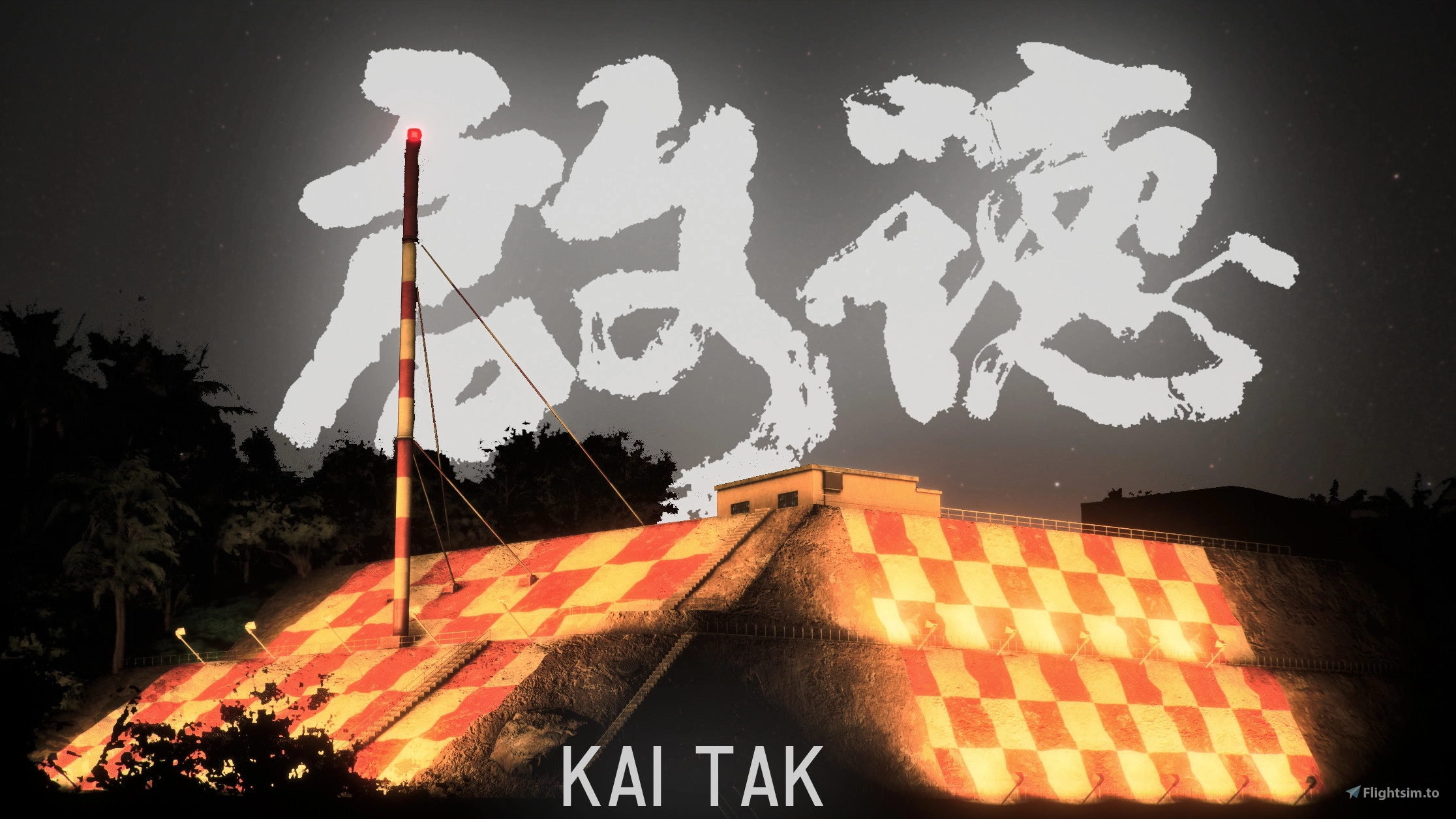
- Adjusted checkerboard orientation to allow for proper use
- Checkerboard texture replacement to allow for proper use
- Historic billboard replacement made from scratch, original description here
Installation MSFS2024
Original MSFS2020 scenery package is REQUIRED since the streamed MSFS2024 package is encrypted and I cannot work directly with it. DISABLE MSFS2024 streamed Kai Tak package in Marketplace/Library then close the sim, place MSFS2020 scenery package into your Community folder and rename it to 'msfs-airport-vhhx-kaitak-2024', and follow instructions as per txt document in download.
DM ME IF YOU HAVE DIFFICULTY LOCATING THE MSFS2020 PACKAGE.
Installation MSFS2020
- Refer to txt document in download, remember to perform manual texture installation
Dependencies
Location
VHHX Hong Kong Kai Tak Enhancement for Default Asobo/Gaya
Enhance your Kai Tak experience with this addon for default Asobo/Gaya SU11. This project improves runway, apron, and lighting details, including bright lights, accurate markings, and historical references. Please note some limitations and installation requirements for optimal performance.

Contributors

User Reviews
21 reviews
Version History
Updated installation instructions. It is recommended to reinstall this mod with these new instructions (and using pre-packed download link) if mod not guaranteed working fully.
Related
VHHX Hong Kong - Kai Tak
Experience the iconic Kai Tak Airport in Hong Kong with this add-on, bringing back the famous runway 13 approach that closed in 1998. This scenery offers a rebuilt runway, improved ground textures, custom markings, and realistic lighting adjustments. Explore the challenging approach over Kowloon district and the 47-degree right-hand turn to line up with runway 13.
by ali501
microsoft VHHX fix
A fix for Microsoft VHHX offering terraforming to remove bridge steps, fix water issues, and resolve building interferences with HAECO hangar. Note: This mod conflicts with VHHX Kaitak Enhancement Project by TMongun due to differing terraforming methods.
by Tigershark85000
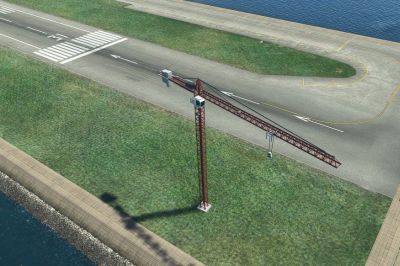
VHHX Kai Tak airport exclude for construction cranes
Exclude a few construction cranes from Puffinflights We Love VFR - Region 3 scenery at Kai Tak airport with this simple scenery file. Just place the provided folder in your community folder and ensure its alphabetically sorted higher than the main scenery folder. Compatible with Asobos VHHX Kai Tak scenery.
by Albert_vermeule
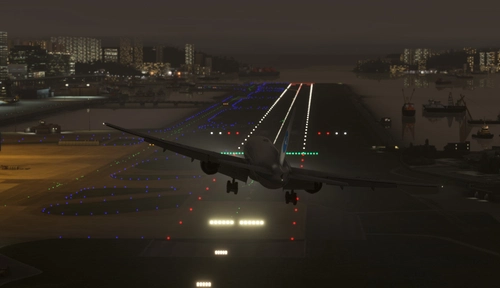
VHHX LightRemoval for Default Asobo Hongkong Kaitak Airport
This add-on enhances the default Asobo Hongkong Kaitak Airport (VHHX) by removing incorrectly placed street lights that cross the runway. The installation process is straightforward, requiring only the unzipping of files and placement into the MSFS Community folder. Support for installation issues is available upon request.
by PeterCKing
Log in to join the discussion
Log InComments(178)
2 months ago
I'm reporting an issue with the cargo apron area lights after the SU6 update. The lights/textures around the cargo apron are rendered extremely bright (like daytime) during nighttime, even after a fresh reinstall.
Other users seem to be experiencing the same lighting bug in MSFS 2024 with SU6. It would be awesome if you could check the emissive shader / BGL light settings for the cargo area when you have time. Thanks again for your hard work
2 months ago
2 months ago
I will take a look at it when able.
2 months ago
I may consider manually excluding these lights and replacing them with other light objects, but I am apprehensive to do so.
This issue should be temporary and hopefully Asobo will release an update that corrects behaviours of these lights.
2 months ago
Please use this temporary fix from Karuchie
3 months ago
https://drive.google.com/file/d/1V27DfTv9hC1A9cOlKnxR8ir5jeH8AY3m/view?usp=sharing
3 months ago
4 months ago
5 months ago
5 months ago
6 months ago
5 months ago