
Description
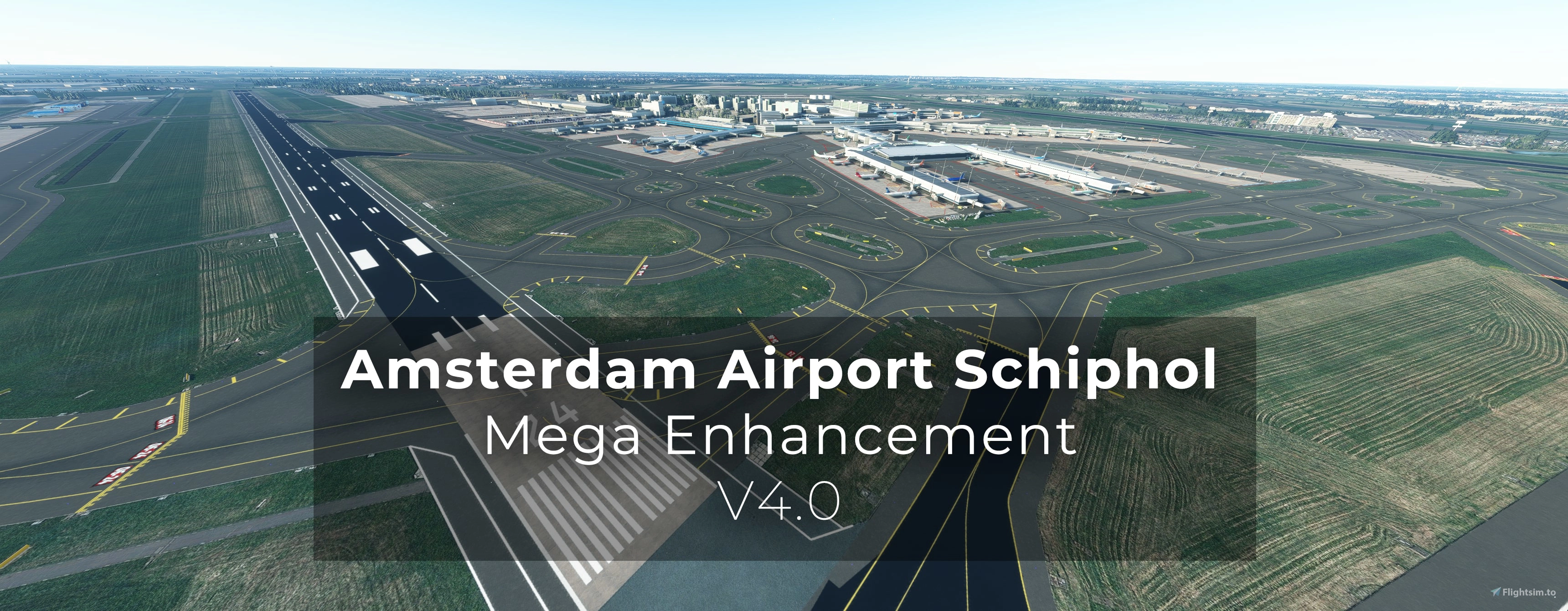
Since I heard the FlyTampa version still has some time to go and I had some time to make this, I decided to completely redo my enhancement.
!! PLEASE DO NOT POST/SEND COMMENTS WITH QUESTIONS THAT ARE ANSWERED IN THE TEXT BELOW !!
This was a lot of work. It took me two full weeks (daily 8 hours at least) to do all the work. Therefor a small donation to my work would be highly apreciated. Even 1 euro/dollar would already be nice! https://www.buymeacoffee.com/svenduijff
WHAT IS NEW IN V4?
- All new ground textures.
- Runway textures enhanced (complete redo was not posible due to limitations).
- Custom painted lines all over the airport.
- Custom taxiway ground signs.
- Custom taxiway directional signs.
- It should be AI-traffic proof.
- A default Asobo Jetway version.
- GSX version.
- Jetway gate signs (showing the gate number as in real life).
- Terraforming all over the airport, removing the weird bumps.
- Added the second taxiway bridge at Q-taxiway.
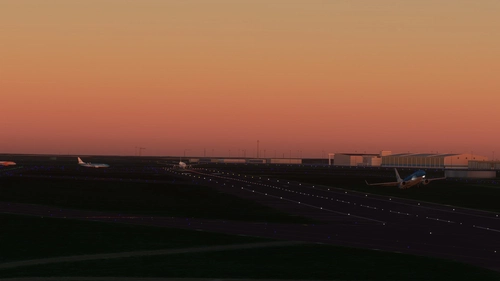
- Custom night lighting on taxiways and apron (manually drawn).
- Orange and blue lines near G-apron/terminal.
- Redone Schiphol East (general aviation).
- Replaced several items that were in the way.
IMPORANT TO KNOW!
- I did not yet make a new GSX profile. The former one is NOT 100% compatable.
- In my screenshots I make use of the Google Maps tiles instead of Bing.
MINIMAL SCENERY REQUIREMENTS:
- MSFS 2020 (just to be sure).
- Asobo Amsterdam PREMIUM DELUXE (it will not work with the default scenery).
- 'EHAM Amsterdam Schiphol Airport Enhancements (Premium Edition)' by BrickbyBrickDesigns (this is optional, however I can't say if your installation will look the same as with me if you leave it out). It is avaible on this site.
- GSX Pro is adviced (a non-GSX version is now included using default jetways by Asobo).
IMPORTANT NOTES:
- If you are using my other modification with several apron markings. Be sure to delete it before adding this enhancement. Remove any previous versions I made!
- The former GSX profile is NOT COMPATIBLE with this version. A new one is in the making, but will take a few more days.
- The scenery works on my end, and at several beta-testers. I don't use any other add-ons then mentioned in this text. If it is not working, I might not be able to help you.
- This is a big enhancement package. On my high-end PC it has only little impact on FPS, however it might impact your system more then others. I used mostly default textures and only very little custom ones.
- Besides bug-fixes I will not add any other items anymore as in two months or so the new FlyTampa version should be finally there.
INSTALLATION:
1 - Exit MSFS if not already done so. Remove any previous versions of my enhancements installed.
2 - Copy the files 'duijffmedia-airport-eham-amsterdam'+ 'duijffmedia-airport-eham-amsterdam-lighting' to your Community folder (either the GSX or non-GSX version, not both!). Usually this folder is found at 'C:\Users\\AppData\Local\Packages\Microsoft.FlightSimulator_8wekyb3d8bbwe\LocalCache\Packages\Community'.
3 - Open FSDT Installer (only when using GSX, comes with any FS Dreamteam add-on). Go to the GSX Pro Config tab. Make sure you have the EHAM_jetways.bgl disabled. I personally used the 'Exclude 3rdparty' button.
4 - Find the 'Addon Manager' file of the GSX installation. Go to 'MFSF\fsdreamteam-gsx-world-of-jetways\SimObjects\Landmarks\FSDT_WorldOfJetways'. Place the file texture.SCHIPHOL in this file and overwrite the original (backup the orinal first). You have to redo this everytime you update GSX.
Now you can launch MSFS. Would love to hear what you think! Enjoy it.
Yours,
Sven
Location
NEW! Schiphol Amsterdam (EHAM) - Mega Enhancement (non-GSX version included) - V4.0.1
Even though I did not plan to make this... There were just to many little frustrations with the default Deluxe Asobo Amsterdam Airport scenery, that I decided to enhance it a bit more. Be free to let me know what you think. If it is not to your taste, simply delete it.

User Reviews
37 reviews
Version History
- Fixed the bridge near Q which was a bit to low for some trucks. - Added GSX Profile. - Removed some clutter. *If your FSLTL or AI Traffic is not working. I do not know why this is. Please use a seperate forum to ask for help. Many people on here have it working just fine. So there might be something else conflicting.
Related
EHAM Amsterdam Schiphol Airport Enhancements (Premium Deluxe)
Enhancements for Asobo's Amsterdam Schiphol Airport. Includes custom handcrafted signage e.g. the legendary 'I amsterdam sign' at the main airport entrance as well as other enhancements to make the airport more true to life, and to make it feel like the 3rd busiest airport in Europe.
by Noobbricks
Patch/workaround for Fly Tampa's Amsterdam Schiphol
This add-on provides a workaround for FlyTampas Amsterdam Schiphol scenery to enhance its compatibility with MSFS2024. Key updates include the removal of trees from taxiways, the addition of a parking area, and improved terrain features, such as 3D grass. The patch aims to correct visual issues and improve realism while maintaining the essence of the original scenery. Users are advised to follow specific installation guidelines for optimal performance.
by svenduijff
Schiphol Amsterdam (EHAM) - Enhancements + GSX Profile (2023)
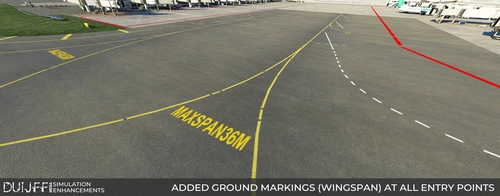
Various enhancement such as ground markings, pushback procedures and GSX tweaks. Gate numbers are now showed on the taxiway as in real life. Max wingspan markings are placed. GSX profile that has special pushback procedures and safedock installed at all terminal gates. And more...
by Duijff Media Simulation Enhancements
FlyTampa EHAM Enhancement V1.1
Enhance your virtual experience at EHAM with FlyTampa EHAM Enhancement V1.1 by adding realistic props to bring the airport to life. Explore the bustling atmosphere with this mod, and make sure to have FlyTampa EHAM installed along with optional addons like GSX Pro and Daves3dpeople for an immersive experience. Version 1.1 now available with special thanks to SavageSceneries and DignonDesign.
by DGStudios
Log in to join the discussion
Log InComments(157)
6 months ago
MSFS 2024
6 months ago
about 1 month ago
7 months ago
Thank you!
7 months ago
7 months ago
8 months ago
Asobo update 16 caused the pink textures and they haven't fixed it but some one done a easy fix here the link for anyone who needs it https://flightsim.to/file/96557/eham-pink-textures-fix-after-su16
7 months ago
9 months ago
9 months ago
9 months ago
10 months ago
11 months ago
12 months ago
For context: the default Asobo airport looks fine together with BrickbyBrickDesigns mod. The problem only appears after adding your mod. Would really appreciate any help or advice you could share! :)
about 1 year ago
about 1 year ago
about 1 year ago
8 months ago
https://flightsim.to/file/96557/eham-pink-textures-fix-after-su16
about 1 year ago
about 1 year ago