
Description
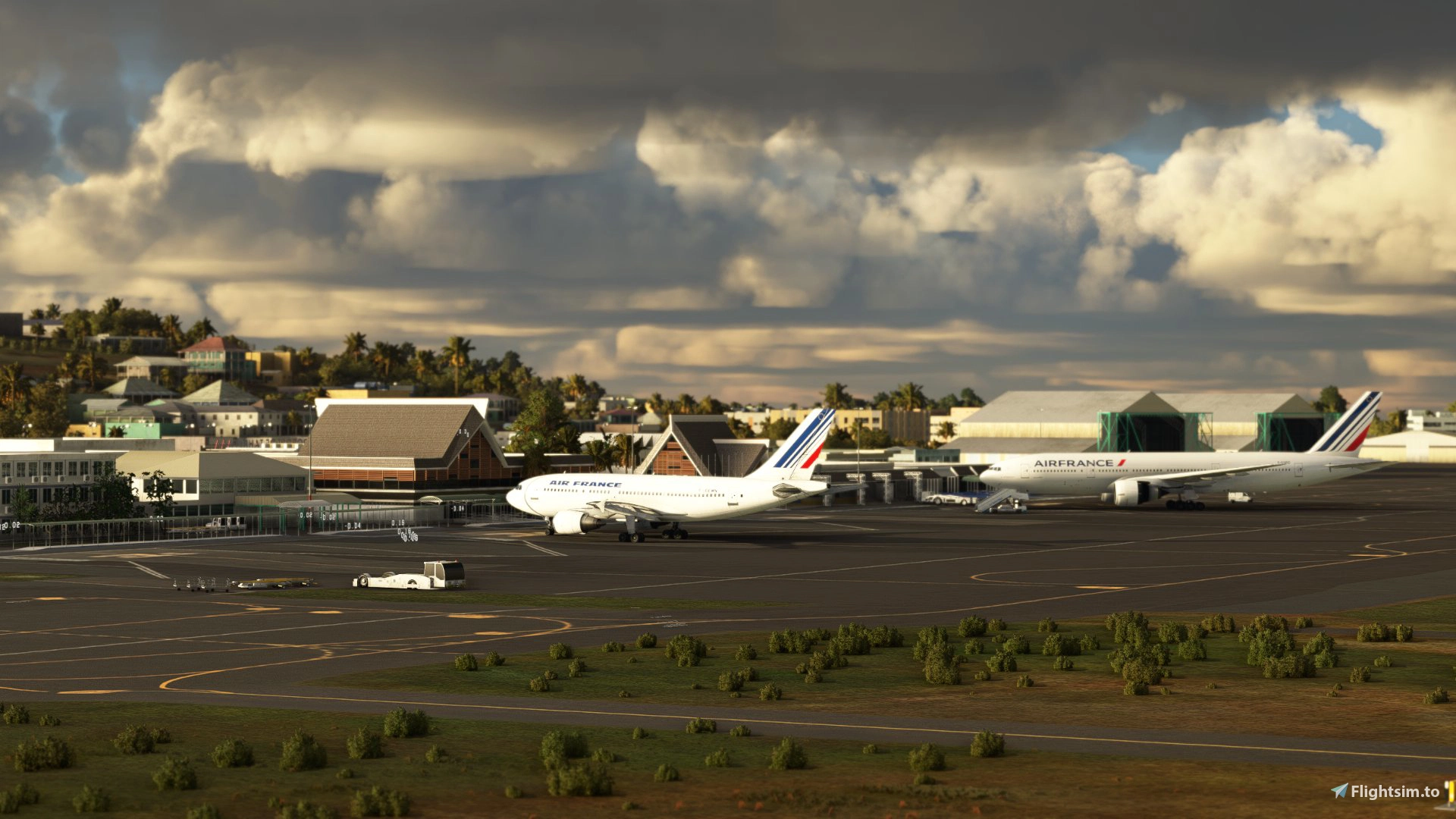
GSX Profile for NTAA Tahiti Faa'a Papeete By MexHighFlight
Profile Includes:
- Pushback
- Vehicle Positions/Stop Position
- Marshaller Positions
- Walk In Waypoints
Hey Folks, did some good work on the 4 main parking spots for Tahitis Airport. The rendition of the airport is pretty nice, but just to mention the terminal building roof is solid, so making the pax waypoints come from inside the building was not possible, so they are lined up closest to the terminal on the ramp down to the apron. I placed these on the farthest walkway point from the terminals from each parking slot to hope this issue isnt too problematic. The farther parking slot takes too many pax points to perfectly animate the elevation changes in the walkways, so some might be slightly off.
Just to note, please reload GSX and reposition your aircraft if you are using the ATR gates here. The default world spawn location is incredibly broken, which I fixed as of 4/26/23.
Gates:
0A
1A
2A
3A
ATR Gates
To Install:
Copy the downloaded file, ICAO-xxxxxx.ini, and place it in the GSX Config
directory. Typically found in:
C:\Users\\AppData\Roaming\virtuali\GSX\MSFS
Make sure it is loaded by opening up the GSX gate config menu when at your airport, and checking at the top of the screen if the file shown next to user customization is the same one you dowloaded for it
Let me know any issues - Happy Flying!
GSX Profile - NTAA Tahiti Faa'a Papeete - MexHighFlight
Enhance your GSX experience at NTAA Tahiti Faaa Papeete with this profile by MexHighFlight, featuring pushback, vehicle positions, marshaller positions, and walk-in waypoints for 4 main parking spots at the airport. Note the adjustments made due to the terminal buildings limitations, and be sure to reload GSX for smoother use with ATR gates. Copy the downloaded file to your GSX Config directory to install and enjoy improved ground handling operations. Happy Flying!


Version History
Fixed stop positions on small gates + added gate for ATR's
Related
GSX Profile - WSSS Singapore Changi - Cloudsurf Asia
Enhance your GSX experience at WSSS Singapore Changi with this Cloudsurf Asia profile, featuring vehicle positions, VDGS, pushbacks, jetway floor heights, and more handling ops. This edited profile aims to provide comprehensive coverage of commercial stands, with ongoing refinements for a seamless ground handling experience. Simply install the file and start enjoying a more realistic and detailed airport environment.
by Jqro
GSX Profile - KSEA Seattle Tacoma (bmworld & amsim)
Enhance your GSX experience with this KSEA Seattle Tacoma Airport Profile by BMWorld and AMSIM. Includes detailed terminal models for a realistic ground handling simulation. Simply download and copy the ICAO-xxxxxx.ini file to your GSX Config directory to enjoy this completed airport profile. Terminals A, B, C, D, N, Q, and S are all modeled for your immersion. Happy flying!
by Jqro
GSX Profile - NZAA Auckland - Flightbeam
Enhance your airport operations with the GSX Pro Profile for NZAA Auckland by Flightbeam. This detailed profile replaces default VDGS, featuring realistic vehicle positions, pax waypoints, pushbacks, jetway floor heights, and handling operators. Simply copy the downloaded file to your GSX Config directory for easy installation.
by Jqro
GSX Profile - SCEL Santiago - LVFR
GSX Pro Profile for SCEL Santiago Chile by Latin VFR. Enjoy realistic vehicle and stop positioning, pushbacks, VDGS placement, and jetway floor heights. All gates are included with ongoing updates planned. Simply copy the downloaded file to your GSX Config directory to install. Happy flying!
by Jqro
Log in to join the discussion
Log InComments(2)
almost 4 years ago
how did you get the realistic scenery of ntaa ?
almost 4 years ago
MexHighFlight makes the Scenery