

Description
This is a modification to the MSFS 2020 default Microsoft Douglas DC-3 aircraft and is primarily aimed at improving the aircraft flight model to make its overall performance more closely match the actual aircraft, providing a much closer experience to flying the real aircraft. Multiple changes have been made to the flight model parameters, and the aircraft weight and balance, which are detailed in the Change Log file included under the Documentation folder.
This mod is easily installed by simply unzipping the download file and copying the mge-microsoft-aircraft-dc3 folder to the MSFS Community folder. It will then replace the existing default Douglas DC-3 aircraft in the MSFS aircraft selection screen, and will also continue to utilize all of the available liveries. To uninstall the mod and return to using the MSFS default aircraft, simply remove it from the Community folder.
Microsoft Flight Simulator © Microsoft Corporation. Microsoft DC-3 Realism Mod was created under Microsoft's "Game Content Usage Rules" using assets from Microsoft Flight Simulator, and it is not endorsed by or affiliated with Microsoft.
Microsoft DC-3 Realism Mod
Enhance your Microsoft Douglas DC-3 flying experience with this realism mod, focused on aligning the aircrafts flight model and performance with the real-world counterpart. Detailed changes can be found in the included Change Log file for a more authentic flight experience. Easily install this mod by copying the provided folder into your MSFS Community folder, bringing a more realistic touch to your virtual flights.


User Reviews
19 reviews
Version History
Version 1.9.9 ⦁ The movement of the Sperry Gyropilot Pitch Indicator orange line has been reversed to match the actual aircraft instrument operation as described in the POH. It now behaves the same as an artificial horizon, which moves DOWN when the aircraft pitch is increased (nose up) and moves UP when the pitch is decreased (nose down). This also now allows correct use of the adjustable aircraft reference symbol (small wings) which should be positioned above the horizon line when the aircraft is pitched UP and below the horizon line when it is pitched DOWN. It can also be adjusted to match the static ground pitch angle as an aid for performing 3-point landings. ⦁ An error in the Never Exceed Speed (Vne ) value that was causing premature "Overstress Damage" to occur at speeds above 204 mph has now been fixed. The correct Vne speed is 251 mph.
Related
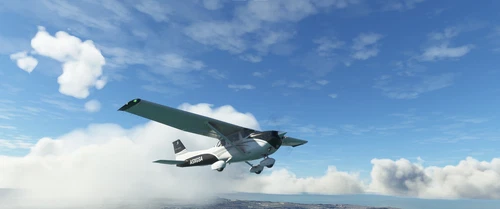
Asobo C172SP AS1000 Realism Mod
Enhance the flight dynamics of the Asobo C172SP AS1000 aircraft with this mod, which also includes the FLOATS and SKIS variant. This modification aims to provide a more realistic flying experience by adjusting engine and flight model parameters, weight, and balance. Detailed documentation and real-world training guides are included for easy installation and compatibility with other mods.
by MGouge425
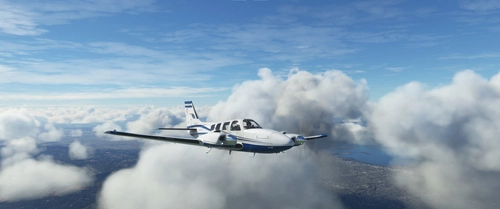
Asobo Baron G58 Realism Mod
Enhance the realism of the Asobo Baron G58 in MSFS 2020 with this mod. Improvements to the flight model provide a more authentic flying experience, closely matching the performance of the actual aircraft. Easily install the mod by copying the folder to the Community folder, and enjoy the detailed changes listed in the documentation. Note: Only compatible with MSFS Deluxe Edition and Premium Deluxe Edition.
by MGouge425
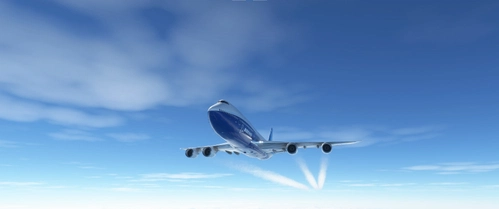
Asobo B747-8i Realism Mod
Enhance your Boeing 747-8i experience with this realism mod for the MSFS 2020 default aircraft. This modification focuses on improving the flight model to closely match the actual aircrafts performance. Detailed changes can be found in the included documentation, addressing bugs like the landing gear failure. Easily installed by transferring files to the Community folder, this mod aims to provide a more authentic flying experience.
by MGouge425
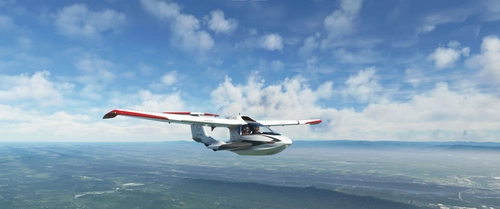
Asobo Icon A5 Realism Mod
Enhance your flying experience with the Asobo Icon A5 Realism Mod for MSFS 2020. This mod focuses on adjusting the flight model and performance of the default Icon A5 to align it more closely with the real aircraft. From improved flight parameters to enhanced weight and balance, this mod offers a more authentic and satisfying flight experience. Easily install this mod to enjoy a more realistic flying experience with the iconic and versatile Asobo Icon A5 aircraft in Microsoft Flight Simulator.
by MGouge425
Log in to join the discussion
Log InComments(140)
about 8 hours ago
9 months ago
over 1 year ago
Vielen Dank. Saubere Arbeit. Jetzt macht die DC-3 so richtig Spass.
about 2 years ago
Is this compatible with got friends expansion?
over 1 year ago
over 2 years ago
over 2 years ago
over 2 years ago
over 2 years ago
over 2 years ago
over 2 years ago
SPERRY GYROPILOT OPERATION:
1) Set the Engine Hydraulic Pump selector handle to the forward position.
2) Establish level flight, align the upper and lower heading cards using the RUD knob and then turn the autopilot ON. Do not engage it on the ground.
3) Turn the ELE knob to maintain level flight or set the desired climb PITCH angle.
4) Turn the RUD knob to rotate the upper heading card to the new desired heading.
5) Turn the AIL knob to begin the turn and set the bank angle. The HDG mode will engage automatically when the new heading is reached.
6) Press [CTRL] + [V] to switch from HDG mode back to ROLL mode before selecting a new heading.
MODERN AUTOPILOT OPERATION:
1) Create a complete GPS flight plan from Departure to Destination and enter it into the GNS530 / GNS430. This can be done before starting the flight using the World Map.
2) Set the desired cruise altitude in the autopilot before takeoff, but do not engage the autopilot while on the ground.
3) After takeoff, engage the autopilot by pressing the AP button.
4) Press the UP and DN buttons to set the desired vertical speed.
5) Use the Yoke and Rudder normally to turn to an intercept heading for the GPS course. Do NOT use HDG mode because there is no way to set the heading bug.
6) Enage NAV mode by pressing the NAV button. The autopilot will then intercept and track the GPS course.
7) To turn to a new heading, disengage NAV mode by pressing the NAV button again.
8) To track a VOR or ILS press the CDI button before engaging NAV mode.
over 2 years ago
over 2 years ago
over 2 years ago
1) Press [CTRL] + [V] to switch from HDG mode to ROLL mode.
2) Turn the RUD knob to rotate the upper heading card to the desired new heading.
3) Turn the AIL knob to begin the turn and set the desired bank angle. When the new heading is reached, the autopilot will automatically switch back to HDG mode and hold the heading.
This is actually much closer to how the real Sperry GyroPilot operated.
over 2 years ago
On ne craint plus le décollage ou le flottement à l'atterrissage.
MERCI pour toutes ces améliorations qui contribuent à notre plaisir de voler à bord.
berloux
over 2 years ago
over 2 years ago
The Super Charger actually has 2 gear settings (Low / High), but as the cockpit placard states the High setting was disabled in the DC-3 as part of the FAA certification requirements. So, moving the blower levers from the aft (Low) position to the forward (High) position has no effect on engine performance. This restriction was removed in the military C-47 version.
over 2 years ago
If the runway length is sufficient, always use the NORMAL takeoff power setting of 44 in. instead of full throttle (48 in.). This reduces the P-Factor yaw and the amount of rudder required to counter it, and results in less fishtailing as the tail rises during the takeoff roll. Advance the throttle to the desired takeoff power setting before releasing the brakes, which will allow the propwash to increase the rudder and elevator effectiveness as you slowly gain speed.
After raising the gear, reduce the prop lever to the max climb setting of 2550 RPM. The MP will slowly decrease as you gain altitude, and at about 2500 ft. AGL it will be at the max climb setting of 40 inHg. Slowly increase the throttle as you continue to climb above 2500 ft. AGL to maintain the 40 inHg. climb power setting.
over 2 years ago
Here are some important memory items for correctly flying this aircraft...
Max Takeoff Power = 48 / 2700 / Full Rich (Max 1 min)
Normal Takeoff Power = 44 / 2700 / Full Rich (Max 5 min)
Max Climb Power = 40 / 2550 /Auto Rich
Max Cruise Power (75%) = 33 / 2230 / Auto Lean
Normal Cruise Power (67%) = 30 / 2230 / Auto Lean
Rotate / Takeoff Speed (Vr) = 90 / 95 mph (Flaps UP)
Climb Speed (Vy) = 113 mph
Max Cruise Speed = 185 - 205 mph (at 8,500 ft.)
Never Exceed Speed = 251 mph
Max Gear Extended Speed = 160 mph
Max Flaps Extended Speed = 1/4 - 155 mph, FULL - 112 mph
Approach Speed = 90 - 100 mph (Flaps 1/2 - 3/4)
Stall Speed = 67 mph (Flaps UP) / 60 mph (Flaps 1/2) / 58 mph (Flaps FULL)
Tail Wheel Lock = [SHIFT] + [G]
Parking Brake = [CTRL] + [Num Del]