
Description
The addon needed is MK Studios Dublin Airport (EIDW). You can find the addon at Orbx or simMarket.
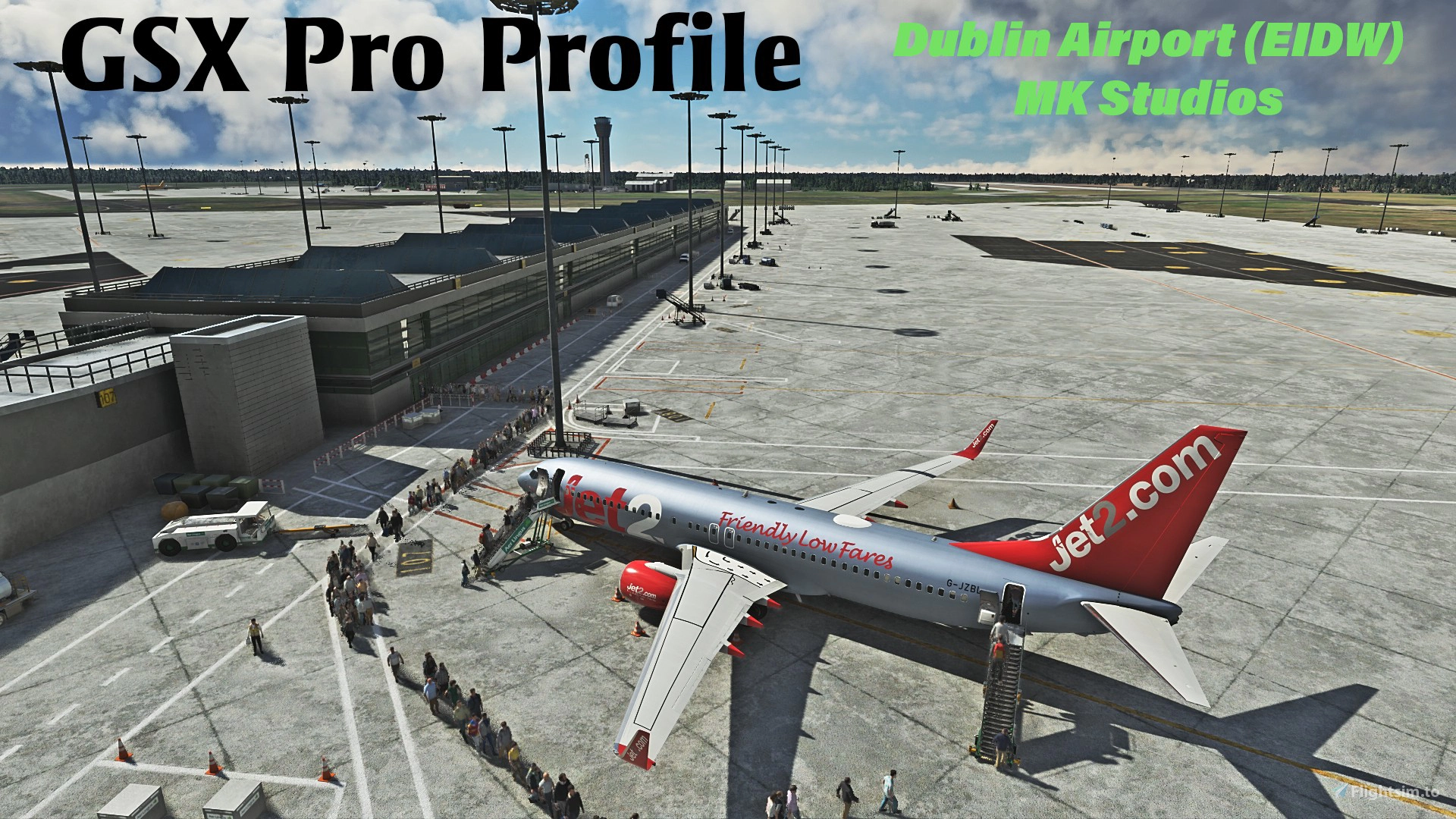
Here's the (basically) completed GSX Profile for EIDW Dublin Airport by MK Studios.
All parking stands modified except for two GA spots which I'll get to.
- Custom vehicle positions, marshaller positions, cargo vehicles and cargo loaders on every stand.
- Custom pushbacks with majority having multiple waypoints so the aircraft can better follow the pushback taxi line.
- 23 custom PAX walkways with multiple waypoints and majority of PAX leave through doors from the terminal for a more realistic effect
- Adjusted aircraft's position on the stop lines to ensure jetways actually reaches the door.
Tested heavy gates with the 878
Tested larg and medium with 738, 737 & A320 FBW.
Current SU9 issue: Pier 2 custom jetways (the blue and green) will show PAX walking from an increased height from the jetway joint to the correct height at the jetways door. It's a know issue for some 3rd party addons and SU10 will allow FSDT to apply a fix or workaround. Other generic jetways in the airport work fine.
You can see the PAX heads just poking through the roof of the jetway which is not that terrible. The affected jetways are 311 to 318
Installation:
Extract the zip file and move the .ini file to %APPDATA%\Virtuali\GSX\MSFS
Don't forget to disable EIDW Jetways in GSX configuration. Great tutorial can be found by easysimjetpilot here: https://www.youtube.com/watch?v=LixUZeCizKQ&t=613s&ab (ignore the AFCAD file path part, the FSDT dev advised the path doesn't need to be changed)
As always, because I've got a very simple brain, there may be errors or small changes needed. Just let me know.
Gav
Full GSX Profile - MK Studios - Dublin Airport (EIDW)
Enhance your Dublin Airport experience with this GSX Profile for MK Studios EIDW from Orbx or simMarket. Customized parking stands, pushback options, and passenger walkways for a more realistic simulation. Note: a current SU9 issue affects Pier 2 jetways, with a fix expected in SU10. Simply extract the files and follow the installation instructions for an improved airport experience.

User Reviews
3 reviews
Version History
No version history available.
Related
GSX Profile for '(KLGA) La Guardia Int'l' - by FeelThere
Enhance your airport experience with FeelTheres GSX Profile for (KLGA) La Guardia Intl. This add-on features custom vehicle positions, marshaller positions, cargo vehicles, pushbacks with multiple waypoints, and mostly jetways for a realistic ground handling simulation. Follow the simple installation instructions to enjoy a more immersive airport environment at one of the busiest airports in the United States.
by Crazy88
GSX Profile Impulse Simulations Adelaide International Airport (YPAD) Terminals1-4
This GSX Pro profile is for Adelaide International Airport (YPAD) by Impulse Simulations. This profile covers T1-4 terminal stands. Gates 27-29 don't have jetways. Also has custom pushback profiles to quickly select te correct runway. If there's anything wrong, let me know.
by Crazy88
![GSX Profile for LVFR's [KBDL] – Bradley International Airport](https://cdn.flightsim.to/images/24/gsx-profile-for-lvfr-s-kbdl-bradley-international-airport-A7_bD.jpg?width=500)
GSX Profile for LVFR's [KBDL] – Bradley International Airport
GSX Profile for LVFRs [KBDL] – Bradley International Airport enhances the airport with custom vehicle positions, marshaller placements, and cargo features. With detailed military parking for fighter jets and good cargo parking options, this add-on provides a realistic airport experience. Parking information includes specifics for different aircraft sizes and types, making it convenient for various flights. Install the profile easily by following the provided instructions for an improved ground handling experience at Bradley International Airport.
by Crazy88
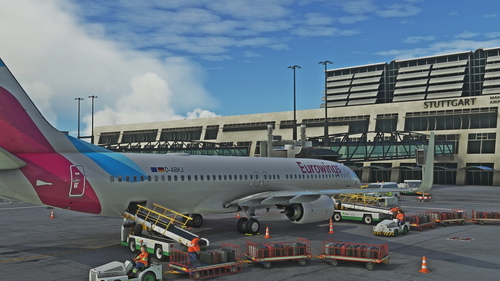
Full GSX Profile for 'Stuttgart International Airport (EDDS)' by FeelThere.
Enhance your ground handling experience at Stuttgart International Airport with this complete GSX Profile by FeelThere. Featuring custom vehicle and marshaller positions, cargo vehicles, pushbacks with multiple waypoints, and visual docking guidance systems at specific stands. Ensure to install the correct GSX script for the corresponding airport version and follow the installation instructions for optimal performance.
by Crazy88
Log in to join the discussion
Log InComments(18)
over 3 years ago
Could you update this profile to match EIDW V2?
over 3 years ago
You should probably look for another config as this one has been archived.
over 3 years ago
Unable to get GSX to read this file.
Couatl.log consistently stating "AFCAD file doesn't match afcad_path entry" - despite having changed the AFCAD myself also. Therefore stands do not match up e.g. Stand 122 is "Parking 191" according to GSX as it is reading a different AFCAD path. Any help with this would be greatly appreciated of course.
over 3 years ago
Great profile. Includes everything one yould want. The only thing thats missing is pushback routes to the Tug realese points. If yxou include those it would be even better
over 3 years ago
Hi thanks for the profile! It would be good to add the Tug Release Point pushback paths, eg. from 409 I think they do an S shaped push back to TRP S or TRP L
almost 4 years ago
Does not work for me I am afraid. I disabled the jetways in GSX settings but the profile does not seem to be working. It is installed in the correct folder.
almost 4 years ago
I'll look at it shortly.
almost 4 years ago
Thank you, friend. I watched the video in the description and ensured I did not change any File Paths in the INI. file as you stated in the description above. Appreciate your help!
almost 4 years ago
i have deleted the profile. Just caused GSX to crash.
almost 4 years ago
1400 ppl have already d/l and you're the fist to say it crashed. Possibly something on your side dude. Genius.
about 4 years ago
Savage stuff, really great to have such a good profile for Dublin!!
about 4 years ago
Thamks bro \m/
about 4 years ago
the passengers flying in the air
about 4 years ago
Nice one! FYI - pier 1 stands all have Safedock if you are updating this :)
about 4 years ago
how do i install file, i don't haw a clue
about 4 years ago
Installation:
Extract the zip file and move the .ini file to %APPDATA%\Virtuali\GSX\MSFS
Just open up a folder window and paste this line into the address bar: %APPDATA%\Virtuali\GSX\MSFS
This is where you put the file from the zip.
Don't forget to disable EIDW Jetways in GSX configuration. Great tutorial can be found by easysimjetpilot here: https://www.youtube.com/watch?v=LixUZeCizKQ&t=613s&ab (ignore the AFCAD file path part, the FSDT dev advised the path doesn't need to be changed)
about 4 years ago
will make the changes. thanks.