
Description
Greetings,
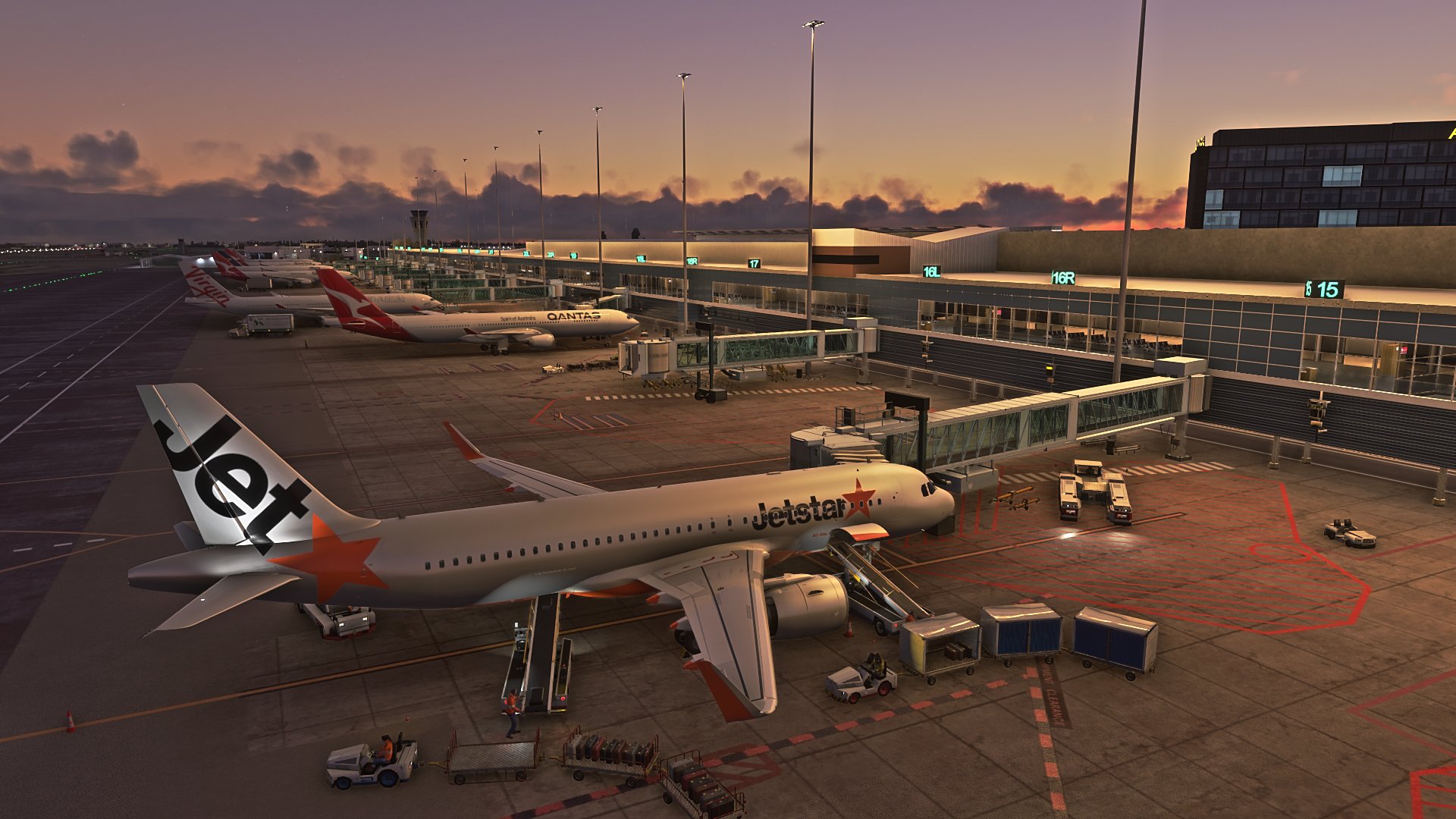
This GSX Pro profile is for Adelaide International Airport (YPAD) by Impulse Simulations.
This profile covers T1-4 terminal stands. Gates 27-29 don't have jetways.
All modified stands have custom pushback profiles to use. For example, in the pushback selection screen you will see(depending on which gate you're at) Nose Right/Tail Left RWY23 or Nose Left/Tail Right RWY05. Makes it easier to quickly select the runway rather than the always painful Left/Right calculation in your head.
I did my best to avoid conflicts but too many varibles so may get a few here and there.
Installation : Unzip ypad-m2hgaa.ini to C:\Users\{username}\AppData\Roaming\virtuali\GSX\MSFS
If there's anything wrong, let me know.
GSX Profile Impulse Simulations Adelaide International Airport (YPAD) Terminals1-4
This GSX Pro profile is for Adelaide International Airport (YPAD) by Impulse Simulations. This profile covers T1-4 terminal stands. Gates 27-29 don't have jetways. Also has custom pushback profiles to quickly select te correct runway. If there's anything wrong, let me know.

User Reviews
1 reviews
Version History
Last Update I forgot to do the pushback for Gate 18R. As it's a heavy gate I used the A339. Also, I think the file name has changed, so delete any YPAD ini files in your \virtuali\GSX\MSFS folder so no conflicts appear.
Related
Full GSX Profile - MK Studios - Dublin Airport (EIDW)
Enhance your Dublin Airport experience with this GSX Profile for MK Studios EIDW from Orbx or simMarket. Customized parking stands, pushback options, and passenger walkways for a more realistic simulation. Note: a current SU9 issue affects Pier 2 jetways, with a fix expected in SU10. Simply extract the files and follow the installation instructions for an improved airport experience.
by Crazy88
GSX Profile for '(KLGA) La Guardia Int'l' - by FeelThere
Enhance your airport experience with FeelTheres GSX Profile for (KLGA) La Guardia Intl. This add-on features custom vehicle positions, marshaller positions, cargo vehicles, pushbacks with multiple waypoints, and mostly jetways for a realistic ground handling simulation. Follow the simple installation instructions to enjoy a more immersive airport environment at one of the busiest airports in the United States.
by Crazy88
![GSX Profile for LVFR's [KBDL] – Bradley International Airport](https://cdn.flightsim.to/images/24/gsx-profile-for-lvfr-s-kbdl-bradley-international-airport-A7_bD.jpg?width=500)
GSX Profile for LVFR's [KBDL] – Bradley International Airport
GSX Profile for LVFRs [KBDL] – Bradley International Airport enhances the airport with custom vehicle positions, marshaller placements, and cargo features. With detailed military parking for fighter jets and good cargo parking options, this add-on provides a realistic airport experience. Parking information includes specifics for different aircraft sizes and types, making it convenient for various flights. Install the profile easily by following the provided instructions for an improved ground handling experience at Bradley International Airport.
by Crazy88
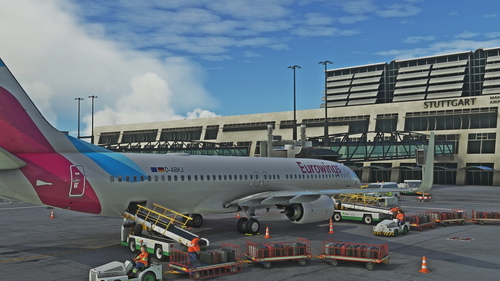
Full GSX Profile for 'Stuttgart International Airport (EDDS)' by FeelThere.
Enhance your ground handling experience at Stuttgart International Airport with this complete GSX Profile by FeelThere. Featuring custom vehicle and marshaller positions, cargo vehicles, pushbacks with multiple waypoints, and visual docking guidance systems at specific stands. Ensure to install the correct GSX script for the corresponding airport version and follow the installation instructions for optimal performance.
by Crazy88
Log in to join the discussion
Log InComments(7)
over 3 years ago
Don't think jetstar load their A320s with conveyor loaders
almost 4 years ago
I have an issue at gate 18. Twice I've began a pushback and the tug spins the airplane 180 degrees (like when you're in slew mode) and then begins to push the airplane back into the terminal tail first. I tried uploading a picture but the User Gallery isn't uploading properly at the moment.
almost 4 years ago
Hey mate. Yeah I forgot to do the pushback for gate 18R. I have uploaded the ini with the corrections :)
almost 4 years ago
Awesome, thanks for the quick response!
about 4 years ago
I 'think' your selection of nose/tail directions may be incorrect. For RWY 23, they still push the same way (that info was from the Apron twr controller). So they push to the N/E and then taxi around the loop for 23. I stand to be corrected, but that's my understanding..
what you've done is fabulous though. Will it support the 737-800 in the few weeks?
about 4 years ago
Hey mate, yeah I'm not sure myself. I just made it so it's easier for users. What I might do is add two pushback options for each runway (where applicable) i.e. have pushback for runway 23 or 05 to either face N/E or S/W. That allows the user to choose depending on thier preference.
I'm just a normal user without specific knowledge of the workings of this airport. But thanks for the feedback, helps me to improve :)
Also I'm hoping it will support the 738 as it's lined up at the stop point for both 737-700 and 800.
about 4 years ago
fantastic thanks, and thanks for taking suggestion on board..