
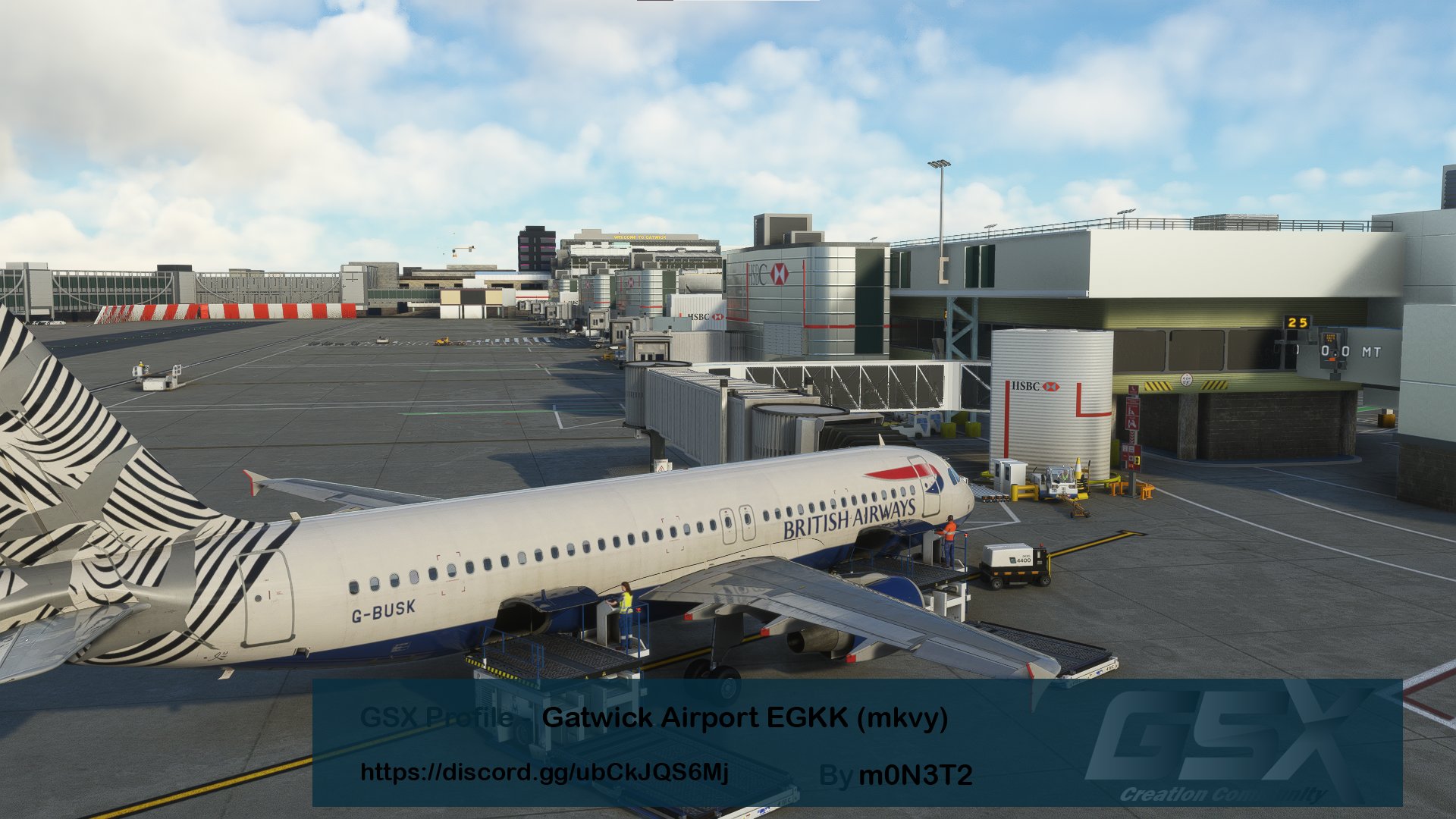
Description
Blue represents plans for future version
Green represents the current version of Ramp already supported
Yellow represents Limited functionality
Red represents aprons that cannot be supported at present for various reasons
- 176R:STAND 176R cant find in GSX Menu(origami)
- 551:STAND 551 cnat find in GSX Menu(origami)
- 135:STAND 135 cant find in GSX Menu(mkvy)
- 27:STAND 27 cant find in GSX Menu(origami)
- 552:STAND 552 jetway will not work(ORIGAMI)
- 13R:Only the pushback function can be used and other functions may not function properly or may move to stand 13(mkvy)
- VDGS:Due to changes in the mkvy version of EGKK, some of the VDGS in GSX may currently be dangling. I have currently started to fix this issue(mkvy)
- Support for all Ramps except 27 551 176R(ORIGAMI)
- Support for all Ramps in PIER 6|PIER 5|PIER 4|PIER 3|PIER 2|PIER 1|WEST PARK|STAND 150-161 170-180| except 13R 135(mkvy)
As I have not been to Gatwick I do not know how the real apron is used for ground handling and therefore the ground handling may be very different from the reality. If you know how the real ground handling is used please contact me.
Please let me know if you have any questions!
Special thanks to the people at vatsim.uk|BAVirtual|JordanLGW for their information without which this GSX profile would not have been completed so quickly
Please give me a 5 star rating if you find the experience OK
See the built-in Installation Guide for installation and troubleshooting details
Dependencies
GSX Profile - Gatwick Airport EGKK (ORIGAMI/mkvy)
DISCORD >>> https://discord.gg/ubCkJQS6Mj <<<


User Reviews
4 reviews
Version History
Fix:Fix:The West Park has been adapted to the latest version of EGKK(mkvy) Add:update install guide to V2.3 thanks for GSX Creation Community volunteers
Related
GSX Profile - Narita airport RJAA (Drzewiecki Design)
DISCORD >>> https://discord.gg/ubCkJQS6Mj <<<
by m0N3T2
GSX Profile - Sheremetyevo Airport UUEE (Drzewiecki Design)
DISCORD >>> https://discord.gg/ubCkJQS6Mj <<<
by m0N3T2
GSX Profile - London City Airport EGLC (ORBX)
DISCORD >>> https://discord.gg/ubCkJQS6Mj <<<
by m0N3T2
GSX Profile - Pudong International Airport ZSPD (WFScenery Studio)
DISCORD >>> https://discord.gg/ubCkJQS6Mj <<<
by m0N3T2
Log in to join the discussion
Log InComments(75)
about 2 years ago
[jetway_rootfloor_heights]
egkk_jetway_stubby = 3.3
over 2 years ago
over 2 years ago
over 2 years ago
almost 3 years ago
almost 3 years ago
almost 3 years ago
I've always problems with the Fenix at the Origami Version on stand 48 R which Controllers use very often for Easyjet I guess. The Jetway does not connect, neither stairs do. So the Pax walk through the air. Seems to be broken?
But other than that, thank you for that great profile!
Cheers and have a nice sundy.
over 3 years ago
Does this work with the Inibuilds EGKK?
about 3 years ago
over 3 years ago
I´m currently using the Origami version, and the profile should be given a second look, specially when talking about some stop positions (specially on Pier 1, 2 and 3), being the plane (737-800) waaaay to far from where it should be, almost hitting the terminal buildings at times. Also, for some reason, many gates have the "Heavy" or "Cargo" tag on them, which is funny given that they just fit a 737 or are terminal gates (talking about the cargo). To sum up, most of the non walk in "R" and "L" positions located at the terminals are marked as if they have a operational jetway instead of stairs.
over 3 years ago
As this profile is made for the Fenix A320, I will update it regarding the 737 adaptation after the mkvy version has been updated and I will check about the incorrect apron type
over 3 years ago
No, it is not so much a problem about the plane being a Fenix, FBW or PMDG. It is simply that the most of the stop positions are way too close to the building based of the ground markings, again, with some of them almost clashing with the buildings.
over 3 years ago
really?i will check that soon
about 3 years ago
over 3 years ago
Gate 103 has no Jetway. Trying to activate Stairs causes Couatl to crash.
over 3 years ago
What version of Gatwick?
over 3 years ago
mkvy Gatwick but before SU12. He just updated today. I'm not saying his update fixed this. It's still causes couatl to crash.
over 3 years ago
This is a strange question as the profile should not cause the GSX to crash are you sure you have the latest version of GSX Pro? The latest version is currently 2.4.4