
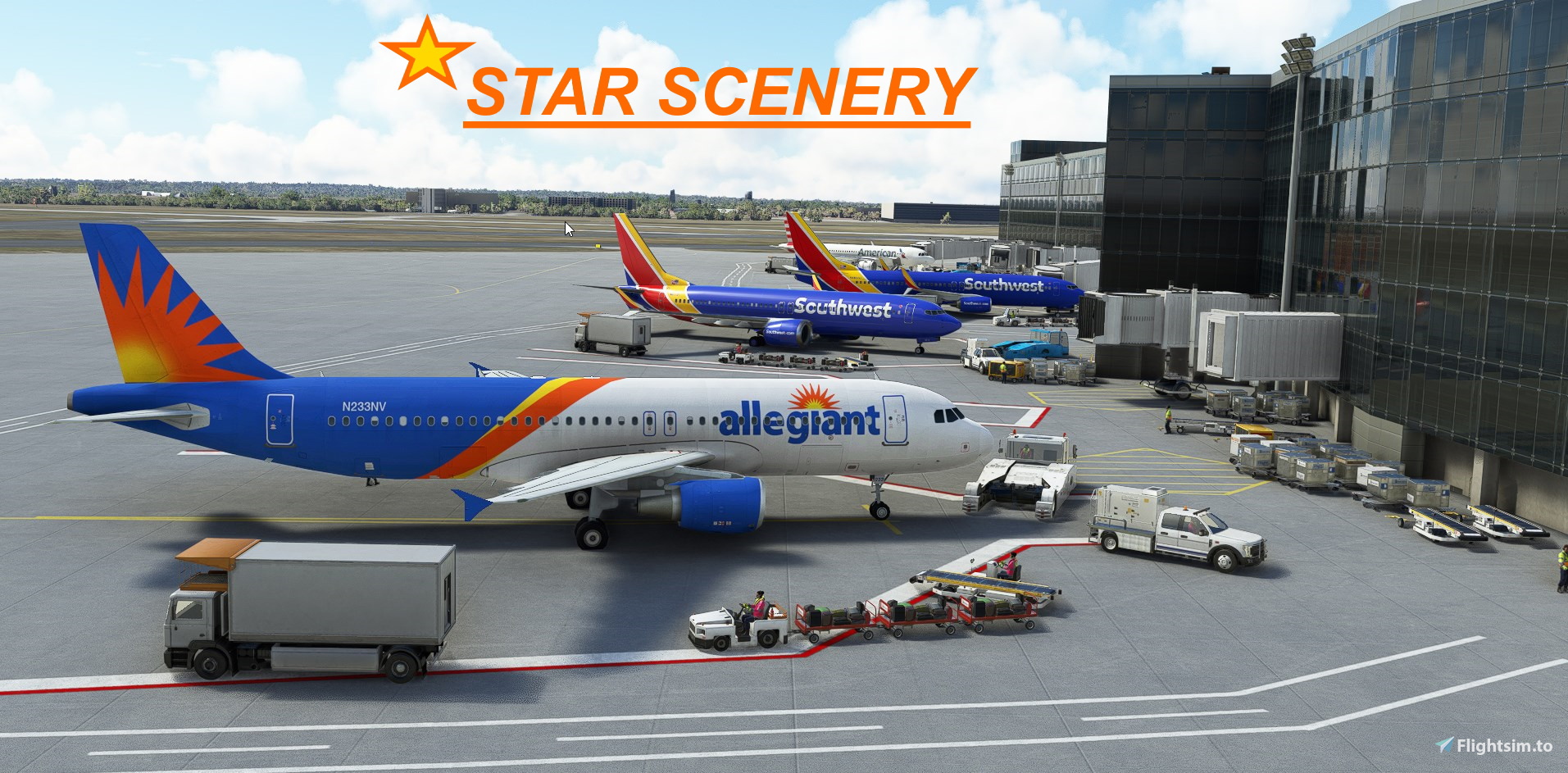
Description
Created by Starseed / J.D. Rocco
*NOW UP DATED FOR (SU8) Sim Update-8 v1.23.12.0 + or higher
Added:
- Extra enhanced night lighting
- New buildings and hangars
- Vehicle animation
- Correct airline gate labels for AI traffic, GA parking spots
- Fortified facilities area
- Terminal area reworked
- Animated ramp workers and vehicles
- Over 2,000 hand placed objects , lots of eye candy
- Correct runway configurations
- Painted lines throughout the airport area
- Correct taxi sign labels
- Minor tweaks
[ *Recommended library but not necessary UK2000 Common Library This Library can be download for FREE though MSFS Market Place ]
Known Bugs: This airport has been known to have 1 or 2 missing jet ways for some. Due to a bug in the SDK update this will be address once MSFS issues the next update or fix.
{Due to limitations in default SDK not all items are 100% accurate}
STAR SCENERY AIRPORTS
(copy to browser)
https://flightsim.to/file/55443/phto-hilo-international-airport-hawaii
- https://flightsim.to/file/28239/monterey-regional-airport
- https://flightsim.to/file/28398/mkjp-norman-manley-international-airport
- https://flightsim.to/file/20721/philadelphia-international-airport
- https://flightsim.to/file/20481/kont-ontariointernational
- https://flightsim.to/file/28711/khou-houston-william-p-hobby-airport
- https://flightsim.to/file/31025/krno-reno-tahoe-international
- https://flightsim.to/file/48359/nashville-international-airport
Location
WILL ROGERS WORLD AIRPORT
Enhance the default Will Rogers World Airport in Microsoft Flight Simulator with this comprehensive rework by Starseed/J.D. Rocco. Version 1.0 features improved cargo areas, new buildings, night lighting, correct gate labels, and animated elements for a more realistic experience. Update now for enriched visuals and enhanced airport operations.

User Reviews
6 reviews
Version History
No version history available.
Related
Philadelphia International Airport v2.2
Enhance your flight simulation experience with the Philadelphia International Airport v2.2 scenery add-on. This update features reworked areas such as the UPS North Cargo section, main terminals, and the Fed-X air freight facility, along with new buildings and objects. Updated for SU10, the latest version includes extended runways, taxi signs, and improved night lighting for better visibility throughout the airport. Created by Starseed / J.D. Rocco, this scenery add-on brings new features and enhancements to your virtual flying experience.
by Starseed / J.D. Rocco
KHOU Houston William P. Hobby Airport v2.2
Enhance Houston William P. Hobby Airport with this update featuring improved night lighting, new buildings, and accurate gate labels for airlines and GA parking. Enjoy animated vehicles and over 2,200 hand-placed objects for a realistic airport experience. Created by Starseed / J.D. Rocco, this scenery add-on is designed to elevate your flight simulation.
by Starseed / J.D. Rocco
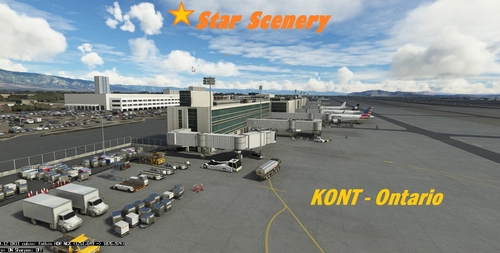
KONT-Ontario International v2.2
Enhance your virtual airport experience with KONT-Ontario International v2.2, a detailed scenery update focusing on the UPS East Cargo area, Main Terminal, and West air freight sections. This scenery add-on includes enhanced night lighting, reworked UPS HUB area, added GA parking, cargo parking, and over 2,500 hand-placed objects for a more immersive simulation environment. Developed by Starseed / J.D. Rocco, this update is compatible with (SU11) Sim Update-11 v1.29.30 or higher.
by Star Scenery / J.D.Rocco
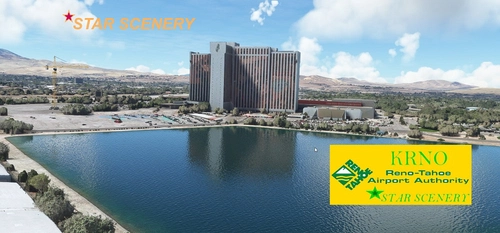
KRNO Reno-Tahoe International
Enhance the Reno-Tahoe International Airport experience with this add-on, featuring improved facilities, enhanced night lighting, and over 2,200 hand-placed objects for a more realistic feel. From corrected runway configurations to animated ramp workers, this scenery upgrade includes a variety of improvements while maintaining accuracy within default SDK limitations. Created by Starseed/J.D. Rocco, this version 1.0 update brings a refreshed look to the airport in Microsoft Flight Simulator.
by Starseed / J.D. Rocco
Log in to join the discussion
Log InComments(19)
3 months ago
Rudy
2 months ago
6 months ago
over 1 year ago
almost 4 years ago
Hello. I do not think this is working with SU11. After dropping it into my community folder the airport doesn't look any different in sim. Please take a look into it.
almost 4 years ago
Make sure you unzip the file or will not show in the Sim. No one else has reported this check your system
about 4 years ago
Looks sharp! Thanks for taking the time on this!
about 4 years ago
I haven't tried it yet, super happy someone has made my home airport though.
over 4 years ago
also during my return flight (Gate 18) im requesting for pushback but no tugs can be found.
over 4 years ago
As you can read in description there are known bugs with the SDK at this airport.Thanks
over 4 years ago
Super awesome scenery Gate 18 is missing the Jetway and Gate20 has half of a jetway, just thought I'd let you know, and I only lose a few FPS while looking at certain spots in the cockpit. overall great Scenery.
over 4 years ago
thanks for making my hometown airport <3
over 4 years ago
This airport add-on is well done. Would like to see KTUL if possible!
over 4 years ago
Another awesome airport. Bravo !!!! I saw some FedEx airplanes parked and some blue trucks by them but didn't have any logos on them. In case, you want to add FedEx or UPS trucks at your current airports or future projects, take a look at https://flightsim.to/file/8762/ted-stevens-anchorage-international-airport-anchorage-ak-usa-panc
He found some somewhere, lol.
Keep up the great work.
over 4 years ago
Is there anything you can do about the terminal height? It would look better even if you just nick the buildings from a WU airport.
over 4 years ago
Looks great! Thanks so much! Would love to see KAUS as well.
over 4 years ago
This looks great! I lived for 4 years in Weatherford, Oklahoma, 50 miles west of KOKC and obviously Rogers was the airport used for business travel. This looks excellent! Thank you for addressing it. I later lived in Tulsa for 4 years. Hiint hint!
over 4 years ago
As always thanks for the kind words enjoy!
over 4 years ago
trés bien