

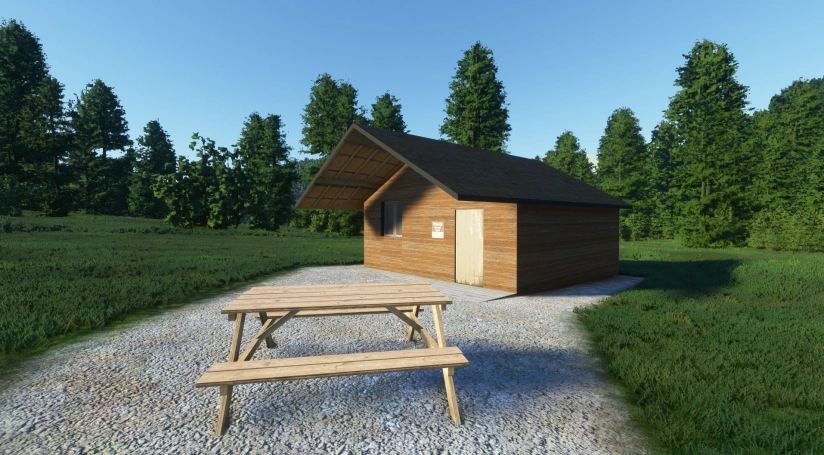
Description
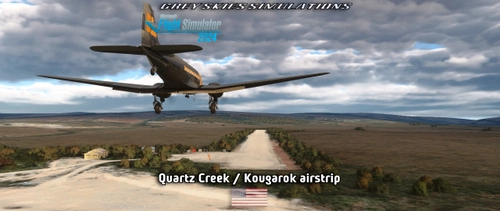
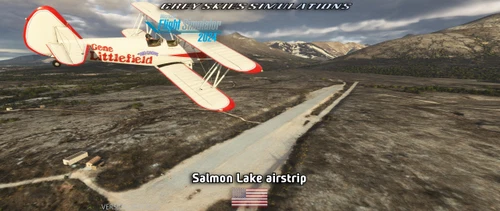
The National Park Service in Alaska has dozens of public use cabins in remote locations throughout the State. I crreated a cabin and meant to place it at Humpback lake only to discover that the Lake was there, but dry in the sim. So I created the lake to go along with the cabin. What fun would it be to have a lake that you can't start from, so I also created a seaplane base (ICAO: PF02) so you can drop off and pickup adventurers. There are a few grizzlies fishing along the lake shore. The path to the cabin is a long hike, but you'll see it clearly when you arrive. Use your drone camera to walk the trail through the woods to the cabin. On your way out of the cabin, swing by the Alaska Seafoods Cannery that I created. The Cannery at the water's edge but be careful, there are some departing fishing ships leaving the cannery.
YOU WILL ALSO NEED TO INSTALL: https://flightsim.to/file/2352/pier-models-blender-msfs to see the piers at the cannery, though the cannery and buildings will be there without it.
Created in Blender by me: Cabin and Cannery
Scenery added in the SDK
This scenery is my attempt to continue the fun of Misty Moorings and Alaska Adventures, my favorite bush flying groups.
return.mistymoorings.com
flyaka.com
Feel free to use the objects I create in any project that you give away for free. Please do not use them for payware and please do not ask for donations for scenery that you create using it. Keep the flightsim community open
Humpback Lake and Alaska Seafoods Cannery
Explore the beauty of Humpback Lake and Alaska Seafoods Cannery in this add-on, featuring a scenic cabin, a newly created lake, and a seaplane base for adventurous landings. Immerse yourself in the wild with grizzlies fishing along the shore and a picturesque hike to the cabin through the woods. Dont miss out on visiting the Alaska Seafoods Cannery at the waters edge, complete with departing fishing ships and detailed scenery for a true Alaskan bush flying experience.

User Reviews
2 reviews
Version History
No version history available.
Featured in Collections(1)

Related
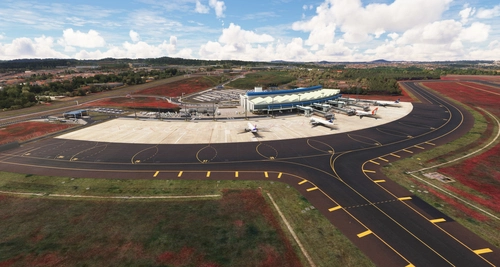
SBGO - Goiânia Airport - GO - Brazil
Enhance your Microsoft Flight Simulator experience with SBGO - Goiânia Airport in Brazil. This add-on features custom 3D models, animated Jetways, realistic runway and taxiway lights, custom markings, and aerial orthophoto for a true- to-life airport immersion. Support for narrow-body aircraft such as Airbus A320 and Boeing 737-800, with the ability to handle wide-body planes like Boeing 767 and Airbus A330. Simply extract the folder to your Community folder to begin exploring this detailed airport scenery.
by Souza Scenery & FSoares
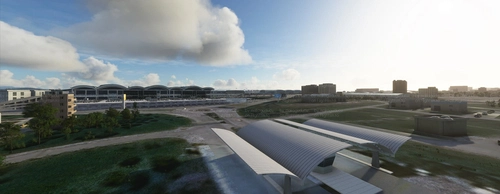
Istanbul Sabiha Gokcen International Airport
Custom-built Istanbul Sabiha Gokcen International Airport add-on for MSFS 2020 in public beta version. Enhancements include detailed airport structures and improved visuals for a more immersive flying experience. Created by developers with experience in X-Plane 11 scenery design. Free for personal use with optional donations to support the Leukemia Foundation for Children.
by Hayri Buberci, Mali Oguducu
Airport Parking
I am going through airports and updating the parking so airlines park in the correct spots. Not everything is 100% accurate, but it is very close and the pack will continue to grow. Both airlines and cargo spots are being updated. Airports are also including A380 gates.
by Chris Baggett
EBBR - Brussels Airport [CLOSED]
Enhance your sim experience with an intricately detailed rendition of Brussels Airport. This project is now closed, but stay tuned for upcoming ambitious endeavors. Gratitude to all for your support and feedback. Join the journey towards realistic virtual aviation.
by Maxiiter
Log in to join the discussion
Log InComments7
There are gtif there, the sim does not read gtif, the SDK reads these files when you open a new project, you need to add them to your own project and you need to export them with your own project.
it's blender model, it doesn't install to the sim. it's for use in making scenery.
Thanks for creating this!