
Description
WestcoastWilly's Icon A5 | G3X+ Mod
We're bringin' jazz back, baby! 🔥
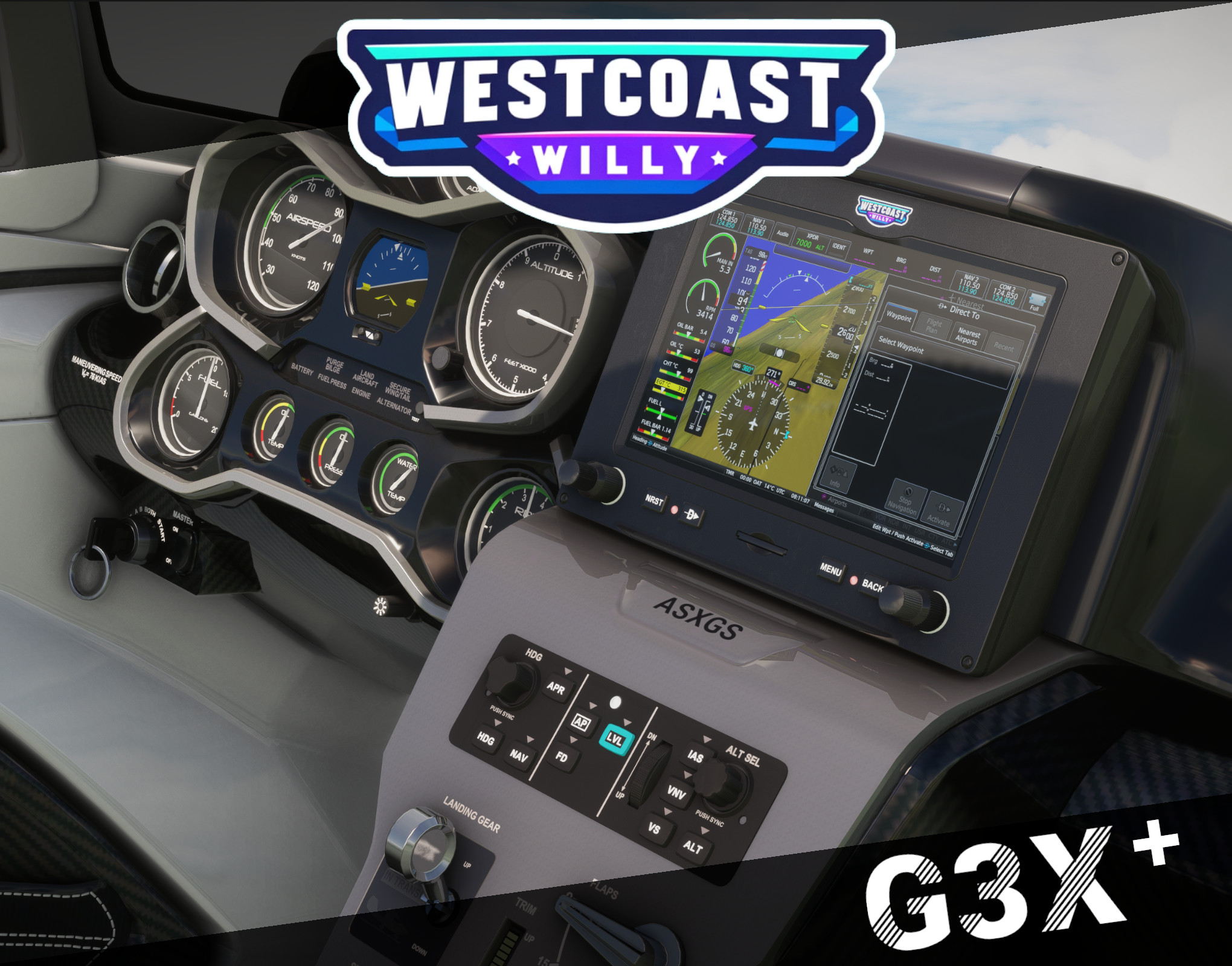
It is with great pleasure that I introduce to the flight sim community Willy's version of the perfect Icon A5!
Boasting a short yet modest list of changes, this beaut' is sure to catch eyes anywhere you go all while putting a smile on your face. After having been given so much by the flight sim community it was time to do my part. I hope you all enjoy this piece of work and thank you all!
FEATURES:
- Upgraded Cockpit with the new Working Title G3X Avionics Package
- Enabled Autopilot and added the Autopilot AS307 Controller Unit
- Replaced Digital Attitude Indicator with Alternative Display
- Added Avionics Switch to return to Classic Aera/Radio Avionics
- Added Exterior Water Visual Effects
- Added Willy Solo Cups with Animated Jazz Juice
- Added Visible Copilot Option (Click on Seatbelt Buckle)
- Added Glass over the Digital Attitude Display for Realism
- Moved Cabin Light Knob from Door Latch to Center Console
- Fixed Altimeter Calibration Knob Animation Issue
- Fixed Dashboard Decal Light Leaks
- Fixed Lighting / Decal Dimming Issues with Panel Light Knob
- Fixed Attitude Indicator 3D Visual Issue
NOTES:
- Fully compatible with the "Asobo Icon A5 Realism Mod" by MGouge425
- If you would like the original Aera style cockpit, please remember there is a switch underneath the Strobe Light to swap on-demand
Donations are never expected, but ALWAYS appreciated. Thank you all for your continued support!!
https://buymeacoffee.com/westcoastwilly
Should you need any assistance, help, have any questions or if you just want a sweet place to hang out swing by the Discord!
WestcoastWilly's Icon A5 | G3X+ Mod
WestcoastWilly presents an enhanced version of the popular Icon A5 in Microsoft Flight Simulator. This mod features upgraded cockpit with Working Title G3X Avionics, autopilot functionality, exterior water visual effects, and more. Enjoy a realistic flying experience with this meticulously crafted add-on.

User Reviews
8 reviews
Version History
No version history available.
Log in to join the discussion
Log InComments(26)
2 months ago
2 months ago
6 months ago
over 1 year ago
over 1 year ago
Very interesting ... however no NAV, even with PM750!
over 1 year ago
over 1 year ago
over 1 year ago
9 months ago
over 1 year ago
over 1 year ago
over 2 years ago
over 2 years ago
over 2 years ago
It also works with the Icon A5 - 2021 Performance Edition
https://de.flightsim.to/file/6806/icon-a5-high-performance-mod
over 2 years ago
I don't see any confirmation on the glass panel or the AP panel that AP is on or off. That is very annoying. Especially in VR (my hardware AP does provide confirmation but of course you won't see that in VR)
You cannot disable the ALT function (on my hardware AP) once you have enabled it. You also don't see any confirmation in the cockpit, so you don't know what position it is in (I assume it stays on). I don't have this problem with other aircraft.
Hopefully you can solve that.
Thank you
over 2 years ago
However, in my experience, the AP navigation doesn't work unless you enable it, then disable it, and then enable it again. Please look into this.
THANK YOU.
5 stars.
over 2 years ago
However, I do have another problem (see my post).
over 2 years ago