
![[A32NX] UNITED AIRLINES N431UA "Battleship Grey" Livery 8K - Image 1](https://cdn.flightsim.to/images/17/united-airlines-n431ua-battleship-grey-livery-8k-LBoNp.jpg)
Description
Repaint of UNITED AIRLINES N431UA "Battleship Grey"
Unzip and place the file "FBW_A320neo_UNITED AIRLINES N431UA" in your Community Folder
Enjoy!
[A32NX] UNITED AIRLINES N431UA "Battleship Grey" Livery 8K
Add an 8K "Battleship Grey" livery to your A32NX aircraft, featuring the UNITED AIRLINES N431UA aircraft repaint. Simply unzip and place the file in your Community Folder to enhance your flight simulation experience.
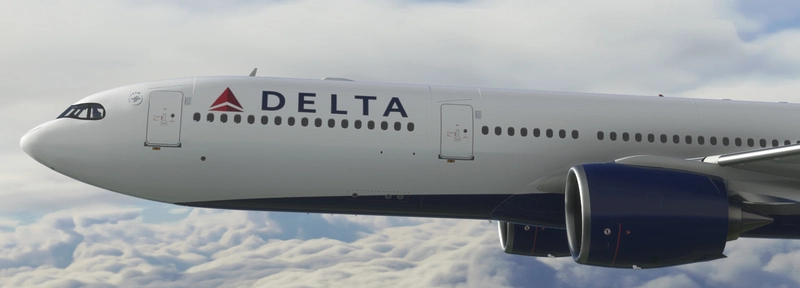
User Reviews
1 reviews
Version History
Sim Update 10 Registration in Cockpit Coffee Cup
Related
![[A32NX] United Airlines "2019 livery" "N423UA"](https://cdn.flightsim.to/images/13/ce0SvO4u.jpg?width=500)
[A32NX] United Airlines "2019 livery" "N423UA"
Fly in style with the A32NX United Airlines "2019 livery" N423UA. Choose between textures with or without masks and enjoy a realistic aviation experience. Remember, unauthorized use of these liveries is strictly prohibited. Happy flying!
by UnitDeath
![[A32NX] United Airlines 8k ultra (2 versions)](https://cdn.flightsim.to/images/16/united-airlines-8k-ultra-2-versions-FYOC5E7h.jpg?width=500)
[A32NX] United Airlines 8k ultra (2 versions)
A32NX United Airlines 8k ultra mod offers two versions: Standard and Black canopy, for an enhanced visual experience. Explore the high-resolution textures and customize your aircraft accordingly. Donations via PayPal are welcome.
by n0k3
![[A32NX] United Airlines | N445UA & N449UA | FlyByWire Airbus A320neo (8K)](https://cdn.flightsim.to/images/14/8HEhnimN.png?width=500)
[A32NX] United Airlines | N445UA & N449UA | FlyByWire Airbus A320neo (8K)
Explore United Airlines liveries for the FlyByWire Airbus A320neo with this add-on. Featuring high-quality 8K textures for registration N445UA & N449UA, enhance your Flight Simulator experience with these detailed liveries. Please note that this add-on is textures only and requires the FlyByWire A32NX mod for Asobo Airbus A320neo.
by cieloazulfsart
![[A32NX] Airbus A320neo United Airlines "Blue Tulip"](https://cdn.flightsim.to/images/27/airbus-a320neo-united-airlines-blue-tulip-784495-1738323478-KRknQ.jpg?width=500)
[A32NX] Airbus A320neo United Airlines "Blue Tulip"
This add-on features the "Blue Tulip" livery for the Airbus A320neo, designed for FlyByWire and inspired by United Airlines branding from 2004 to 2010. Crafted with high-definition 8K textures, the livery showcases intricate details across the aircrafts fuselage. Designed to enhance the visual experience in Microsoft Flight Simulator 2020 and 2024, this livery allows users to simulate a classic United Airlines aesthetic in their virtual flights. Installation involves simply copying the provided folder into the Community directory.
by LiveryLab
Log in to join the discussion
Log InComments(8)
almost 4 years ago
Cant install it at all tried a couple of times is there any feedback the owner could give to fix it?
over 3 years ago
Still no reply and still not able to download the livery any suggestions?
over 3 years ago
Hi there :-)
Sent you a PM
Regards,
JT
about 5 years ago
I'm getting "Path Too Long" errors with every livery I try to install :(
about 5 years ago
https://www.avsim.com/forums/topic/583628-installation-path-too-long/
As I understand it has something to do with where you install MSFS2020. Instead of using the default path when you install MSFS, you should create your own.
If you create D:\MSFS, the installation path for addons would then be
D:\MSFS\Community
Hopefully this might solve your problem ;-)
JT
about 5 years ago
Thanks so much for doing this!
One issue - I'm seeing white lines around the rear fuselage and nose cone after zooming out past a certain point. Any idea on that?
about 5 years ago
Just uploaded a new file :-) Hope this fix the problem with the white lines. Also made the Worldwide Service smaller, new StarAlliance logo, bigger serialnumbers, and a small fix to the tail :-) Hope you`ll enjoy!
about 5 years ago
Looks great now, thanks for fixing that!