Flightsim.to

    Applications

    Browse freeware applications for MSFS 2020 and 2024. Community tools for add-on management, ATC audio, flight tracking, virtual crew, CPDLC, performance and more. Browse 888 addons uploaded by our community.

    Last updated
    Golden Hour – HEMS missions for MSFS 2024

    Golden Hour – HEMS missions for MSFS 2024

    Golden Hour is a HEMS (Helicopter Emergency Medical Services) add-on designed for MSFS 2024, allowing users to respond to dynamically generated emergency calls worldwide. The system supports solo, private group, and live cooperative missions, enabling real-time coordination and the presence of other crews without standard multiplayer. Mission scenarios vary by helicopter type and location, with no need for additional downloads or mission packs. The addon operates via the MSFS EFB tablet, compatible helicopter tablets, or external devices through a browser.

    0.0(0)
    39
    16.8 MB
    2 days ago

    AERO FUEL – Realistic airfield fuel pump (toolbar panel)

    AERO FUEL – Realistic airfield fuel pump (toolbar panel)

    AERO FUEL introduces a realistic airfield fuel pump interface for Microsoft Flight Simulator 2024, allowing step-by-step refueling procedures via a toolbar panel. Users can select fuel type, manage payment simulation, operate the pump, and receive digital receipts. The tool features authentic flow rates, sounds, safety measures, and supports over 3,200 European airfields with editable estimated prices. The panel interface is in French and is primarily designed for default aircraft within the simulator.

    confuzioconfuzio
    MSFS2020/24
    5.0(1)
    88
    10.3 MB
    Yesterday
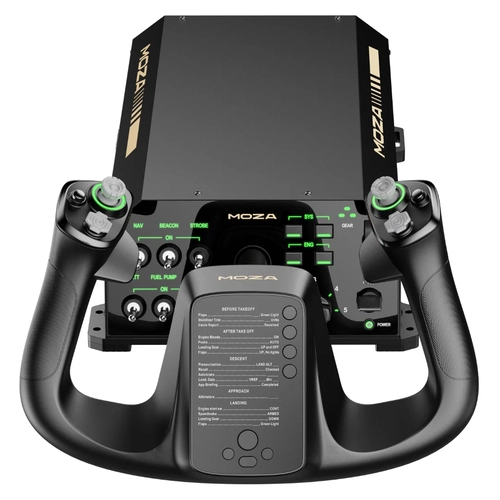
    Moza-TFDI MD11 Autopilot Following

    Moza-TFDI MD11 Autopilot Following

    This add-on enables autopilot following for the TFDI MD11 in Microsoft Flight Simulator by integrating Moza hardware support. The tray application detects when autopilot modes are active and sends the status to Moza devices. Users can bypass aircraft detection or disable autopilot following through the app. Compatibility is focused on MSFS 2024, with setup adjustments recommended for optimal control response.

    0.0(0)
    9
    14.7 MB
    2 days ago
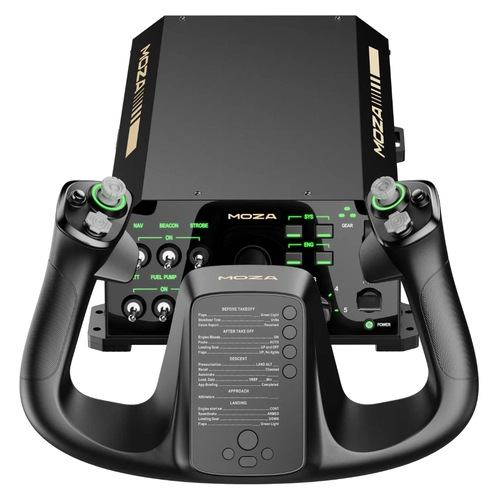
    Moza-Bluebird 757 Autopilot Following

    Moza-Bluebird 757 Autopilot Following

    This add-on enables autopilot following functionality for the Bluebird 757 in Microsoft Flight Simulator by adapting SmartUSB's IFLY Autopilot solution. It is specifically tested for MSFS 2024 and may not be compatible with MSFS 2020. Users are advised to adjust Moza Cockpit base preset settings for optimal performance. The add-on helps synchronize the hardware autopilot with the simulator's controls.

    0.0(0)
    19
    14.8 MB
    2 days ago
    LiveryStudio BETA

    LiveryStudio BETA

    Livery Studio is a free Windows application for designing custom liveries for Microsoft Flight Simulator 2024. It features a live 3D preview, lets users add colors, stripes, logos, text, and registration, and supports both default and Community aircraft. Finished liveries are packaged for in-game use with a 3D-rendered thumbnail. The tool operates without requiring additional software or admin rights and includes English and Norwegian language support.

    olejor94olejor94
    MSFS2024
    0.0(0)
    177
    51.9 MB
    19 hours ago
    SimReady - Preflight Controller Check

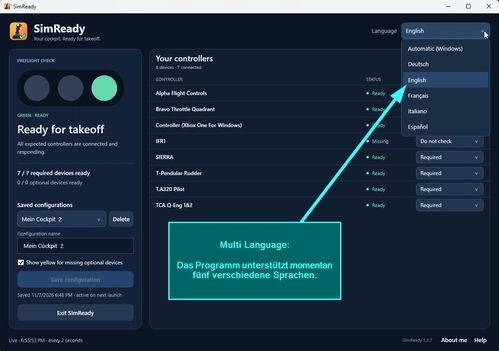
    SimReady - Preflight Controller Check

    SimReady is a free Windows utility that checks whether your joysticks, yokes, throttles, and rudder pedals are ready before you fly. Create hardware profiles for different aircraft, let SimReady detect the active setup, and see at a glance which devices are missing or unreadable. SimReady works independently of your simulator, supports multiple languages, and is available as an installer or a portable version.

    SimFlightChrisSimFlightChris
    MSFS2020/24
    0.0(0)
    36
    59.4 MB
    2 days ago
    Jump Ahead Tool Based on Flight Plan

    Jump Ahead Tool Based on Flight Plan

    Jump Ahead is a tool for MSFS 2024 that teleports supported airliners to a selected waypoint on a SimBrief flight plan. It syncs the aircraft's FCU, clock, and fuel, and monitors the repositioned state for accuracy based on position, speed, and altitude. Compatible with iniBuilds and Fenix A320 family aircraft, installation involves placing the module in the Community folder and activating it via the EFB. The tool operates with observation and reporting to confirm successful jumps ahead.

    faxdsfaxds
    MSFS2024
    5.0(1)
    50
    244.5 KB
    2 days ago
    SimpleControls | There, I fixed MSFS Control Bindings for you

    SimpleControls | There, I fixed MSFS Control Bindings for you

    Simple Controls replaces the default MSFS 2024 controls page with a faster, clearer interface for managing control bindings. It displays all bindings for each device on one screen, allows easy searching and filtering, and supports independent binding and sensitivity profiles per aircraft. Features include conflict resolution, real-time input monitoring, automatic backups, and a guided tour. All changes are securely managed, with full backup options and safe uninstallation procedures.

    HynoHyno
    MSFS2024
    5.0(6)
    608
    2.3 MB
    2 days ago
    Max Flight Deck Lite – MSFS 2024 Cockpit Screens on Your Tablet

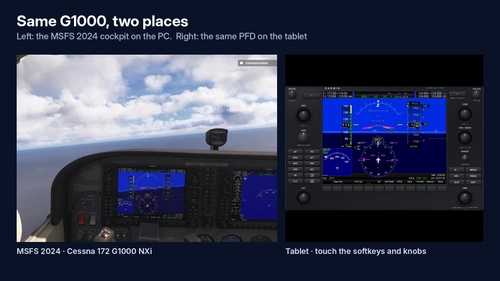
    Max Flight Deck Lite – MSFS 2024 Cockpit Screens on Your Tablet

    Max Flight Deck Lite allows users to display and interact with real glass cockpit screens from Microsoft Flight Simulator 2024 on an iPad, Android tablet, or any browser over home Wi-Fi. The add-on supports touch controls for cockpit functions, requires no aircraft-specific setup, and works with a range of default aircraft. It automatically records flight data and provides a landing scorecard, as well as an ATC log using local speech recognition. Installation requires no software on the tablet and is limited to one device at a time.

    maxduanmaxduan
    MSFS2024
    0.0(0)
    57
    181.6 MB
    Yesterday
    MusicPlayer

    MusicPlayer

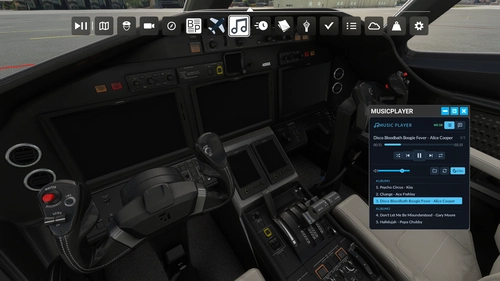
    MusicPlayer allows users to play their own MP3, OGG, WAV, and FLAC files directly within Microsoft Flight Simulator 2020. It features an in-sim toolbar panel for playlist management, playback controls, shuffle, repeat, volume, and a sleep timer. A companion program runs on Windows or Linux to handle music playback locally, with all data remaining on your computer. Supports up to 500 tracks and requires users to provide their own music files.

    Iky_tgIky_tg
    MSFS2020
    0.0(0)
    24
    25.4 MB
    3 days ago
    vJetOps Tracker - Free Virtual Charter Airline Tracker for MSFS 2020 & 2024

    vJetOps Tracker - Free Virtual Charter Airline Tracker for MSFS 2020 & 2024

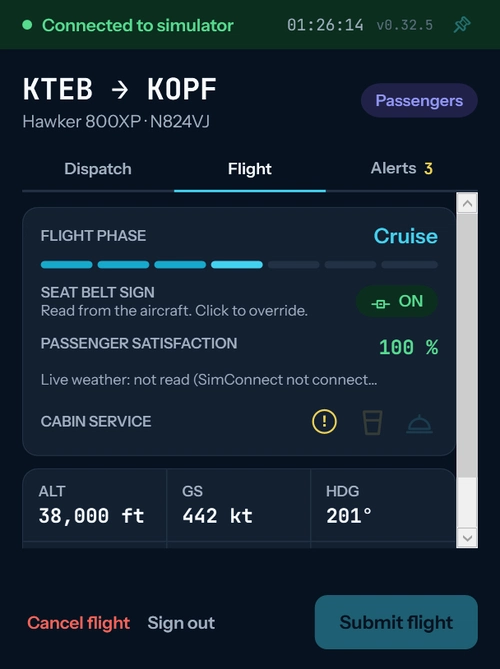
    vJetOps Tracker is a free tool for managing and tracking virtual charter flights in Microsoft Flight Simulator 2020 and 2024. It allows users to operate passenger, cargo, and medical charters, tracking flight data such as aircraft, fuel, payload, and passenger reactions. The tracker records flight statistics for a virtual logbook and provides feedback based on flight quality. Requires a free vJetOps account, FSUIPC7, and works with most MSFS aircraft.

    vJetOpsvJetOps
    MSFS2020/24
    5.0(1)
    17
    64.4 MB
    2 days ago
    Showing 13 - 24 of 888 results
    1345...50