Browse freeware landscape scenery add-ons for MSFS 2020 and 2024. Community-made terrain mesh, photorealistic imagery, forest corrections, and coastline improvements for regions worldwide — free to download. Browse 637 addons uploaded by our community.
This add-on features simulated whirlpools inspired by the Naruto series, utilizing effects to represent their movement. While real whirlpools exhibit complex behaviors, the simulation adapts to the limitations of the MSFS SDK for a simplified representation. Installation requires placing the files in the MSFS Community folder.
This scenery is compatible with the latest City Update 14 - Netherlands / Belgium.
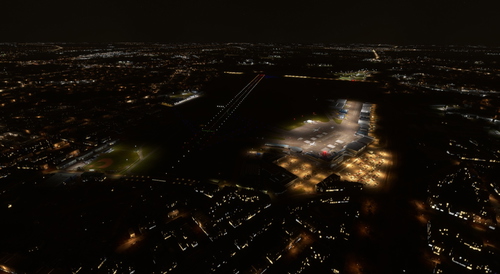
Schenkeveld Greenhouse Fix with Greenhouses addresses a visual bug in MSFS by replacing an oversized building near Schiphol with an appropriately scaled model of the Schenkeveld greenhouse complex. This modification enhances realism and situational awareness for pilots approaching runway 06 at EHAM. The added elements utilize default MSFS assets, ensuring seamless integration into the simulator. Installation is straightforward by unzipping the file into the community folder.
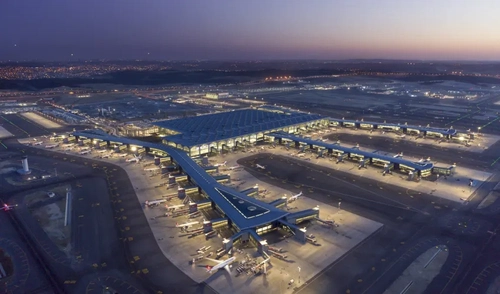
Construction site of new Long Thanh International Airport
This add-on modifies the area around the Long Thanh International Airport construction site in Microsoft Flight Simulator. It replaces the default forest and autogen terminal with detailed ground textures to better represent the ongoing airport project, which aims to accommodate over 100 million passengers annually. The mod focuses on capturing the scale of the construction site without adding buildings or other assets.
This add-on modifies the scenery around Central Park by removing most of the photogrammetry trees present in the area. While there may be some trees left untouched, the overall appearance of Central Park is altered to suit different user preferences. Installation is straightforward, as users simply need to place the add-on in their Community folder. Compatibility with Microsoft Flight Simulator 2020 is uncertain, but users are encouraged to test it.
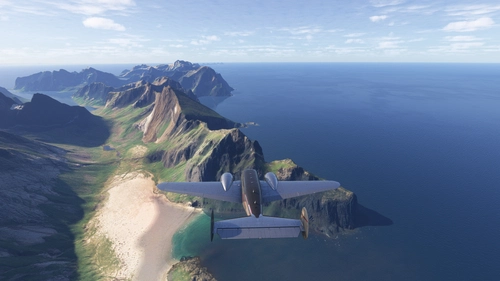
The Troms Region High Trees Removal V. 2 mod for Microsoft Flight Simulator modifies the landscape of northern Norway by removing excessively tall trees from mountain slopes and ridges. This update addresses the issue of unrealistic tree placements on high peaks, enhancing the authenticity of the region’s stunning scenery. Covering a substantial area, the mod focuses on the distinctive terrain of the Troms fylke, including notable features like the Lyngen Alps and nearby mountains in Finland. Installation is straightforward, requiring users to unzip the folder and place it in the MSFS 2024 community directory.
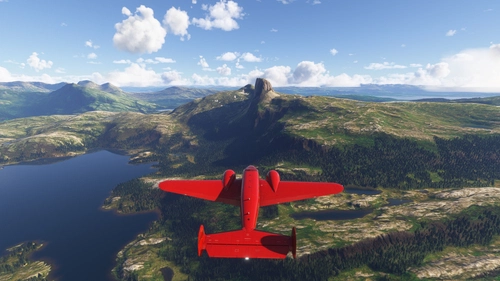
This add-on modifies the Ofoten area in Norway by removing excessively tall trees from mountain slopes and ridges, enhancing the authenticity of the landscape. It addresses tree placement issues in the simulator that disrupt the realistic portrayal of the terrain, particularly around the national mountain, Stetind. This version expands the coverage from Narvik to Kjopsvik, including areas near the Swedish border. For optimal results, users are advised to remove any previous versions of the mod.
This add-on modifies the scenery of Senja Island in Norway by removing excessively tall trees from mountain slopes and ridges, enhancing the authenticity of the landscape. While the entire island is included, the focus is primarily on high terrain, bringing it closer to the natural tundra-like environment expected in such regions. Users can explore the striking mountain ranges and fjords, starting from nearby Tromso and Bardufoss airports. Installation is straightforward, requiring just a simple folder placement into the MSFS 2024 community directory.
This add-on modifies the Ofoten area in Norway by removing excessively tall trees from mountain slopes and ridges, enhancing the authentic visual experience of this scenic location. The mod addresses the issue of unrealistic tree placement by targeting regions from Narvik to Korsnes ferry, aiming for a more natural treeline appearance. While it does not include graduated treelines, it significantly improves the landscape over the default settings. Starting your exploration from Evenes airport is recommended.
This add-on simulates cloud effects over Mount Fuji, enhancing the visual experience in Microsoft Flight Simulator. Users can adjust wind speed settings between 5 and 15 knots, influencing the cloud dynamics around the mountain. The simulation responds variably based on the wind direction and speed, offering a dynamic environment. Installation requires placing the downloaded files in the MSFS Community folder.
This add-on modifies the Jotunheimen national park in Norway by removing excessively tall trees from mountain slopes, ridges, and valleys, enhancing the realism of the landscape. It addresses the discrepancies in tree placement and height in the sim, particularly around Norways highest peaks. While the mod does not cover the entire mountain range, it significantly improves the visual authenticity of the area. Recommended points of interest include Bjorli airport and Hovden airport, offering access to scenic views and nearby attractions.
This add-on modifies the Troms region in Norway by removing trees that are excessively tall on mountain slopes and ridges. With many peaks reaching heights of 1500 meters and above, this adjustment aims to reflect the true treeline of the area, where trees do not grow above approximately 700 meters. While the mod does not cover the entire Troms fylke, it targets key areas to enhance the authenticity of the mountainous landscape. Installation is straightforward, requiring users to place the included folder into the MSFS 2024 community directory.