

Description
MSFS2024 Toolbox
I present you a little toolbox for MSFS2024 which has a collection of some useful stuff:
IMPORTANT!!! I just created the toolbox out of interest with AI Gemeni Pro.
That means on the other hand, that I have no clue and therefore can add, repair or change hardly. I simply hope, there are no bugs ;)
ADM Airport Duplicate Manager
Shows which sceneries are duplicated and also if more then one of each is active.
You can change just by clicking which version you'd like to use
BGL Manager
open a folder which contains BGL files and enable or disable them with just a few clicks.
Useful to disable stuff like static aircraft, ground clutter etc
SAM Standard Aircraft Manager
Lets you enable and disable standard aircrafts to keep your menu clean.
You can also save your wanted standards in a whitelist, so, with the net update, this whitelist still exists and you can disable all unwanted standard planes with a click
INTRO replace intro
If you want to change on of the intro videos of MSFS2024, this makes it now a lot easier, especially after an update.
An example for a replacement video is here: Calming Intro for Microsoft Flight Simulator | MSFS
CCT Clean Caches Tool
Clean all your grafics caches with one click. Should work for NVIDIA and AMD
User Buttons
You can make own buttons on the right side. You can open several files (EXE, BAT, PDF, etc) or folders.
This is meant for thinsg like you should check regularely, but maybe not before every sim start, like GSX Updates, Navigraph AIRAC, etc.
Folders are useful to open the rolling cache folder as example.
Quick Access
opens four important files and folders:
Community folder
Local Cache folder
UserCfg.opt file
content.xml file
Installation
There is no real installation process. The application is portable.
1. Create a folder anywhere on your PC (e.g., C:\MSFS_Tools).
2. Extract the full contents of the .zip archive into this new folder.
3. Run the "MSFS2024_Toolbox.exe" to start the application.
Uninstallation
Simply delete the folder where you extracted the application. All settings are stored in a "settings.json" file within this folder, so deleting it removes everything completely.
First Start
When you run the toolbox for the first time, it will try to automatically find your MSFS 2024 configuration files.
- If successful, the path to your "UserCfg.opt" will be displayed at the bottom of the main window.
- If the automatic search fails, a "Not Set" message will be shown. You must then manually set the path by clicking the "Set UserCfg.opt" button and navigating to the file.
**IMPORTANT:** Most tools will not function correctly until the path to "UserCfg.opt" is properly configured. Be sure that the tool picks up the correct usercfg.opt of MSFS2024! Some users report, that It could also be the one from 2020 if both sims are installed. Check that the path is Microsoft.Limitless_8wekyb3d8bbwe and NOT Microsoft.FlightSimulator.8wekyb3d8bbwe
Backup:
to keep your settings, you can save and backup the settings.json, which will be created inside the MSFS2024 Toolbox folder
All files which will be altered by MSFS2024 toolbox (content.xml or intro video) will be backuped in the folder where they are!
Note: this tool was created with a one month free trial of Gemeni Pro Ai. Just for fun and curiosity. (However cost me some nerves and time). Point is, I can't change or improve anything if it's not an absolute showstopper (which seems not to be the case) because I have no clue about programming and happy it works as it is.
Donations are welcome!!! it is a lot, really a lot of work, and some donations make future projects easier ;) thx!
If you want to donate directly as friend without a PayPal fee, then use this adress, please: www.paypal.com/paypalme/GuenterSteiner
MSFS2024 Toolbox
The MSFS2024 Toolbox is a versatile utility designed for Microsoft Flight Simulator 2024, offering a suite of tools for managing airport scenery duplicates, BGL files, and standard aircraft visibility in the menu. It allows users to replace intro videos, clean graphics caches, and create custom access buttons for frequently used files and folders. This portable application simplifies the organization and configuration of simulator settings without requiring a formal installation.
Downloads Stopped
The creator has temporarily stopped downloads for this addon. Please check back later.


Supporters


User Reviews
13 reviews
Version History
fixed and changed Replace Intro (RI) Tool The path could be now set individually, so Steam should also work as the user could freely choose the path. RI would now scan in that folder for all mp4 files and let the user select which one he would like to use. I hope we have now maximal flexibility with it, also for future Microsoft/Asobo changes.
Related
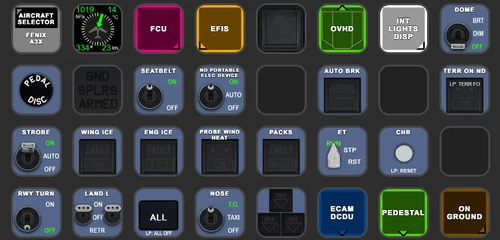
FENIX A3XX AAO Scripts & StreamDeck XL & PLUS Profile
Customize your Microsoft Flight Simulator experience with FENIX A320 AAO Scripts & StreamDeck XL Profile by Guenseli. This add-on offers a seamless integration with LORBYs AAO and StreamDeck Plugin for optimal performance. Explore the detailed installation instructions for enhanced functionality with a VRInsight MCP Combo II. Elevate your simulation setup with this meticulously crafted add-on.
by Guenseli
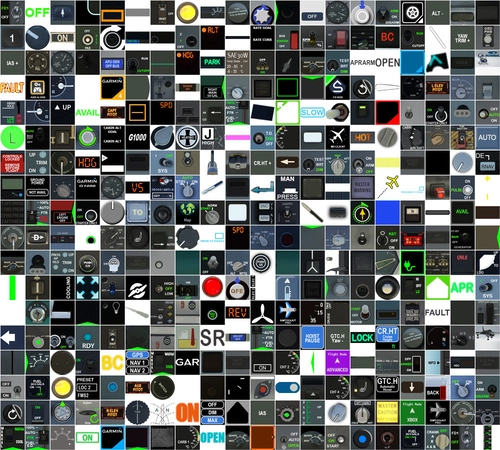
Icon Pack for Elgato StreamDeck
A collection of over 3500 icons designed for Elgato StreamDeck and similar devices, created by Guenseli. Ideal for personal use with a disclaimer against commercial usage. Icons are detailed and diverse, providing a variety of options for customization. Credits required if used in public projects, with a suggestion for donations to support the creators work.
by Guenseli
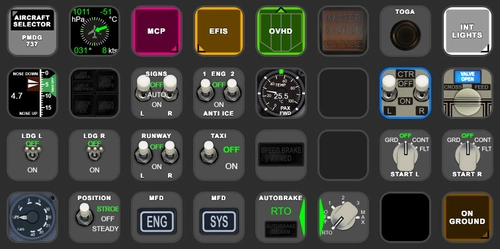
PMDG 737 AAO Scripts & StreamDeck XL & PLUS Profile
Enhance your PMDG 737 experience with the PMDG 737 AAO Scripts & StreamDeck XL & PLUS Profile by Guenseli. Make sure to update your Elgato Software to version 6.0 or higher for compatibility. This profile is specifically designed for the StreamDeck XL and requires LORBYs AAO and its StreamDeck Plugin to run smoothly. Get ready to elevate your cockpit with this detailed and user-friendly add-on.
by Guenseli
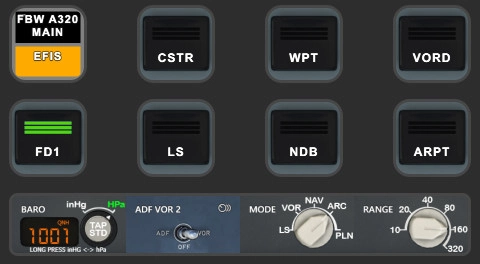
FBW A320 AAO Scripts & StreamDeck XL & PLUS profile and MCP Combo template
Enhance your FBW A320 experience with tested AAO Scripts and StreamDeck profiles for XL & PLUS versions. Ensure to delete old profiles before import and always use the latest plugin versions for seamless integration. Contact AAO developer for any connection issues and give credit if using parts of these profiles in your projects. Install scripts and profiles for an immersive flight simulation experience.
by Guenseli
Log in to join the discussion
Log InComments(57)
4 months ago
I think you may have forgotten to ask the AI to provide a feature to manually set the content.xml (only the useropt.cfg). So sadly, it's unusable for the duplicate scenery feature, which is what I wanted to use.
4 months ago
But I fear, even when this is explained now to you, you won't change your star rating at usual?!
7 months ago
7 months ago
I have 2024 only and it works.
But:as in the description, I can't do anything anyway. If there arise too much problems with further sim development, I take the download down
7 months ago
9 months ago
9 months ago
11 months ago
And because some of the functionality acts upon common files and folders, it can also be used to good effect for other games!
Many thanks.
12 months ago
Maybe add a shortcut to delete the rollingcache.ccc
Very usefull after an update of msfs.
Thanks
12 months ago
Simply link to your RC folder.
12 months ago
I was more thinking about the possibility to add rollingcache folder to settings to make it be delete when we use the "clean cache" button
12 months ago
Thank you! Great add-on! I can select aircraft I don't fly and deactivated!
But Airport Duplicate Manager does not detect all conflicts between Asobo default airports and third part airports, so I don't know if is it my problem or that the app is not working properly.
Greetings
12 months ago
12 months ago
12 months ago
about 1 year ago
about 1 year ago
Why should icon size be resized?
You can add more buttons and scroll...
about 1 year ago