
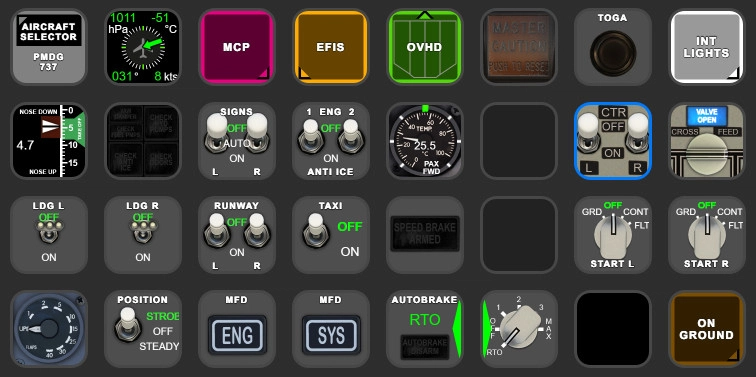
Description
PMDG 737 AAO Scripts & StreamDeck XL & PLUS Profile
for LORBYs AxisAndOHs (AAO) and its SD Plugin
by Guenseli
You need LORBYs AAO and its StreamDeck Plugin to run this StreamDeck profile.
ATTENTION!
PLEASE READ CAREFULLY!
- When you import SD profiles, make sure to delete the old ones, otherwise you'll get profile copies.
- Make sure to always have the latest AAO and AAO StreamDeck plugin versions! Check for Elgato software updates!
- I just create the SD profiles! For any connection issues, SD plugin not working, Buttons show "?" or nothing, no reaction of the SD etc., please contact the developer of AAO! And please read the AAO Manual or the short Troubleshooting PDF
- It is - as the title says - just for the StreamDeck XL (!). Please do not ask for a 15 button conversion. This will not happen as this will more than double the amount of development and support for me as I do not have a 15 button SD. Sorry.
- Please ask if you want to use parts of my SD profiles, icons or AAO scripts or whatever! And please ask everytime you start a new project! You have to credit and link me in your description!
If you use my work, you are then not allowed to beg for own donations!
Installation:
Install the SD profile by double clicking at PMDG737.streamDeckProfile
Install the SD PLUS profile by double clicking at PLUS PMDG737.streamDeckProfile
Import the AAO script PMDG_737_Scripts.xml according to the AAO manual
To enable the FLT ALT and LDG ALT Displays:
Step 1:
Activate data transmission from the PMDG plane:
Find the file 737_Options.ini in
...\LocalState\WASM\MSFS2024\pmdg-aircraft-738\work
and make sure that the following is in this file:
[SDK] EnableDataBroadcast=1
(This change requires a restart of the simulator.)
Step 2:
Activate an Autoscript:
in AAO --> Scripting --> Aircraft Automated Scripts
Choose from Group: PMDG
(should be pre-installed with AAO. It is NOT the Script from this profile!!)
Choose as Script: PMDG_737MSFS_Data, Set Repeating, Beginning and 500ms. Then click Add/Update
Tested with PMDG 2024 version. Old 2020 Version is also downloadable, but won't recieve any updates.
theres a "hidden" page 7 o the XL profile with several, user requested buttons like announciators or clock etc.
As always, the AxisAndOhsScripts could be assigned to any other hardware you have. So, this download is not only useful for StreamDecks!
Donations are welcome!!! it is a lot, really a lot of work, and some donations make future projects easier ;) thx!
If you want to donate directly as friend without a PayPal fee, then use this adress, please: www.paypal.com/paypalme/GuenterSteiner
PMDG 737 AAO Scripts & StreamDeck XL & PLUS Profile
Enhance your PMDG 737 experience with the PMDG 737 AAO Scripts & StreamDeck XL & PLUS Profile by Guenseli. Make sure to update your Elgato Software to version 6.0 or higher for compatibility. This profile is specifically designed for the StreamDeck XL and requires LORBYs AAO and its StreamDeck Plugin to run smoothly. Get ready to elevate your cockpit with this detailed and user-friendly add-on.

Supporters

iPat
€20
imiknidam74000
€20
Mischa
€20
Falcon58
€20
namsicklz
€20
Relax
€15
OTBU
€15
jiminiz
€10
Lesliejoe
€10
Lesliejoe
€10
johan1972
€10
MikeJuliet
€10
RichW15
€10
robwell99
€10
JustyG
€10
Noel_aus
€10
sergemodular
€10
SirJepper
€10

BrianT58
€10
conao
€10
SirJepper
€10

rsm
€10
tmegowan
€10
rsm
€10
adwt0125
€10
€10
Helibrewer
€10
Mamadou79
€10
isgalt
€10
GraMcN
€6
espn74
€6
EinnorGoks
€5
Zelvant
€5
mvdigit
€5
adwt0125
€5
dvf757
€5
Simunk
€5
GIROMAN
€5
vjcarlo
€5
Spoonraad
€5
gordongreig
€5
Mashregh
€5
dvf757
€3
amuller_19580612
€1
2Reason
€1
jjm1963
€1
User Reviews
57 reviews
Version History
added °F for cabin temp (will change if you change kg <-> lbs in FMC) added wipers on PLUS profile beside this, this is a complete rework of many scripts and most buttons. Profile should be much faster now. As I got rid of many old scripts, it could be you have to reassign some certain hardware assignments. Bugs are expected. Have fun!
Related
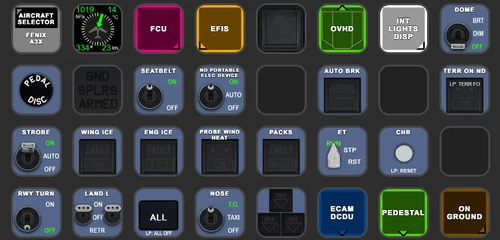
FENIX A3XX AAO Scripts & StreamDeck XL & PLUS Profile
Customize your Microsoft Flight Simulator experience with FENIX A320 AAO Scripts & StreamDeck XL Profile by Guenseli. This add-on offers a seamless integration with LORBYs AAO and StreamDeck Plugin for optimal performance. Explore the detailed installation instructions for enhanced functionality with a VRInsight MCP Combo II. Elevate your simulation setup with this meticulously crafted add-on.
by Guenseli
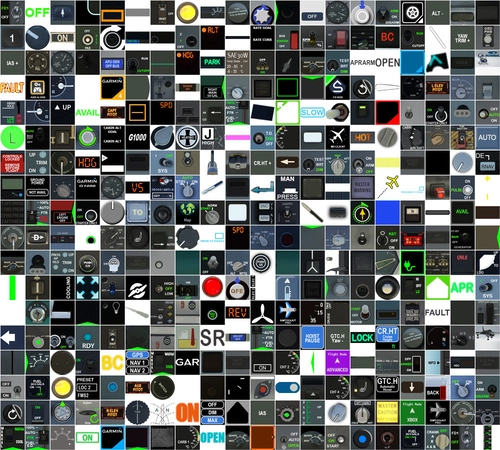
Icon Pack for Elgato StreamDeck
A collection of over 3500 icons designed for Elgato StreamDeck and similar devices, created by Guenseli. Ideal for personal use with a disclaimer against commercial usage. Icons are detailed and diverse, providing a variety of options for customization. Credits required if used in public projects, with a suggestion for donations to support the creators work.
by Guenseli
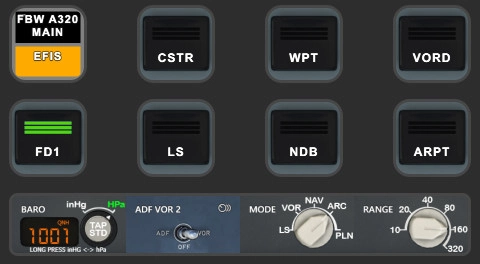
FBW A320 AAO Scripts & StreamDeck XL & PLUS profile and MCP Combo template
Enhance your FBW A320 experience with tested AAO Scripts and StreamDeck profiles for XL & PLUS versions. Ensure to delete old profiles before import and always use the latest plugin versions for seamless integration. Contact AAO developer for any connection issues and give credit if using parts of these profiles in your projects. Install scripts and profiles for an immersive flight simulation experience.
by Guenseli
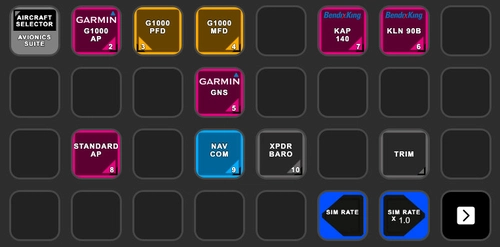
Avionics Suite for StreamDeck XL & PLUS
Enhance your Flight Simulator experience with the Avionics Suite for StreamDeck XL & PLUS, featuring G1000, GNS units, autopilot functions, and more for AxisAndOHS users. Ensure to follow installation instructions carefully and stay up to date with the latest plugins and versions for optimal performance. Customizable profiles for easier navigation and direct access to specific avionics pages, providing a convenient and immersive simulation experience. Support the developers work by considering a donation if you find the add-on helpful.
by Guenseli
Log in to join the discussion
Log InComments(301)
over 3 years ago
If you have greyed out buttons, no reaction of the StreamDeck, exclamation marks etc, that means you have connections issues between AAO and the StreamDeck.
94% of all support request are due to no proper connections or outdated versions of AAO and/or the AAO SD plugin.
Check ports, check the troubleshooting PDF, contact AAO support.
My Streamdeck profiles work (beside from probably little bugs). If you have such issues, I can't help you, sorry! Support requests can't not solved by me as I'm not the developer of AAO!
about 1 month ago
about 1 month ago
about 1 month ago
2 months ago
2 months ago
2 months ago
Is everything working?
3 months ago
3 months ago
I'm 99% sure it works for both as it should.
The old version is just in case
4 months ago
3 months ago
4 months ago
Thanks so much for this great work, I use the MAX profile as well!
4 months ago
4 months ago
thank you!!!
5 months ago
4 months ago
But needs some time probably
7 months ago
Thank you very much.
7 months ago
MISC_Gear_OFF
Note: it is not a button, its just that script. Therefore you just need to update the scripts, not the SD profiles.