
Description
Update latest version
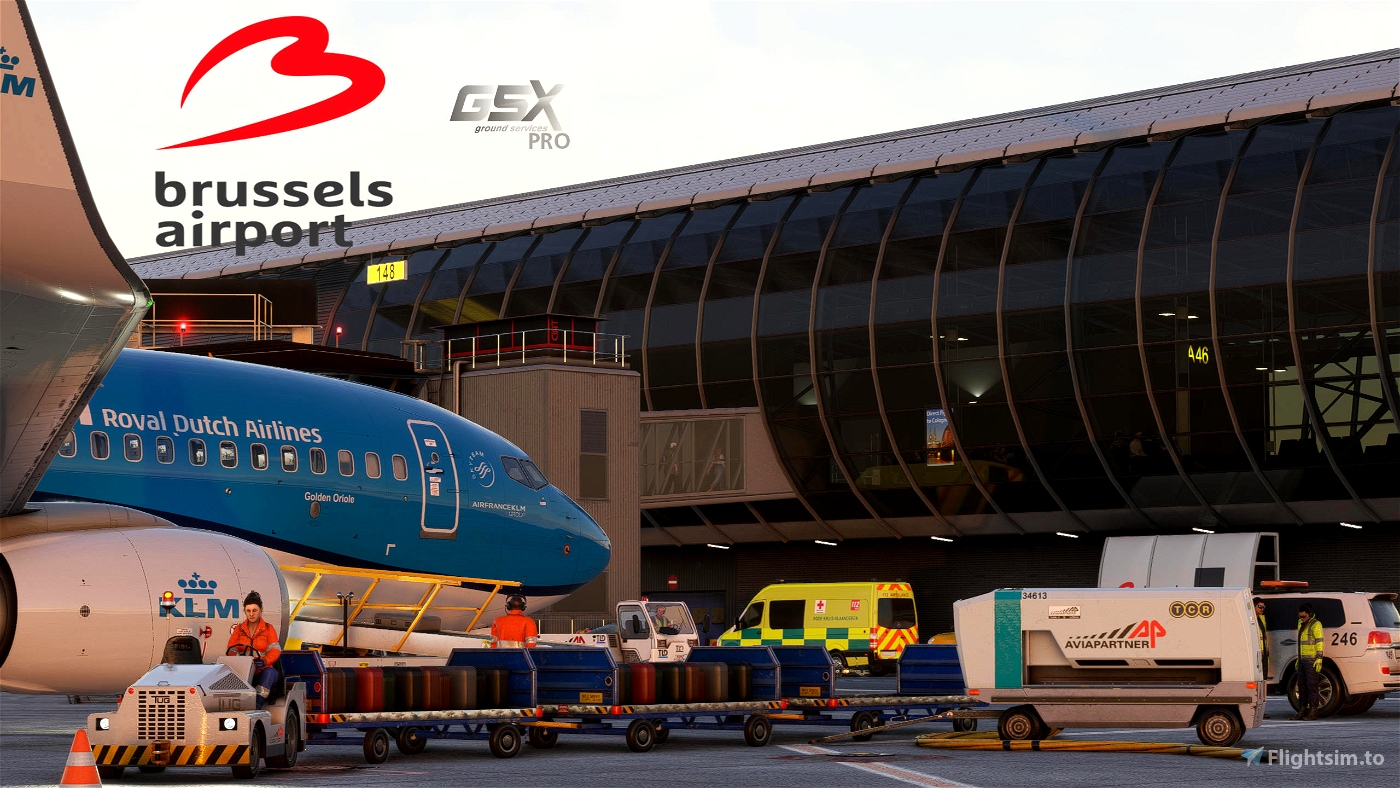
GSX Pro Profile for Aerosoft EBBR Brussels
Version 2.2
Make sure to update to GSX Pro version >3.3.2 or later
- GSX menu naming convention added stands and gates for easier navigation
- Unfortunately due to scenery design 231 and 233R, A380 gates not available, Gate 237L is adjusted for the A380 as temporary workarround
Aerosoft needs to update the scenery first. - North Cargo Apron added VDGS for stands 951/954/967/969/971
- North cargo has due to scenery design the following stands:
951/954/957/959/960/961/962/963/964/965/966/967/969/971 - Fixed a bug with heavy aircraft and wingspan
Version 2.1
Make sure to update to GSX Pro version >2.91 or later
- Push and Pull with the latest GSX Pro version
- All gates:
- Custom stop positions per aircraft types
- New push back routes and procedures updated to current procedures in real life Brussels
- Custom sorting in GSX menu according charts
- Changed all VDGS objects for performance reasons Safedock T2S_24 Screen with Simbrief integration
- Catering and Handler added due to new contracts at EBBR
- Catering:
- Gategourmet
- Newrest
- Handlers:
- Alyzia
- Aviapartner
- Catering:
- Cargo Apron 9 changed completely with push and pull and multiple handlers
- Handlers:
- DHL
- Swissport
- Aviapartner
- DNATA
- Handlers:
- Added compatibility drag and drop installer from elevatesolutionsdrag and drop installer
- Per default if you want to avoid all VDGS loading but just the active user aircraft change this line disable_static_docks = 0 to 1
- Some gates are enabled with a work around unfortunately not a moving jetway (due to scenery design), but pax walk in (so they can be used)
Gates are : 201 / 203 / 208 / 209 / 227 / 232
- Adjusted ground layout of support vehicles and small tweaks
- Fixed a few bugs
- Remote deicing pads
Install instructions:
Simple use the drag and drop installer from elevatesolutions (in combination with the zipfile below attached).
Or just save manual the two files:
ebbr_aerosoft_v2.ini
ebbr_aerosoft_v2.py
into the following directory:
(your drive letter)\ %and path% \AppData\Roaming\virtuali\GSX\MSFS
General remarks:
Unless otherwise specified in the push-back procedures below or explicitly authorized by ATC, pulling
forward after push-back is only allowed when necessary and not further than the lead-in-line of the
departing stand.
- Aircraft shall not be pushed back further than the nose wheel limit line on TWY
(white perpendicular mark on TWY). - ATC can give pushback instructions that may overrule the standard procedures.
If no specific instructions from ATC have been received, no deviations from the standard pushback
procedure are allowed.
If, for unforeseen reasons, the push-back operator is unable to perform the push-back following the
procedures or the alternative ATC instructions, the push-back operator shall immediately inform the
captain who shall inform ATC and ask ATC for further instructions.
Stand Standard push procedure:
Apron 1 North
- 120-142 Push on INN, nose facing East
- 144-158 Push on push line, without interference on TWY INN,, nose facing East
ACFT shall join TWY INN from the push line via the shortest way.
No Taxi along the push line is allowed. - 160-174 Push on INN, nose facing East
Apron 1 South
- 143 Push on R4, nose facing East
- 145L Push on R4, nose facing East.
- No simultaneous push from 204 and 145L.
- 145R-171 Push on R4, nose facing East
Apron 2 North
- 204 Push on push line, nose facing East, pull forward until lined up on S no
further than 208. No simultaneous push from 204 and 145L. - 206-240 Push on S, nose facing East
Apron 2 South
- 205L Push on push line, nose facing East, pull forward until lined up on T, no
further than 209. - 205R-237 Push on T, nose facing East
Apron 3 North
- 312 Push on TWY U, nose facing West
- 314-330 Push on U, nose facing East
- 322 code F Push on T, nose facing East
- 328 code F Push on T, nose facing East
Apron 3 South
- 313-323 Push on INN10, nose facing North
Satellite (Apron 3)
- 304 Push on Z, nose facing East
- 305 Push on Z, nose facing East.
- When nose facing West, use lead out line and pull abeam Strip 1.
- 306 Push on Z, nose facing East
- 354 Push on INN10, nose facing North
Apron 4
- 401-412 Push on TXL strip 1, nose facing West.
- 414 Push on TXL strip 1 using the push line, nose facing West.
- 401-415 Power-in/Power out stands. Staging area must be CLEAR OF ALL
GROUND SUPPORT EQUIPMENT before an aircraft may start up the
engine or taxi out. It is the headset operator who’s in control when an
aircraft is ready. If the area behind and/or in front of the aircraft is not
clear, the headset operator must refuse the engine start up. If an
aircraft is on tow, the towing may not start until the staging area is
CLEAR OF ALL GROUND SUPPORT EQUIPMENT. - 401-403 The headset operator must be extra aware of the service drive behind
the aircraft. The service drive may be used by fueling trucks. If in any
case a fueling truck is behind an aircraft, the operator is not allowed to
give any clearance for an engine start up or taxi out. If a fueling truck is
waiting to cross strip 1 behind an aircraft on stand 401/403, pilot needs
to be informed by headset operator, to not start an engine before fuel
truck has vacated.
Apron 9
- 950 Push on push line, nose facing East, and pull forward until lined up on N1.
When nose facing west, push on N2 - 951 Push on N2, nose facing West only.
(in case of A380 push-back only allowed under supervision of Airside
inspection) - 952-957 Push on N1/N2, nose facing East/West at ATC discretion.
- 959 Push on N2, nose facing East/West at ATC discretion. When nose
facing East, pull forward abeam 961. - 960-968 Push on N2, nose facing East/West at ATC discretion.
- 969-970 When nose facing East, push on N2.
- When nose facing West, push on push line, pull forward abeam 969.
- 971 When nose facing East, push on N2.
When nose facing West, push on lead-in line stand 971, pull forward
abeam 969
Version history:
version 1.06 GSX Pro compatible with 2.2.7 and attached at the bottom of this post!
Version 1.05 GSX Pro
Version 1.04 GSX Pro (make sure to have the latest GSX Pro version 2.2.3 > update)
Version 1.03 GSX Pro
Version 1.02 GSX Pro VDGS safedock@ T1S-42 system with Simbrief integration on all gates
Version 1.01 still available with Aerosoft VDGS system.in place
Version 1.01 minor update:
version 1.0
Comments(55)
Log in to join the discussion
Log In30 days ago
4 months ago
I'm a new player and i wondering why on some gates i have this error : "bad jetway data".
4 months ago
- Open the FSDT installer
- Go to GSX settings
- In the gateway replacement section, disable all airports
This fixed all the errors I was having with GSX gateways.
9 months ago
8 months ago
Well this is based on RW data not some Satelite data, and as with which aircraft did you experienced this and which SIM... After 12.7K downloads you are the first to experience this, so no drama what you trying to create.
Tested and it stops here correct to the RW stop, so something wrong with your installation or did you test with a gate that is disabled from the scenery and GSX has there general stuff. See the readme which gates at the North terminal aren't available due to scenery design from Aerosoft
9 months ago
Any ideas?
8 months ago
11 months ago
11 months ago
9 months ago
about 1 year ago
My Problem is, whenever I have the Jetway replacement turned on, the Jetway won' even move by a bit and just stand there, all whilst GSX is telling me that the Jetway is operating. Conflictingly, when I have the Jetway replacement turned of, as it it when you click and apply ,,Exclude 3rd Party´´. The Jetway will operate perfectly, but is still the default msfs 2020 Jetway, even though I have installed the Profile correctly because all other Services are perfect.
If anybody ever is seeing this, please tell me how to fix or who I should contact for assistance.
Thank you
over 1 year ago
over 1 year ago
over 1 year ago
over 1 year ago
over 1 year ago
over 1 year ago
over 1 year ago
Aerosoft Brussels EBBR V2.2 GSX Pro
Enhance your GSX Pro experience with the Aerosoft Brussels EBBR V2.1 update. This version includes custom stop positions, updated push back routes, and new catering and handler options. Make sure to update to GSX Pro version 2.91 for full compatibility with this add-on.
User Reviews
4 reviews
More Information
Version History
Version 2.2 GSX menu naming convention added stands and gates for easier navigation Unfortunately due to scenery design 231 and 233R, A380 gates not available so 237L is adjusted for the A380 as temporary work arround Aerosoft needs to update the scenery first North Cargo Apron added VDGS for stands 951/954/967/969/971 North cargo has due to scenery design only 951/954 stands available Fixed a bug with heavy aircraft and wingspan
Related
Official Flytampa Amsterdam (EHAM) GSX Pro profile
Enhance your ground handling in Microsoft Flight Simulator with the official Flytampa Amsterdam (EHAM) GSX Pro profile. This profile offers realistic pushback routes, gates, and stand adjustments for an immersive experience. Included in the profile are GSX profile definition and Python script files, with easy installation methods provided. Experience close-to-real life procedures with precise aircraft type placements, catering services, and logical ground vehicle movements at Schiphol Airport.
by virtualstuff

Mobiflight profiles for Winwing and FSLabs A321CEO and NEO
This add-on provides Mobiflight profiles specifically designed for the Winwing hardware in conjunction with the FSLabs A321CEO aircraft. It includes several custom configurations for the FCU and EFIS systems, ensuring full functionality such as integrated lighting and LCD backlight controls. Users are advised to use the latest firmware for their Winwing devices and to follow specific installation and setup guidelines to ensure compatibility. The profiles enable a streamlined operation within Microsoft Flight Simulator when flying the A321CEO version 11.0.1.29X and above.
by virtualstuff
FSLabs Profiles for Mobiflight and WinCTRL hardware
profiles for FSLabs A32X and Neo and WinCtrl hardware
by virtualstuff

about 1 month ago