

Description
23.10.2023 - small update to 1.1
- added a 4. preset with everything default but weather off (as suggested by Condor777 - as an fix for ctd problems that some users have)
JayDee´s World Filter Mod
Please consider Donating if you like my Mods and Checklists! Making these has become very time consuming Thanks a lot.
This mod gives you three presets for Wolrd Map Filter Settings. These Settings are loaded then by default, so you dont have to edit the Filter Settings in the Wolrd Map every time you restartet the Simulation.
Please only install one filter mod you want. Other wise the overwrite each other. Simply Drag and Drop the respective Mod Folder from within the donwloaded ZIP into your Coommunity Folder/Addon Linker Location.
Filter 01 - Weather Layer = OFF
All POI´s = OFF
All Airports/Heliports = ON
Navaids = ON
Rnav/AirSpaces = OFF
Filter 02 - Weather Layer = OFF
All POI´s = OFF
All Airports/Heliports = ON
Navaids = ON
Rnav/AirSpaces = ON
Filter 03 - Weather Layer = OFF
All POI´s = ON
All Airports/Heliports = ON
Navaids = ON
Rnav/AirSpaces = ON
You can edit the XMLs of any of the 3 mods to your personal preference, if you wish so. All you need is an Text Editor (like Notepad)
My Discord (German/English) for Bug Report/Support - https://discord.com/invite/jaydee
My Youtube Channel (German) for MSFS Videos/Guides - https://www.youtube.com/c/jaydeegaming
Kind Regards
JayDee
JayDee´s World Map Filter Presets
Discover JayDees World Map Filter Presets, featuring three preset options to streamline your World Map Filter Settings in Microsoft Flight Simulator. Easily customize your experience with preset configurations for weather, points of interest, airports, navaids, and airspaces. Dont forget to show your support through donations if you enjoy using these mods!


Supporters


User Reviews
4 reviews
Version History
Added a 4 preset with everything default but weather off.
Related
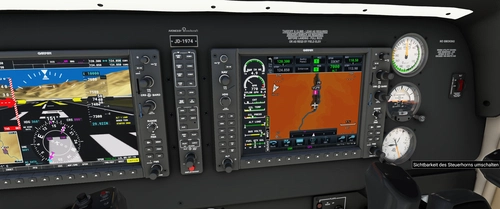
JayDee´s - PMS GTN750 on Others Mod
Adds the GTN750 to various aircraft models expanding beyond official support, enhancing your flying experience. Make sure to also download the GTN750 mod from PMS50.com. Compatible with a wide range of aircraft, offering individual installations for optimal performance. Includes support for GNS530/430 and G1000 replacements, benefiting from continuous updates and fixes.
by JayDee
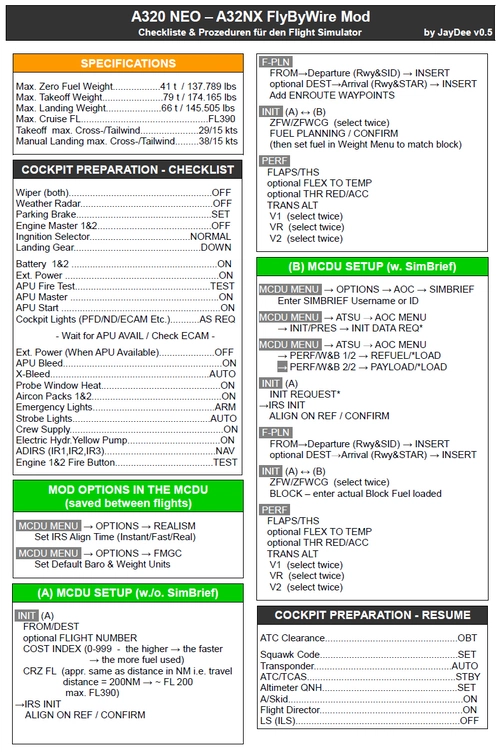
FBW A32NX/A320 (incl. FS2Crew) - Guide - Checklists & Procedures
A comprehensive guide with checklists and procedures for the FBW A32NX/A320, including recent updates for EFB changes. Designed for single-pilot operation, this mod offers in-game toolbar integration for easy access to checklists. Consider supporting the developer if you find this guide helpful.
by JayDee
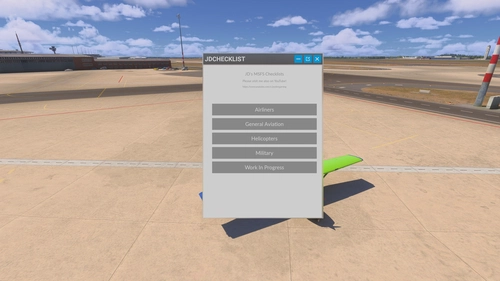
JayDee´s Ingame Toolbar Checklists
Access a comprehensive in-game toolbar featuring checklists for numerous aircraft with JayDees Ingame Toolbar Checklists mod. Perfect for both VR and Non-VR experiences, this mod provides easy access to a variety of checklists without the need for constant updates, as they are called from a server. Explore a wide range of included aircraft checklists and streamline your flight preparations effortlessly.
by JayDee
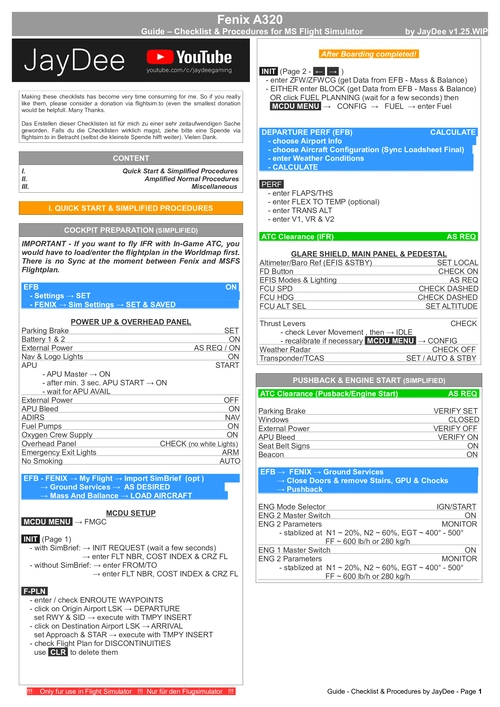
Fenix A320 - Guide - Checklists & Procedures
A comprehensive guide featuring checklists and procedures for the Fenix A320, including updated normal procedures. This mod is designed for single pilot operation in flight simulation. Additionally available as part of the Ingame Toolbar Checklist Mod. For support, visit the Discord server hosted by JayDee, the creator of this mod.
by JayDee
Log in to join the discussion
Log InComments(12)
9 months ago
about 1 year ago
over 1 year ago
over 1 year ago
almost 3 years ago
almost 3 years ago
almost 3 years ago
I used also the “World Map Filter 03- All But Weather”, but I edited the NAVAIDS / RNAV / Airspaces out of it, to have the default appearance at startup, just without the weather.
Get a copy of it and read a discussion of the bug here:
https://forums.flightsimulator.com/t/sim-crashes-when-zooming-in-at-the-worldmap/607606/141?u=condor77777944
@JayDee: maybe add a “World Map Filter 04- Default but no Weather/CTD hotfix” or similar, for all that are OK with the normal startup appearance and just searching for a fix.
almost 3 years ago
about 3 years ago
about 3 years ago
about 3 years ago
about 3 years ago