
Description
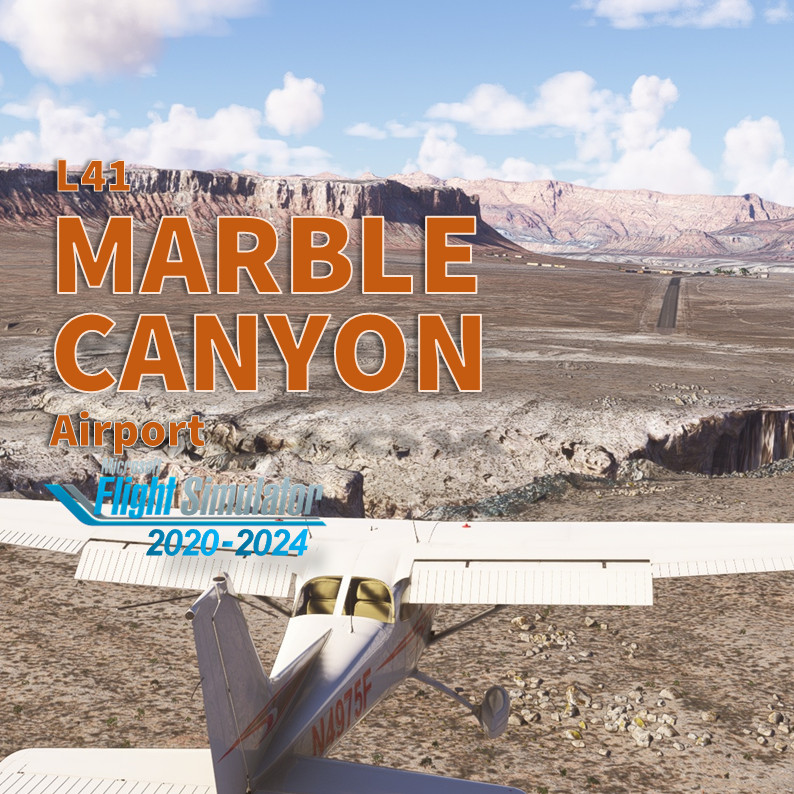
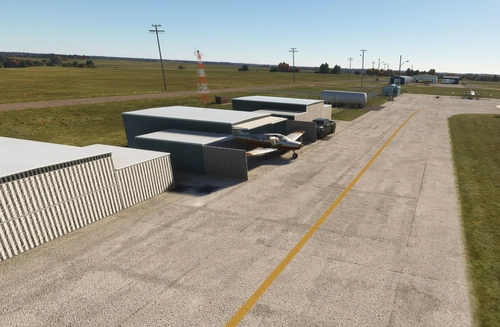
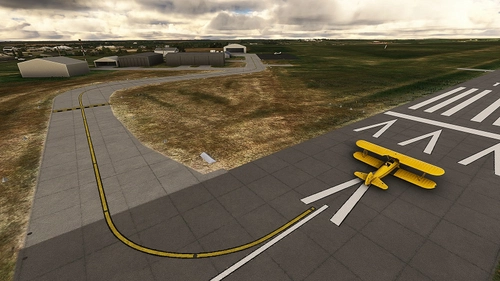
Marble Canyon is an incredibly unique location. While the majority of the Grand Canyon is off-limits to lower-level flight without a tour operator permit, L41 is accessible to anyone: get onboard your favorite GA plane, fly as real-as-it-gets and enjoy to land inside the Canyon! I pay attention to recreate the town with custom buildings. Don't forget to go to the restaurant across the street to pay the landing fee and enjoy an iconic meal. But overall enjoy the view during the approach!
IMPORTANT
On MSFS2020, be advised that several mods changing tree size and type will interfere with this scenery. You may have trees all around the runway instead or sparse small bushes on each side. This scenery has been tested with NO TREE MOD active or with REX AccuSeason. Please de-activate any tree mod in your community if you can't land on the runway ;) See FAQ section for further information.
Features
- NEW! Compatible with MSFS2024
- Add custom made buildings at town (gas station, the restaurant and lodge) and near the bridge
- Cherry on the cake: The Navajo Bridge Interpretive Center has been fully rebuild with custom buildings
- Add dozen of custom objects at Marble Canyon town
- Fix the Windsock's position
- Add one helipad starting position in the main ramp
- Try to enhanced the terraforming of the whole area
- Fix the traffic pattern location for AI
- No extra library or depedencies required.
From the flight deck
Marble Canyon airport sits at 3'600 feet. Because of the whole area is a National Park, you can't join the pattern as you want. There's a Special Flight Rules Area (SFRA) centered on the airfield for 3 nautical miles to allow you for a... risky descend. Don't fly low if you want to keep your (virtual) licence. Furthermore, because of the canyon wall, you may encountered significant updrafts or downdrafts in the vicinity of the rock walls. Runway 3/21 is on a 1.3° gradient with the approach end of Runway 21 being the high point. The runway is 3'715 feet (1132 meters) and only 35’ large (11 meters). It has been resurfaced few years ago. The pavement is in good condition, but it's a desert area and you may encountered tumbleweeds on a bumpy surface runway. Approaches are typically made on runway 3 due to the upslope. You have been warned: the terrain before and after the runway is not suitable for over or underruns ;) Also, the elevation of the airport combined with Arizona summers hot temp leads to significant density altitude considerations. Lean and check your mixture! Finally, there's no fuel on site. But Page, KPGA is a max 10 min flight with a C172. Don't forget to pay the landing fee cross the street at the restaurant/lodge. You may enjoy a nice meal.
More info for pilots
- Free regional maps at Skyvector: click here top access Skyvector in a new window
- Airnav.com: https://airnav.com/airport/L41
- Airport Focus by Arizona Pilots: https://azpilots.org/news/50039-az-airports/50466-arizona-airport-focus-marble-canyon
How to install in MSFS?
Unzip the file into your Community folder. Keep the folder structure from the zip (\AirportServices \ContentInfo, \MaterialLibs, \scenery, layout.json and manifest.json at the root directory). Once installed go to L41 (icao code for Marble) as usual, this scenery replace the stocked MSFS one.
Requirements for MSFS2020
- World Update II (USA) and X (USA)
- (optional) World Update XI Canada
Remark: MSFS2024 downloads automatically the required scenery and library object.
Known bugs
- Shrubs along the runway are slightly floating above ground. Its a MSFS limitation.
- Elevation of the apron is slightly too high and some of cars parked have their wheel under the ground
- The pedestrian bridge is not smoothly blended with the custom made Navajo Interpretive Center
Author's final note
As for all of my MSFS mod, this small scenery is made from a pilot-eyes perspective. The scenery is inspired by aerial views from Bing and Google maps. It's a mix between the satellite imagery displayed from MSFS and more accurate data found on Internet. I did my best, based on online videos and pictures freely available. I also used some of my personal video taken during a flight I did here in 2019 (https://youtu.be/lLfQBkanSZ8). Hundreds of objects have been manually added to make it more "live" and bring a touch of an active area. If you have local pictures to help being more accurate, please let me know!
Frequently Asked Questions
Location
Marble Canyon Airport (L41)
Discover Marble Canyon Airport (L41), a unique location where you can land inside the Grand Canyon National Park. This add-on features custom buildings and objects, a revamped Navajo Bridge Interpretive Center, and a challenging approach due to canyon wall updrafts. Enjoy a realistic flying experience with improved terraforming and traffic patterns in this desert setting.




User Reviews
22 reviews
Version History
- Aligned SU16 and MSFS2024 Bing Maps data with Microsoft Flight Simulator: reposition all objects, ground textures, runway "center" lines... - Update runway texture and markings. - Add the new renovate Marble Canyon Motor Lodge buildings. - Add the new Road & Rivers Ready Mart Sign. - Add new Restaurant signs. - Rework night lightning. - Replace missing objects since SU4 (MSFS2024) PS: I've decided to keep the old Marble Canyon Lodge big sign that doesn't appear anymore in recent pictures - Personal Choice.
Featured in Collections(1)

Related
LFAT - Le Touquet - Elizabeth II International Airport
Explore the upgraded Le Touquet - Elizabeth II International Airport (LFAT) with enhanced details like new buildings, taxiways, and custom textures, along the northern coast of France. Experience realistic features including a long runway, ILS approaches, and low tide simulation for an immersive flying experience. Unzip the file into your Community folder to enjoy this amateur real pilots passion project, offering a closer-to-reality representation of LFAT in Microsoft Flight Simulator.
by Vincent Bazillio
San Diego Montgomery - Gibbs Exec Airport (KMYF)
Enhance your Montgomery Field experience with this updated airport scenery for Microsoft Flight Simulator. Features include corrected taxiway names, new taxiway signs, added buildings, custom windsocks, and more small details to improve immersion. Explore the bustling airport located six miles north of downtown San Diego and enjoy a more realistic flying experience.
by Vincent BAZILLIO
San Diego Gillespie Field (KSEE)
Experience San Diegos Gillespie Field with this detailed MSFS add-on featuring 1800+ objects, corrected taxiways, all airport buildings, fences, apron extension, ground markings, windsocks, and more. Inspired by real-life aerial views and personal footage, this scenery adds a touch of realism to the bustling general aviation hub. Install easily in your Community folder and explore this vibrant airport in the heart of California.
by Vincent Bazillio

San Diego Ramona (KRNM)
Experience the detailed charm of Ramona Airport (ICAO:KRNM) with this small scenery add-on, featuring over 600 objects added to the default scenery. Explore the recreated airport buildings, taxiway signs, and specialized features. Immerse yourself in the history and significance of this public airport located near downtown San Diego.
by Vincent Bazillio
Log in to join the discussion
Log InComments(88)
2 months ago
Edit: found the issue. For some reason WORLD UPDATE II:USA Points of Interest were downloaded. I set them to streamed and all is back as it should be. :D
2 months ago
2 months ago
5 months ago
9 months ago
Re-download and install puts the floaters safely back on the bridge 👍☺️
Very, very minor detail if you feel like tweaking it in a future update, but it's not important...
The feet of the figure in the attached photo are sunk a few inches into the surface. Sorry to mention it but I do QA testing for a company and I tend to see minor things most people would never notice🤣. No criticism of your fine work intended.
9 months ago
Will fix that ASAP ;) And thank you for your support! Really appreciate it.
9 months ago
PS: don't look all other the place, you'll find a lot (I mean a lot) of imperfection. There're some that I know and can't with my skill fix and others that would required to much work ;) and ultimately some that I'm not aware ;)
9 months ago
9 months ago
Nice thanks. l love all the details.
Just one thing I noticed, I have a couple of suicide jumpers on the bridge.
9 months ago
I've just uploaded a new .ZIP, same version 2.0.0 but with the 3 guys foot on the bridge this time ;)
This is the perfect illustration of how the scenery map has slightly move when aligned with MSFS2024 Bing imagery.
9 months ago
9 months ago
9 months ago
9 months ago
9 months ago
about 1 year ago
about 1 year ago
over 1 year ago
j'ai mis un screen 2020
amicalement
Daniel
over 1 year ago
over 1 year ago
It was part of my flight here https://youtu.be/G6yS2plEl8o