
Description
New Version (SimUpdate 5 compatible) is availble at https://de.flightsim.to/file/5307/jd-cockpit-livery-a320neo-black-black-creme - I merged the two mods. This one here will not be updated.
____________________________________________________________________________________________________
06.04.2021 - v4.0 - Mod restructured to work with forked FBW A320NX from version 0.6.x on.
JayDee´s A320 Cockpit Color Mod 4.0
*ENGLISH*
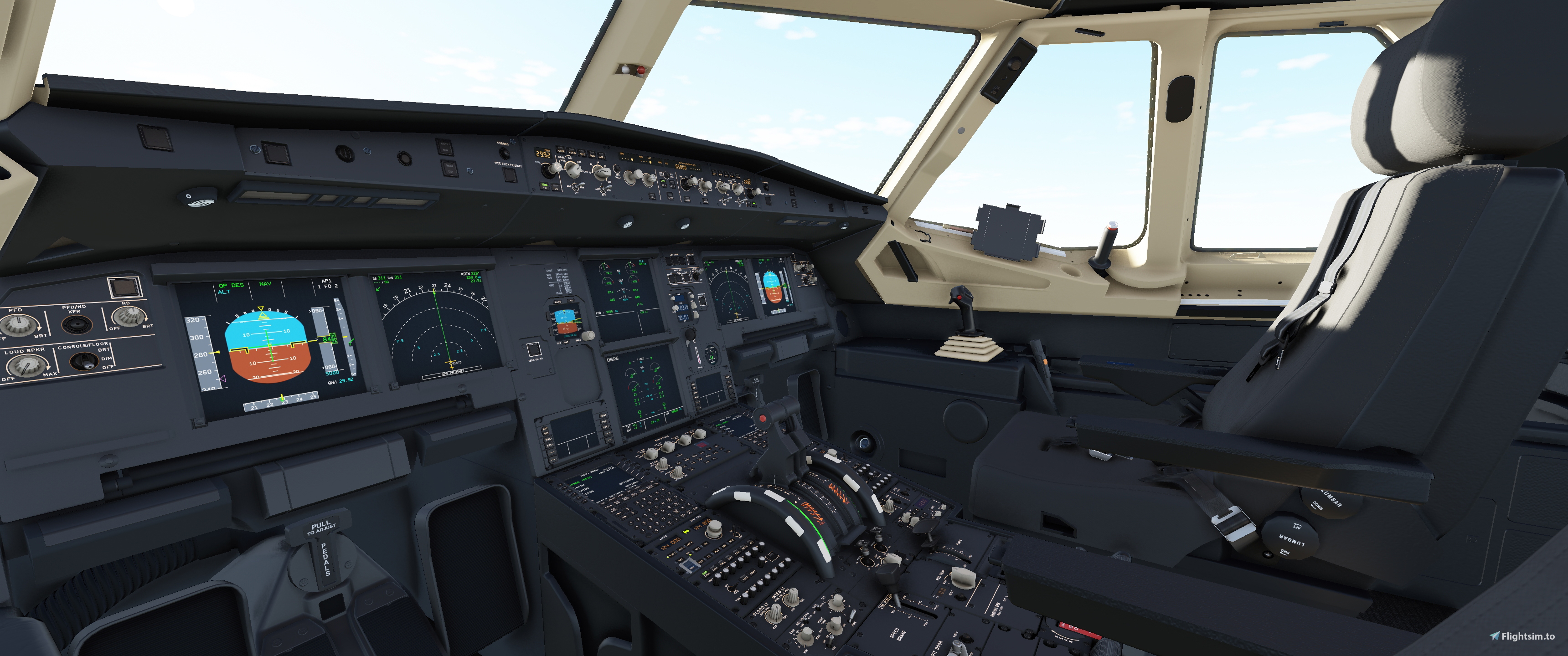
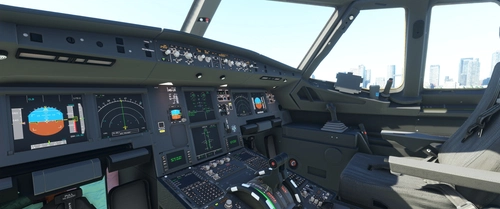
This is a cockpit color variation mod for the MS FS A320 neo! Includes variants for Default Asobo A320 and for FBW A320 version 0.6.x and higher.
Colors: Black/Creme with seat colors eihter Black or optional creme colored!
I tried to include as many cosmetic changes from the FlyByWire Mod (Dev 0.6.0), like logos, corrected decals etc.. Credits to the FlyByWire Mod Team for that.
INSTALLATION
Download Zip.
For black seats:
Copy only the "zzzz jd cpm a320 asosbo *** - 00 main" and "zzzz jd cpm a320 fbm *** - 00 main" folders from the zip to your community folder.
For creme coloured seats:
Copy ADDITIONALLY the "zzzz jd cpm *** - 01 Creme Seats" folders from the zip to your community folder.
VERY IMPORTANT
!! Please don´t rename the mod folders, because loading order is critical for this mod to work. If you absolutely have to rename them, then chose names that make sure, that the cockpit is loaded after the FlyByWire and PMP A321 mods and that the folders are loaded in following order: Main then Seats. Some Liveries have own cockpit textures packed, which would override my mod and you would see a standard blue mainpanel mostly. To avoid this you would have to copy the "A320NEO_COCKPIT_MAINPANEL_ALBD.PNG.DDS" file from my Main or FBW folder into the texture folder of the livery!!
If you have any problems with the mod join me on discord https://discord.com/invite/DbchTwN6Sh
It is a german server, but me and a few others are speaking english and could probably help.
Best Regards
JayDee
https://www.youtube.com/c/jaydeegaming.
*DEUTSCH*
Das ist ein Cockpit Mod für den MS FS A320 Neo! Beinhaltet Varianten für den Default Asosbo A320 und für den FlyByWire A320.
Farben: Schwarz/Creme mit Sitzen in Schwarz oder optional in Creme!
Ich habe versucht so viele kosmetische Änderungen des FlyByWire Mods (Dev 0.6.0) mit in meinen Mod zu übernehmen (Logos, korrigierte Beschriftungen usw.). Kredits an das FlyByWire Mod Team dafür.
INSTALLATION
Ladet die Zip Datei runter.
INSTALLATION
Download Zip.
Für schwarze Sitze:
Kopiert nur die Ordner "zzzz jd cpm a320 asosbo *** - 00 main" und "zzzz jd cpm a320 fbm *** - 00 main" in euren Community Ordner.
Für cremefarbene Sitze:
Kopiert zusätzlich die Ordner ""zzzz jd cpm *** - 01 Creme Seats" in euren Community Ordner.
SEHR WICHTIG
!! Bitte benennt die Mod Ordner nicht um. Die Ladereihenfolge ist sehr wichtig, damit der Mod funktioniert. Wenn ihr den Mod unbedingt umbenennen müsst, dann achtet darauf, dass der Mod nach de A32NX und PMP A321 Mods geladen wird und dass die Ordner in der Reihenfolge Main, Seats und FBW geladen werden. Einige Liveries kommen mit eigenen Cockpittexturen, welchen meine Texturen überschreiben würden. Ihr würdet in den Fällen dann z.B. ein Standard blaues Mainpanel sehen. Um das zu beheben, müsstet ihr die "A320NEO_COCKPIT_MAINPANEL_ALBD.PNG.DDS" aus meinem Main oder FBW Ordner in den Texture Ordner der Livery kopieren.
Wenn Ihr Probleme habt, dann kommt auf unseren Discord Channelhttps://discord.com/invite/DbchTwN6Sh
Mit freundlichen Grüßen
JayDee
https://www.youtube.com/c/jaydeegaming.
Comments(29)
Log in to join the discussion
Log Inover 4 years ago
Ich habe die Cockpits zusammengeführt. Es gibt nur noch eine Downloadversion. Hier der Link https://de.flightsim.to/file/5307/jd-cockpit-livery-a320neo-black-black-creme
almost 5 years ago
about 5 years ago
about 5 years ago
about 5 years ago
Vielen Dank und schönen Sonntag
Rosenpeter
about 5 years ago
over 5 years ago
over 5 years ago
Version 2.3 : https://ibb.co/Y7FYBY5
Version 3.1 : https://ibb.co/tc97wyX
Note that version 2.3 has a a whiter colour which I really like than Version 3.1. I would have expected this current version to be equivalent to your "Beige" version of the cockpit, and not the "Creme" version.
Also, I think it would be better if this could be moved to Paint Jobs -> Cockpit Additions.
If you don't plan to update this mod with the whiter creme color, can you tell me which files that I need to replace for the creme part of the cockpit? I'm thinking of using all the black parts from version 3.1, but replacing all the creme part from version 2.3. But I can't tell which files are used to replace the creme part.
over 5 years ago
over 5 years ago
over 5 years ago
over 5 years ago
over 5 years ago
over 5 years ago
over 5 years ago
over 5 years ago
over 5 years ago
0000 JD Cockpit A320NEO Black/Creme w. Black or Creme Seats (optional)
Enhance your A320NEO cockpit with JD Cockpit A320NEO Black/Creme mod. This mod offers color variations for both Default Asobo A320 and FBW A320 versions. Choose between Black or Creme seats to customize your cockpit experience. Follow the installation instructions carefully to ensure compatibility with other mods and liveries.
Downloads Stopped
The creator has temporarily stopped downloads for this addon. Please check back later.

User Reviews
13 reviews
More Information
Version History
Mod restructured to work with forked FBW A320NX from version 0.6.x on.
Related
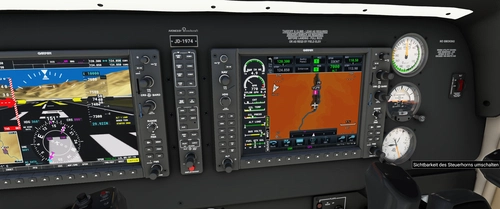
JayDee´s - PMS GTN750 on Others Mod
Adds the GTN750 to various aircraft models expanding beyond official support, enhancing your flying experience. Make sure to also download the GTN750 mod from PMS50.com. Compatible with a wide range of aircraft, offering individual installations for optimal performance. Includes support for GNS530/430 and G1000 replacements, benefiting from continuous updates and fixes.
by JayDee
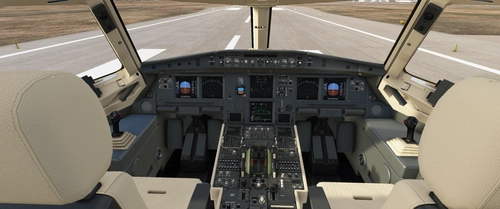
JayDee´s Clean Glass Mod
Enhance your flight visuals with JayDee´s Clean Glass Mod version 1.36.9! This mod removes scratches, dirt, and tints from the windshield and windows of various default aircraft and select 3rd party addons. Increase the realism of your sim experience with clean and clear views in a wide range of supported aircraft models. Upgrade your Microsoft Flight Simulator visuals today!
by JayDee
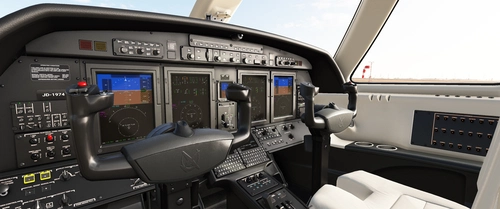
Cessna Citation CJ4 - JDs Black-Creme Cockpit
Transform the cockpit of your Cessna Citation CJ4 with this Black-Creme color variation mod by JD. Follow the easy installation instructions for a sleek new look inside your aircraft. Dont forget to check out JayDees Checklists and Mods for more customization options!
by JayDee
A32NX FBW - JayDee´s Black Cockpit Mod
A cockpit mod for the FlyByWire A32NX, featuring recolored textures with three color sets: Black only, Black Creme, and Black Ivory. Each color set comes in two versions - "Normal" and "Used" look. Additionally, there is an option to change the seat color to Creme. Installation is simple - just drag and drop the desired folder into your community folder. Join the Discord for support.
by JayDee
over 4 years ago
Hallo Jay. Wann ist der Download wieder verfügbar?