
Description
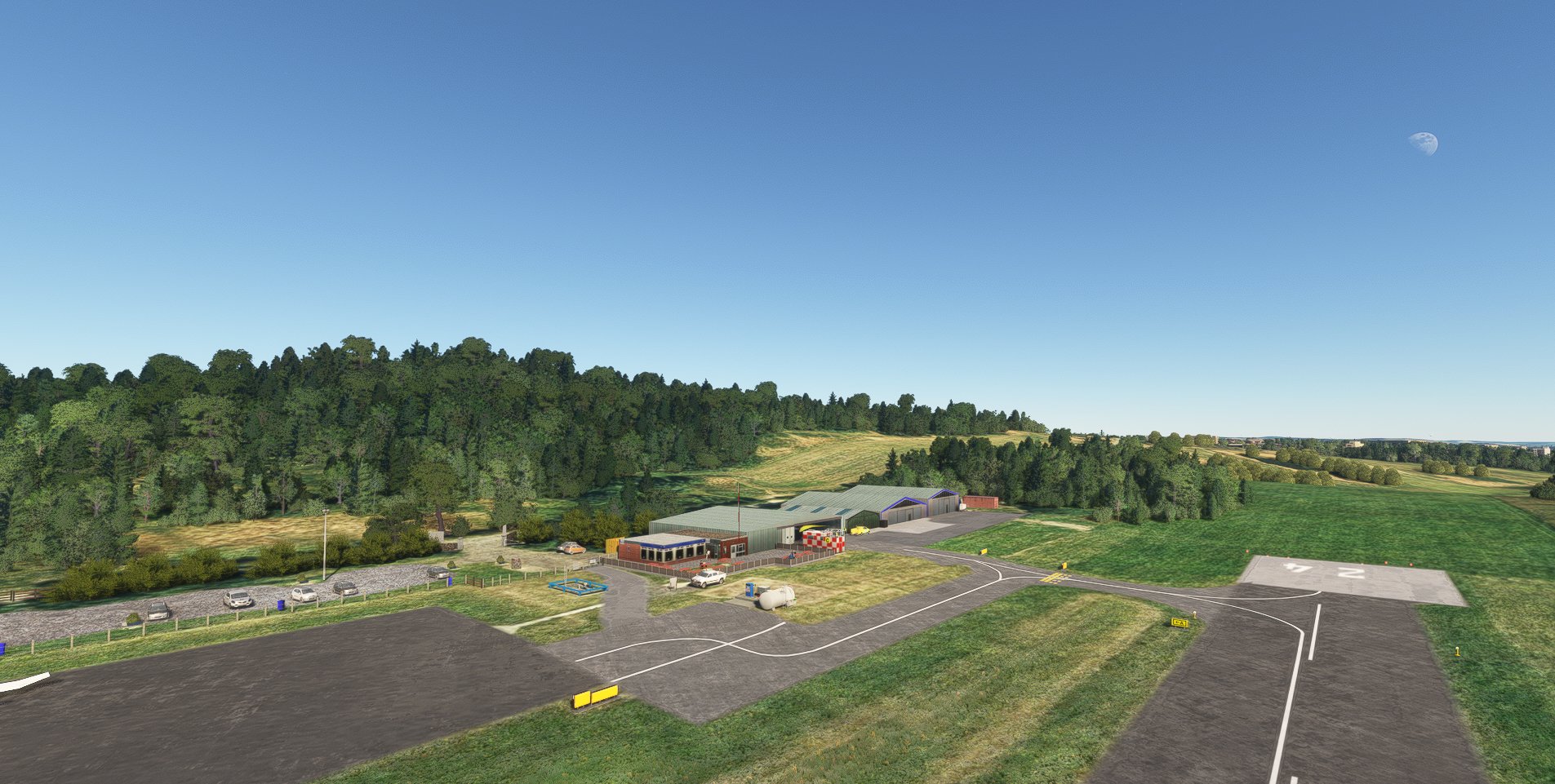
EGPJ Fife Airport
Version 1.3
Removes runway side lighting and papi lights.
Modifies taxiway signs.
Re-brands cafe to 'Madhouse Cafe'.
Upgrade to static cars.
Version 1.2
Perimeter fence added where appropriate.
Somec retexturing of ground elements.
Now compatible with MSFS2020 & MSFS2024.
Version 1.1
All elements of the package have been re-positioned to match the latest version of default background map.
Changes in the airfield makeup have been addressed.
Excess trees have been removed.
Version 1.0
This is an upgrade of an existing airfield
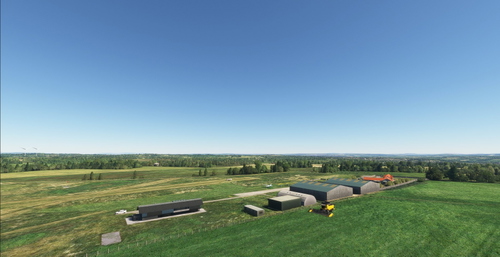
Fife Airport is a popular GA airfield, 2.3 miles west of the town of Glenrothes Fife Scotland.
The airfield is home to Tayside Aviation Flying School, Fife Flying Club and at the western end of the airfield Skydive St Andrews and Skyhook Helicopters
The airfield has one 700m asphalt runway, a good sized area for aircraft parking and fuel is available.
Other airfield files available:-
https://flightsim.to/file/40967/egpe-inverness-airport
https://flightsim.to/file/29891/egpo-stornoway-airport
https://flightsim.to/file/29665/egpt-perth-scone-airport
https://flightsim.to/file/29229/egpl-benbecula-airport
https://flightsim.to/file/28746/egpc-wick-airport
https://flightsim.to/file/27248/egau-strathallan-skydive
https://flightsim.to/file/27534/egty-strathaven-airfield
https://flightsim.to/file/27498/eguz-castle-kennedy-airfield
Dependencies
Location
EGPJ Fife Airport
EGPJ Fife Airport is a popular GA airfield located in Fife, Scotland. This upgrade offers one 700m asphalt runway, aircraft parking, and fuel services. It is home to Tayside Aviation Flying School, Fife Flying Club, Skydive St Andrews, and Skyhook Helicopters. Further airfield upgrades are also available for exploration.


User Reviews
4 reviews
Version History
Removes runway side lighting and papi lights. Upgrades parked cars. Modifies taxiway signs. Re-brands on-site cafe.
Related
EGPT Perth Scone for MSFS2024
EGPT Perth Scone is an add-on for MSFS2024 that enhances the default Perth/Scone Airport, located three miles north-east of Perth, Scotland. This busy general aviation airfield features two hard-surfaced runways and a grass strip, serving various aviation activities including the Scottish Aero Club and air ambulance services. The add-on includes custom models and detailed upgrades for a more realistic experience. Simply unzip the airport file into your Community Folder to install.
by Scotflight
EGPJ FifeAirport
This add-on upgrades Fife Airport EGPJ in Scotland, reflecting recent changes and improvements to airport layout and features. Updates include removal of runway and papi lights, modified taxiway signs, updated branding for the on-site cafe, and enhanced static vehicle models. Additional details such as a new perimeter fence, ground retexturing, and compatibility with both MSFS2020 and MSFS2024 are included. The airfield serves general aviation, flight schools, flying clubs, and hosts parachuting and helicopter operations.
by Scotflight
EGAU Skydive Strathallan for MSFS2024
EGAU Skydive Strathallan is a meticulously crafted add-on for MSFS2024, featuring a small airfield located in rural Perthshire, Scotland. The airfield boasts a 640m grass runway, along with essential amenities such as aircraft parking and fuel services. Home to Skydive Strathallan, Scotlands oldest and largest skydiving center, this add-on highlights the airfield’s unique significance in the aviation community. This version enhances the default airfield with custom models, providing an updated and immersive experience.
by Scotflight
EGTY Strathaven Airfield for MSFS2024
EGTY Strathaven Airfield is an upgraded version of the default airfield located in rural Lanarkshire, Scotland, approximately 25 miles south of Glasgow. This add-on features a main 530m grass runway, ample aircraft parking, and custom-built models replacing the default structures, including static light aircraft and microlights. Noteworthy highlights include a residence associated with a popular UK TV program and the nearby Whitelees windfarm. The package is designed for installation in the MSFS2024 Community Folder.
by Scotflight
Log in to join the discussion
Log InComments(36)
3 months ago
Little Navmap uses its own internal database separate from MSFS, which must be manually synced with MSFS every time you install new scenery, update the simulator, or add community airports. Sync Little Navmap with MSFS by completing the following: Launch MSFS and get to the main menu. Open Little Navmap, go to the top menu, and click Scenery Library > Load Scenery Library. Ensure the correct simulator is selected in the dropdown. Click Load. Little Navmap will scan the MSFS directories (including your Community folder) and read all custom add-ons. Wait for the process to finish, which may take a few minutes if you have numerous add-ons installed. Once updated, Little Navmap will display the same parking positions, gates, and taxiways as MSFS. Note: If you use Navigraph to update your FMS data in MSFS, make sure to also update Little Navmap's database via the Navigraph FMS Data Manager so both are running the same AIRAC cycle.
3 months ago
3 months ago
3 months ago
I did notice the D hold signs read "07-25".
3 months ago
3 months ago
3 months ago
3 months ago
3 months ago
3 months ago
3 months ago
3 months ago
3 months ago