
Description
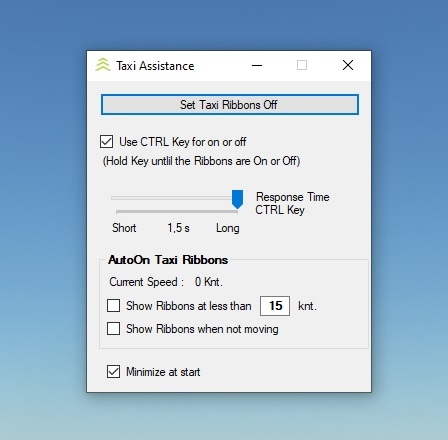
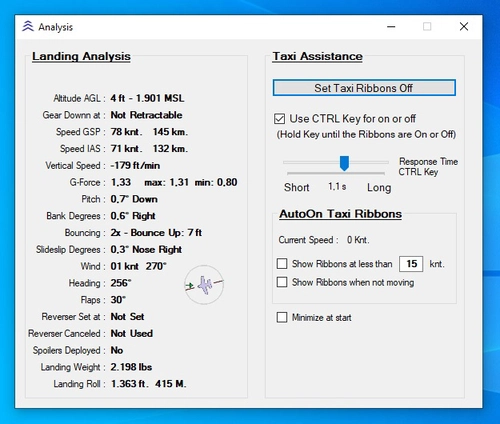
Set your Taxi Ribbons on or off with the CTRL key or automatically
MSFS 2020MSFS 2024
Taxi Ribbons Toggle
Easily toggle your Taxi Ribbons on or off in Microsoft Flight Simulator using the CTRL key or set them to switch automatically with this convenient add-on.
Downloads2K
Version1.3
File Size68.66 KB
Published4 years ago
Updated4 years ago


User Reviews
4.3
2 reviews
5
50%
4
0%
3
0%
2
0%
1
0%
Comments(32)
Log in to join the discussion
Log Inalmost 2 years ago
almost 2 years ago
over 2 years ago
over 2 years ago
over 3 years ago
I use your excellent tool . But the problem it do for Landing Path too.
over 3 years ago
Could you please kindly consider adding the ATC Assistance ON/OFF if it is of interest to you. With ATC On, after clearance it will ask for push back immediately and messing up the preflight procedures. Thank you.
about 4 years ago
Do you have to launch this every time you launch MSFS or is it simply install and from then on it works with MSFS?
about 4 years ago
You must start it when MSFS is ready.
It does not automatically start.
about 4 years ago
I kept reading a lot of good things about this program, so I decided to download it.
I have not tried this yet, but how do you run this? Most downloads from this site go into the community folder...it does not appear this program does.
I'm guessing I simply unzip this into a folder of my choice and then run Taxi Ribbons.exe by double clicking it?
about 4 years ago
Yes, thats all