

Description
v.2.2.0 - new terminal and gates have been added
v 2.1.0 - horizontal marking has been added - the airport scenery and photoscenery were separated (separate catalogs) - taxi ribbons fixed - fuel truck fixed - stands 40-41 were corrected
v 2.0.0 - ZL19 photoscenery has been added - administrative buildings and the tower - lighting fixes - added hangar at apron no. 1
v1.0.4
- added cargo complex and DHL
v1.0.3
- T2 terminal night lighting has been added
- added weather towers
- the western pier construction facility has been added v1.0.2
- old terminal added v1.0.1
- new terminal added v1.0
- improved taxiways, lines, runway and parking stands.
- added models of airport vehicles
- added lighting
- added PAPI lights and fixed approach lights
If you want you can support me here. Thank you.
Airport Lech Wałęsa in Gdańsk EPGD v.2.2.0 (Final)
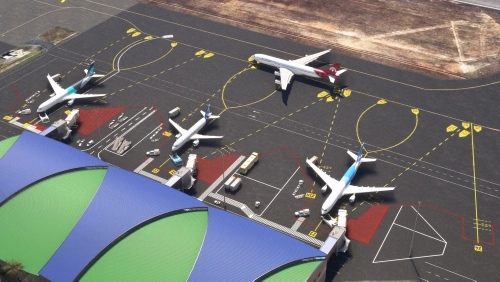
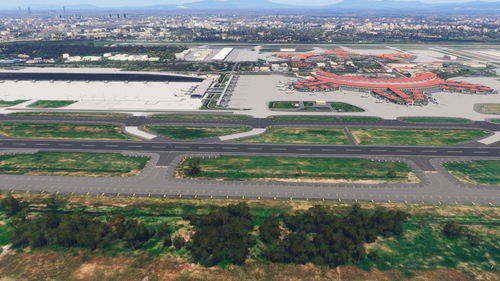
Enhance Airport Lech Wałęsa in Gdańsk EPGD with the latest version 2.2.0 update, featuring a new terminal and gates. This comprehensive add-on includes previous updates such as enhanced photoscenery, terminal lighting, and improved taxiways for a more realistic flying experience.


User Reviews
47 reviews
Version History
v.2.2.0 - new terminal and gates have been added
Featured in Collections(1)

Related
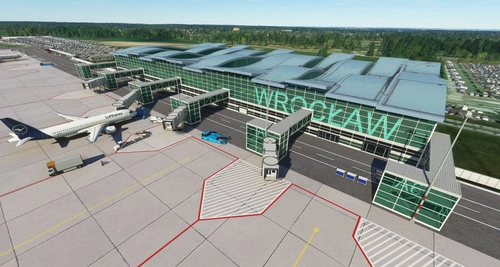
Wroclaw Strachowice Airport (EPWR) Poland. 1.4.0
Explore Wroclaw Strachowice Airport (EPWR) in Poland with this add-on version 1.4.0, featuring a new terminal and terrain corrections. Previous updates include fixes to apron distortion, horizontal markings, and taxi ribbons, as well as the addition of a Fueltruck and enhanced textures.
by ChrisMaver
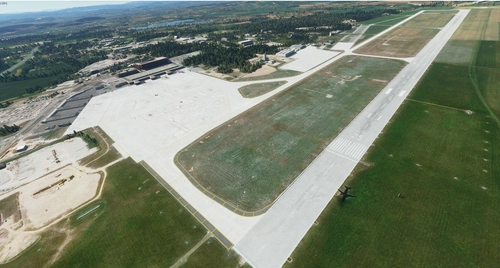
Krakow Balice Airport EPKK (Poland). 1.0.0
Enhance Krakow Balice Airport in Microsoft Flight Simulator with this add-on featuring standard buildings, improved taxiways, aprons, added lighting, and more enhancements. Explore the realistic details of EPKK in Poland.
by ChrisMaver
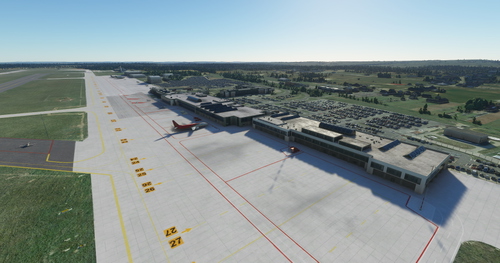
Katowice Pyrzowice EPKT airport
Enhance your flight sim experience with the Katowice Pyrzowice EPKT airport add-on for FS2020. Version 1.0.2 features updated cargo area, fixed terrain distortions and taxi ribbons, as well as improvements to fuel trucks and windsocks. Explore the improved taxiways, runways, and parking spaces, with added airport vehicles, lighting, and high-resolution photo textures.
by ChrisMaver
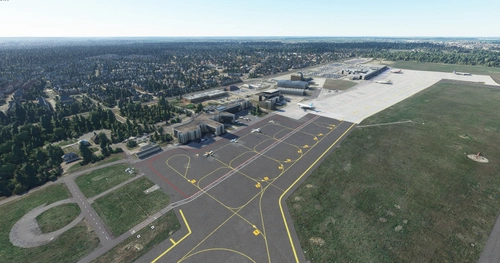
Poznań Ławica airport EPPO for FS2020
Enhance your FS2020 experience with the Poznań Ławica airport add-on! Version 1.0.4 features improved lighting and runway enhancements, while previous updates include fixes to taxi ribbons and terrain distortions. Explore detailed airport models, upgraded taxiways, and added airport vehicles in this comprehensive scenery package.
by ChrisMaver
Log in to join the discussion
Log InComments(97)
about 9 hours ago
29 days ago
5 months ago
8 months ago
9 months ago
9 months ago
9 months ago
9 months ago
9 months ago
9 months ago
6 months ago
about 1 month ago
10 months ago
about 1 year ago
Wszystko fajnie tylko samoloty laduja sie pod katem mozesz to naprawic?
over 1 year ago
over 1 year ago
over 1 year ago
over 1 year ago
Microsoft Flight Simulator has two different ways of installing mods. Through this path: C:\Users\[YourName]\AppData\Local\Packages\Microsoft.FlightSimulator_8wekyb3d8bbwe\LocalCache\Packages\Community
or inside of the Virtual File System in MSFS. You want to insert the mod inside of the first path I pasted.
To do that, Press Windows + R and type in the file path above. Then, change "[YourName]" with your actual system name. Then, make sure to open the EPGD mod, and copy the first two files. Then just paste them into the community folder, restart your game, and it's done.
_________________________POLISH VERSION________________________
Jeśli ten mod nie pojawi się po wstawieniu go do folderu społeczności, oto proste rozwiązanie:
Microsoft Flight Simulator ma dwa różne sposoby instalowania modów. Poprzez tę ścieżkę: C:\Users\[Twoje Imię]\AppData\Local\Packages\Microsoft.FlightSimulator_8wekyb3d8bbwe\LocalCache\Packages\Community lub wewnątrz wirtualnego systemu plików w MSFS. Chcesz wstawić mod do pierwszej ścieżki, którą wkleiłem.
Aby to zrobić, naciśnij Windows + R i wpisz ścieżkę pliku powyżej. Następnie zmień "[Twoje Imię]" na swoją rzeczywistą nazwę systemu. Potem upewnij się, że otworzyłeś mod EPGD i skopiuj pierwsze dwa pliki. Następnie po prostu wklej je do folderu społeczności, uruchom ponownie grę i gotowe.
Nie musicie mi dziękować / You don't have to thank me.
over 1 year ago