
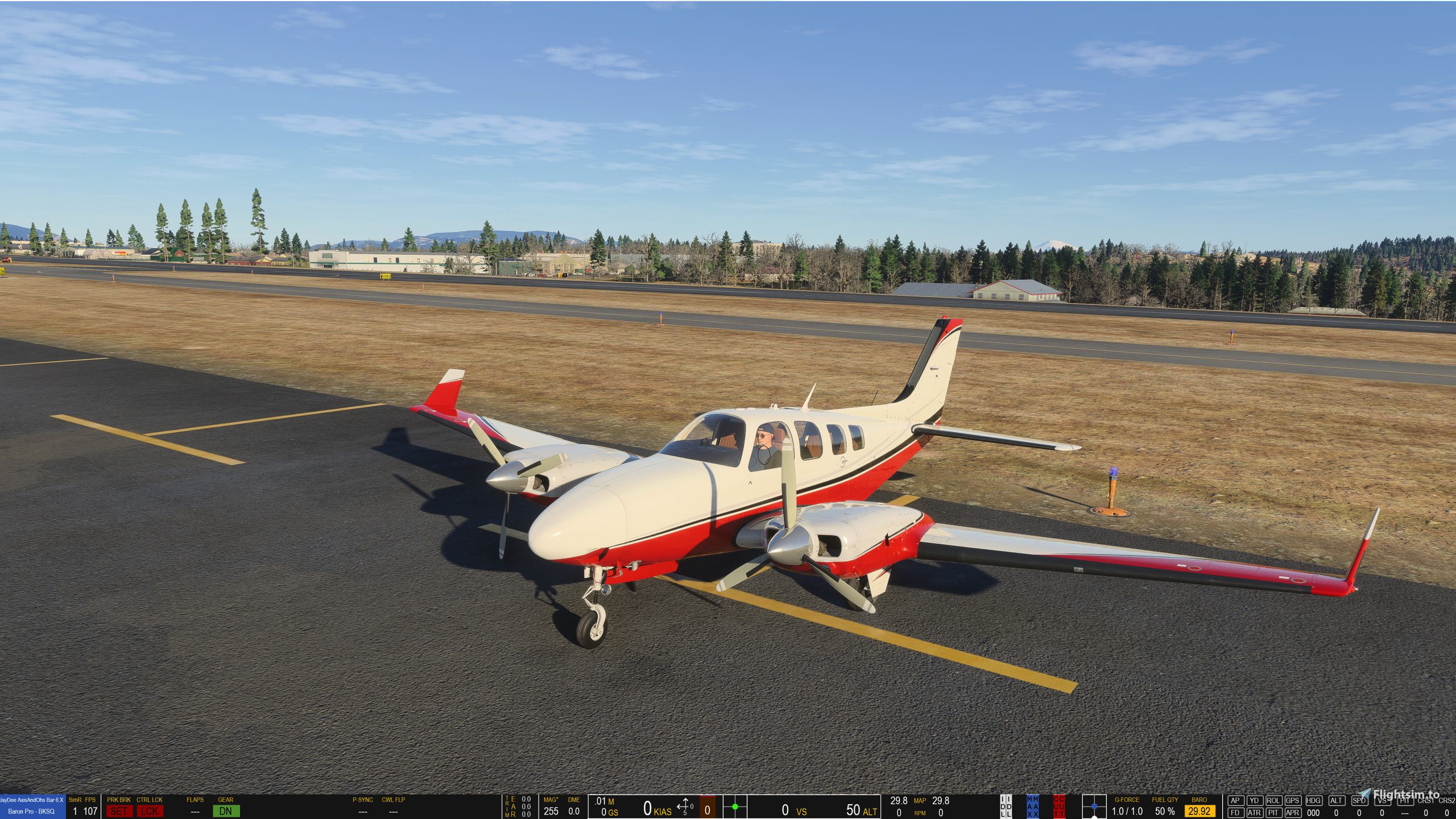
Description
21.11.2025 - New Version 6.0:
- no changes in how the gauges are used, only major code changes to make it less impactfull on performance
- removed some 2020 aircraft, so best to keep the old version installed, until you have checked the new one out
Please consider Donating if you like my Mods! Making these has become very time consuming. Thanks a lot.
----- ENGLISH -----
JayDee´s Bottom Status Bar for MS Flight Simualtor (a AXIS and OHS XML Gauge)
The Status Bars show some flight parameter for variuous type of aircrafts. These bars are mainly for my own use, but I share them, cause it is often requested.
This is not a regular Mod for the flight simulator. It is a XML gauge for the payware AXIS AND OHS (AAO) - https://axisandohs.weebly.com/.
AAO is therefore required.
Please first try the free demo version of AAO. If everything works as expected you can then buy AAO on simmarket.
Free Demo Download Site - https://axisandohs.weebly.com/downloads.html (download the MSFS (2020) File).
INSTALLATION
copy the folders from the zip to
Documents\LorbyAxisAndOhs Files\UserGauges
After Starting AAO and the MS FS 2020 click on Gauges in the AAO menu bar and activate "Desktop FIPs". On the seperate panel click on the green "+" and then a gauge will appear. Move it and chose "JD Bottom Status Bar" from dropdown menu. Done.
Bar only shows if MS FS is running!
You can move & resize the bar with the mouse. Resizing is a little bit tidious due to the format of the bar.
IMPORTANT - The bar is a on top window. It is laying over the MS window (no matter what view), the desktop or any other program.
If you have any problems with the mod join me on discord https://discord.com/invite/jaydee
It is a german server, but me and a few others are speaking english and could probably help.
Credits to Lorby for his help.
Best Regards
JayDee
https://www.youtube.com/c/jaydeegaming.
----- DEUTSCH -----
JayDee´s Bottom Status Bar for MS Flight Simualtor (a AXIS and OHS XML Gauge)
Die Leiste zeigt einige Flugparameter an. Ich habe die Leiste eigentlich nur für mich selbst gemacht, da ich eine herausgezoomte Sicht bevorzuge und dann aber die Instrumente schwer lesen kann.
Dies ist kein gewöhnlicher Mod für den Flugsimulator. Es ist eine XML Instrumentenanzeige für die Payware AXIS AND OHS (AAO)- https://axisandohs.weebly.com/.
Daher wird AAO benötigt damit die Status Bar funktioniert.
Bitte probiert erst die kostenlose Demoversion von AAO aus. Wenn alles funktioniert wie es soll, könnnt ihr AAO dann auf simmarket käuflich erwerben.
Kostenlose Demo Download Seite - https://axisandohs.weebly.com/downloads.html (download the MSFS (2020) File).
INSTALLATION
kopiert die Ordner aus der ZIP Datei in das Verzeichnis
Documents\LorbyAxisAndOhs Files\UserGauges
Nach dem Starten von AAO und dem MS FS 2020 wählt in AAO den Menupunkt "gauges" und aktiviert "Desktop FIPs". Im nächsten Fenster klickt auf das grüne "+" und es erscheint ein Instrument. Schiebt es etwas zur Seite und wählt "JD Bottom Status Bar" im Dropdown Menu.
Fertig.
Die Leiste erscheint nur, wenn der Simulator läuft.
Die Leiste kann mit der Maus verschoben und in der Größe geändert werden. Das ändern der Größe ist etwas fummelig, wegen des Formates.
WICHTIG - Die Leiste ist ein OnTop Fenster. Sie liegt über derm Flugsimulator, über dem Desktop und über jedem anderen Programm das läuft. Sie liegt über der Cockpit- und den Außenansichten.
Wenn Euch die Leiste gefällt, dann zieht vielleicht eine Spende in Erwägung.
Wenn Ihr Probleme habt, dann kommt auf unseren Discord Channelhttps: https://discord.com/invite/jaydee
Credits an Lorby für seine Hilfe.
Mit freundlichen Grüßen
JayDee
https://www.youtube.com/c/jaydeegaming.
JayDee´s AAO Status Bar (a XML gauge for AXIS AND OHS)
A customizable XML gauge for AXIS AND OHS, JayDees AAO Status Bar offers updated features including split into 5 sub-bars and multiple configurations for various aircraft types. It provides insights on flight parameters and requires AXIS AND OHS (AAO) for compatibility, enhancing the simulation experience with detailed information and interactive features.

Supporters

rsackmann
€50
dirkwmr
€30
ton1953
€25
Deleted Account
€22
pr16
€20
dumpfbacke
€20
aldu1
€20
henschroed
€20
Deleted Account
€20
FritzAustria
€20

riveter
€20

Hawker
€20
dumpfbacke
€20
habop73
€15

JayDee
€15
Noverl
€15
Airborne54
€10
aberhard
€10
€10
Rennsemmel
€10
Somik
€10
HaraldH
€10
Kuschelbaer
€10
Boris
€10
pirx46
€10
Airborne54
€10
findroid358
€10
LarsDH
€10
golfsierra
€10
€10
BergAir
€10
Arthur.M
€10
€10
mopfischer
€10
Noverl
€10
Falk1904
€10
br41360
€10
€10
wj1810
€5
Wolff3654
€5

Sonteru
€5

RonSpoor
€5
JavP
€5
Norwenkel
€5
Thoger
€5
€5
RonSpoor
€5
emef
€5
€5
RonSpoor
€5
Deleted Account
€5
BusterXA
€5
RonSpoor
€5
RonSpoor
€5
JavP
€5
BusterXA
€2
User Reviews
25 reviews
Version History
- no general changes in how the gauges are used, only major code changes to make it less impactfull on performance - the gauge now tries to recognize the used aircraft, but this is not 100% reliable, since it depends on how correct the livery entity name is defined. A braon with a reg of NC172H might be recognized as an C172. Manual selection of aircraft still per clickspots on the blue left field possible - removed some 2020 aircraft, so best to keep the old version installed, until you have checked the new one out
Related
JayDee´s - PMS GTN750 on Others Mod
Adds the GTN750 to various aircraft models expanding beyond official support, enhancing your flying experience. Make sure to also download the GTN750 mod from PMS50.com. Compatible with a wide range of aircraft, offering individual installations for optimal performance. Includes support for GNS530/430 and G1000 replacements, benefiting from continuous updates and fixes.
by JayDee
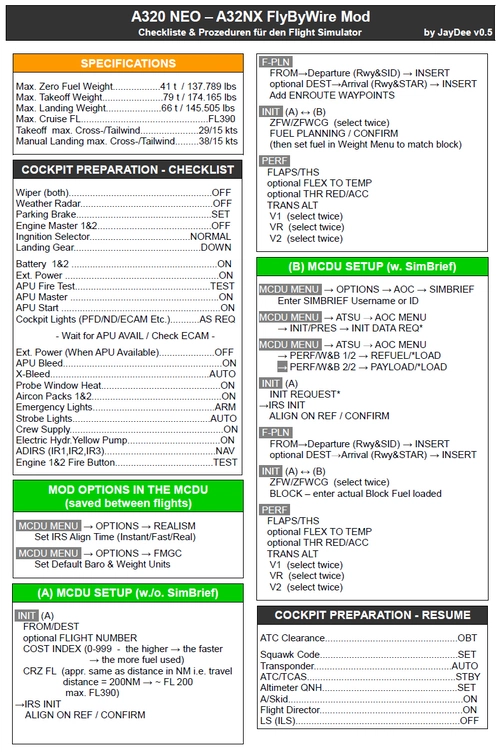
FBW A32NX/A320 (incl. FS2Crew) - Guide - Checklists & Procedures
A comprehensive guide with checklists and procedures for the FBW A32NX/A320, including recent updates for EFB changes. Designed for single-pilot operation, this mod offers in-game toolbar integration for easy access to checklists. Consider supporting the developer if you find this guide helpful.
by JayDee
JayDee´s Ingame Toolbar Checklists
Access a comprehensive in-game toolbar featuring checklists for numerous aircraft with JayDees Ingame Toolbar Checklists mod. Perfect for both VR and Non-VR experiences, this mod provides easy access to a variety of checklists without the need for constant updates, as they are called from a server. Explore a wide range of included aircraft checklists and streamline your flight preparations effortlessly.
by JayDee
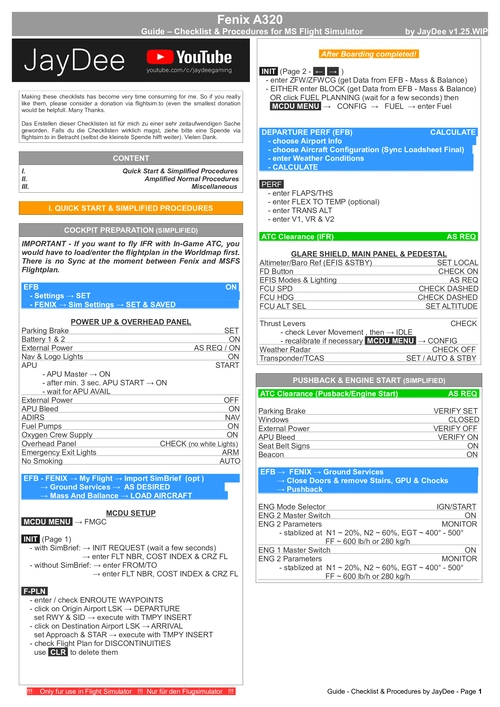
Fenix A320 - Guide - Checklists & Procedures
A comprehensive guide featuring checklists and procedures for the Fenix A320, including updated normal procedures. This mod is designed for single pilot operation in flight simulation. Additionally available as part of the Ingame Toolbar Checklist Mod. For support, visit the Discord server hosted by JayDee, the creator of this mod.
by JayDee
Log in to join the discussion
Log InComments(125)
7 months ago
Eine Frage noch. Wie kann man noch mehr spezifische Flugzeuge und Helis hinzufügen?
Weil Cabri G2 wird nicht automatisch erkannt. Vermutlich weil "Cargo" fehlt.
Vielen Dank.
7 months ago
10 months ago
10 months ago
https://youtu.be/XL-dSIooYfg
about 1 year ago
about 1 year ago
10 months ago
about 1 year ago
so stellt sich die Status Bar bei mir dar,
geladener Flieger Baron G58.
Ist das ok so ??
about 1 year ago
about 1 year ago
Möchte nicht mit dieser banalen Frage in einem falschen Thread landen. Danke.
about 1 year ago
vielen Dank für deine aktualisierte Version der Statusbar. 5.0
Nutze die jetzt schon länger in Verbindung mit einer Vollversion von AAO.
Klappt bei mir im MSFS2020, Ver. 1.39.9.0, ganz prima.
Ist ja auch alles verständlich erklärt.
Bis auf eines:
Jedes mal wenn ich den Sim starte öffnet AAO das "Display Virtual Instruments"
und dort muss ich immer wieder den Flieger neu auswählen und einstellen.
Das war irgendwann mal anders.
Ansonsten ein tolles Tool, ich möchte es nicht mehr missen. Vielen Dank dafür.
about 1 year ago
about 1 year ago
about 1 year ago
over 1 year ago
over 1 year ago
over 1 year ago
aber mir ist aufgefallen das bei der Pilatus PC 24 die Flaps nicht richtig angezeigt werden,
anstatt 8,15,30 Grad steht da nur 1,2,3 wahrscheinlich Flap Stufe.. kann man das noch einfügen für PC 24?
Danke
over 1 year ago
over 1 year ago