
Description
This is the official GSX profile for PacSim’s KRDU for Microsoft Flight Simulator 2020 and 2024.
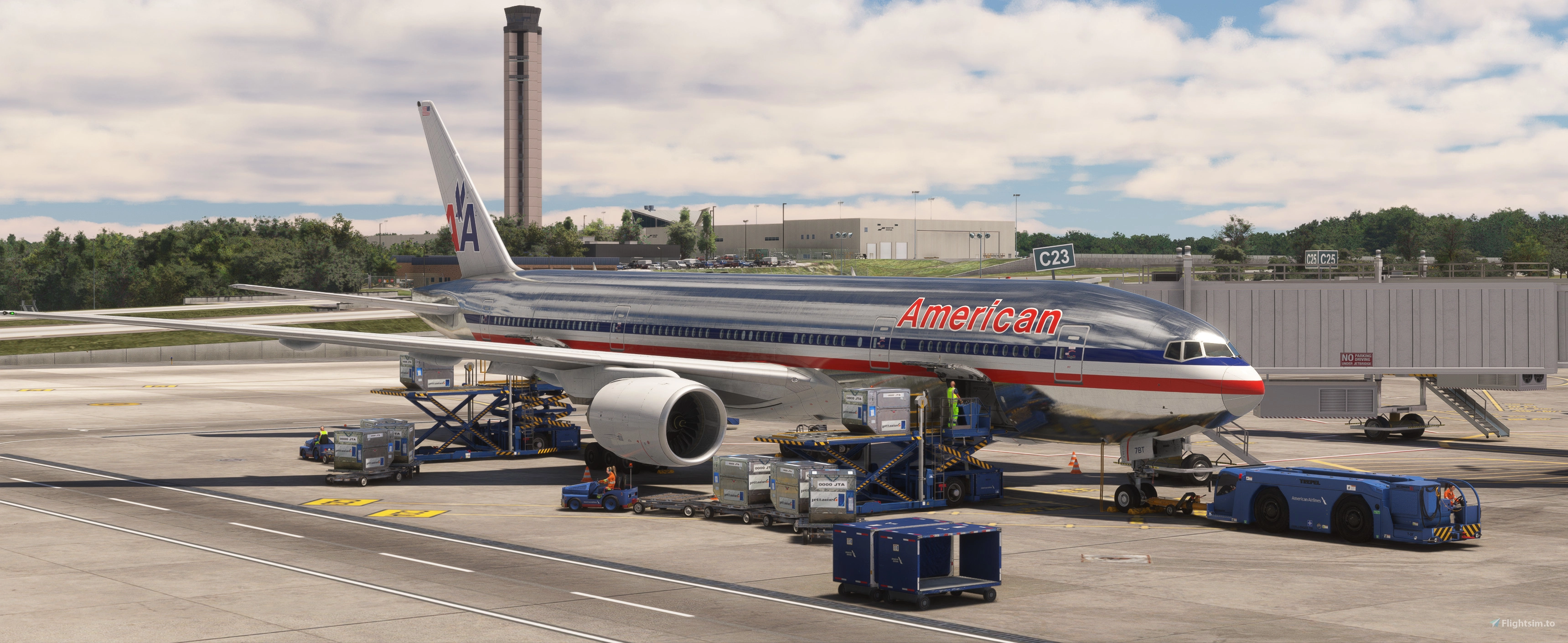
This profile is made to mirror current IRL operations at RDU. Every gate and position is set up to mirror correct airline carriers, contractors, ground crew operators, caterers, etc, as they are currently. You will notice there are even custom pushback routes, which mirror RDU operations, including the alley push-and-pull to taxi spots.
Notes and Background Information
**A python file has been added to this profile to assist with the correct stop positions for different aircraft (excluding regionals currently)**
C23 - Is primarily used as of July 2025 as an ARRIVAL gate for American’s 777-200 flight to LHR, and Air Frances 777-200 flight to CDG. This profile is set up for their IRL parking position. However there is a caveat. The C23 jet bridge serves multiple parking lines at different angles. This profile is ONLY set up for the PMDG 777-200. Upon spawning in, you have to navigate to GSX’s “Reposition Aircraft” button to align yourself with the gate so the jet bridge functions properly.
C24 - Is primarily used as of July 2025 for Lufthansa’s A330 that serves Frankfurt. This gate is made for an A330 on this profile, and is the largest aircraft that can fit on this gate.
D20 - Is a heavy gate and is primarily used IRL for American’s LHR 777 flight as a departure gate only. This gate is set up for a 777/A359. Other traffic here includes United and Frontier gate-sharing operations. After the 777 from LHR lands, deplanes at C23, it gets towed to D20 to make room for the CDG arrival. No International arrivals at D20 as there's no customs there.
A10-A13 - Are MX Pads IRL. There is no passenger or cargo loading or unloading on these positions, these spots are designed for simulating MX Ops.
West RON Apron - These spots are used IRL for aircraft that are RON. Meaning they get towed from T2 and stay overnight, then moved back to the gates in the morning as they clear. There are 2 positions, heavy gates, that can support up to a 747. These are used IRL for 747 charters that are too heavy to park on the GA ramp. These positions are great for simulating charter ops on the 2 heavy positions and simulating brakeride/reposition movements. West Parking 16, and West Parking 10 are for Heavy charter flights, or RON Heavies (Up to a 747-800)
South Cargo - These positions are used IRL for Mx, and RON storage. There is no passenger or cargo loading/unloading here.
North Cargo - Home to UPS and Fedex currently.
GA Ramp - There is 1 position that has been made to simulate charter flights (sports teams, etc) Ramp position 24 can be used to simulate charter operations. (Size up to a 757) (More positions coming soon)
De-Ice Pads - There are 2 De-Ice pads on the field. 1st is at the T1 MX Ramp North side, 2nd is at the T1 MX Ramp South side. (These are still WIP's for proper functionality)
Be advised, this profile is a LIVE profile. It will receive updates as operations change and new features are added.
Welcome to 2026 RDU!
PacSim KRDU - Official GSX Profile
This add-on features the official GSX profile for PacSim’s KRDU in Microsoft Flight Simulator 2020 and 2024, designed to replicate the real-life airport operations at Raleigh-Durham International Airport. It includes detailed gate assignments for various airlines, custom pushback routes, and dedicated positions for maintenance and cargo operations. The profile is regularly updated to reflect changes in airport procedures and features, ensuring an accurate simulation experience.
Version History
Added a python file to assist with correct stop positions for 6 popular aircraft - special thanks to imranasyraf7470 for the help. Will add more aircraft compatibility eventually.

Log in to join the discussion
Log InComments(6)
about 1 year ago
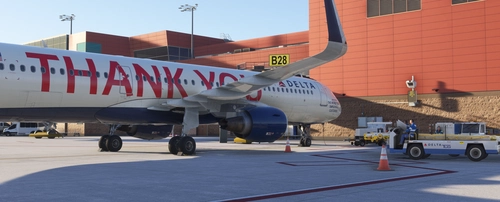
You may want to adjust the location for C23B -- see attached screenshot of the 772 at that gate after being repositioned by GSX, you can see that the nosewheel is forward of where it should be.
Also, if possible, it would be nice if you could separate out the C23 position from C23B so that you could use either spot. The way you have it set up now is that C23B = C23. Perhaps you could get PacSim to add a separate start location for the two so that it would be easier to divide up. Alternatively, though I don't understand it too well myself, I believe you can use the Python script functionality that you can package with GSX profiles to do some renaming/reworking of parking positions.
about 1 year ago
about 1 year ago
about 1 year ago
about 1 year ago
about 1 year ago