
![Custom Camera Views [iniBuilds A350-900/ULR] - Image 1](https://cdn.flightsim.to/images/27/custom-camera-views-inibuilds-a350-900-465331-1740582294-TMq03.jpg)
Description
Custom camera views for iniBuilds A350-900/ULR
The custom cameras have been defined as follows:
Custom camera 0 - pilot view
Custom camera 1 - left wing view
Custom camera 2 - GOPRO cockpit view
Custom camera 3 - right wing view
Custom camera 4 - left engine view
Custom camera 5 - overhead panel
Custom camera 6 - right engine view
Custom camera 7 - Tail view
Custom camera 8 - FMS
Custom camera 9 - Taxi view
Installation Instructions
WARNING!!
The folder must be copied into the main directory of MSFS, not into the Community folder.
Proceed only if you feel confident about the next steps.
Step-by-Step Guide:
Locate the MSFS main directory where the "Airplanes" folder is located. This folder contains subfolders for each airplane that has custom camera views.
Note: If you haven't set up any custom cameras yet, the "Airplanes" folder might be empty or might not exist at all.
Path to the folder based on your version:
MS Store: C:\Users\*UserName*\AppData\Local\Packages\Microsoft.FlightSimulator_8wekyb3d8bbwe\LocalCache\SimObjects\Airplanes
Steam: C:\Users\*UserName*\AppData\Roaming\Microsoft Flight Simulator\SimObjects\Airplanes
>>IMPORTANT<<
Make a backup of any old files that might already exist in the subfolders. This way, if there are any issues, you can easily revert to your old camera views.
Installation: Drag and Drop
1. Extract the downloaded file.
2. Copy the folder into the "Airplanes" folder.
Ensure that your custom camera views are assigned to keys in your simulator settings.
You can do this by navigating here OPTIONS > CONTROLS
By default, custom camera views are assigned to ALT + 0–9. Since pressing two keys can be inconvenient, I recommend remapping them to the Numpad for quicker and easier access.
Questions or Requests:
Feel free to send me a private message or leave a comment if you have any questions or requests.
I would appreciate your feedback and rating!
Cheers!
Custom Camera Views [iniBuilds A350-900/ULR]
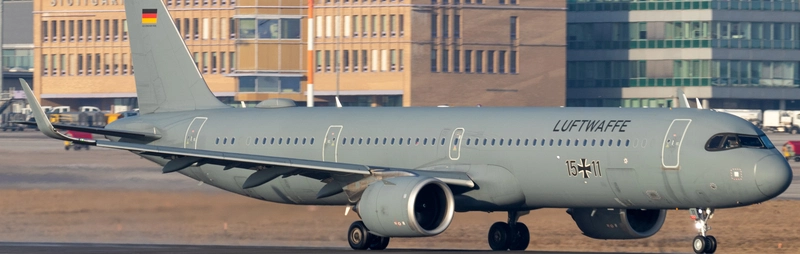
This add-on provides custom camera views specifically for the iniBuilds A350-900 in Microsoft Flight Simulator. It includes a variety of predefined camera angles such as pilot view, wing views, a GOPRO cockpit perspective, and more, enhancing the visual experience during flight. The installation process requires manual placement of configuration files into the main MSFS directory, with detailed instructions provided. Users are advised to back up existing files and assign their new camera views to controls within the simulator settings.

User Reviews
6 reviews
Version History
Adjusted the Pilotview Camera to match with the HUD. Cheers
Related
![Custom Camera Views [FENIX A320 IAE & CFM | WTF + SL]](https://cdn.flightsim.to/images/27/custom-camera-views-fenix-a320-iae-cfm-465331-1737298543-BDXvy.jpg?width=500)
Custom Camera Views [FENIX A320 IAE & CFM | WTF + SL]
This add-on provides a set of custom camera views for the FENIX A320, including both IAE and CFM variants. Users can access a variety of perspectives, including the pilot, co-pilot, and views of the engines and wings, enhancing cockpit immersion. Installation requires placing configuration files directly in the main Microsoft Flight Simulator directory, and a backup of existing camera settings is recommended. The package is designed for those comfortable with modifying simulator files to customize their flight experience.
by Jojodstep
![Custom Camera Views [iFly 737 Max 8]](https://cdn.flightsim.to/images/27/custom-camera-views-ifly-737-max-8-465331-1729522604-8AwV4.jpg?width=500)
Custom Camera Views [iFly 737 Max 8]
This add-on provides a set of custom camera views specifically designed for the iFly Boeing 737 Max 8 in Microsoft Flight Simulator. It includes a total of ten predefined views, offering perspectives such as pilot view, left and right wing views, engine views, and additional cockpit panels. Installation requires replacing certain configuration files in the main simulator directory, and users are advised to create backups of their original settings for easy restoration.
by Jojodstep
![Custom Camera Views [FENIX A321 IAE & CFM | WTF + SL]](https://cdn.flightsim.to/images/27/custom-camera-views-fenix-a321-iae-cfm-465331-1730994999-Sl7UI.jpg?width=500)
Custom Camera Views [FENIX A321 IAE & CFM | WTF + SL]
This add-on provides a set of custom camera views specifically designed for the FENIX A321, featuring both IAE and CFM engine variants. A total of ten camera perspectives are included, such as pilot and co-pilot views, engine views, a GOPRO cockpit view, and various panel views. Installation requires copying specific files to the main Microsoft Flight Simulator directory, along with necessary setup instructions for assigning controls. Users should ensure to back up their original camera configurations before proceeding.
by Jojodstep
![Custom Camera Views [FENIX A319 IAE & CFM | WTF + SL]](https://cdn.flightsim.to/images/27/custom-camera-views-fenix-a319-iae-cfm-465331-1737331439-xNbPq.jpg?width=500)
Custom Camera Views [FENIX A319 IAE & CFM | WTF + SL]
This add-on provides a set of custom camera views specifically designed for the FENIX A319 equipped with IAE and CFM engines. It includes a variety of perspective options, such as pilot and co-pilot views, wing and engine views, and cockpit panel views. Installation involves replacing configuration files in the main Microsoft Flight Simulator directory, and users are advised to back up their existing settings. The add-on enhances situational awareness by enabling quick access to different viewpoints within the aircraft environment.
by Jojodstep
Log in to join the discussion
Log InComments(26)
10 months ago
10 months ago
9 months ago
The Update will be released in the next few days.
9 months ago
11 months ago
11 months ago
11 months ago
about 1 year ago
about 1 year ago
about 1 year ago
about 1 year ago
about 1 year ago
As I mentioned, that’s something I can’t change; you’ll have to check your simulator settings. Personally, I don’t find the controls bothersome.
Which keys have you assigned to the camera views?
about 1 year ago
I tried to work on some addons that modifies the default camera by overwriting the cameras.cfg under SimObjects. It worked well until the release of v1.1.0. After v1.1.0 my addons does not work. And even modifying the original cameras.cfg directly does not give any change as well. Have you ever met such problem?
about 1 year ago
I think there is nothing i can do.
If you find a solution please let me know!
cheers
over 1 year ago
over 1 year ago
over 1 year ago
about 1 year ago
The Update ist now online.
over 1 year ago
over 1 year ago