Flightsim.toFlightsim.to
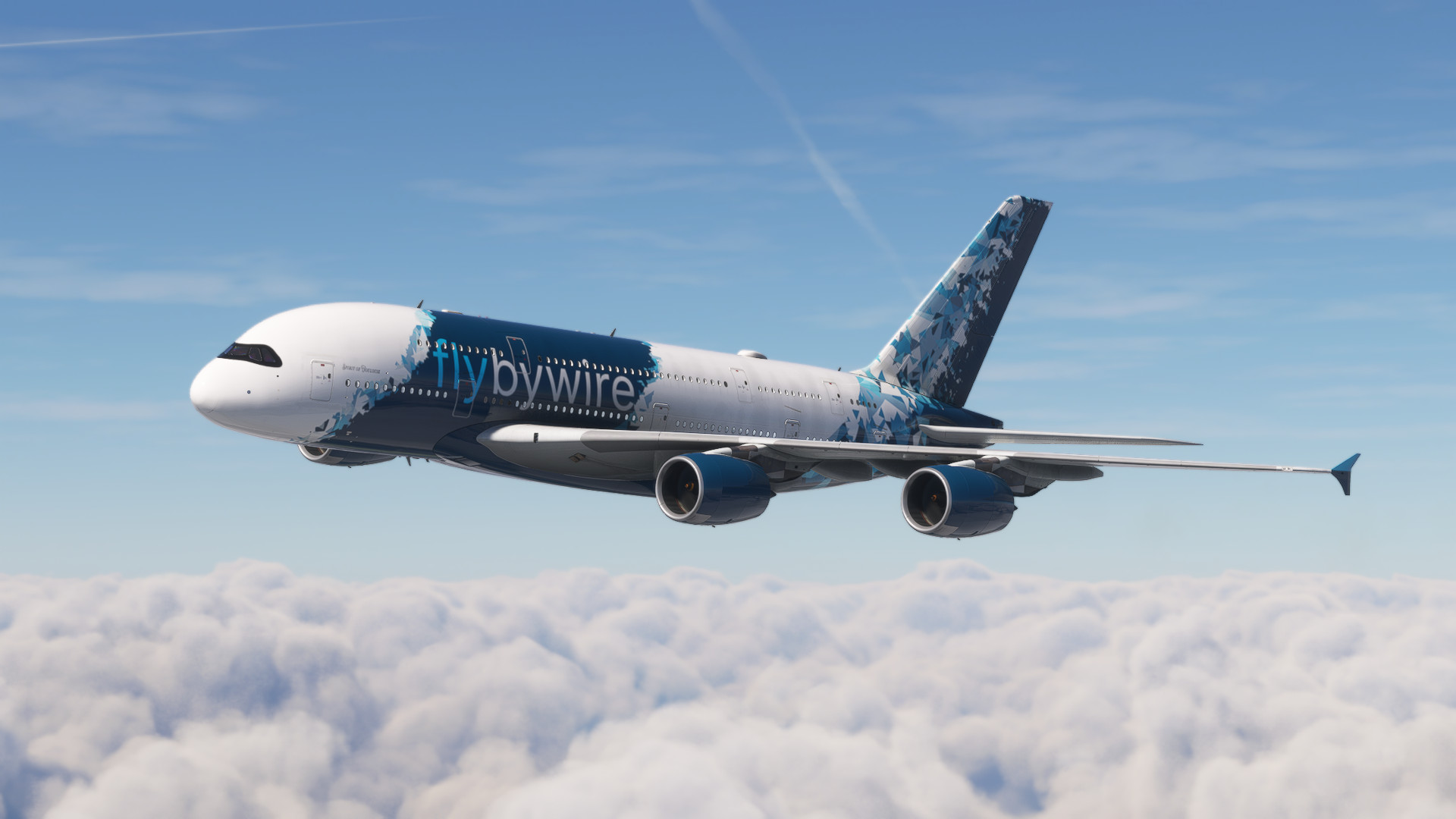
    FBW A380X Downscaled With & Without Cabin  (From 4k to 2k) - Image 1

    Description

    INSTALLATION:

    For the file WITH the Cabin: Extract and drop into community folder directly, if you want to restore original, just delete it from Community Folder.

    For file WITHOUT Cabin: Save a backup for 'texture'  folder which is found in path below and then delete it, And then place the new file instead of it:

    Community\flybywire-aircraft-a380-842\SimObjects\AirPlanes\FlyByWire_A380_842 


    Comments(54)

    Log in to join the discussion

    Log In

    6 months ago

    Hello, I get pink textures in the cockpit with the latest a380 Dev version. I used texture pack with the cabin.

    7 months ago

    Your mod is really good but my problem is that i get pink texture glitches. Im using the DEV version for MSFS 2024. Any solution? Thank you !
    RedXSimAuthor

    7 months ago

    that's maybe related to the livery itself

    7 months ago

    I´ve tried several from different developers and they're all the same :(

    over 1 year ago

    Hi , how do I get it with eithad A380 livery, also I added the cabin file to the community folder but cant see anything.
    RedXSimAuthor

    over 1 year ago

    it works with every livery
    RedXSimAuthor

    over 1 year ago

    if your livery is fully customized .(including the cabin) then the file with cabin won't work because it modifies only the original texture of cabin and can't modify the modified one , if you are using the without cabin then delete "texture" folder in the pathway explained in the description and then paste in the same path the new file after decompression of course

    over 1 year ago

    can you make a 1k version?
    RedXSimAuthor

    over 1 year ago

    for the cockpit textures, I can't because donwscaling further than 2k will disrupt the files compatibility

    over 1 year ago

    Hi with the latest dev version of A380 in FS2024, if I replace the textures the sim gets stuck in loading phase and gives a message saying it is taking unusually long and to find the log file. I found the issue is caused by downscaling textures. As someone who paints liveries too, texture size shouldn't be an issue but I wanted to know if anyone else is facing it too.
    RedXSimAuthor

    over 1 year ago

    Yes, it sometimes happens to me , if the file contains missing texture like what I did to the file (without cabin) it doesn't load correctly from the first time until I clear the community folder and then add the mods again . I will try a solution to this problem maybe by keeping the cabin texture but lowering their resolution to the lowest possible resolution .

    about 1 year ago

    I'm also having this issue tried everything but i get stuck loading no matter what

    over 1 year ago

    Having downloaded the 'Without cabin texture' am I safe to assume the result in the image is the correct outcome?
    RedXSimAuthor

    over 1 year ago

    Yes , Just hide the cabin from the screen if you want.

    over 1 year ago

    continue bro you are doing very well

    over 1 year ago

    so what should i do ??
    RedXSimAuthor

    over 1 year ago

    I will send you a message

    over 1 year ago

    i have the fbw installer and i the file is the one with the cabin and aLL MY OTHER MODS WORK
    and how do i check if the full file is there
    MSFS 2020MSFS 2024

    FBW A380X Downscaled With & Without Cabin (From 4k to 2k)

    This add-on offers a downscaled version of the FBW A380x, available in two variations: one with a detailed cabin and another without. The installation instructions guide users on how to place the files directly into the community folder for the cabin version or into the specific directory for the cabin-less version. Users are advised to keep backups of original textures if they wish to revert changes.

    Downloads3K
    Version1.4
    File Size1.24 GB
    Published1 year ago
    Updated1 year ago

    User Reviews

    4.3

    4 reviews

    5
    75%
    4
    0%
    3
    0%
    2
    25%
    1
    0%

    More Information

    Simulator
    MSFS2020/24
    Sub-CategoryFlyByWire A380X

    Version History

    - Cockpit Knobs Fixed.

    Related
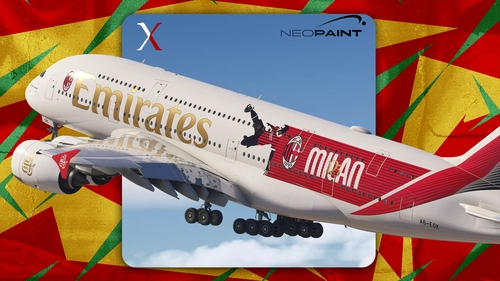
    Emirates AC Milan 125th Anniversary | 8k

    Emirates AC Milan 125th Anniversary | 8k

    Emirates A380 – AC Milan 125th Anniversary Livery. Celebrating 125 years of Rossoneri history on the world’s largest passenger aircraft.

    by RedXSim
    5.0
    SAS Airlines for FBW A-380-800 | 4k

    SAS Airlines for FBW A-380-800 | 4k

    This add-on for Microsoft Flight Simulator offers a high-resolution 4K texture package for SAS Airlines aircraft. It includes detailed and realistic depictions of the airlines liveries, enhancing the visual fidelity of flights. The mod aims to provide an authentic flying experience for users who wish to simulate aviation with SASs branding. Compatible with various aircraft models, it enriches the overall aesthetic of the simulator.

    by RedXSim

    0.0
    Air New Zealand for FBW-A380 | 4K

    Air New Zealand for FBW-A380 | 4K

    This add-on provides a detailed Air New Zealand livery for the FlyByWire A380 in Microsoft Flight Simulator. Featuring high-resolution 4K textures, it captures the distinctive branding and design elements of Air New Zealand. The package is designed to enhance immersion and realism for users who enjoy flying the A380 with this specific airlines design. Compatible with the latest version of the FBW A380 aircraft model.

    by RedXSim

    5.0
    Improved Spinner Blur | FlyByWire A380

    Improved Spinner Blur | FlyByWire A380

    This add-on enhances the visual effects of the FlyByWire A380 by improving the spinner blur and shading for a more realistic appearance. It features a more authentic spiral spinner blur and a white spinner design. The modifications aim to elevate the overall visual fidelity of the aircrafts spinning components during flight. Installation is straightforward, requiring simple drag-and-drop into the Community Folder.

    by RedXSim

    5.0