
Flightsim.to
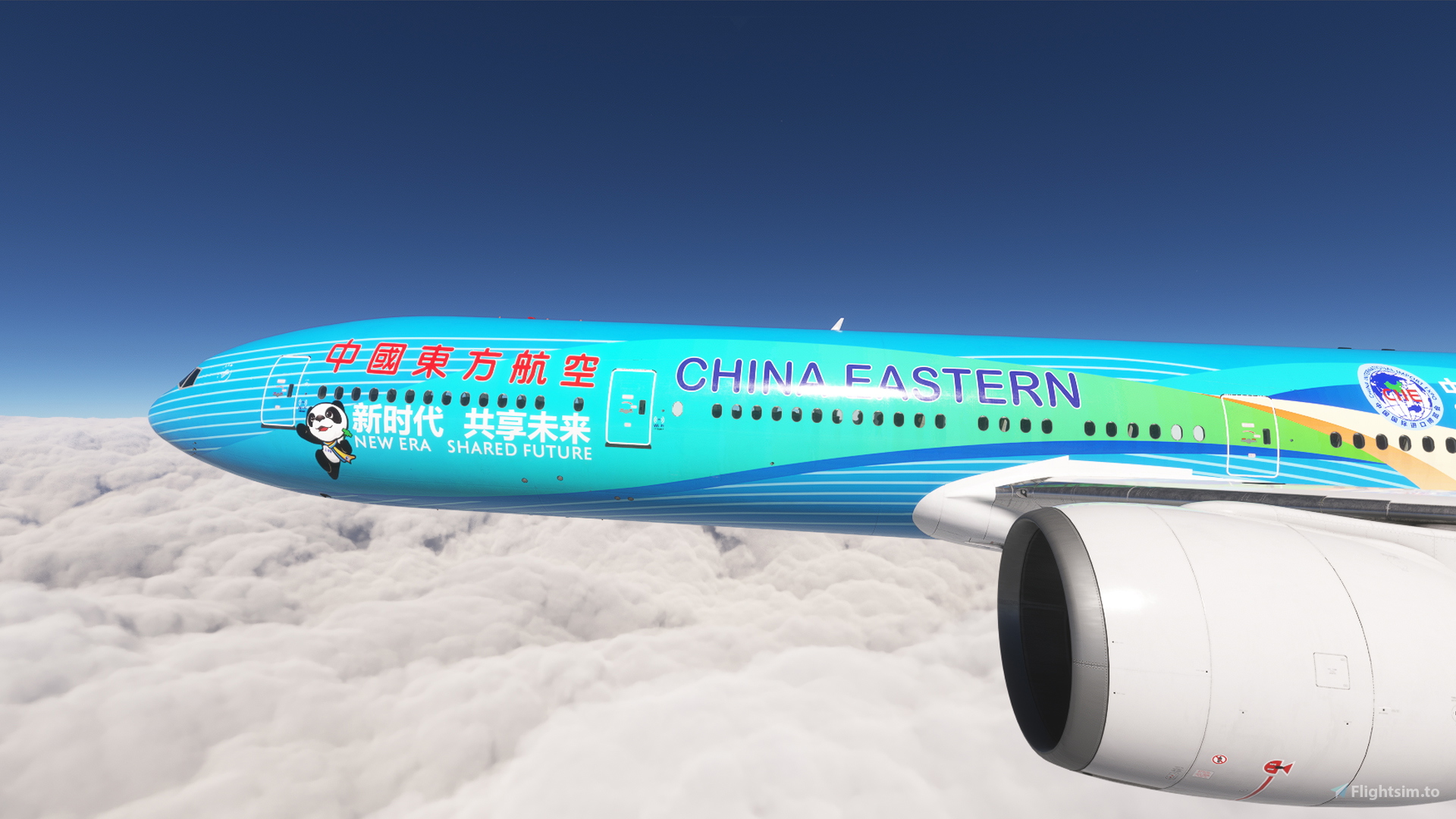
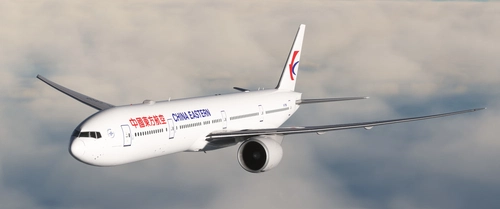
    PMDG 777-300ER w/ cabin China Eastern - China International Import Expo -CIIE (B-2002) - Image 1

    Description

    This is a repaint for the PMDG 777-300ER in colours of China Eastern - China International Import Expo -CIIE (B-2002). 


    This livery comes with a custom tablet background (installation instructions included)


    Installation via PMDG Operations Center 3: 

    1: Extract the *.zip file to a temporary location, ie desktop
    2: Run PMDG Operations Center 3. 
    3: Choose the 777-300ER, then Import.
    4: Choose the 'ces_ciie_special_b2002.zip' folder and hit open.
    5. After installation was successful, start MSFS, choose the installed livery and enjoy!


    If you like this livery, please consider leaving a comment and like! This livery is free of use, but you can consider a small donation!

    You can request a livery in my discord server: https://discord.gg/arKKpgBvSh

    It is not permitted to modify the livery or re-upload it to a website without the explict permission of the author. Any violation of this constitutes a breach of applicable copyright law.

    Comments(30)

    Log in to join the discussion

    Log In
    n

    8 months ago

    Great job on the artwork! However I noticed a small error, the 'China Eastern' font is a little too big and stretches towards the windows, in real life the font is smaller, same with the red chinese characters between doors 1 and 2.
    a
    alxcptAuthor

    8 months ago

    I love those 'great work, but...' comments. I don't see anything wrong with the titles. I've adjusted them as good as possible with the windows. They may be stretched a bit due to the bend of the fuselage.
    d

    8 months ago

    机翼贴图显示错乱,不知道什么原因,求解决
    a
    alxcptAuthor

    8 months ago

    感谢您的反馈。我无法解决您的问题。这是 PMDG 正在修复的一个 bug。机翼纹理没有问题。我听说(有时)可以通过更换刹车和/或轮胎来解决这个问题。
    F

    10 months ago

    I tried to install this livery for 2020 and nothing happened. I downloaded for 2020. Do you know something wrong about the file?
    a
    alxcptAuthor

    10 months ago

    It's working fine for me. Does OC3 give you an error message or does it simply abort the installation. Which version of the 777 are you using, marketplace or pmdg store?
    F

    9 months ago

    For me is not fine. I don't receive any message. I tried many times and nothing happened. I use FS2020 and 777-300ER. Strange for me, because i can install others liveries normally.
    a
    alxcptAuthor

    9 months ago

    Well I can't fix anything I don't get. I've no idea why it is not working for you here. You could try a sort of manual installation: extract the ces_ciie_special_b2002.zip, you get a folder with the same name. Copy that folder to the pmdg-aircraft-77w-liveries\SimObjects\Airplanes folder. After that install a livery for the OC3, and uninstall it straight away (this updates the layout.json)
    d

    11 months ago

    请问作者可否制作24版的国航涂装或者东航标准涂装?万分感谢!
    a
    alxcptAuthor

    11 months ago

    FS24 没有中国国航吗?你可以把两个请求都发到 fs.to 的市场版块,或者发到我的 discord 频道。这样我以后可以看看。
    d

    11 months ago

    是的,24版里中国大陆航司只有您制作的这个东航彩绘涂装,使用后也是非常精致,非常期待您出一些中国大陆航司涂装,因为我刚接触这个涂装网站,明早我看看如何提交请求。再次表示对您的感谢!
    a
    alxcptAuthor

    11 months ago

    你说得对!24 号没有 CES 涂装。你可以在这里找到市场版块。
    https://flightsim.to/marketplace

    你应该说明你想要 2024 版,因为如果你没有说明,可能会有人把它标记为已完成。
    G

    11 months ago

    请问破解版怎么安装呢
    a
    alxcptAuthor

    11 months ago

    说实话我不知道该怎么回答。
    b

    12 months ago

    Great work! Any chance you can also make the China Eastern Shanghai Museum special livery, B-7349 ?
    a
    alxcptAuthor

    12 months ago

    Thanks. I have no idea if I could get the museum livery to work. Seem almost impossible to align those pattern on the fuselage. I am going to switch to other aircrafts shortly, so it's not gonna happen in the near future.
    S

    12 months ago

    What about a livery for FS24? I would be very appreciated for that if u update one
    a
    alxcptAuthor

    12 months ago

    Added it.
    MSFS 2020MSFS 2024

    PMDG 777-300ER w/ cabin China Eastern - China International Import Expo -CIIE (B-2002)

    This add-on features a detailed repaint of the PMDG 777-300ER in the livery of China Eastern Airlines, specifically for the China International Import Expo (CIIE) aircraft B-2002. The package includes a custom tablet background and provides installation instructions for seamless setup via the PMDG Operations Center. This livery is designed to enhance the realism of your flight simulation experience with a unique visual representation of this special event aircraft.


    Downloads3K
    Version1.4
    File Size239.11 MB
    Published1 year ago
    Updated11 months ago

    User Reviews

    5.0

    3 reviews

    5
    100%
    4
    0%
    3
    0%
    2
    0%
    1
    0%

    More Information

    Simulator
    MSFS2020/24

    Version History

    Changelog 1.4: - added MSFS 2024 version

    Related
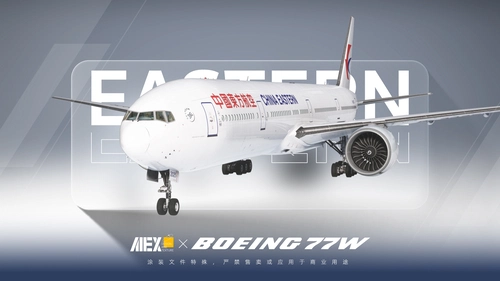
    【Alex.Tex】PMDG777-300ER China Eastern B-2025 中国东方航空-标准涂装-8K

    【Alex.Tex】PMDG777-300ER China Eastern B-2025 中国东方航空-标准涂装-8K

    This add-on features an 8K resolution China Eastern Airlines standard livery for the PMDG 777-300ER, accurately redrawn based on the real aircraft B-2025. The livery offers high detail and clarity through enhanced textures. Installation is completed by unzipping the file and placing it in the Community folder. Redistribution and commercial use of the livery are not permitted.

    by Alex.Tex
    5.0
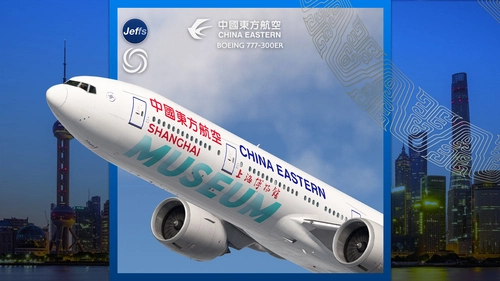
    China Eastern  'SHANGHAI MUSEUM' B-7349 special livery | PMDG 777-300ER

    China Eastern 'SHANGHAI MUSEUM' B-7349 special livery | PMDG 777-300ER

    Experience the detailed China Eastern Boeing 777-300ER livery featuring the SHANGHAI MUSEUM design, inspired by the iconic cultural site. This add-on includes custom interior decals representing museum artifacts, alongside unique engine and fuselage textures. Please note that this livery is not compatible with GSX seated passengers or the PMDG livery installer, requiring manual installation.

    by Jeffs
    5.0
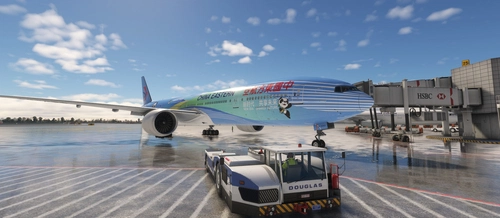
    China Eastern 中国东方航空| B-2002 | CIIE Livery

    China Eastern 中国东方航空| B-2002 | CIIE Livery

    China Eastern B-2002 CIIE Livery with detailed improvements for a realistic flight experience, including upcoming fixes for IFE, interior, and texture issues. Easy installation process through PMDG operation center v2. Free for personal use, please avoid reuploading or selling.

    by Derrick.W & Ruiyang.Q
    5.0
    China Eastern B-7369

    China Eastern B-7369

    This add-on features the China Eastern Airlines B777-300ER (B-7369) for the PMDG 777-300ER in Microsoft Flight Simulator. It includes a custom cabin, external details, and flight deck decals, with textures designed at 16k resolution. The current version is 1.0, released on December 24, 2024, and additional cabin and external details are planned for future updates. Installation instructions are provided in the readme file.

    by Pot4t0

    0.0
    Logo

    Looks like your ad blocker is on.

    ×

    We rely on ads to keep creating quality content for you to enjoy for free.

    Please support our site by disabling your ad blocker.

    Continue without supporting us

    Choose your Ad Blocker

    • Adblock Plus
    • Adblock
    • Adguard
    • Ad Remover
    • Brave
    • Ghostery
    • uBlock Origin
    • uBlock
    • UltraBlock
    • Other
    1. In the extension bar, click the AdBlock Plus icon
    2. Click the large blue toggle for this website
    3. Click refresh
    1. In the extension bar, click the AdBlock icon
    2. Under "Pause on this site" click "Always"
    1. In the extension bar, click on the Adguard icon
    2. Click on the large green toggle for this website
    1. In the extension bar, click on the Ad Remover icon
    2. Click "Disable on This Website"
    1. In the extension bar, click on the orange lion icon
    2. Click the toggle on the top right, shifting from "Up" to "Down"
    1. In the extension bar, click on the Ghostery icon
    2. Click the "Anti-Tracking" shield so it says "Off"
    3. Click the "Ad-Blocking" stop sign so it says "Off"
    4. Refresh the page
    1. In the extension bar, click on the uBlock Origin icon
    2. Click on the big, blue power button
    3. Refresh the page
    1. In the extension bar, click on the uBlock icon
    2. Click on the big, blue power button
    3. Refresh the page
    1. In the extension bar, click on the UltraBlock icon
    2. Check the "Disable UltraBlock" checkbox
    1. Please disable your Ad Blocker
    2. Disable any DNS blocking tools such as AdGuardDNS or NextDNS
    3. Disable any privacy or tracking protection extensions such as Firefox Enhanced Tracking Protection or DuckDuckGo Privacy.

    If the prompt is still appearing, please disable any tools or services you are using that block internet ads (e.g. DNS Servers, tracking protection or privacy extensions).