

Description
Hello together^^
Last version: 0.9.6
Before i say anything:
1. PLEASE READ THE INCLUDED README CAREFULLY!!! I will see on the question if you did read it or not^^. Everything is written in there.
2. Support is limited to my free time. Dont get angry if response is slow.
3. Im not responsible for any damage caused by using the app.
4. Dont use it if youre unsure please. You should know what you are doing.
That being said, this is what the app does:
1. Identify your control profiles and display them by name and hardware
2. create backups of your profiles and play them back if you loose it (very rare since they are backed up in the cloud. But i can happen, i had it twice.)
3. share your profiles with others or use them from others. THE HARDWARE HAS TO MATCH obviously. Please note, im not 100% sure if steam and MS store is compatible. In theory it should but i have not tested it.
-------------------------------------------------------
There are some things you HAVE to understand:
Steam users please read the last part/disclaimer in the readme.txt carefully. Dont use the app if you dont understand that you are a test subject more or less ^^
- Always only revert the profile via this app. If you have created a backup with this app, it will copy all files in its original form into a single folder you choose. You cannot simply use one of those files and put it back into the profile folder for technical reasons. It will surely not work on Store/Gamepass MSFS like this (because the way how cloudsync works), not sure about steam. It may actually work there.
This means you have to select a current profile in the app and then the backup profile you want to bring back in the next step/section. The revert button will then write the contents of the backup file into the current/selected profile. So in the end its a content swap, not anything else.
- The Sim has to be CLOSED when reverting a profile
I have added various safety mechanisms but the end user is responsible, please understand that. I check for following things:
- if the scanned file has XML content with DEVICENAME tag the app counts it as profile.So in theory other games profiles can be shown if you have selected a wrong folder. This is especially for Steam users, where the Sim probably only has numbers and letters in the folder name in Steam. MAKE SURE YOU ARE IN THE RIGHT FOLDER.
- i check also if you select 2 different hardwares when you are reverting a profile. Like you have a Yoke profile selected but intend to overwrite it with a Throttle profile.
- i check that you cannot backup into the chosen original profile folder since this can mess things up. Still make sure you are outside any MSFS folder whn backing up profiles!
as a last check, when reverting i make a copy of the original file you have chosen and put it with file extension .OLD into the backup folder. So eventually you have more files in the backup folder than in the original, just keep this in mind if you wonder why.
Like said, please read the readme file carefully.
There is also a topic here:
MSFS Forum link
PS: If you are searching for a way to import 2020 presets into 2024 you may try this app! But be aware that its not from me, so i cant give support for it.
https://de.flightsim.to/file/85361/migrate-fs2020-controller-configs-to-fs2024
MSFS Control Profile Backuptool
The MSFS Control Profile Backuptool is a utility designed to help users manage and safeguard their control profiles within Microsoft Flight Simulator. It allows users to identify their existing profiles, create backups, and share configurations with others, assuming compatible hardware is used. The add-on comes with a detailed README for setup and usage instructions, and while community support may be available, it is primarily a user-driven tool. Users are advised to proceed with caution and ensure they are comfortable with its functionality before use.


Supporters
User Reviews
11 reviews
Version History
- added more clipboard functions. To make it easyer to use the 2024 import app linked in the app dexcription, you can now copy the path to clipboard to easily insert it to that app - fixed missing revert icon
Related

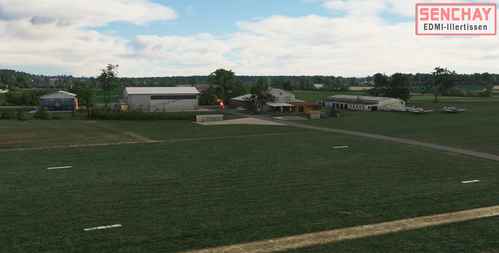
EDMI-Flugplatz Illertissen
A detailed and accurate representation of EDMI-Flugplatz Illertissen, a small German airfield in South Germany. This add-on includes dynamic features, handcrafted models, and a full PBR airfield in 4k resolution. Enjoy realistic aspects like a runway sign that changes with wind direction and unique objects that appear under specific conditions.
by Senchay
EDMI-Flugplatz Illertissen Ground
Enhance your scenery with EDMI-Flugplatz Illertissen Ground, a complementary package for the Illertissen airfield mod. Please note that this add-on does not include the actual airfield - download link provided separately.
by Senchay
QuickSettings for Flow (p42)
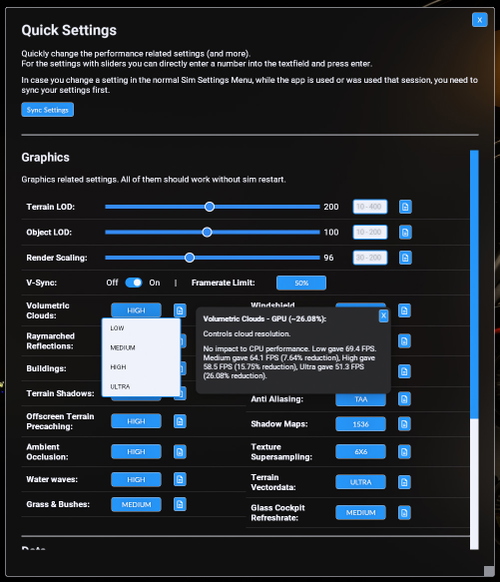
Fine-tune your Flight Simulator settings with QuickSettings for Flow (p42). Easily adjust performance-related settings, access descriptions and performance tests, and enable additional features like devmode and replay tools. Enhance your sim experience with quick and efficient setting adjustments for optimal performance and visual quality.
by Senchay
FLOW Terrain-LOD-Quickset (PC)
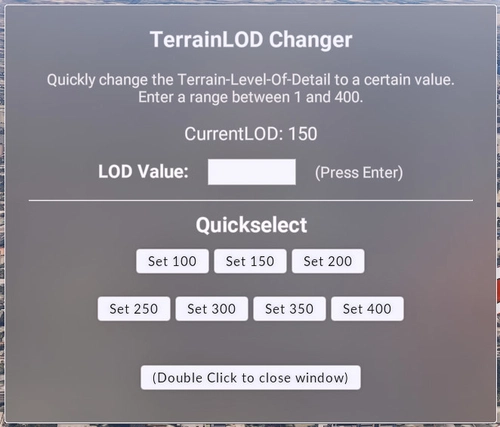
Quickly adjust your Terrain Level of Detail on PC with FLOW Terrain-LOD-Quickset. Easily switch between high and low LOD settings without pausing your simulation, enhancing your experience in different regions. Note that this tool is only tested on PC and requires double-clicking buttons for changes to take effect. Experience smoother transitions and improved visuals with this convenient plugin.
by Senchay
Log in to join the discussion
Log InComments(31)
7 days ago
One thing that would be great is if it were to show the difference between the control profile. Such as whether it is a general control, or aircraft control as MSFS 2024 has separated them for some reason so we have to select two control profiles per aircraft per hardware.
about 1 month ago
Seems to be working correctly. Just created the backups and thats all.
5 months ago
6 months ago
6 months ago
They actually should be saved. Doesnt that work for you?
5 months ago
But hey, thats no big deal, its still great App! :)
7 months ago
7 months ago
7 months ago
For the folder, you specified that. So if you want to delete the contents of it, you can just specify another one or delete the files in it :-)
This folder is one you created, so you can fully manage whatever is inside.
Only the folder where it looks for the oroginial sim profiles has to stay the same, obviously.
7 months ago
11 months ago
about 1 year ago
12 months ago
11 months ago
Glad you found it out. Its like you say, all a bit fiddly but in the end it works.
Hope it helps you.
about 1 year ago
about 1 year ago
Not really sure what to say. Just 2 comments below yours one said the opposite. How is this possible.
But maybe ive written it unclear, its not my native language after all.
You could maybe tell me where the issue is, that would always be a way before derating something one has trouble with.
over 1 year ago
over 1 year ago
over 1 year ago
over 1 year ago
The buggy MSFS 2024 control assignment forced me to delete the cloud service data.
But with this tool I was able to restore my settings which saved many hours of work.
The control assignment is now working fine.