
Description
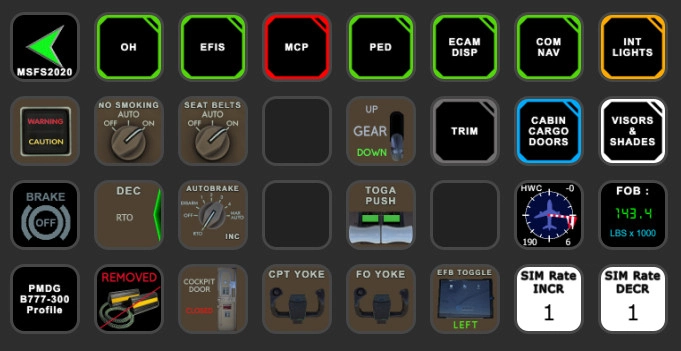
PMDG B777-X STREAMDECK XL AND SD+ PROFILE (need LORBYs Axis And OHs SD plugin)
Here is my newest creation for the PMDG 777-X. To run this you need to have AAOs plugin installed on your StreamDeck. Get it from here.
It is for the XL and PLUS Version ONLY!
Features in this profile:
- AIRCOND Page
- AP Page
- EFIS Page
- ELEC Page
- ENGINE START page
- TRIM Page
- FUEL Page
- ANTI-ICE Page
- HYDRAULICS Page
- LIGHTS Page
- MAIN Page
- OVERHEAD PANEL Page
- PEDESTAL Page
and much more...
Tested and works with PMDG B777-XER (doesn't work with the Cargo version as PMDG uses different vars for that model). If help is needed just drop a line in the comments.
A lot of buttons have "double" functions. This can be achieved by long press the respective button. E.g. FOB button: There you can toggle between KGS and LBS indications. You can see if a "long press" is programmed by checking within the SD software of the respective buttons.
Installation:
First make sure that you have the latest AAO SD and FlightTracker plugin installed properly.
Then just double click on the profiles provided in this download to import into your SD software.
- B777_300ER.streamDeckProfile (for XL version)
- B777-300_PLUS.streamDeckProfile (for SD+ Version)
- B777-300_VIEWS.streamdeckprofile (either use that on your 2nd SD or just create a profile change on your B777 page and mount this profile)
To get CABIN VIEW LEFT/RIGHT working correctly you have to create your own CABIN VIEW. Save that with CTRL-ALT-1 (for left view) and CTRL-ALT-2 for right view. The script automatically calls ALT-1 and -2!
Import B777 Scripts (B777-300_Scripts.xml) into your AAO software (make sure you DON'T have connection to FS when importing scripts - just click the green button).
To get the data excchange working add these lines to the [SDK] section of the 777_Options.ini file:
EnableCDUBroadcast.0=1
EnableCDUBroadcast.1=1
EnableCDUBroadcast.2=1
You will find the .ini here:
\LocalState\packages\pmdg-aircraft-7xx\work
Make sure to end with an emtpy line!
For further details regarding AAO refer to the manual.
Then you should be good to go.
KNOWN ISSUES:
Since PMDG has not implemented the functions of the EFB to control externally, the Chocks Icon is for indication purposes only!
This profile is still under construction and new functions will be added.
If you find some bugs, need some help or have some suggestions just let me know and drop a comment. Please also consider a donation as this is a very, very time consuming work and it will keep up the work for future updates! Thank you!
StreamDeck XL and SD+ Profile for PMDG777-X (incl. compl. Script package) - AAO
A comprehensive StreamDeck XL and SD+ profile for PMDG777-X, requiring LORBYs Axis And OHs SD plugin. Includes various cockpit pages and scripts for enhanced simulation experience. Installation instructions provided, with ongoing updates and support for PMDG B777-300ER.

User Reviews
11 reviews
Version History
Changes in this update: - complete overhaul of scripts due to new AAO version Erase (!) old B777-300 script group and SD profiles! Import new version in AAO and SD.
Related
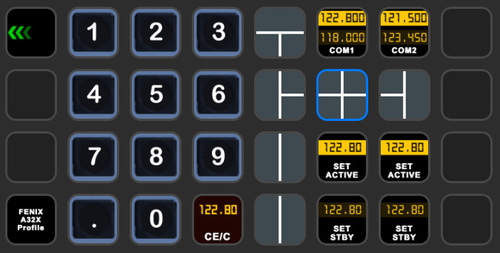
StreamDeck XL and SD+ Profile for FBW A320neo
Enhance your FBW A320neo experience with a comprehensive StreamDeck XL and SD+ profile. Enjoy features like Main page, Overhead Panel, MCDU, ECAM, and much more. The profile is tested and works with the latest FBW A320neo experimental version, offering customization options for specific setups. Easy installation process with detailed instructions provided for a seamless setup.
by ChrisG9111
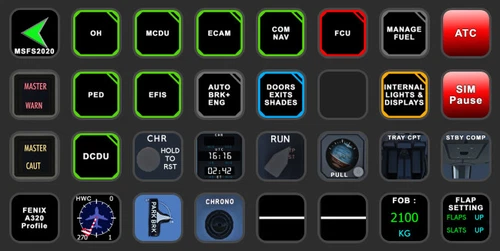
StreamDeck XL and SD+ Profile for FENIX A3XX (incl. compl. Script package and FCU readouts and more)
Enhance your FENIX A3XX experience with this StreamDeck XL and SD+ Profile add-on, featuring a complete Script package, FCU readouts, and more. Access various cockpit functions such as the Overhead Panel, MCDU/DCDU, ECAM, and Internal Lights with this detailed profile. Compatible with the latest FENIX A320, this add-on offers a seamless integration for a more immersive simulation experience.
by Chris_PU_A320
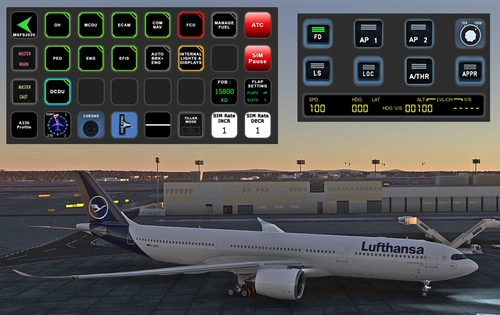
StreamDeck XL and SD+ Profile for A330-900neo (Headwind)
Customize your flying experience with the Headwind A330-900neo StreamDeck XL and SD+ Profile. This feature-packed profile includes functions for Main Page, MCDU, ECAM, EFIS, COM/NAV, and more. Compatible with the latest version of Headwinds A330Neo, adjustments may be needed for specific setups. Join the Discord server for support and enjoy enhanced control over your aircraft systems.
by Chris PU A320
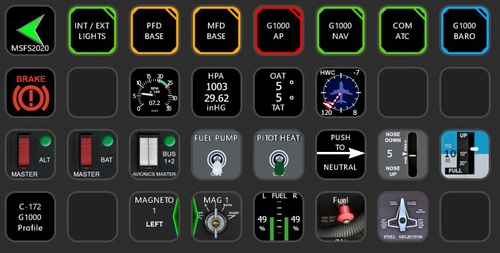
StreamDeck XL Profile for Cessna C-172 G1000 Version
A comprehensive StreamDeck XL profile for the Cessna C-172 G1000 version, tailored for pilots using the Asobo Cessna 172 Garmin 1000 model. Features include various pages such as Lights, G1000 PFD, MFD, AP, Baro, NAV, and COM/ATC. Ensure to have the required plugins installed for optimal functionality. Adjustment for specific setups may be necessary, with support available through comments or the creators Discord channel.
by ChrisG9111
Log in to join the discussion
Log InComments(68)
6 months ago
6 months ago
7 months ago
7 months ago
7 months ago
6 months ago
11 months ago
about 1 year ago
about 1 year ago
Rgds
Chris
about 1 year ago
over 1 year ago
over 1 year ago
Have fun
Rgds
Chris
over 1 year ago
I noticed something with your profile where when I load the 777 cold and dark, the transponder is in the TA/RA position. Shouldn't it be in the off position? Is this a PMDG bug or is your profile defaulting to TA/RA? Happy to test and help. Thanks.
over 1 year ago
over 1 year ago
R Elec, L Elec, Air C2, and Air C1
Currently, holding the button for the above knobs results in them rotating right.
Thanks.
over 1 year ago
Rgds
Chris
over 1 year ago
over 1 year ago
over 1 year ago
Rgds
Chris