

Description
FENIX A319/320/321 Profile for Streamdeck XL and SD+ (need LORBYs Axis And OHs SD plugin) with complete Script package
To run this you need to have the latest version of AAO and AAOs plugin installed on your StreamDeck. Get it from here.
It is for the XL version (32 buttons) ONLY! Also a profile for your SD+ included!
Features in this profile:
- Main page
- Overhead Panel
- MCDU/DCDU
- ECAM
- EFIS
- COM/NAV page
- Pedestal
- Internal Lights and Displays
- Stats and different gauges
- Anti-Ice
- Firepanel
- AIR COND Panel
and much more...
STREAMDECK PLUS:
- INTERNAL LIGHTS (with display indication)
- AP FUNCTIONS (with FCU Display) - for PUSH Function push rotaries and for PULL Function LONG PRESS rotaries
- COM/NAV (with display indications)
- EFIS page
To switch through the different display options SWIPE the display!
Tested and works with the latest FENIX A3XX version. It might be possible that you have to adjust certain functions to your specific setup (especially view profile for personal views set with ALT-X. This ONLY applies for CABIN LEFT/RIGHT WING VIEW). If help is needed just drop a line in the comments and for support join my discord server.
Installation:
First make sure that you have AAO and the AAO SD plugin installed properly. Install scripts (FENIX_A320_Scripts.xml) into your AAO via import scripts function. (overwrite if you have existing scripts groups)
Then just double click on the profiles provided in this download
- FENIX A320.streamDeckProfile
- FENIX_A320_SD_PLUS.streamDeckProfile (if you have a StreamDeck PLUS)
- FENIX A320 Views.streamdeckprofile (either use that on your 2nd SD or just create a profile change on your A320 page and mount this profile)
KNOWN BUGS:
There is still a bug in FENIX with the knob indication on PED. To make it look correctly you have to copy over the new interactions.xml in \Community\fnx-aircraft-320\ModelBehaviorDefs\fnx32x\Templates (rename original file). Then move the layout.json from the root fnx-aircraft-320 folder over the MSFSLayoutGenerator.exe. That's it!
YOU HAVE TO REPEAT THIS AFTER EVERY FENIX UPDATE UNTIL THEY FIX IT! (If you don't care about the correct movement you can skip this step)
If you find some bugs, need some help or have some suggestions just let me know and drop a comment. Also drop a comment and let me know what you think! Please consider a donation as this will keep up the work! Thank you!
StreamDeck XL and SD+ Profile for FENIX A3XX (incl. compl. Script package and FCU readouts and more)
Enhance your FENIX A3XX experience with this StreamDeck XL and SD+ Profile add-on, featuring a complete Script package, FCU readouts, and more. Access various cockpit functions such as the Overhead Panel, MCDU/DCDU, ECAM, and Internal Lights with this detailed profile. Compatible with the latest FENIX A320, this add-on offers a seamless integration for a more immersive simulation experience.
Supporters

User Reviews
22 reviews
Version History
Changes in this update: - fixed DRONE CAM not working on VIEWS profile - fixed TextGauge not working correctly after SD plugin update - fixed issues with some FCU functions - fixed some issues on SD+ - corrected some scripts Erase old SD XL profiles and import new versions. Import and overwrite scripts in AAO.
Related
StreamDeck XL and SD+ Profile for FBW A320neo
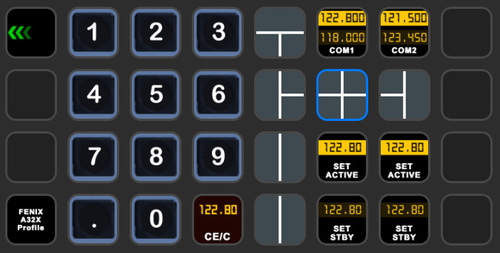
Enhance your FBW A320neo experience with a comprehensive StreamDeck XL and SD+ profile. Enjoy features like Main page, Overhead Panel, MCDU, ECAM, and much more. The profile is tested and works with the latest FBW A320neo experimental version, offering customization options for specific setups. Easy installation process with detailed instructions provided for a seamless setup.
by ChrisG9111
StreamDeck XL and SD+ Profile for A330-900neo (Headwind)
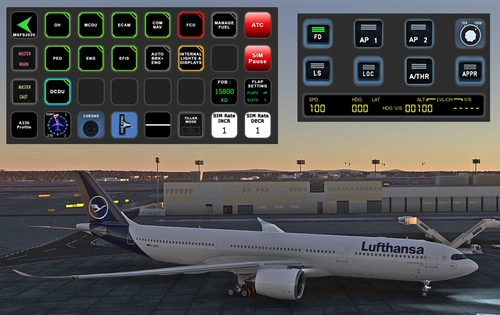
Customize your flying experience with the Headwind A330-900neo StreamDeck XL and SD+ Profile. This feature-packed profile includes functions for Main Page, MCDU, ECAM, EFIS, COM/NAV, and more. Compatible with the latest version of Headwinds A330Neo, adjustments may be needed for specific setups. Join the Discord server for support and enjoy enhanced control over your aircraft systems.
by Chris PU A320
StreamDeck XL Profile for Cessna C-172 G1000 Version
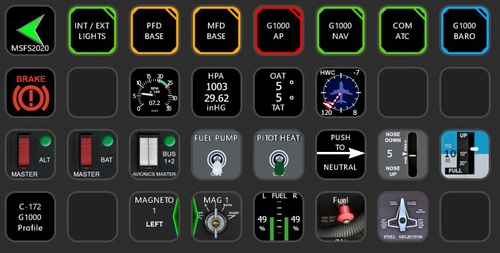
A comprehensive StreamDeck XL profile for the Cessna C-172 G1000 version, tailored for pilots using the Asobo Cessna 172 Garmin 1000 model. Features include various pages such as Lights, G1000 PFD, MFD, AP, Baro, NAV, and COM/ATC. Ensure to have the required plugins installed for optimal functionality. Adjustment for specific setups may be necessary, with support available through comments or the creators Discord channel.
by ChrisG9111
Cessna 414 STREAMDECK XL PROFILE (need Lorby AAO)
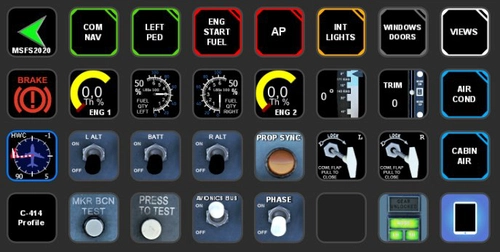
Customize your flight experience with the Cessna 414 Streamdeck XL Profile add-on, designed for use with LORBYs Axis And OHs SD plugin. This profile includes various pages for different functions such as COM/NAV, ENG START, AP, and more. Stay tuned for updates as new features are added. Compatible with all Flysimware models of the Cessna 414.
by Chris_PU_A320
Log in to join the discussion
Log InComments(123)
about 1 month ago
your Link to the AAO-Plugin points to a older Version which does not work with your plug.
Better point to the AAO-Website https://www.axisandohs.com/downloads.html to get the newest Version.
about 1 month ago
Rgds
Chris
about 1 month ago
3 months ago
3 months ago
3 months ago
4 months ago
The SD+ Profile, on EFIS page when you switch between Capt and FO everything works great except for the BARO itself. doesnt matter if I'm in FO mode or CAPT when dialing a barometr setting dial, the numberalways changes in CAPT side, and also HG/HPA switch seems to be linked to capt side doesn't matter if in CAPT mode or FO. all the rest of the dials buttons and switches correspond properly to the profiles. And I did double checked the Fenix A320 settings, confirming that it's not linked in settings.
Thank you in advance
3 months ago
Rgds
Chris
3 months ago
6 months ago
6 months ago
Rgds
Chris
5 months ago
Any donations are welcome ;-)
Rgds
Chris
10 months ago
i had problems with showing/setting the STDBY frequency as well as swapping the the activestdby (differences between what was set in the Plane and on the SD due to different events and variables). is that an issue you encounter? if so - i may be of help as i am now able to sync plane and SD (set and swap frequences)
10 months ago
10 months ago
10 months ago
12 months ago
12 months ago
Rgds
Chris