
Description
v.1.4.0 - 06.06.2024
Pilot and Copilot always visible in Cockpit.zip
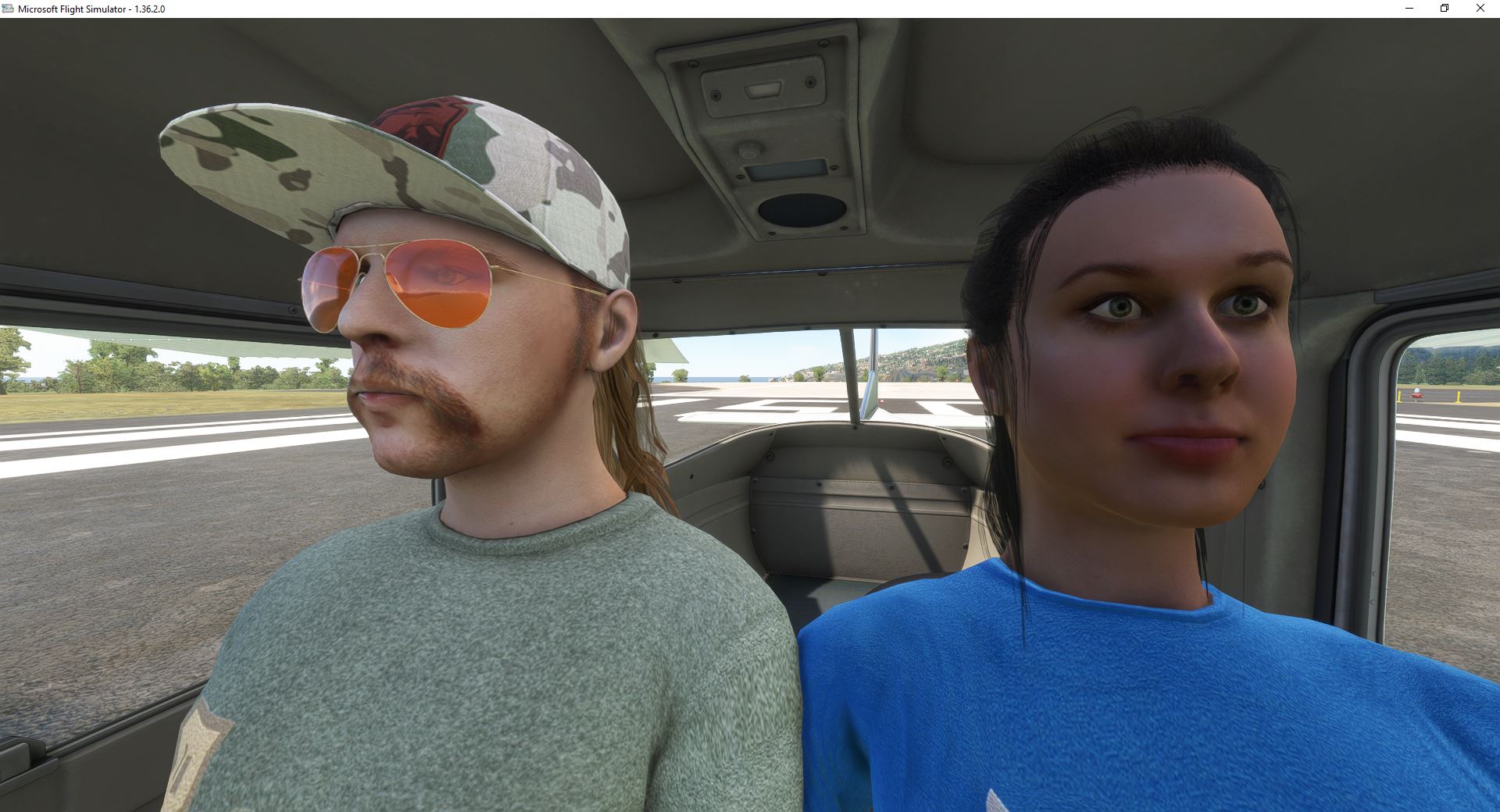
This mod adds a visible Pilot and Copilot to the cockpit in the aircraft that are shown in the Image.
This Mod was previously part of the "No visible Head in VR Superpack". Maintaining it got difficult with more added aircraft.
To use this mod in its full capacity, it is highly advised to download also this Package:
##########################################################
https://flightsim.to/file/74092/head-removal-for-all-default-asobo-pilots-vr
##########################################################
This package contains of five independent Mods that work together to allow you to use the Pilot Avatars in any combination as you want.
Example: Capt in the A320 with no Head and FO with. Or: FO without Head and Capt with. Or both without (yuck!). There are even Invisible ones If needed, because the aircraft you are flying doesn't allow switching of only the copilot, and you want to fly solo. You Can choose any combination you want from the Miscellaneous menu in the General Options "on the fly". All pilot avatars are marked with a VR text in the image preview.
I will add more and more planes to this mod, so subscribing to it is maybe a good choice.
************
Important:
************
The last digits in each aircraft folder is the version on which upon this mod is build on.
Example: zzz p42-freedomfox_1.20.0
Version 1.2 of this aircraft was used for this mod.
When There is a new Update to one of the contained aircraft I don't recommend using the associated mod to this aircraft anymore or only with high caution. This mod mainly works by manipulating the first ModelLOD.gtlf file. So click spots and/or avionics can get broken very easily and/or the aircraft stops working at all after an update.
Please give me a notice when you know about an update that I haven't taken care about. It gets difficult to track them all.
If you want to contribute to adding more aircraft to the list, you should put this thread in the MSFS forum to your watch-list.
https://forums.flightsimulator.com/t/head-removal-for-all-default-asobo-pilot-avatars-mod-vr/641016
I will soon post an Instruction how to do it.
And I highly encourage everyone to post a request to the aircraft developers why such an option is not implemented from the start. Developers can easily add a click-spot somewhere (e.g. directly on the seat) to show/hide the pilot.
****************
INSTALLATION:
****************
Option 1:
!!!!! Delete all previous mods of this branch !!!!!!
Drag'n'drop the Zip folders directly into "MSFS_AddonsLinker" and let this essential tool do it's magic (https://de.flightsim.to/file/1572/msfs-addons-linker),
or
Unzip and place each single aircraft folder into your MSFS2020 Community folder.
Option 2:
Delete the mods that got an update. Visite the changlog to see what has changed.
Install only what you want/need.
Please don't rename it or remove the "ZZZ" - this can be important for future updates.
********************************************************************************
aircraft mods that let you show the pilots on the fly inside your cockpit
********************************************************************************
https://de.flightsim.to/file/2738/da40-ngx-project
https://de.flightsim.to/file/2246/jplogistics-c152-enhancement-mod <-follow the link to the discord to get to the download
https://flightsim.to/file/40194/cessna-172sp-skyhawk-as1000-improvement
https://flightsim.to/file/2733/da62x-project
...more to come as time goes by...
Please comment if there are more, I will link them here,
or maybe you have done a simple mod (like I have done for the Asobo FA18E) that I can include in the download.
Associated post in the official MSFS Forum:
https://forums.flightsimulator.com/t/head-removal-for-all-default-asobo-pilot-avatars-mod-vr/641016
Please comment and rate after you have tried it.
Condor7777
P.S:
NOTE: Placement of the Pilots is fully dependent on the location of the aircraft's pilot / co-pilot attachment points. These positions are not modified by these add-ons. If an Pilot is clipping through the seat or only available in External View, this is because the aircraft does not have an optimal setup for Asobo Characters. These positions and arm / leg animations are maintained by the respective aircraft developer(s) and I will not be modifying these settings in any aircraft.
If you encounter any issues with the Pilots positions and / or animations, I highly encourage you to contact the aircraft developer and notify them that their aircraft is not Asobo Character ready.
(this note is borrowed from Got Friends)
********************************************************************************
aircraft mods that let you show the pilots on the fly inside your cockpit
********************************************************************************
https://de.flightsim.to/file/2738/da40-ngx-project
https://de.flightsim.to/file/2246/jplogistics-c152-enhancement-mod <-follow the link to the discord to get to the download
https://flightsim.to/file/40194/cessna-172sp-skyhawk-as1000-improvement
https://flightsim.to/file/2733/da62x-project
...more to come as time goes by...
Please comment if there are more, I will link them here,
or maybe you have done a simple mod (like I have done for the Asobo FA18E) that I can include in the download.
Associated post in the official MSFS Forum:
https://forums.flightsimulator.com/t/head-removal-for-all-default-asobo-pilot-avatars-mod-vr/641016
Please comment and rate after you have tried it.
Condor7777
P.S:
NOTE: Placement of the Pilots is fully dependent on the location of the aircraft's pilot / co-pilot attachment points. These positions are not modified by these add-ons. If an Pilot is clipping through the seat or only available in External View, this is because the aircraft does not have an optimal setup for Asobo Characters. These positions and arm / leg animations are maintained by the respective aircraft developer(s) and I will not be modifying these settings in any aircraft.
If you encounter any issues with the Pilots positions and / or animations, I highly encourage you to contact the aircraft developer and notify them that their aircraft is not Asobo Character ready.
(this note is borrowed from Got Friends)
Copilot and/or Pilot always visible in Cockpit
Always have your Pilot and Copilot in view with this mod for Microsoft Flight Simulator. Easily customize their appearance for a more immersive cockpit experience. Compatible with various aircraft and flexible for individual preferences. Stay tuned for updates and new plane additions by subscribing to this mod.

User Reviews
5 reviews
Version History
--------------------------- v.1.4.3- 10.06.2024 --------------------------- +added the bksq-aircraft-analogbonanza_CM_0.1.1. This is a community maintained mod (I don't own it). You will find a detailed build instruction txt inside to keep this mod alive. +added the microsoft-aircraft-dhc2_1.0.2 DHC-2 Beaver +added gotfriends-dhc2-expansion_4.0.1 install this only when you have this one installed >>> https://www.got-friends.com/products/40th-anniversary-expansion +added the f7-pitts-challenger_0.0.2 FREEWARE >>> https://de.flightsim.to/file/68228/pitts-challenger-ii-lite You can skip this update if you don't need any of the files above. Note: Now I take aircraft requests for aircraft that I don't own. Please read this post for full Info: https://forums.flightsimulator.com/t/vr-pilot-avatar-superpack-copilot-and-or-pilot-always-visible-in-cockpit/641016/21?u=condor77777944 ---------------------------
Related
Touch Portal Page FCU and EFIS for FBWA32NX 2
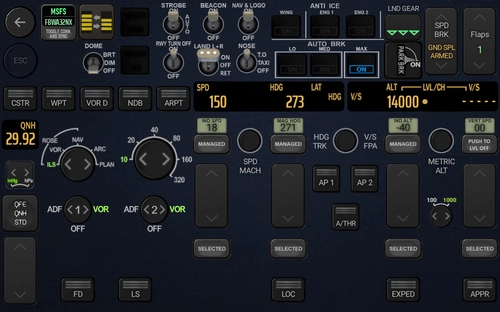
TouchPortal page for FBWA32NX with fully functional FCU and EFIS. CAPT and FO seat. The philosophy behind this page is to have all Switches and info you might need during normal Start, Approach and Landing at one single Page and is also nice to your eyes when you use in a dark environment.
by Condor7777
VR Pilot Avatar Superpack
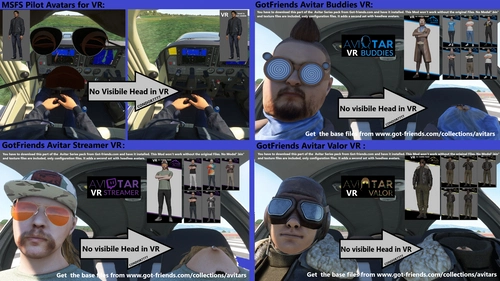
A collection of modifications to pilot avatars for Microsoft Flight Simulator, allowing for a first-person POV experience in VR with visible Pilot bodies and synced controls. Choose from various pilot avatars, including invisible ones, and easily switch between them in the cockpit settings. Install and customize your virtual pilot experience for a more immersive flight simulation adventure.
by Condor7777
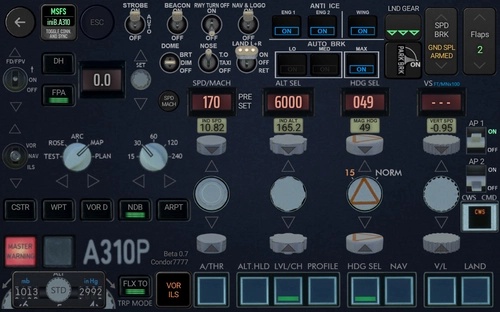
Touch Portal Page FCU and EFIS for INIBUILDS A310
Touch Portal page FCU and EFIS for iniBuilds A310. This TouchPortal page is now feature locked and almost finished. It has a Captain and a First Officer version that also work together when both are imported into TouchPortal. The page has still some placeholders and reused buttons from my FBWA32NX page, These will be replaced in The final version. IF your page get stuck after reloading a flight (happens to me 1 out of 10 flights), the best option is to restart Touch portal via the system tray. Seems the WASimmodule sometimes refuses to deliver all requests in time and shuts down. If you don't like testing and frequently changes, you should only subscribe to this download. This will update you via email with the overall progress. Just wait until this release hits 1,0 and download.
by Condor7777
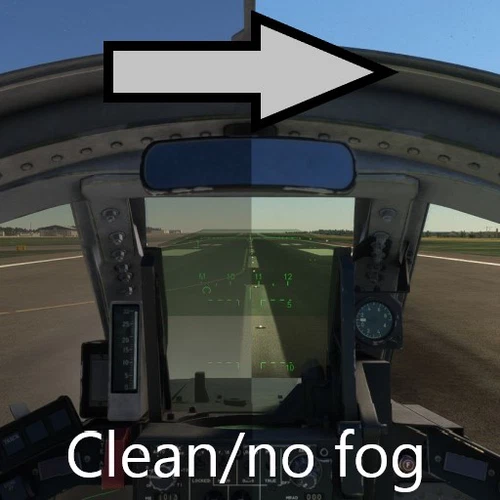
IFE Tornado Clean Canopy No Fog/Dust
Enhance your visual experience in Microsoft Flight Simulator with the IFE Tornado Clean Canopy No Fog/Dust mod. This add-on removes dust and fog from inside the canopy, providing clear visibility for visual landings. Say goodbye to obstructions and enjoy a polished canopy view, free of distractions. Simply drop the mod in your community folder to improve your flight visuals instantly.
by Condor7777
Log in to join the discussion
Log InComments(44)
9 months ago
7 months ago
11 months ago
about 1 year ago
over 1 year ago
over 1 year ago
about 2 years ago
Is it possible to make it also for the GotFriends Vertigo?
Ralph
over 2 years ago
over 2 years ago
over 2 years ago
Unfortunately, the vision of the pilot and co-pilot in the cabin is not yet implemented by most manufacturers.
I kindly ask if it is possible to have in the Nardi-FN-333 by Mario Noriega Designs
over 2 years ago
over 2 years ago
over 2 years ago
over 2 years ago