
Description
FlightSim Studio E-Jets AAO Scripts & StreamDeck XL and StreamDeck + Profiles
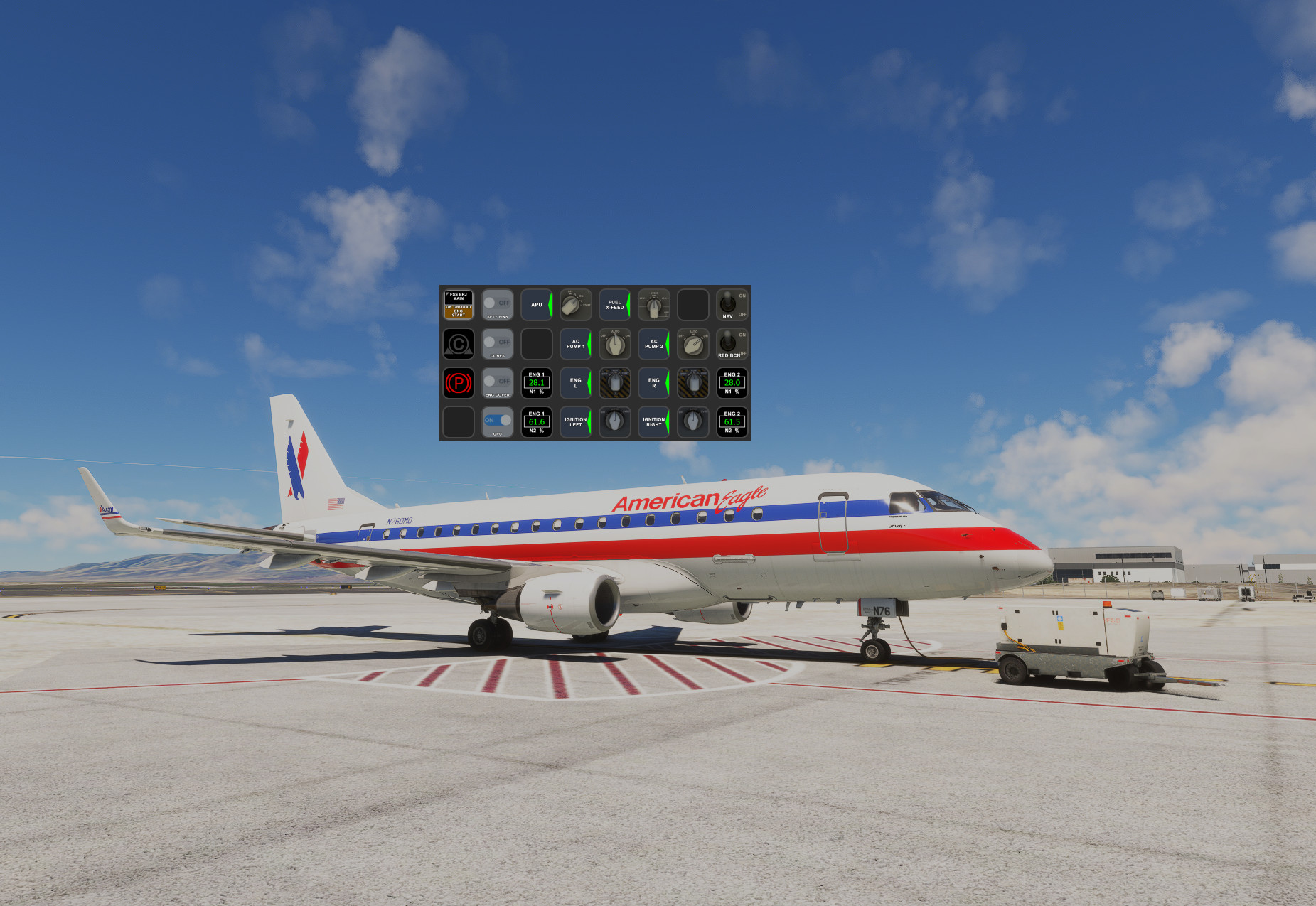
Streamdeck XL profile for the FlightSim Studio 170 - 195 E-Jets with basic functionality for now. I believe this should work with all variants (17x - 19x) of the FSS E-Jets. I borrowed some images from the outstanding work that have been created by Guenseli. This profile is released with his permission (THANKS Guenseli!)
https://flightsim.to/profile/Guenseli
You need LORBYs AAO and its StreamDeck Plugin to run this StreamDeck profile.
For FS2024 you need LorbyAxisAndOhs_MSFS2024 v4.50 or later and its StreamDeck Plugin to run this StreamDeck profile.
ATTENTION!
PLEASE READ CAREFULLY!
- When you import SD profiles, make sure to delete the old ones, otherwise you'll get profile copies.
- Make sure to always have the latest AAO and AAO StreamDeck plugin versions!
- Please ask for permission from me and Guenseli if you want to use parts of this SD profile or images in your own SD profile.
- Install the SD profile by double clicking the file "FSS ERJ-17x-19x.streamDeckProfile"
- Install the SD profile by double clicking the file "PLUS FSS ERJ-17x-19x.streamDeckProfile"
- Import the AAO script "FSS-EXX-AxisAndOhsScripts.xml" according to the AAO manual
- Import the AAO script "DropTop_Views-AxisAndOhsScripts.xml" according to the AAO manual. This is for the Views page on the SD+
This profile is a work in progress. Please toss me any issues you find or requests in the comments section. Thanks!
FlightSim Studio E-Jets AAO Scripts & StreamDeck XL and StreamDeck + Profiles
Customize your FlightSim Studio E-Jets experience with this AAO Scripts & StreamDeck XL and StreamDeck + Profiles. Enhance your simulation with basic functionalities for all variants (170 - 195) of the E-Jets. Make sure to follow the installation instructions carefully for a seamless setup and feel free to provide feedback for further improvements.


User Reviews
3 reviews
More Information
Version History
Fixed issues with the View page on SD+ Views use their own AAO script group so there are now two .xml files that need to be imported into AAO (see instructions on main page).
Related
FlightFX Cirrus SF50 Vision AAO Scripts & StreamDeck XL Profile & StreamDeck + Profile
Enhance your Cirrus SF50 Vision experience with this FlightFX add-on, including AAO Scripts and StreamDeck profiles. This package requires LORBYs AAO and its StreamDeck Plugin. Please note the installation instructions and known issues before use.
by 02DropTopM3
MG HJET HA420 StreamDeck XL Profile, AAO Scripts, StreamDeck+ Profile
Enhance your HJet HA420 experience with this StreamDeck XL Profile, AAO Scripts, and StreamDeck+ Profile. Designed for the new G2 version of the HJet with Auto-throttle and VNAV functionality, this release is a collaboration with Guenseli. Ensure to follow installation instructions for a seamless integration.
by 02DropTopM3
iniBuilds Airbus A320neo v2 AAO Scripts, StreamDeck XL Profile and Stream Deck + profile
Enhance your iniBuilds Airbus A320neo v2 experience with this StreamDeck XL profile and StreamDeck + profile, complete with AAO Scripts for a seamless integration. Created with permission by Guenseli, this profile maintains a familiar layout while optimizing it for the iniBuilds A320. Follow the installation instructions for a smoother flight simulation session. See the description for important details and updates.
by 02DropTopM3
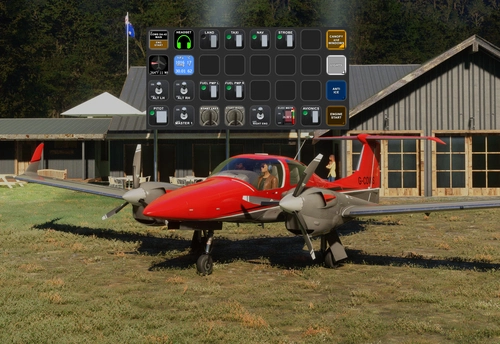
Cows Diamond DA-42 AAO Scripts, StreamDeck XL Profile and StreamDeck+ Profile
Enhance your flight simulation experience with the Cows Diamond DA-42 AAO Scripts & StreamDeck XL and + Profile. This Streamdeck XL profile offers basic functionality for the DA-42 aircraft, with images and script ideas from Guenseli. Ensure you have LORBYs AAO and its StreamDeck Plugin for compatibility. Discover a user-friendly installation process and note features like easy control of instrument and glarescreen lights. Continuous updates and feedback are welcomed for an evolving experience.
by 02DropTopM3
Comments(27)
Log in to join the discussion
Log In4 months ago
Most of it works but I'm having trouble with the heading indicators. On both the XL and PLUS the heading displayed is a multiple of the actual heading which is actually set. When set to 1 in cockpit , it displays 57 on the Streamdecks. If you set it to 10 in cockpit, it displays 573 on Streamdecks. Not sure if this is a profile issue or just a problem with the aircraft variables. But, it is always displaying the selected heading * 57.3. Thanks.
5 months ago
5 months ago
6 months ago
Many not working anymore.
12 months ago
over 1 year ago
over 1 year ago
Took me a while to get the basics of the AAO scripting and Streamdeck integration. Still a lot of black magic, but... I understand just enough to be dangerous... haha.
about 2 years ago
Also noticed Mach speeds are not displayed properly. Aircraft is set and display for .74 but the Streakdeck + is showing .39.
about 2 years ago
about 2 years ago
However, I just took the plane up for a flight and from what I can tell, the Mach speed is being reported correctly. I'm in my climb right now at FL300 and I can switch back and forth between IAS and Mach, and in both cases the target HOLD speed is displayed correctly when comparing it to the plane (IAS = 258 kts, MACH = 0.70).
So, not sure why that is not what you are seeing. As a reminder, this is the HOLD speed in IAS or MACH, not necessarily the speed the plane is traveling at. Not sure if that might be it, but, let me know if you can give me more details about when you see the discrepancy. Thanks
about 2 years ago
Thank you for the great work.
about 2 years ago
about 2 years ago
about 2 years ago
about 2 years ago
Although, I don't think this is a fault of your own, but for some reason if I try to use the HDG mode on the steamdeck, even though the lights turn on on the streamdeck and in the sim, it will not follow the HDG. If I try to go through the sim to adjust HDG it does work. Seems like a weird bug, not sure if you've encountered this yourself.
about 2 years ago
I'll check it out next flight and see what I see.
about 2 years ago
about 2 years ago
Thanks!
about 2 years ago
I did my first one yesterday for the iniBuilds A320n and it turned out nice so I think I understand it enough to give the E-Jets profile a go.
Thanks for the feedback!
about 2 years ago