
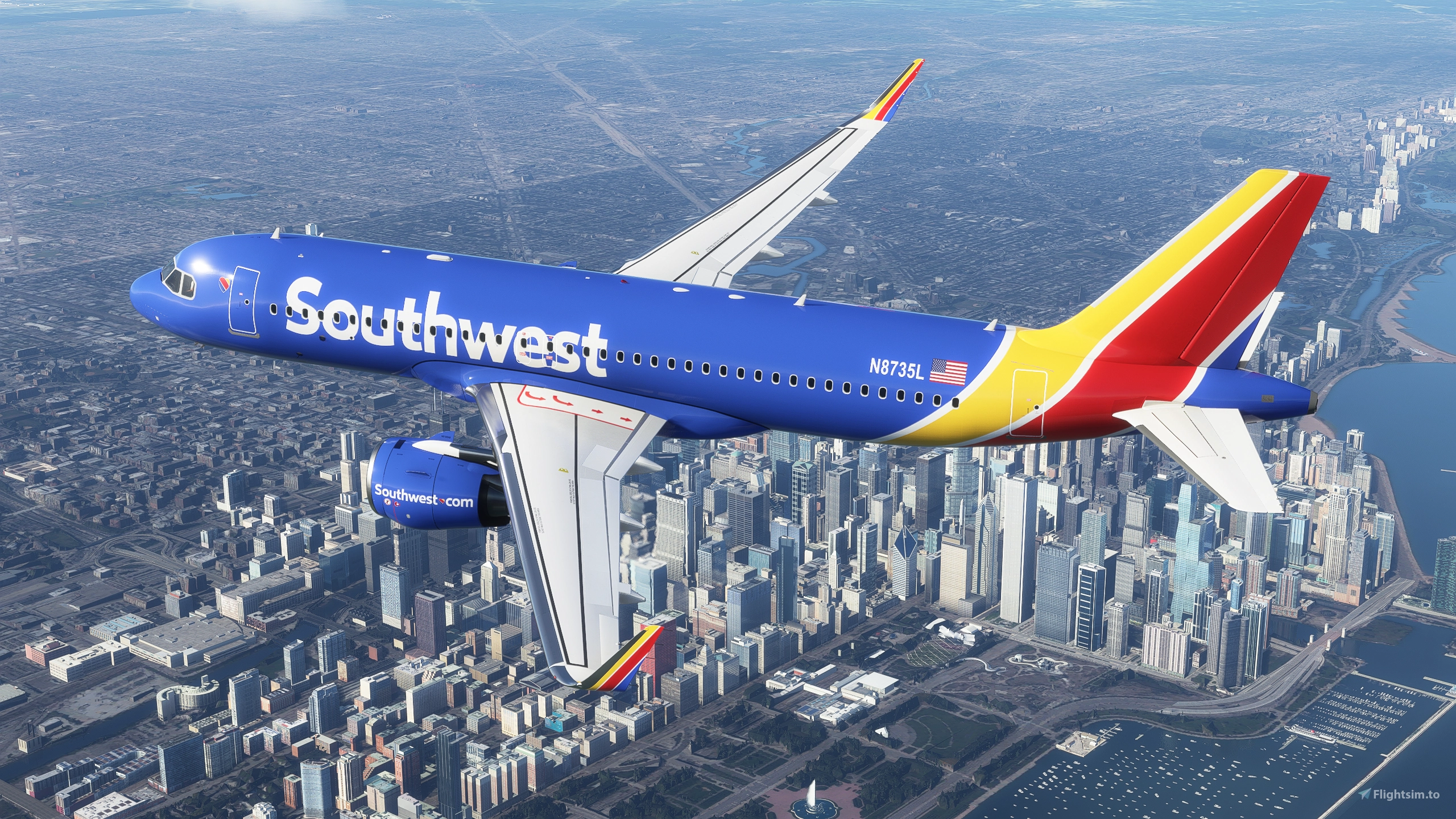
Description
Added a few "extra details" to this fictional livery.
Colors look a bit odd to me in the actual sim, but while painting, they looked spot-on. I did use the actual HEX color codes from Southwest for this paint.
Enjoy!
**Donations are not required, but definitely are appreciated!**
Southwest A320Neo - New Livery [8K}
"Southwest A320Neo - New Livery featuring enhanced details with actual HEX color codes for accuracy in Microsoft Flight Simulator. Enjoy this fictional livery rendition of Southwest Airlines iconic design."

User Reviews
5 reviews
Version History
No version history available.
Related
![[A320neo] Southwest Airlines Livery - 8K](https://cdn.flightsim.to/images/13/th6OJCK0.png?width=500)
[A320neo] Southwest Airlines Livery - 8K
A high-quality Southwest Airlines livery designed for the default Airbus A320neo in Microsoft Flight Simulator featuring 8K resolution and accurate details including callsigns and parking codes. Easy installation by extracting files into the community folder. Recent updates include improved file management and various adjustments to enhance the liverys realism.
by shadeobrady
![Southwest Airlines · Freedom One - [8K] Ultra Quality](https://cdn.flightsim.to/images/16/southwest-airlines-freedom-one-8k-ultra-quality-MlCuQikm.jpg?width=500)
Southwest Airlines · Freedom One - [8K] Ultra Quality
Southwest Airlines Freedom One livery add-on for the A320 series, featuring high-quality 8K resolution textures. Handmade with attention to detail and color accuracy. Compatible with FBW A32NX and Asobo A320. Simply drag and drop the folder into your Community folder for easy installation.
by Grinde81
![Southwest "Canyon Blue" [8K] - A320Neo](https://cdn.flightsim.to/images/09/GRaXfOQH.png?width=500)
Southwest "Canyon Blue" [8K] - A320Neo
This Microsoft Flight Simulator add-on offers an Southwest "Canyon Blue" livery for the A320Neo in stunning 8K resolution. The recent update includes painted wing "canoes" that match the vibrant red accents of the livery. Donations are appreciated but not required for this add-on.
by mjv5757 (Mike V)
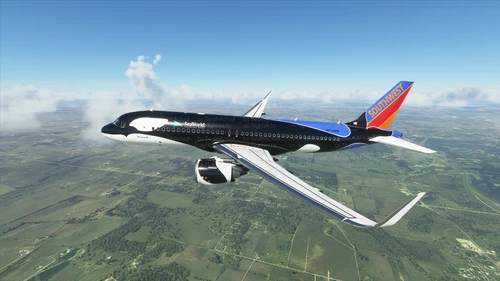
Southwest Airlines Shamu livery
Explore the Southwest Airlines Shamu livery for the A320 aircraft in Microsoft Flight Simulator. This livery, although not completely accurate, provides a close representation and has been recently updated for patch 1.10.7.0.
by DeathActual
Log in to join the discussion
Log InComments(9)
about 3 years ago
over 3 years ago
Would it be hard to adapt this livery to the LVFR A321 NEO?
That would be awesome! :)
over 4 years ago
Ever since the recent update, this aircraft is now appearing in pink when it is AI :( It is still a wonderful livery but if we could fix this pink AI issue that would be awesome!
almost 5 years ago
This is the only South West default livery works and doesnt create Pink AI static airplanes around the airport.. what is your secret? why do all other liveries have pink static AI traffic... anyways PERFECT WORKS only one THAT WORKS!! tested them all.. not talking at the texas maryland cali new mexico seaworld.. just default southwest ONLY ONE WORK WITH NO PINK AI... so on that note 5 stars easily! Thank you!
PS seriously what is the secret how you do that?
almost 5 years ago
The heart is missing from the underside of the plane
over 5 years ago
over 5 years ago
over 5 years ago
over 5 years ago