
Description
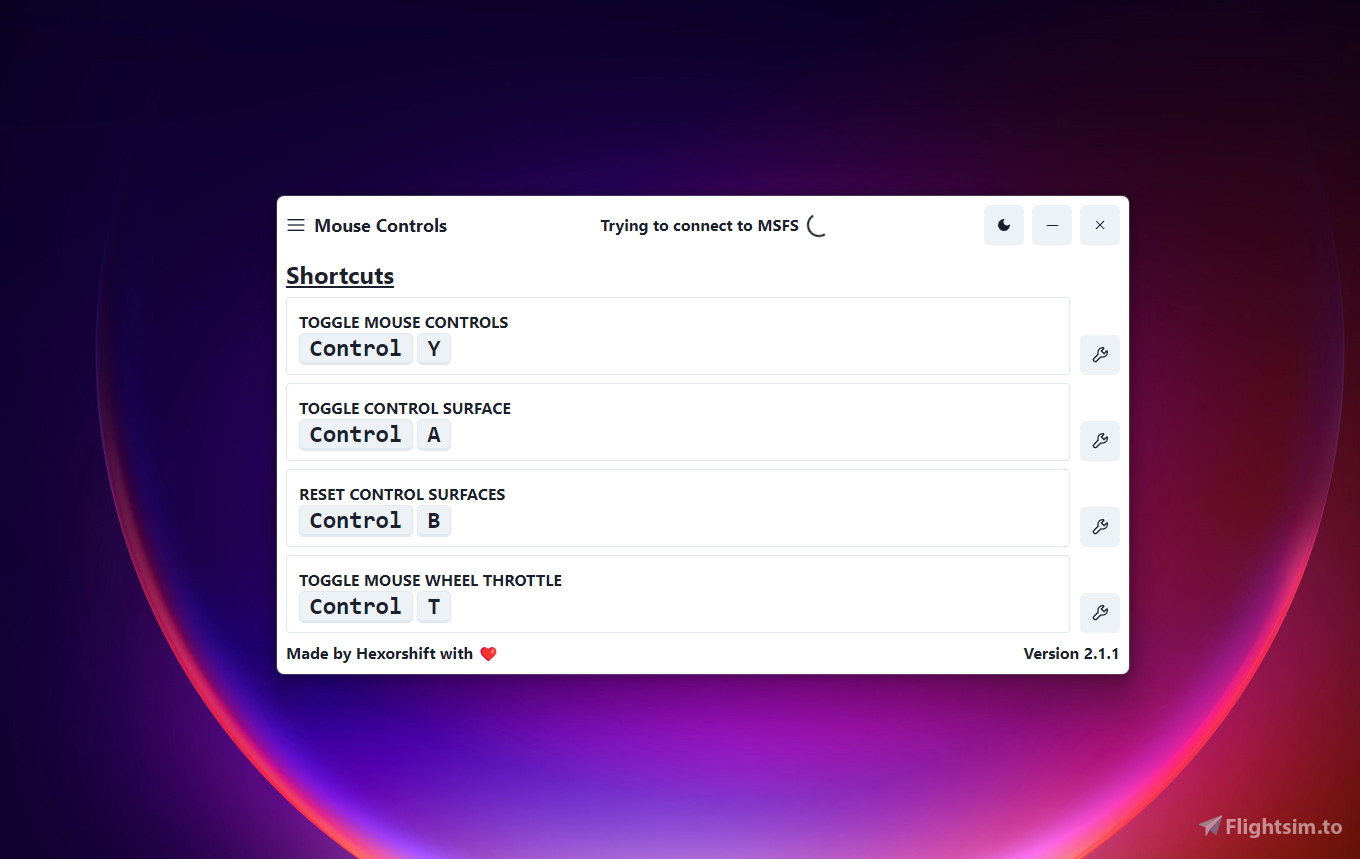
Mouse Controls - Use your mouse as a yoke in MSFS 2020!
This is a stand-alone application that allows you to use your mouse to control the control surfaces of most planes.
PLEASE DOWNLOAD THE NEW VERSION: Better Controls
THIS ADD-ON IS NOT COMPATIBLE WITH ANY FENIX PRODUCTS.
To install/update the application, simply use the installer.
NOTE: This add-on makes use of the display resolution found in Windows settings; it is advised that you play in fullscreen or windowed fullscreen for the best experience.
If you need help then join my Discord server!
Application icon is from Flaticon.
Mouse Controls - Use Mouse as Yoke
Use your mouse as a yoke in Microsoft Flight Simulator 2020 with this stand-alone application. Control the surfaces of most planes directly with your mouse, improving your flying experience. Note: Not compatible with any Fenix products. For installation and updates, simply use the provided installer. Optimal performance is achieved in fullscreen or windowed fullscreen mode.


User Reviews
13 reviews
Version History
- Added support for controlling throttle with mouse wheel - Fixed the centering issue on laptops and multi-monitor setups - Added new settings menu (for future updates)
Related
Better Controls - Use Mouse As Controller
Better Controls is an add-on for Microsoft Flight Simulator that allows users to intuitively manage flight surfaces using their mouse. The tool enables control of ailerons, elevators, and rudders, featuring a compact HUD to display control states, along with predefined hotkeys for convenience. It offers options like pitch and roll control with the mouse, rudder activation by holding the left mouse button, and the choice to invert elevator axes.
by Hexorshift
FBW A32NX Kaze Airways (JA778N)
Official Kaze Airways livery for the FlyByWire A32NX, created by Hexorshift and Aqware. Join Kaze Airways Virtual Airline and enhance your flying experience with this unique livery. Simply place it in your community folder to install on Microsoft Flight Simulator. Visit the Discord server to learn more and join the airline.
by Hexorshift
PMDG 737-800 Kaze Airways (JA878N) | 4K
Officially licensed Kaze Airways livery for the PMDG 737-800, created by Hexorshift and Aqware. Easily install this 4K livery through the PMDG Operations Center. Join Kaze Airways Virtual Airline by visiting their Discord server.
by Hexorshift
Log in to join the discussion
Log InComments(57)
7 months ago
7 months ago
10 months ago
8 months ago
7 months ago
11 months ago
9 months ago
over 1 year ago
over 1 year ago
almost 2 years ago
almost 2 years ago
almost 2 years ago
almost 2 years ago
about 2 years ago
about 2 years ago
about 2 years ago
the app is surely more refined than the other option avaliable, however, the random delay sucks. i sugest copying the other mod and improving onto this model. given that the owner of that one made his model open source ( I THINK)
about 2 years ago
over 2 years ago
over 2 years ago
about 2 years ago
over 2 years ago