
Description
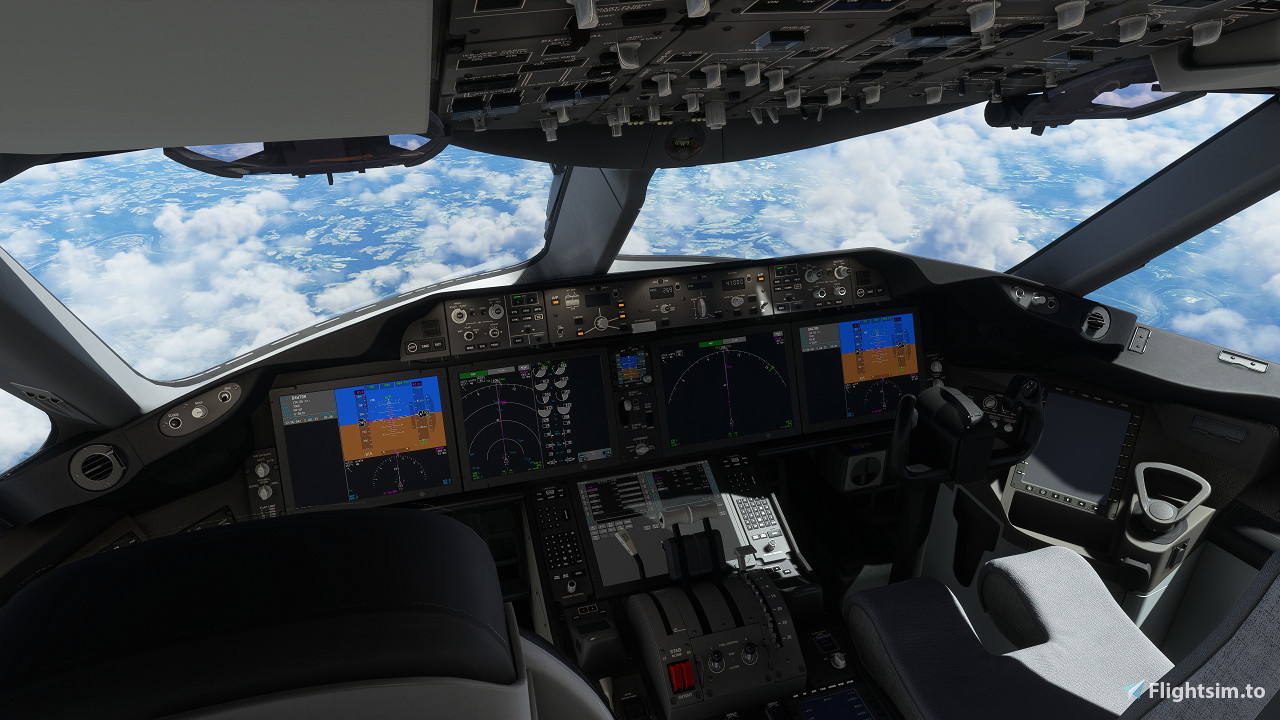
This is my current view-setup with Kuros Boeing 787-8.
Views 4 and 6 are placeholders, feel free to edit them to your liking.
Installation instructions:
Just put the downloaded camera.cfg file in the following directory, replace if needed.
For Microsoft Store MSFS:
C:\Users\[Username]\AppData\Local\Packages\Microsoft.FlightSimulator_8wekyb3d8bbwe\LocalCache\SimObjects\Airplanes\Kuro_B787_8
For Steam MSFS:
C:\Users\[Username\AppData\Roaming\Microsoft Flight Simulator\SimObjects\Airplanes\Kuro_B787_8
Kuro 787-8 Custom Camera Views
Enhance your Boeing 787-8 experience with custom camera views created by Kuro. Easily adjust and customize Views 4 and 6 to your liking. Follow simple installation instructions to upgrade your Microsoft Flight Simulator visuals.


Version History
No version history available.
Log in to join the discussion
Log InComments(4)
about 3 years ago
about 3 years ago
over 3 years ago
I placed the CFG in the correct path however my views are still very zoomed in by default. Any ideas?
over 3 years ago
Hi, sorry for the late answer.
Hm... thats odd, it works fine on my end.
The most common error is putting the file in the wrong location.
Have you made sure that the file is in in the SimObjects -> Airplanes -> Kuro folder?
(and not SimObjects -> Kuro or Community Folder -> Kuro)