
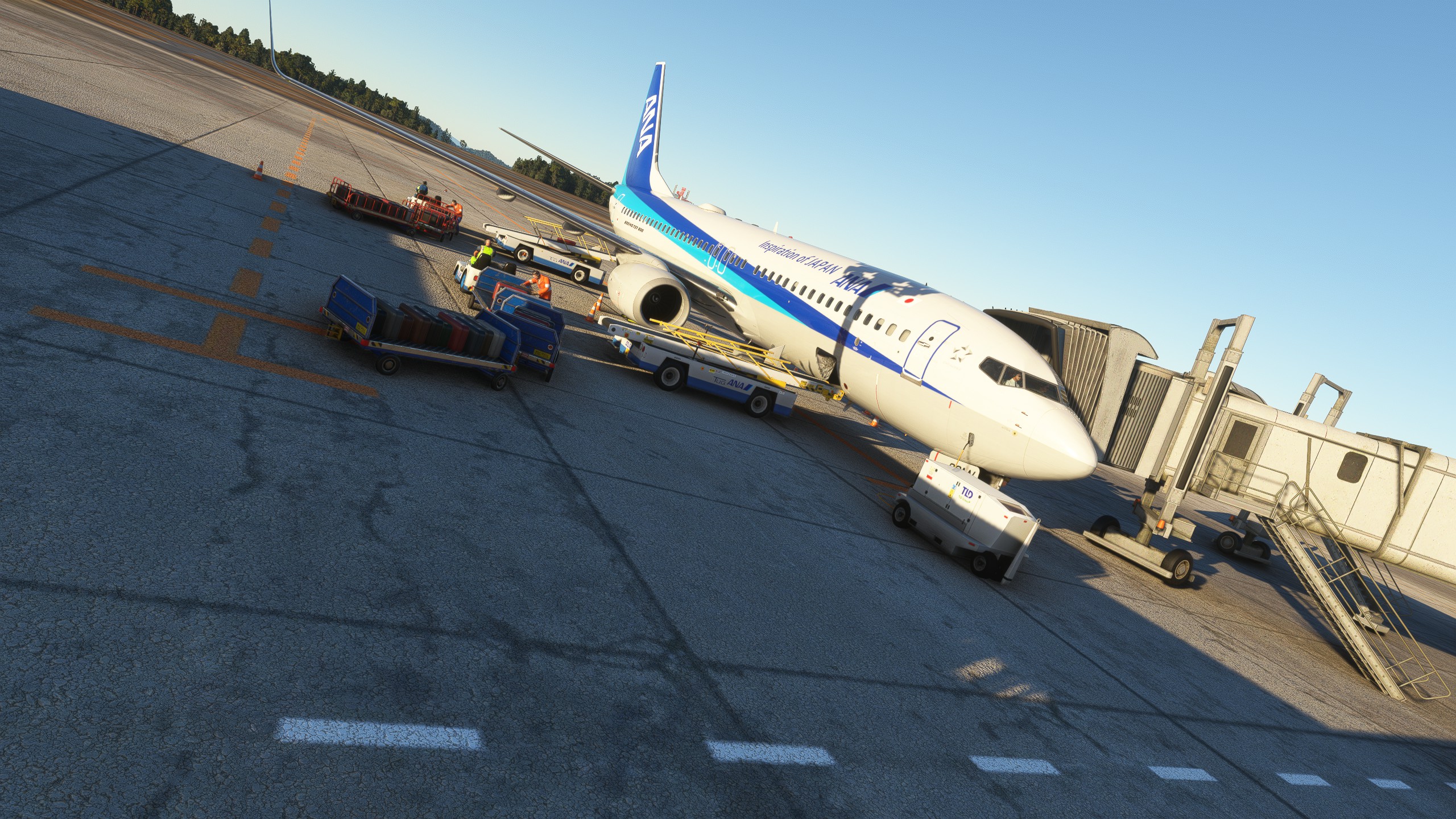
Description
GSX Pro Profile for RJOA Hiroshima Airport - By KAZE
For the pushback, just select the runway you are taking off from, and it will push you back in the correct direction and spot.
Ground handeling has been placed in spots where its most realistsic.
Ground handeling and Catering uses true to life liveries.
Passangers walkers walk arround the gates for added realism.
Required: https://flightsim.to/file/20679/rjoa-hiroshima-intl-airport
How to install: Drop the .ini and .PY file into - User / "your user" / App Data / Roaming / virtuali / GSX / MSFS
Known issues: Passengers floating out of jetways (needs a Jetway scenery fix by the creator (KAZE) to fix this, fix will come out depending on KAZE)
Dependencies
GSX Pro Profile - RJOA Hiroshima (KAZE) - W/Passengers & Pushbacks. Updated!
GSX Pro Profile for RJOA - Hiroshima Airport - By KAZE - https://flightsim.to/file/20679/rjoa-hiroshima-intl-airport - With Custom Pushbacks - Pushback is true to life, just select the runway you are taking off from, and it will push you back to the first line (like irl). - How to install: Drop the file into - User / "your user" / App Data / Roaming / virtuali / GSX / MSFS

Contributors
User Reviews
1 reviews
Version History
-Fixed walker waypoints outside of jet bridge -Improved ground handling placements
Log in to join the discussion
Log InComments(2)
over 3 years ago
THank you for the continuous updates! Looking good!
over 3 years ago
Thank you sir!