
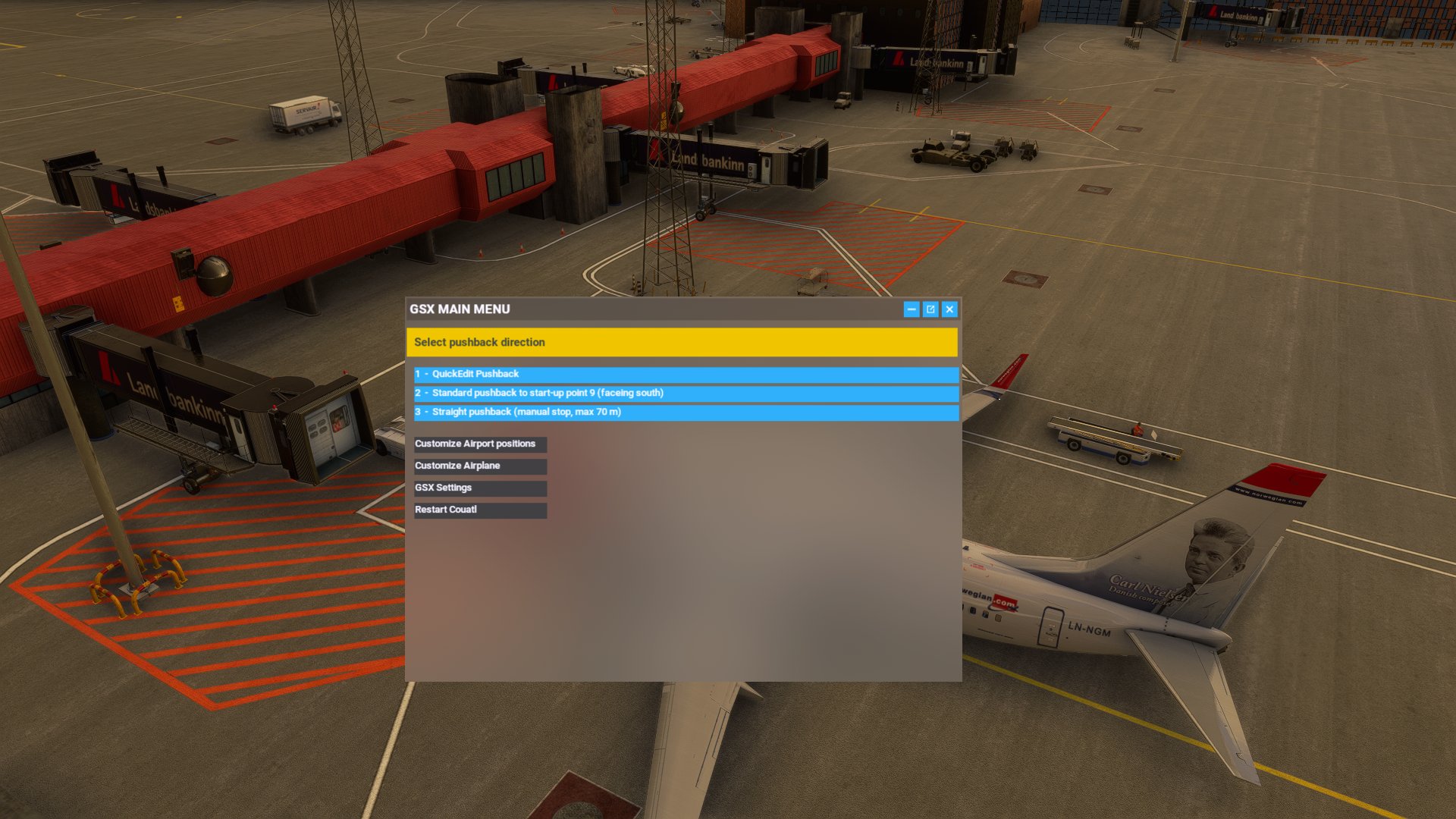
Description
Reykjavik Airport Keflavik BIKF
This GSX profile was made for MK-Studios Keflavik Airport BIKF
Commercial terminal all ground support equipment moved to realistic positions and all stands comes with custom pushback procedures with reference to real world procedures. Many of the gates comes with push and pull procedures, for proper use of pushback procedures please look at the ground charts to find the correct start-up point for you.
Stands 40,42,44,46,51,52,53,54,56,58,60,63,64,65,67,69 are available for cargo ops as well as passanger service.
All gates have either docking guidance or a marshaller to guide you to a perfect stop.
Version 1.2 includes updates to stands 2,3,4 and 6 where all pushbacks has been redone and made to more realistic. Various updates and changes have been made around the airport.
This GSX profile is for BIKF V1 and will not work with V2 of this scenery. For a GSX profile of V2 try this: https://flightsim.to/file/76968/gsx-profile
Installation:
Extract the .zip file and move the .ini file to %APPDATA%\Virtuali\GSX\MSFS
If you still have problems try this:
1. open MSFS and go to a random gate at BIKF
3. move some of the ground vehicles somewhere, do this to create an ini file at %APPDATA%\Virtuali\GSX\MSFS.
4. go to %APPDATA%\Virtuali\GSX\MSFS en find BIKF.ini file.
5. open the new BIKF.ini file you just made, check timestamps to make sure it's the one you just made. Copy the AFCAD-path of your file BIKF.ini file
6. paste this AFCAD path into the BIKF.ini file that comes with this package
7. save and exit
8. restart MSFS and you are good to go
this should make it work. If it still dont work comment on flightsim.to download page.
GSX profile - Keflavik Airport BIKF V1 (MK-STUDIOS)
Custom GSX PRO profile for BIKF, all ground equipment moved to realistic positions and custom pushback for all gates and remote stands. Commercial terminal and cargo apron, all ground support equipment moved to realistic positions and all stands comes with custom pushback procedures.


User Reviews
4 reviews
Version History
Version 1.2.1 include several updates to pushback paths and GSE placements around the airport.
Related
GSX profile - Helsinki Airport EFHK (MK-STUDIOS)
Custom GSX PRO profile for EFHK, all ground equipment moved to realistic positions and custom pushback for all gates and remote stands. Commercial terminal and cargo apron, all ground support equipment moved to realistic positions and all stands comes with custom pushback procedures.
by Northwind
GSX profile - Gran Canaria Airport GCLP (Aerosoft/SimWings)
Custom GSX PRO profile for GCLP, all ground equipment moved to realistic positions and custom pushback for all gates and remote stands. All ground support equipment moved to realistic positions and all stands comes with custom pushback procedures....
by Northwind
GSX profile - Oslo Airport Gardermoen ENGM
Custom GSX PRO profile for ENGM, all ground equipment moved to realistic positions and custom pushback for all gates and remote stands. Commercial terminal and cargo apron, all ground support equipment moved to realistic positions and all stands comes with custom pushback procedures.
by Northwind
GSX profile - Milan Bergamo Airport LIME (Tailstrike Design)
Custom GSX PRO profile for LIME, all ground equipment moved to realistic positions and custom pushback for all gates and remote stands. All ground support equipment moved to realistic positions and all stands comes with custom pushback procedures....
by Northwind
Log in to join the discussion
Log InComments(19)
over 2 years ago
over 2 years ago
over 2 years ago
https://flightsim.to/file/76968/gsx-profile
over 2 years ago
almost 3 years ago
almost 3 years ago
What plane are you using?
almost 3 years ago
almost 3 years ago
almost 3 years ago
have you read the "readme" file in the package?
over 3 years ago
When I load your profile, it says that 4 parking positions are invalid. Is this something you're aware off or is it just a sim issue?
over 3 years ago
It depends, what parking positions ar you talking about?
over 3 years ago
That's the problem, it doesn't say which ones. I'll try again.
over 3 years ago
Thankyou, much appreciated. About to try it out now :)
almost 4 years ago
Thank you for your great profile
almost 4 years ago
MSFS Steam version and MK-studios BIKF from ingame shop.
For me this doesn't work, even when copying the path from a file created by myself. But I also noticed, that in my folder there are neither bgl files nor xml files. My self created profile uses the file from fs-base* package. Maybe that's the problem?
Best regards
Sebi
almost 4 years ago
Okay, I am sorry, your profile works. It is only lacking the parkings 70 to 79. Any chance you will update the profile?
almost 4 years ago
Hay
So good that you got it to work! I just checked and they should all work in version 1.1
almost 4 years ago
Very good!! Thank you!
about 4 years ago
Great profile!