
Description
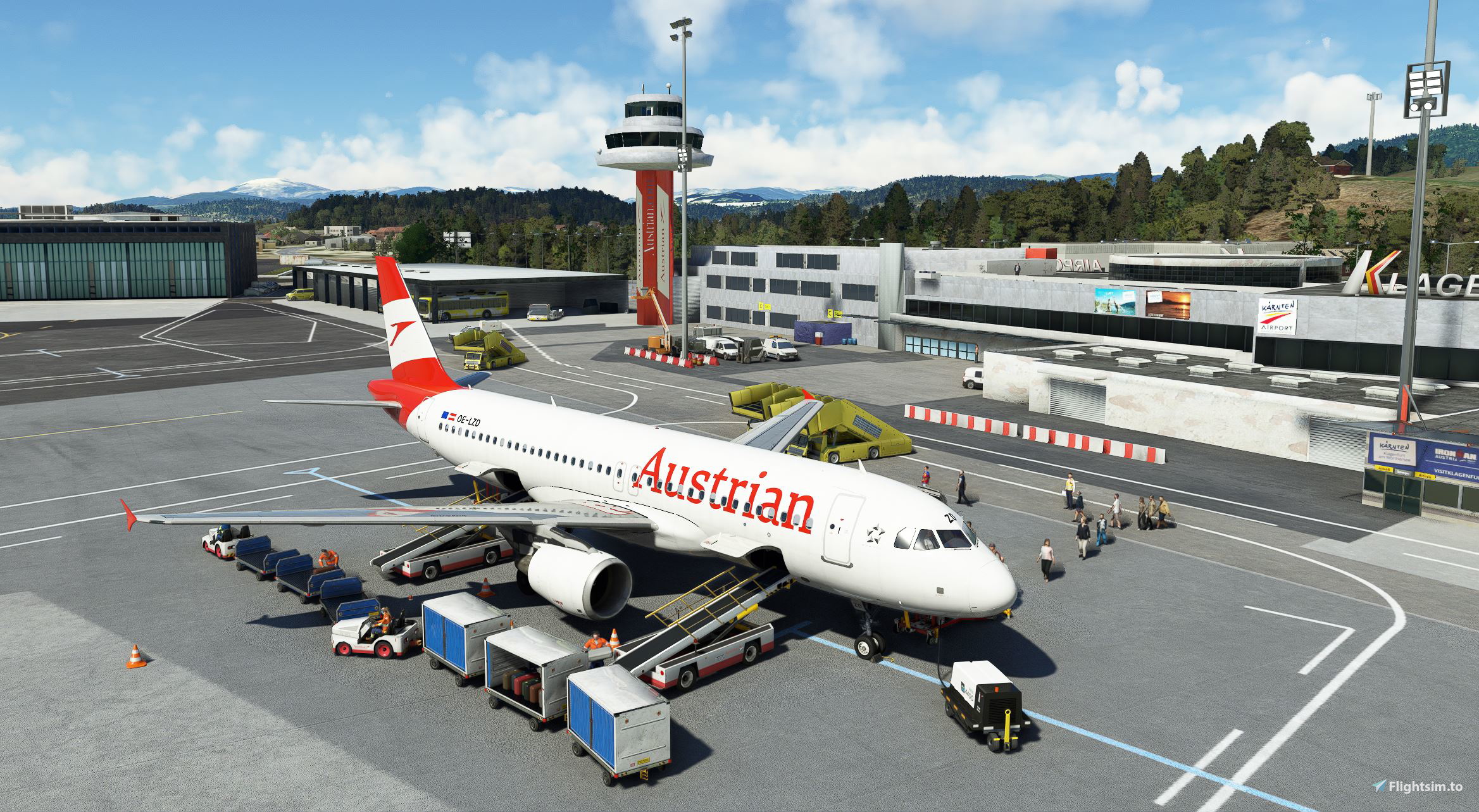
GSX Profile for LOWK Klagenfurt by Troglodytus.
You can find the scenery here:
https://flightsim.to/file/864/lowk-klagenfurt-airport-austria
This profile includes the main apron, GAC apron and Apron East I and II.
-Custom vehicle positions
-Custom Stop positions (Gate 1-5 Face East, Gate 6 Face West, GAC Face West, as defined in the scenery)
-Custom pushbacks from the East Aprons.
-Gate 1 Walk-in Gate.
If you are familiar with the real life procedures at this airport or find any other odds, feel free to contact me and we can discuss changes :-)
Installation:
Extract the .zip file and move the .ini file to %APPDATA%\Virtuali\GSX\MSFS
If you have problems loading the profile try this:
Step 1: Boot up MSFS and go into the GSX menu. Press Customize Airport positions
Step 2: Copy the AFCAD path at the top and then turn off MSFS
Step 3: Go to %APPDATA%\Virtuali\GSX\MSFS and using a text editor open up the .ini file you downloaded from me
Step 4: Replace the afcad_path with the one you copied from GSX
Step 5: Save and then boot up MSFS again. The profile should now load correctly!
Dependencies
Comments(3)
Log in to join the discussion
Log Inalmost 4 years ago
Thank you for your comment.
I think the GSX Follow Me will always use the shortest way, also the official charts by austrocontrol don´t provide specific gate numbers....I think I will add a small, selfmade diagramm in the next update.
almost 4 years ago
Thank you! That helps a lot :)
GSX Profile - LOWK Klagenfurt
GSX Profile for LOWK Klagenfurt by Troglodytus, including custom vehicle and stop positions, pushbacks, and a walk-in gate. Enhance your airport experience with this detailed profile.

User Reviews
1 reviews
More Information
Version History
Added PDF with an overview of the Gates.
Related
GSX Profile - EFRO Rovaniemi by Tatu
Enhance your GSX experience at EFRO Rovaniemi with this profile by Tatu, featuring custom gates, pushbacks, and vehicle positions. Get access to detailed adjustments for Gates 1-9, 13-15, and 23, along with VDGS and walk-in gates. Compatible with NavData API Beta, this update includes Gate 6B for a seamless airport operation.
by shahambla
GSX Profile - EHRD Rotterdam (Asobo WU)
Enhance your GSX experience with this profile for EHRD Rotterdam Airport from Asobo, featuring custom vehicle positions and passenger pathways at gates A1, B2, and C3. Note that there are some limitations with GSX recognizing different gates, and isolated gates D1 to D3. For assistance or feedback on real-life procedures, reach out to the creator. Install by moving the .ini file to %APPDATA%VirtualiGSXMSFS and follow the provided troubleshooting steps if needed.
by shahambla
GSX Profile - EDDV Hannover (JustSim, marketplace compatible)
Enhance your ground handling experience at JustSim EDDV Hannover with this GSX Profile add-on. Compatible with the marketplace version, it offers custom vehicle positions, adjusted jetway floor height, custom pushback routes, VDGS, and includes De-Ice Pads 1 & 2. Perfect for those looking for realistic airport procedures.
by shahambla
almost 4 years ago
Thanks a lot for the profile!
Is there somewhere a chart with the positions? The Follow Me is useless (drives from the wrong side to the positions) and Navigraph charts don't have parking spots, neither are they printed on the tarmac. Makes it hard to select and find the spot when arriving...