

Description
This is the best GSX Pro profile for the airport - Aerosoft's EDDB! Why? Because Berlin is my home!
Features:
- VDGS ( at some jetway Gates I put the VDGS closer to the aircraft. Otherwise it would be not readable. Especially if you are flying in VR like I do)
- Custom vehicle positions
- Custom pushback left/right
- Gates A3 to Gate A12 are walkin Gates (no bus service. Passengers walking from inside of the terminal to the aircraft)
- Gate A1, A2, B1, B2, C1, C2, C13, C14, C14A, Ramps D and E are serviced by bus. Front and rear stairs in use.)
- passengers walking throuh the bridge between Terminal and jetway at boarding / deboarding
- passengers walking inside Terminals
- at jetway gates the rear stair is disabled. Boarding just through front door.
Changelog:
- v 1.0 Gates A, B and C (initial release)
- v 1.1 added Gates D (The gate numbers in MSFS do not match the real numbers. For exemple Gate D301 = D03A, D501 = D05A. Therefore GSX calls them wrong too.)
- v 1.2 optimized parkpositions, pushback for Gates A, added Passenger walking inside the terminal at Gates A
- v 1.3 added at Gates B visual passengers boarding through the bridge and passengers walking inside terminal
- v1.4 added Gates C visual passengers boarding through the bridge and passengers walking inside terminal, fixed wrong VDGS Position at Ramp D3A (in MSFS D301)
- v1.5 optimized pushback for Gates B, C and D
- v1.6 workaround for the bug at jetway gates B (You couldn´t see pilots, crew and passengers at boarding/deboarding. For some reason disabling stairs caused this. I enabled the stairs now. So at Gates B the rear stair is arriving), added Cargo Ramps 19 to 30
- v1.7 changed VDGS positions at Gates B
- v1.8 deleted stairs at jetway gates B (you need to call the jetways through gsx menu before start boarding / deboarding to see passengers walking through the jetway). I changed the distance for the VDGS at Ramps D.
Installation:
unzip the file and place it in here: user>username>AppData>Roaming>virtuali>GSX>MSFS
Important:
- Gates B702 (in real world = B7A), Gates B1502 (in real world = B15B) aren´t recognized by GSX. You can spwawn and arrive there. But there is no gsx service available.
- If you spawn or arrive at EDDB with a heavy bird then please use one of the for heavies assigened Ramps D or Gate C3.
- There are a lot of Gates missing. The reason is aerosoft. I already started a request at Aerosoft forum.
GSX Profile for BER - Berlin / Brandenburg "Willy Brandt" - EDDB (Aerosoft)
Enhance your EDDB experience with this GSX Profile, featuring custom vehicle positions, unique pushback options, and detailed passenger animations. Explore Gates A3 to A12 with walk-in boarding, or experience bus service at Gates A1, A2, B1, and more. Keep an eye on VDGS positions and remember to use assigned ramps for heavy aircraft. Download now for a realistic airport operation in Microsoft Flight Simulator!


User Reviews
3 reviews
Version History
Deleted stairs at jetway gates B (you need to call the jetways through gsx menu before start boarding / deboarding to see passengers walking through the jetway). I changed the distance for the VDGS at Ramps D.
Related
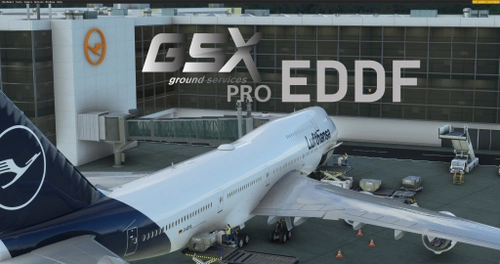
GSX Pro Profile for EDDF Asobo Premium - Frankfurt/ a.M
GSX Pro profile for EDDF - Frankfurt/ a.M. compatible with ASOBO Premium version, featuring VDGS, custom pushback, and vehicle positioning. Gates are tailored to real-life aircraft parking configurations. Easy installation by placing files in the designated MSFS folder.
by Berlin73
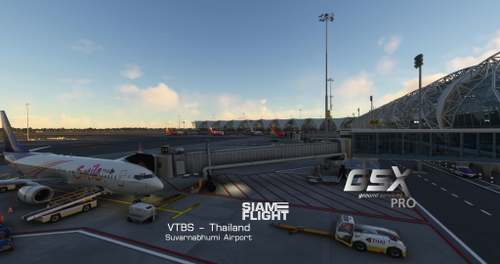
GSX Pro Profile for VTBS (SIAMFLIGHT) Suvarnabhumi Bangkok
This is a GSX Profile for Siamflight VTBS. You need to disable the jetways for VTBS in gsx config. Each gate is adapted based on the aircraft parked in real life there. Features: - VDGS (GSX pro) - Custom pushback - Custom vehicle positioning - Passengers walking inside terminals - Passengers walking through glass jetway bridges
by GERairborne272
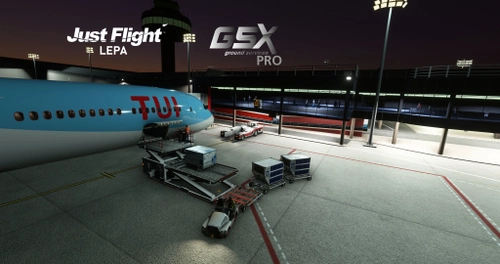
GSX Profile for justflight LEPA
A GSX Profile for justflight LEPA featuring VDGS, custom pushback, and passengers walking inside terminals. Gates adapted for specific aircraft types. Max allowed aircraft listed for each gate. Install by placing the file in the specified directory.
by GERairborne272
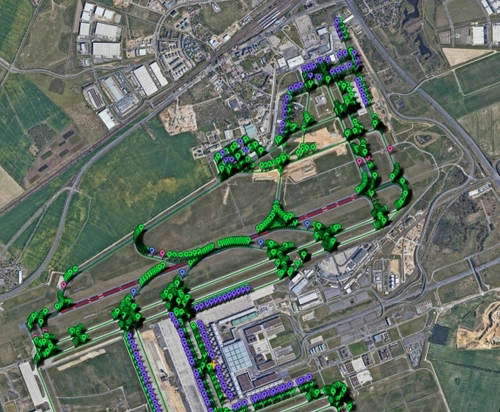
Pilot2ATC BER EDDB Taxiways and Gates
Enhance your Pilot2ATC experience with detailed BER (EDDB) Gates and Taxiways. Simply extract the files and load them in Pilot2ATC to navigate through Berlin Brandenburg Airport with ease.
by Berlin73
Log in to join the discussion
Log InComments(10)
8 months ago
about 1 year ago
about 1 year ago
Cheers!
over 2 years ago
almost 4 years ago
Bisschen Konkurrenz schadet wohl nicht :P :)
almost 4 years ago
Vielen Dank für die tolle Arbeit. Absolut fantastisch, dass man sich selber diesen immensen Zeitaufwand sparen kann. Gibt es evtl. eine Möglichkeit die Parking Spots am alten Terminal 5 zu deaktivieren?
Beste Grüße aus EDDB
almost 4 years ago
Die Parking Spots am alten Terminal sind fest in der Scenery integriert. Darauf habe ich leider keinen Einfluss. Du kannst den Entwickler im Aerosoft Forum darauf hinweisen.
almost 4 years ago
Very nice, but I can tell you that there isn't an automatic marshalling device where the Cargo North ramp is (Fedex and DHL pictures). Spot 27 is a 757 area (2 to the right from the 737 you have in the picture), the DHL parking spot (with T5 in the background) doesn't exist anymore (DHL doesn't fly to BER), and UPS parks to the left of the Fedex 737. Normal days operations, that is.
almost 4 years ago
I rarely fly cargo. The cargo airlines shown here were only used to create the GSX profile for various aircraft types. The pictures do not convey the real world. Apron 27 is also designed for a maximum of 757/767 in my GSX profile. I added the VDGS as a nice to have for the cargo ramps. You can change that yourself if you don't like it.
almost 4 years ago
I wouldn't go so far as "don't like it"... but I work on the north cargo ramp daily. I do wish the general scenery was better in that area, or that I knew how to change it.