
Description
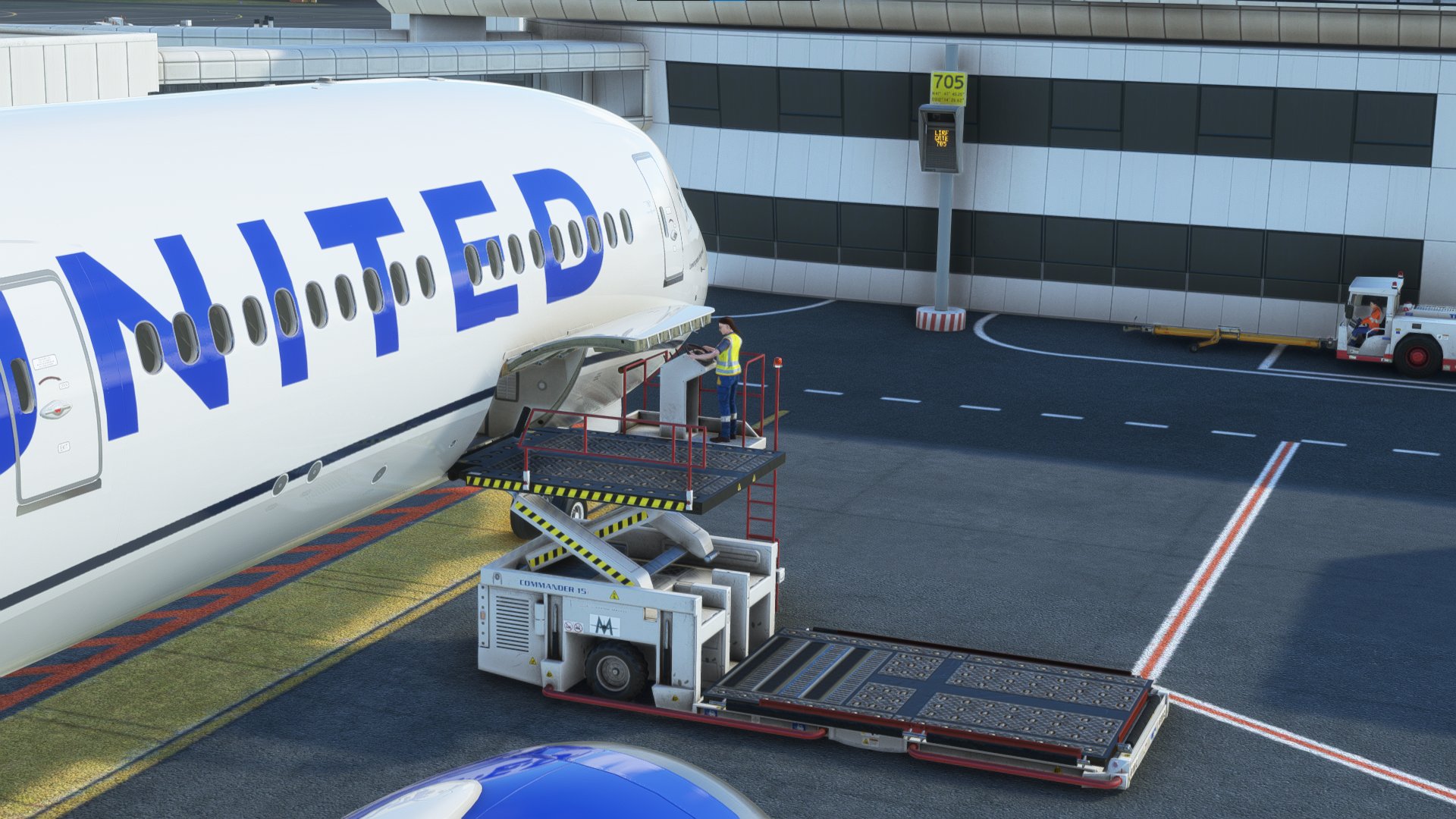
GSX Pro Profile for LIRF Rome-Fiumicino Airport by MK-Studios.
🚨 This was made with the marketplace version and might work incorrectly with other versions 🚨
- Custom parking and vehicle positions
- VDGS at equipped gates
When you spawn at a gate : go to "Reposition Aircraft" > "Reposition here at current gate" in order to have the right parking position.
--> Terminal 1,2 & 3 are done (307-318 / 402-432 / 501-518 / 601-614 / 701-711 / 801-807 / 809 / 811 / 813 / 820-823 / 831 / 833 / 835 / 901-906 + 907-909).
Remarks :
- In Blue are the Gates/Ramps made with the 787-10.
- All other Gates are made with the Fenix A320.
- Gates 301-306 are not available.
- Gates 307-318 are considered as Parkings in GSX.
Installation:
Extract the .zip file and move the .ini file to %APPDATA%\Virtuali\GSX\MSFS
If you have problems loading the profile try this:
Step 1: Boot up MSFS and go into the GSX menu. Press Customize Airport positions
Step 2: Copy the AFCAD path at the top and then turn off MSFS
Step 3: Go to %APPDATA%\Virtuali\GSX\MSFS and using a text editor open up the .ini file you downloaded from me
Step 4: Replace the afcad_path with the one you copied from GSX
Step 5: Save and then boot up MSFS again. The profile should now load correctly!
DISCORD :
If youre a Creator or just a Profile User, feel free to join the GSX Creation Community and chat or discuss with other Users or Creators >>> Click Here <<<
Please tell me what you think about it and what can be improved.
Enjoy !
GSX Profile - LIRF Rome (MK-Studios (Marketplace version))
GSX Creation Community DISCORD >>> https://discord.gg/ubCkJQS6Mj


Version History
No version history available.
Related
GSX Profile - EKCH Copenhagen (FlyTampa)
GSX Creation Community DISCORD >>> https://discord.gg/ubCkJQS6Mj
by zigabulga
GSX Profile - ELLX Luxembourg (JustSim)
GSX Creation Community DISCORD >>> https://discord.gg/ubCkJQS6Mj
by zigabulga
GSX Profile - LICJ Palermo (AmSim)
GSX Creation Community DISCORD >>> https://discord.gg/ubCkJQS6Mj
by zigabulga
Log in to join the discussion
Log InComments(8)
about 4 years ago
Unfortunately the profile seems to have been made based on the default MSFS AFCAD while having the MK Studios scenery installed (via Marketplace).
So using this profile with an externally installed MK Studios scenery doesn't work since GSX ignores the profile due to wrong BGL being referenced.
Also the problems with unavailable gates and naming issues are probably caused by this mismatch of BGL and scenery while creating the profile.
You should add a hint that this profile is done especially for Marketplace users of the scenery.
about 4 years ago
Yes you're right, I will do that. this BGL issue is really annoying 😣
about 4 years ago
plans on completing the rest of the stands? other than that, looks great
about 4 years ago
It is currently not planned because of a lack of time but as soon as it won't be the case I will do the rest.
about 4 years ago
Have you fully updated LIRF or are you using the marketplace version? The latest version has Gates 301 to 306 in the afcad on lirf-scene.bgl :)
about 4 years ago
Yeah I have the marketplace version :/
I suspected that the correct bgl file will have all the gates but I can't have access to these one unfortunately
about 4 years ago
If you're up to and if you know how to do it, you can customize those gates and send it to me but only if you want :)
about 4 years ago
I'll try and have a go tomorrow!