
Description
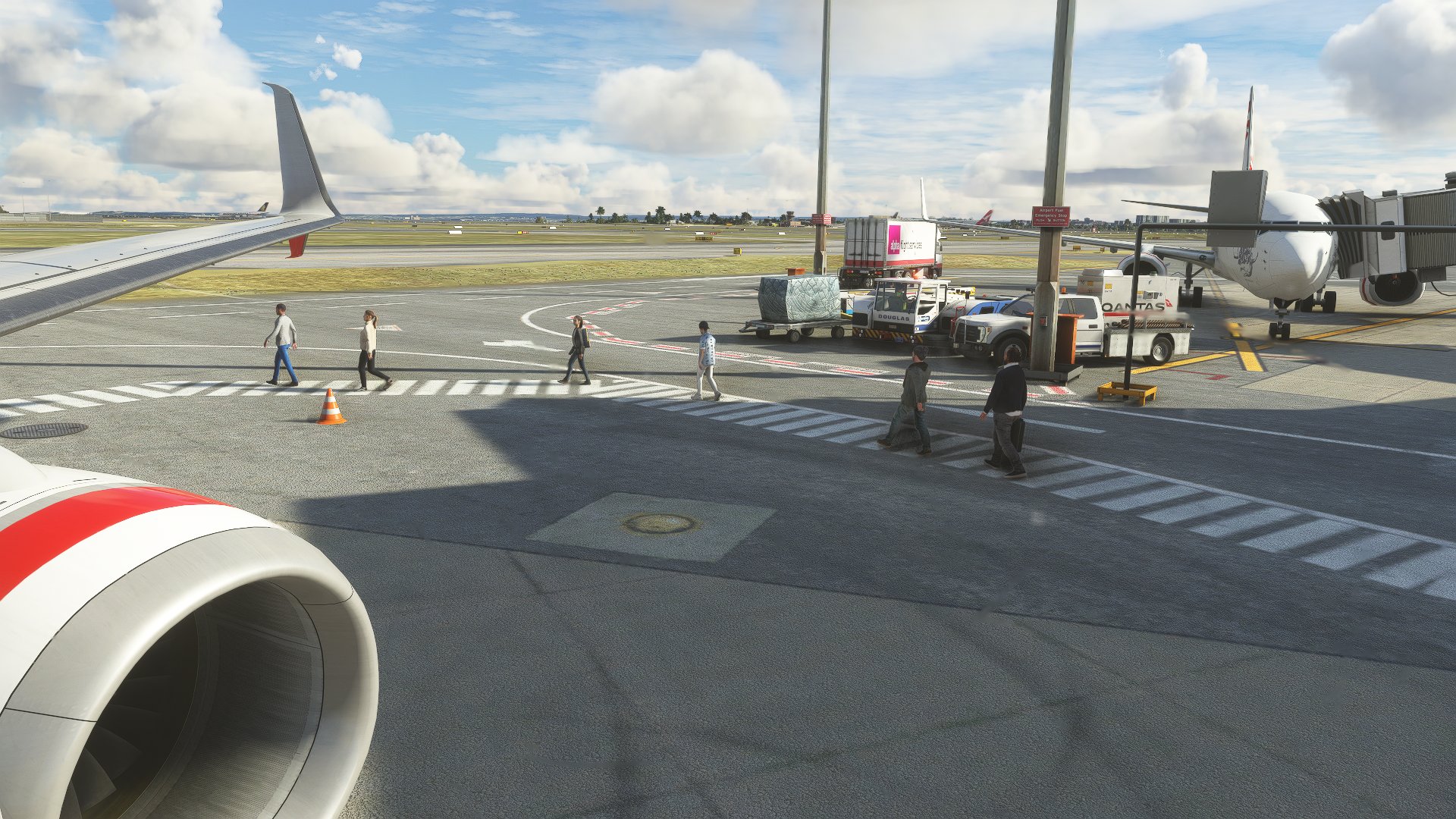
This profile includes all gates and cargo ramps at YSSY Sydney Kingsford Smith Intl (except REX Saab gates due to the severe lack of Saabs). I have also repurposed stands F12 to F16 for the helicopter facilities.
It Includes:
- VDGS at all gates
- Proper ground handling and catering for QANTAS, Virgin Australia and Jetstar with Swissport handling international
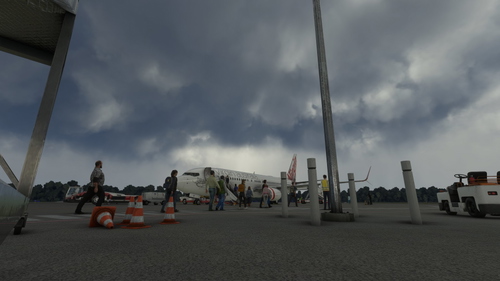
- Jetstar DOM2 and Virgin Australia DOM3 terminals both have boarding from the rear
- Custom pushback at all gates
- Custom placements at all gates
**NOTICE To enable rear boarding at DOM2 and DOM3 you will need to disable the front door by customising airplane and removing the front left door (this can be undone by clicking reset). The jetway will only connect using the A320 EFB and 737 FMC. THIS IS NOT REQUIRED AT DOM1 GATES. See screenshots for reference.
A quick demonstration: https://youtu.be/TUdtXuF-zfw
To Install: Unzip the folder and place the .ini file of your choice within %appdata%\Roaming\Virtuali\GSX\MSFS
This profile was made using the Fenix A320, PMDG 737-800, CaptainSim 777F and Asobo 787
If you have any suggestions or corrections don't hesitate to let me know and I will get to it as soon as I can.
GSX Profile - YSSY Sydney by FlyTampa (Domestic and International)
This profile includes all gates and cargo ramps at YSSY Sydney Kingsford Smith Intl (except REX Saab gates). It includes rear boarding for Virgin Australia and Jetstar domestic terminals, custom placements and custom pushback for all gates. If you have any suggestions or corrections don't hesitate to let me know and I will get to it as soon as I can.


User Reviews
8 reviews
Version History
-Added push and pull pushback options -Fixed DOM1 stop positions
Related
GSX Profile - YBBN Brisbane by Orbx (Domestic Only)
Enhance your ground handling experience at YBBN Brisbane Intl with this GSX Profile focusing on domestic gates. Features include VDGS, proper catering for major airlines, and custom pushback at all gates. Note that Virgin Australia offers boarding from the rear and adjustments may be needed to enable this feature. Install instructions included.
by Magpie
GSX Profile - YPAD Adelaide by ImpulseSimulations (Domestic and International 12-29 including Cargo)
Enhance your airport experience at YPAD Adelaide with this GSX Profile by ImpulseSimulations, featuring custom ground handling for QANTAS, Virgin Australia, and Jetstar. Explore proper gate layouts, walking paths, and cargo ramps for a realistic simulation. Simply unzip the folder and place the .ini file to start enjoying the detailed enhancements.
by Magpie
GSX Profile - YCFS Coffs Harbour by Impulse Simulations
Enhance your ground experience at YCFS Coffs Harbour with this GSX Profile by Impulse Simulations. The profile features marshals at all gates, proper ground handling for QANTAS, custom placements, and paths for gates 1, 2, 4, and 5. Simply unzip and install the .ini file to enjoy these enhancements in Microsoft Flight Simulator.
by Magpie
GSX Profile - YBNA Ballina by AUscene (Domestic 3 and 4)
Enhance your virtual airport experience with this GSX Profile for YBNA Ballina. This add-on focuses on domestic gates 3 and 4, providing marshals, ground handling, catering, and custom placements for Virgin Australia and Jetstar. Install easily by placing the .ini file in the designated folder for a realistic airport simulation.
by Magpie
Log in to join the discussion
Log InComments(36)
about 2 years ago
about 2 years ago
I downloaded the file, unzipped it and then placed it into the MSFS file. But when I load into the airport and choose this gsx profile it doesn't load. Is there something I'm doing wrong
over 2 years ago
almost 3 years ago
almost 3 years ago
about 3 years ago
about 3 years ago
about 3 years ago
about 3 years ago
about 3 years ago
over 3 years ago
Hey mate, thanks for the profile! When you say rear or no rear, does this mean we can have the forward jetway connected aswell as the rear airstairs? Because I went on a VOZ flight recently and they had a jetway connected on the front, 'and' stairs on the back. Also, now that I try it out, I am not able to connect the jetways at the D gates. I have tried D34, D36 and D38, and I was not able to connect them through the 737 FMC ground services menu. In the GSX menu it says that there is no jetway at these gates. Do you know why?
Thanks!
over 3 years ago
How do i install, when I download its not a folder that i usually put in my community folder
over 3 years ago
Is there VDGS available?
over 3 years ago
I find that a few parking spots (stop positions) are a bit skewed and this leads to false commands from the VDGS when trying to park, particularly the Qantas gates at DOM1.
Would you be able to realign the stop positions?
over 3 years ago
Thanks for the work, I had previously left a message about your previous version of the file (all boarded by Gallery Bridge). But now I find that the model of the head goes beyond the ceiling of the gate when the passengers are boarding(https://sm.ms/image/spHnOZ5zTilaf2I). Can you update it again? Thank you very much!
over 3 years ago
i reckon make a tutorial on how to install this product, even im having a few issues
almost 4 years ago
which one would be more realistic, with rear or no rear boarding? cheers
almost 4 years ago
Rear boarding is by far the most realistic as it is used at both DOM2 and DOM3. The trick is convincing it to work. Let me know if you need a hand configuring it. There is an attached video that gives somewhat of an idea of what is needed.
about 4 years ago
I have an issue where the "Gate" positions both when selecting a gate in MSFS menu and through GSX don't move the jetway when requested. The default ATC also doesn't show a jetway there. It is only when I click the weird second "Ramp" option that the jetway works, but then the aircraft isn't in the right spot.
Here's a few screenshots of what I mean. I have disabled the default Asobo airport. You can see in the one of MSFS menu there are two positions for each gate.
https://ibb.co/WsfFXtv
https://ibb.co/Cb0WQC0
about 4 years ago
That will be the GSX jetways on top of the existing jetways, go to FSDT Installer and select GSX config then remove YSSY from the custom jetways. That should fix it.