

Description
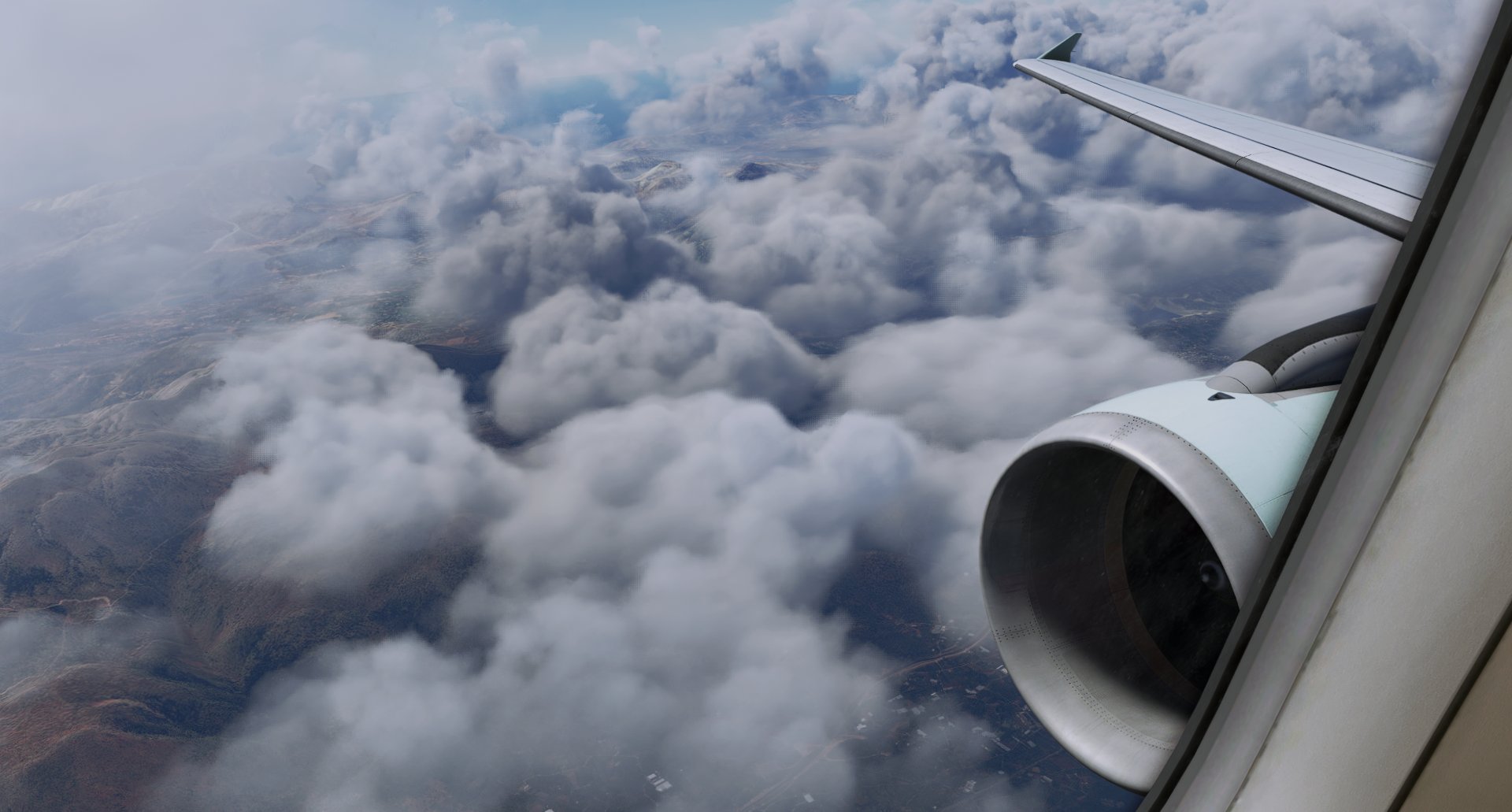
The Ultimate Custom Cameras For Fenix A320
These Custom Views Are Calculated To Be The Most Helpful Views Ever Released For Both The Cockpit Crew And The Passengers In Airbus 320
Note: These Views Has Been Calculated Very Much To Have Good Eye Drop In The Specific Instrument The User Want To Find
This Add-On Includes 10 Custom Views:
You Can Click The Specific Number On Your Keyboard To Access It
Num 1: Pilot View
Num 2: Go-Pro View
Num 3: EFB View
Num 4: MCDU View
Num 5: Overhead View
Num 6: Radio Panel View
Num 7: Left Wing View
Num 8: Right Wing View
Num 9: Left Engine View
Num 0: Right Engine View
Installation instructions:
WARNING
For the Microsoft Store installation
Fenix A320 CFM: C:\Users\[UserName]\AppData\Local\Packages\Microsoft.FlightSimulator_8wekyb3d8bbwe\LocalCache\SimObjects\Airplanes\FNX_320_CFM
Fenix A320 IAE: C:\Users\[UserName]\AppData\Local\Packages\Microsoft.FlightSimulator_8wekyb3d8bbwe\LocalCache\SimObjects\Airplanes\FNX_320_IAE
For Steam installation:
Fenix A320 CFM: C:\Users\[UserName]\AppData\Roaming\Microsoft Flight Simulator\SimObjects\Airplanes\FNX_320_CFM
Fenix A320 IAE: C:\Users\[UserName]\AppData\Roaming\Microsoft Flight Simulator\SimObjects\Airplanes\FNX_320_IAE
!!!READ ME!!!
If You Want You Can Create A Back Up Of Your Fenix A320 Custom Views
Thanks For Downloading These Custom Views
If You Have Any Problem With The Custom Views You Can Always DM Me
The Ultimate Custom Cameras For Fenix A320
These Custom Views Is One Of The Most Calculated Views For The Fenix A320 Aircraft. These Views Has Been Made To Make Both The Cockpit Crew And The Passengers To Feel Comfortable Inside The Cockpit Or The Cabin Also These Views Has Been Calculated Very Much To Have Good Eye Drop In The Specific Instrument The User Want To Find


User Reviews
1 reviews
Version History
- Updated CPT view to be realistic (Thanks to IRL pilot for the help)
Related
Custom camera views for every MSFS2024 airplane | MSFS24
This add-on provides custom camera views for all standard aircraft in Microsoft Flight Simulator 2024. Users can access cockpit and cabin views for a wide range of aircraft, including popular models such as the Airbus A320neo, Cessna 172, and Boeing 737 MAX 8, with Deluxe and Premium Deluxe aircraft support planned for the future. Installation instructions are included for both Microsoft Store and Steam users. The add-on allows for easy access to views using number keys 0-9, enhancing the overall flying experience.
by LunakisLeaks
FlyByWire Custom Cameras | A32NX
Enhance your A32NX experience with FlyByWire Custom Cameras, featuring 10 unique viewing options including Pilot View and Thrust Panel View. Easily download, unzip, and set up the custom cameras for a personalized flight experience. Stay tuned for regular updates and support from AquazDev.
by AquazDev
The Ultimate Custom Cameras For INI A330-300 | MSFS24
This add-on offers ten custom camera views specifically designed for the INI A330-300, catering to the needs of both cockpit crew and passengers. Each view is meticulously calculated to provide optimal visibility of important instruments and surroundings. Accessible via keyboard shortcuts, these views include various perspectives such as the pilot view, Go-Pro view, and wing views. Installation instructions are provided for both Microsoft Store and Steam platforms.
by LunakisLeaks
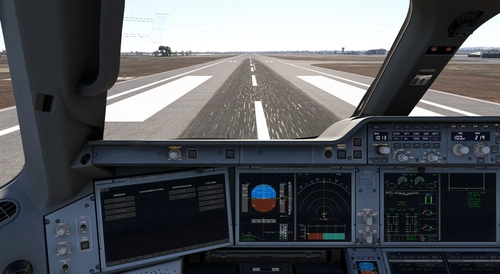
The Ultimate Custom Cameras For iniBuilds A350-1000 & -900
This add-on provides a set of 10 custom camera views tailored for the iniBuilds A350 in Microsoft Flight Simulator. Designed to enhance accessibility for both cockpit crew and passengers, these views focus on specific instruments and flight aspects. Users can quickly switch between views using dedicated keyboard numbers, facilitating a smoother flying experience. Installation is straightforward, with instructions provided for both Microsoft Store and Steam versions.
by LunakisLeaks
Log in to join the discussion
Log InComments(34)
2 months ago
2 months ago
This comment has been deleted
5 months ago
5 months ago
11 months ago
about 1 year ago
Do I need to assign the keyboard keys to each view? In the option / camera setting?
about 1 year ago
over 1 year ago
over 1 year ago
about 2 years ago
over 2 years ago
over 2 years ago
sorry to hear that. Let's try to fix it
pls answer these questions
1) what screen res are you using
2) what version of MSFS + Fenix
3) where did you install the file
over 2 years ago
over 2 years ago
over 2 years ago
over 2 years ago
over 2 years ago
over 2 years ago
over 2 years ago
over 2 years ago