
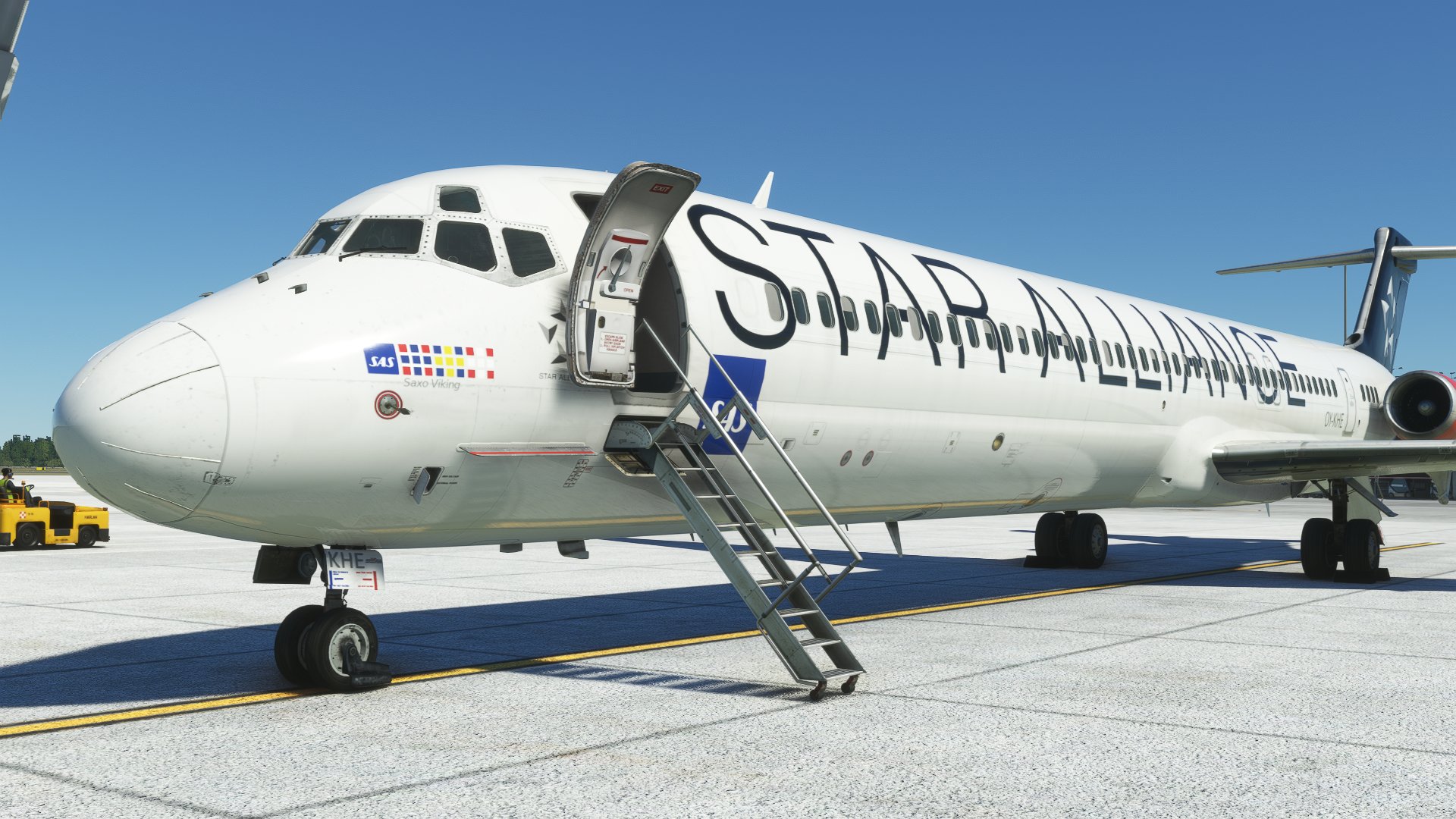
Description
Scandinavian Airlines Star Alliance OY-KHE for the Fly the Maddog X MD-82.
Installation:
- Rename the zip to OY-KHE.zip if it's not already named that.
- Place OY-KHE.zip in Documents\Maddog X Files\MSFS 2020\Liveries.
- Open the maddog load manager. (Documents\Maddog X Files\Load Manager\maddog_lm.exe)
- Press "Liveries Manager"
- Select the livery from the list of available liveries and move it over to the installed liveries with the ">" button. Press apply.
Scandinavian Airlines Star Alliance OY-KHE Flythemaddog MD-82
Scandinavian Airlines Star Alliance OY-KHE livery for the FlytheMaddog MD-82, designed to be easily installed via the liveries manager.


User Reviews
1 reviews
Version History
No version history available.
Related
Scandinavian Airlines SE-DIR Flythemaddog MD-82
Scandinavian Airlines SE-DIR livery for Fly the Maddog X MD-82. Easily install this livery by following these simple steps.
by 09tir98
![Fly The Maddog X — Scandinavian Airlines SAS LN-RLR (2009) [8K]](https://cdn.flightsim.to/images/27/fly-the-maddog-x--scandinavian-airlines-sas-ln-rlr-8k-306747-1749412379-j7CVo.jpg?width=500)
Fly The Maddog X — Scandinavian Airlines SAS LN-RLR (2009) [8K]
This add-on features the Scandinavian Airlines (SAS) livery for the Fly The Maddog X aircraft, specifically the model LN-RLR from 2009. It includes 8K textures for the fuselage and enhanced .comp textures at a resolution of 4096x4096. Additionally, the add-on offers a customized cabin and detailed elements on the flight deck for added realism. Installation instructions are provided for seamless integration into the simulator.
by Viljami
SAS Scandinavian Airlines MD-82 LN-RMN circa 1999
Fly back in time to 1999 with this conversion of the SAS Scandinavian Airlines MD-82 LN-RMN, capturing the essence of the era. Experience the iconic "Ivar Viking" livery with key fixes implemented in version 1.1, ensuring a seamless flight simulation experience.
by joakimhz
Fly The Maddog X — Scandinavian Airlines SAS MD-82 "SE-DMB" (8K)
Repaint of Scandinavian Airlines SAS MD-82 "SE-DMB" for Fly The Maddog X add-on. Depicts the aircraft during its final years of operation (2010-2013) with Spanair and SAS before being scrapped. Includes customized .comp textures and cabin details. Installation instructions provided for easy setup.
by Viljami
Log in to join the discussion
Log InComments(7)
8 months ago
over 4 years ago
has anyone else had problems with the maddog livery installer not picking up this livery. y
over 4 years ago
You have to rename the zip file to OY-KHE.zip and delete those extra letters that the website adds, otherwise the load manager wont recognize the zip file.
over 4 years ago
Nice job! Do you have the paintkit to share here ?
over 4 years ago
https://www.flythemaddog.com/forum/index.php?/topic/13509-white-and-bare-metal-layered-paintkit-msfs2020/
over 4 years ago
Your installation steps says SE-DIR.
over 4 years ago
Should have looked more carefully when copy-pasting. Fixed.