

Description
C-414 Profile for Streamdeck (need LORBYs Axis And OHs SD plugin)
To run this you need to have AAOs plugin installed on your StreamDeck software. Get it from here. Also get the FlightTracker Plugin. Also make sure you are on the LATEST version of AAO!
It is for the XL Version ONLY!
Features in this profile:
- Main Page
- COM/NAV Page (includes GTN 750 pages)
- LEFT PEDESTAL Page
- ENG START and FUEL Page
- INTERNAL LIGHTS Page
- AIRCOND page
- AP page
- WINDOWS and DOORS Page
and much more...
Further pages will come as this release will develope further...
Tested and works with the all the Flysimware models of the Cessna 414. AP functions only for the 750 version. It might be possible that you have to adjust certain functions to your specific setup (especially views as some are mounted to ALT-X commands). If help is needed just drop a line in the comments. For further help and support join my discord server.
Installation:
First make sure that you have the AAO SD and the Flighttracker plugin installed properly.
Then just double click on the profiles provided in this download
- Cessna 414.streamDeckProfile
- C414 GTN 750.streamDeckProfile
- C414 GTN 750 2.streamDeckProfile
- Numpad.streamDeckProfile (should be installed when importing the Flighttracker plugin)
- import C414 Scripts into your AAO software (make sure you DON'T have connection to FS when importing scripts - just click the green button). Overwrite existing ones. No extra camera scripts needed anymore as they are included in the script file already.
Aircraft Automated Scripts:
Install the following scripts as automated aircraft scripts in AAO to make functions work properly: (scripting-> aircraft automated scripts)
- C414-AP Blink (repeating with 700ms delay)
- C414-Initialize (one shot with 100ms delay)
- C414-YD Blink (repeating with 700ms delay)
- C414-CABIN PRESS GOAL (repeating with 50ms)
You only have to do this once as it gets saved for each individual aircraft.
If you find some bugs, need some help or have some suggestions just let me know and drop a comment. As this work is very time consuming in finding VARs, writing scripts and creating icons etc. please also consider a donation as this will keep up the work! Thank you!
Thanks to Guenseli for his awesome work on the GTN profile. Used and uploaded with permission of the author!
Dependencies
Cessna 414 STREAMDECK XL PROFILE (need Lorby AAO)
Customize your flight experience with the Cessna 414 Streamdeck XL Profile add-on, designed for use with LORBYs Axis And OHs SD plugin. This profile includes various pages for different functions such as COM/NAV, ENG START, AP, and more. Stay tuned for updates as new features are added. Compatible with all Flysimware models of the Cessna 414.

User Reviews
14 reviews
Version History
Changes in this update: - added missing scripts for GTN750 Just import and overwrite scripts in AAO.
Related
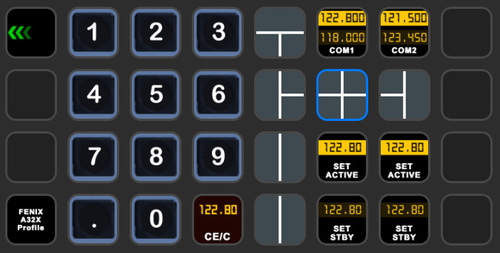
StreamDeck XL and SD+ Profile for FBW A320neo
Enhance your FBW A320neo experience with a comprehensive StreamDeck XL and SD+ profile. Enjoy features like Main page, Overhead Panel, MCDU, ECAM, and much more. The profile is tested and works with the latest FBW A320neo experimental version, offering customization options for specific setups. Easy installation process with detailed instructions provided for a seamless setup.
by ChrisG9111
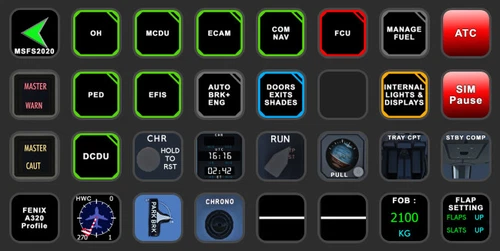
StreamDeck XL and SD+ Profile for FENIX A3XX (incl. compl. Script package and FCU readouts and more)
Enhance your FENIX A3XX experience with this StreamDeck XL and SD+ Profile add-on, featuring a complete Script package, FCU readouts, and more. Access various cockpit functions such as the Overhead Panel, MCDU/DCDU, ECAM, and Internal Lights with this detailed profile. Compatible with the latest FENIX A320, this add-on offers a seamless integration for a more immersive simulation experience.
by Chris_PU_A320
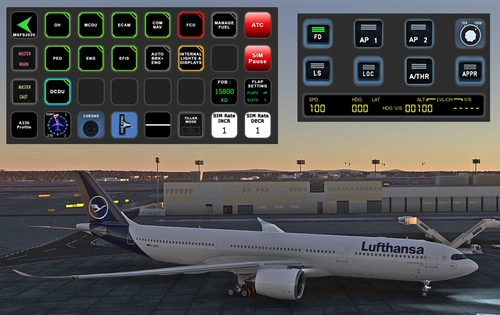
StreamDeck XL and SD+ Profile for A330-900neo (Headwind)
Customize your flying experience with the Headwind A330-900neo StreamDeck XL and SD+ Profile. This feature-packed profile includes functions for Main Page, MCDU, ECAM, EFIS, COM/NAV, and more. Compatible with the latest version of Headwinds A330Neo, adjustments may be needed for specific setups. Join the Discord server for support and enjoy enhanced control over your aircraft systems.
by Chris PU A320
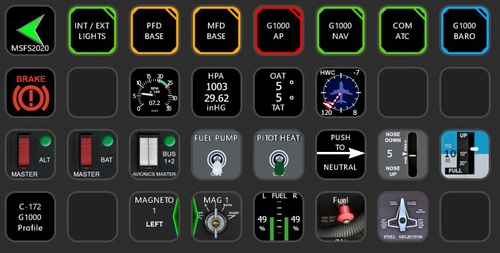
StreamDeck XL Profile for Cessna C-172 G1000 Version
A comprehensive StreamDeck XL profile for the Cessna C-172 G1000 version, tailored for pilots using the Asobo Cessna 172 Garmin 1000 model. Features include various pages such as Lights, G1000 PFD, MFD, AP, Baro, NAV, and COM/ATC. Ensure to have the required plugins installed for optimal functionality. Adjustment for specific setups may be necessary, with support available through comments or the creators Discord channel.
by ChrisG9111
Log in to join the discussion
Log InComments(94)
3 months ago
3 months ago
over 1 year ago
Just wanting to let you know that apparently the scripts for Master Battery Toggle and Master Bar don't seem to work.
Master battery only results in a subtle "dub dub" sound in the cockpit but no switch is moving.
Cheers,
Paul
over 1 year ago
Rgds
Chris
over 1 year ago
switched to on and off and working fine now, thanks!
almost 2 years ago
almost 2 years ago
over 2 years ago
1. in my AAO the option "aircraft automated scripts" is faded out (not available)
2. Where do I get the four scripts for the automation from?
over 2 years ago
Rgds
Chris
over 2 years ago
Short question: on the latest update the the Tablet button only switches the tablet screen on and off.
Should it also pull up and remove the Tablet in the cockpit?
I believe that behavior was present in the older version?
Greetings, Harald
over 2 years ago
Rgds
Chris
over 2 years ago
over 2 years ago
Aber ich kann in AxisandOhs bei "scripting-> aircraft automated scripts" nichts auswählen, die Funktion ist gedimmt und nicht selektierbar?
Muss man das über "Global Automated scripts" installieren mit der Vorgabe für die "Group" (also das Flugzeug) und ist es evtl. ein Fehler in der Installationsbeschreibung?
over 2 years ago
LG
Chris
over 2 years ago
over 2 years ago
Cheers
Chris
over 2 years ago
over 2 years ago
over 2 years ago