
Description
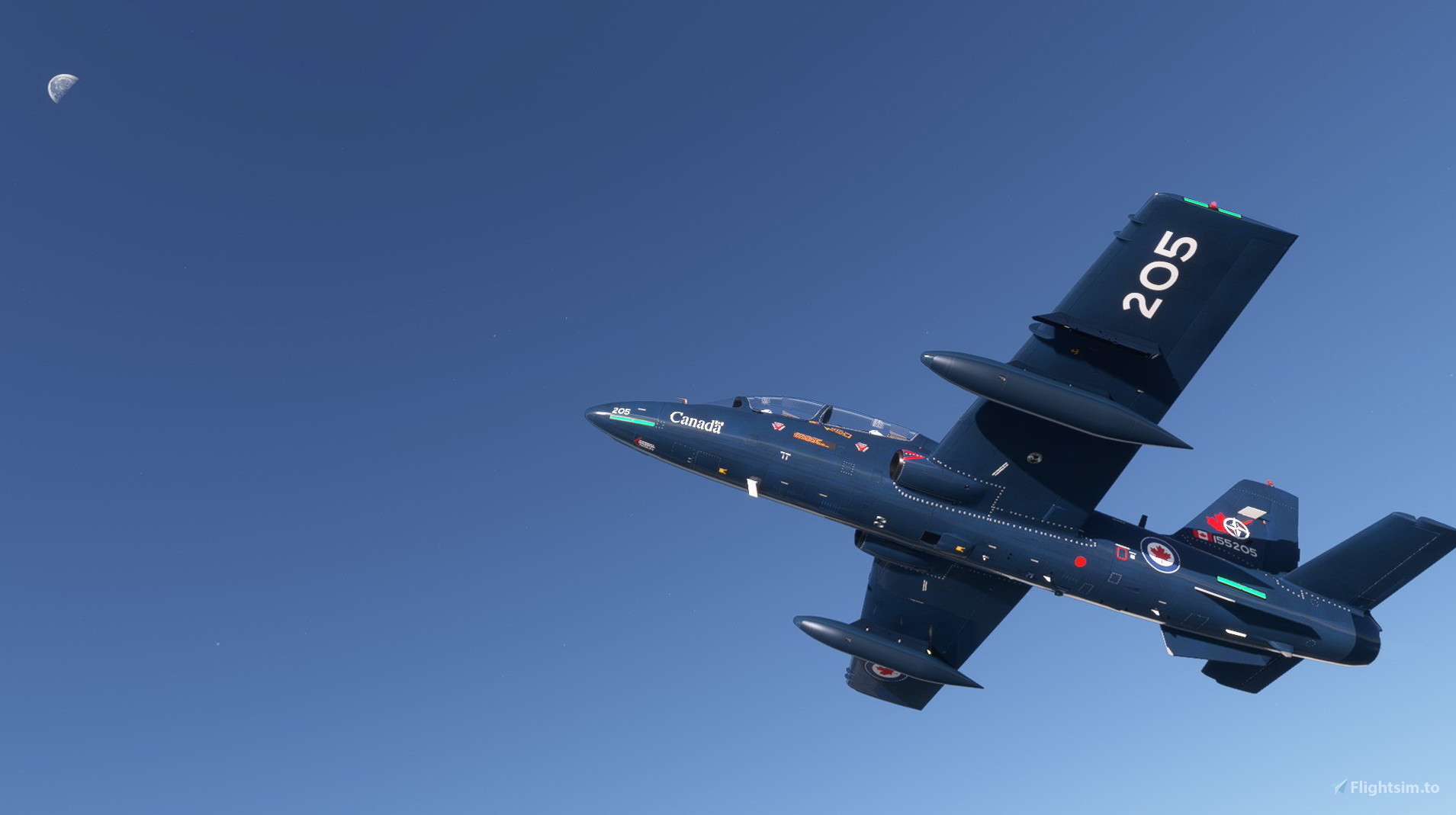
This folder contains a repaint for the Aermacchi MB-339 by IndiaFoxtEcho for MSFS2020, in the imaginary colors of MB-339 155205 of the NATO Flying Training in Canada, 2 Canadian Forces Flying Training School, 15 Wing, Moose Jaw, Saskatchewan. In reality, this aircraft is a BAe CT155 Hawk. Repaint by Jan Kees Blom, based on the paintkit by IndiaFoxtEcho.
update: I uploaded a new version to get rid of the cockpit problem
update 2, for the shiny texture problem
Aermacchi MB-339 RCAF 205
Aermacchi MB-339 RCAF 205 repaint for the Aermacchi MB-339 in imaginative NATO Flying Training colors. Enjoy this unique aesthetic update by Jan Kees Blom.
User Reviews
10 reviews
Version History
to remove the shiny textures and the pilot problem
Related
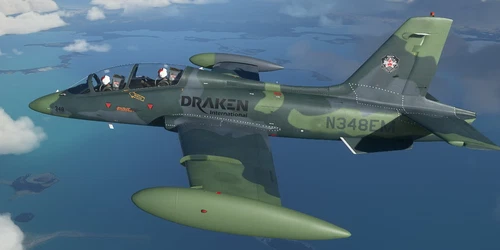
Aermacchi MB-339 Draken International N348EM
Repaint of Aermacchi MB-339 in the colors of Draken Internationals N348EM, with updates for compatibility and cockpit view.
by Jan Kees Blom
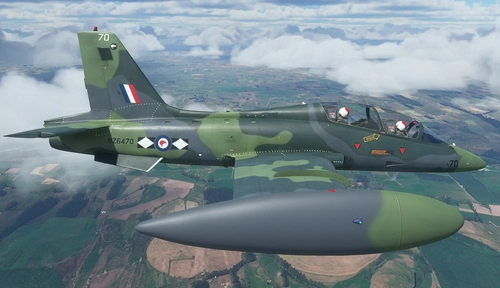
Aermacchi MB-339 RNZAF NZ6470
"Repaint of the Aermacchi MB-339 representing NZ6470 of 14 Sqn RNZAF, with updates to the camouflage pattern, markings, and cockpit view. Made for MSFS2020 by Jan Kees Blom, based on IndiaFoxtEchos model."
by Jan Kees Blom
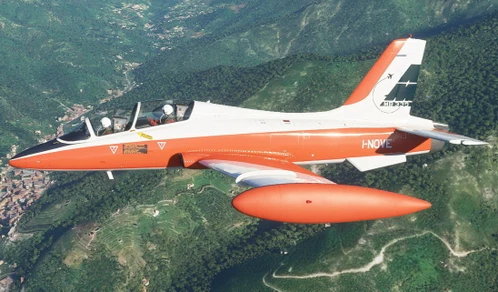
Aermacchi MB-339 I-NOVE
Repaint of the Aermacchi MB-339 in the colors of the first prototype I-NOVE, now updated for the PAN version and MSFS 11070. Fly this historic aircraft that served in the Italian Air Force from 1976 to 1982. Created by Jan Kees Blom, based on IndiaFoxtEchos paintkit.
by Jan Kees Blom
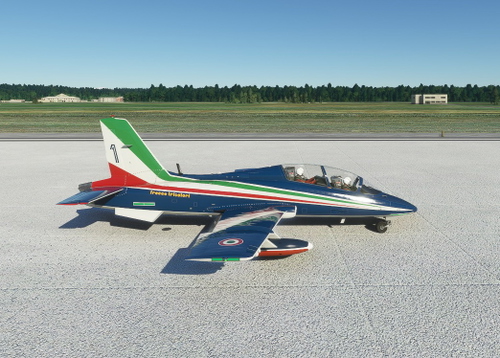
Aermacchi MB-339 Frecce Tricolori #1, #2 & #3
Enhance your MSFS2020 experience with three repaints for the Aermacchi MB-339 by IndiaFoxtEcho, featuring the iconic aircraft numbers 1 to 4 of the Frecce Tricolori stunt team. Repainted by Jan Kees Blom, these liveries now include correct colors for the tanks and have been updated to remove shiny textures.
by Jan Kees Blom
Log in to join the discussion
Log InComments(24)
about 5 years ago
Livery looks great, not 4k but you cant tell unless you get real close. just wish it went on all variations of the plane but oh well
over 5 years ago
over 5 years ago
over 5 years ago
almost 6 years ago
almost 6 years ago
So in summary, I deleted the model folder and it's contents, changed the aircraft.cfg to point to the default model (model="") and then updated the layout.json file to reflect the changes I made.
Hope that is helpful.
almost 6 years ago
almost 6 years ago
almost 6 years ago
This is what it looks like for me, with all instruments working:
[img]https://live.staticflickr.com/65535/50587107138_66bb85f4d1_h.jpg[/img]
If you still have a problem, check the text in the model.cfg file in the model folder. The first four items should be false, true, true and false respectively, so:
[model.options]
withExterior_showInterior=false
withExterior_showInterior_hideFirstLod=true
withInterior_forceFirstLod=true
withInterior_showExterior=false
if that doesn't help, I have no clue, sorry.
almost 6 years ago
almost 6 years ago
almost 6 years ago
The cockpit problem is now solved, just download again
almost 6 years ago
almost 6 years ago
almost 6 years ago
almost 6 years ago
almost 6 years ago
almost 6 years ago
almost 6 years ago
almost 6 years ago