
![A32NX Performance Tool [FLEX Calculator - Automatic][Simbrief] - Image 1](https://cdn.flightsim.to/images/22/a32nx-performance-tool-flex-calculator-automatic-YydbR.jpg)
Description
A32NX Performance Tool v1.6.6
Landing Calculation Integration
English-
- Installation
- How to use
-
- Installation
- Utilisation
-
- Windows 11 not running properly
- Simbrief not loading my data
- No result shown
- The software is freezing when computing result ( WIP - Try run as an Administrator )
Other Tools
🇬🇧 ENGLISH 🇬🇧
An easy to use tool to calculate the Take-Off & Landing performance ( FLEX Temp, V1, VR and V2 ) for the A32NX by Fly By Wire
❤️ Don't forget to Vote &Like ❤️
Live METAR & Runways Informations ( 2 CLICKS READY )
Here is a small tool, to help you calculate the take-off and landing performance for the A32NX.
Since Webpro.cz is down, and we are still waiting the SimSmart - A320 Neo Performance Calculator by EasyJetSim Pilot, we don't have much to calculate FLEX temp, so i made this quickly, based on perfcalc.pradz.de, so bugs might be encounter.
Update: SimSmart by EasyJetSim Pilot is now available !
Installation
- Unzip archive
- (Optional) Make a shortcut of A32NX Performance Tool.exe by right-clicking it and drag the shortcut where you want
- Launch A32NX Performance Tool.exe
How To Use
- Indicate the take-off airport with ICAO
- Fill the Take-Off Weight in Kgs (TOW)
- Select the desired runway to take-off
- Click "Calculate" button
Simbrief
Click the Simbrief icon and fill in your Pilot ID
Make sure to fill the corrects runways on Simbrief for best experience
IMPORTANT : The best configuration for the calculation is with the A320-214, However, you can choose the Neo version A320-251N but the result are far off from reality.
The runway heading auto-filled is the True Heading (related to True North), the runway course indicated on your charts may be Magnetic Heading (related to Magnetic North). So depending on your location, the course could change a bit, so consider a double-check on that.
Any issue with the tool, bugs, or idea, please leave a comment
🇫🇷 FRANCAIS 🇫🇷
Un outils facile d'utilisation pour calculer les performance de décollage et attérissage ( Temp. FLEX, V1, VR et V2 ) pour l'A32NX de Fly By Wire
❤️ N'hésitez pas à Voter & Liker ❤️
METAR en direct & Information des pistes ( Prêt en 2 Clics )
Voici un petit outils pour vous aider à calculer les performances de décollage et d'attérissage pour l'A32NX de Fly By Wire.
Depuis Webpro.cz n'est plus en service, et que l'application SimSmart - A320 Neo Performance Calculator par EasyJetSim Pilot n'est pas encore disponible, nous n'avons pas grand chose pour calculer la température FLEX, j'ai donc fait ce petit outils rapidement, basé sur perfcalc.pradz.de
Update: SimSmart par EasyJetSim Pilot est maintenant disponible !
Installation
- Dézipper l'archive
- (Optionnel) Créer un raccourci de A32NX Performance Tool.exe en pressant click-droit et en déplaçant le raccourci où vous le souhaitez
- Lancer A32NX Performance Tool.exe
Utilisation
- Indiquer l'aéroport de départ avec le code OACI
- Remplir le Poid au Décollage en Kgs (TOW)
- Selectionner la piste désirée pour le décollage
- Cliquer sur le bouton "Calculate"
Simbrief
Cliquer sur l'icone Simbrief et indiquer votre ID Pilot
Assurez vous d'indiquer les bonnes pistes sur Simbrief pour une meilleure expérience
IMPORTANT : La meilleure configuration pour les calculs est avec l'A30-214, cependant, vous pouvez tout à fait selectionner la version Neo, A320-251N, mais les résultats sont loins de la réalité.
Le cap de piste auto-rempli sur le programme est le cap géographique (vis à vis du nord géographique), le cap de piste indiqué sur vos cartes de navigation, sera certainement le cap magnétique, la différence peu varier selon votre position, assurez vous de vérifier que l'écart ne soit pas trop grand.
Un problème, bugs, ou idée ? Merci de laisser un commentaire
🚨 Bug & Issue 🚨
🧧 Simbrief data not loading
§ Make sure your Pilot ID is correct, you can modify it in "config/simbrief.txt"
🧧 Windows 11 Not running properly
§ Released versions ( < 1.6.5 ) are compiled with Python 3.10, which may fixes Windows 11 compatibilities issue.
Les versions ( < 1.6.5 ) sont compilées avec Python 3.10, ce qui devrait corriger les problèmes de compatibilités
🧧 No results shown / Pas de résultats affichés
$ Make sure you have filled all the informations requiered & Take-Off Weight(TOW) must be input with correct unit
Assurez vous d'avoir rempli tous les champs nécéssaires & Le poids au décollage(TOW) doit être entré avec la bonne unité de mesure
🧧 The application is look like is about to crash / L'application ne répond plus et semble à l'arrêt ?
🧧 No information about runway is displayed / Aucune informations sur les pistes ?
§ Verify that your airport is in runways.csv - report in comment if necessary
§ Verify Airport-Data Website is working properly
Vérifier que le Site Airport-Data fonctionne correctement
🧧 Software is freezing / Le programme ne répond plus
§ This could be cause by looping through the runways.csv file to find your airport and runway, this could take sometimes depending on your hardrive
If you think the problem is elsewhere, try :
- Running the software as an Administrator
Other Tools
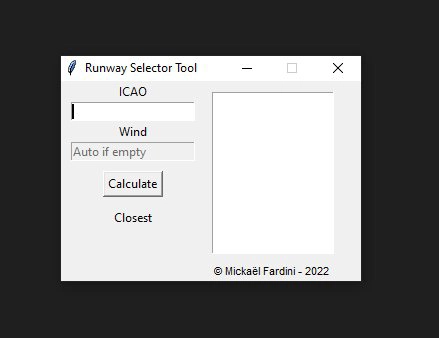
🟩 Runway Selector Tool
A32NX Performance Tool [FLEX Calculator - Automatic][Simbrief]
Version 1.6.5 - Simbrief Integration - An easy to use tool to calculate the Take-Off & Landing performance ( FLEX Temp, V1, VR and V2 ) for the A32NX by Fly By Wire


User Reviews
33 reviews
Version History
- Update runways.csv (19 Mar 2024) - Fixed broken METARs
Log in to join the discussion
Log InComments(238)
over 2 years ago
over 2 years ago
over 2 years ago
over 2 years ago
over 2 years ago
please fix. many thanks
over 2 years ago
Can you provide me information about what crashed and at what point ?
PM me if necessary
over 2 years ago
almost 3 years ago
almost 3 years ago
over 2 years ago
Will do in future update.
Thanks for your comment.
almost 3 years ago
almost 3 years ago
almost 3 years ago
over 3 years ago
As of 11/4/23:
No longer getting weather updates since my last post. Dropped to 2 stars. I still hope to see a fix soon.
almost 3 years ago
over 2 years ago
Sorry for this issue.
over 3 years ago
Can you implement a takeoff flaps and trim calculation as well, please?
over 3 years ago
where is the take off trim value?
over 3 years ago
Hello @motishow
You can refer to this comment for the answer :
https://flightsim.to/file/28351/a32nx-performance-tool-flex-calculator-automatic/280207
Thanks.